


Even if, like a lot of builders, you don’t have a formal change order process in place, changes are still happening.
They pop up when the homeowner asks if it’s possible to move a window location or add an outlet “while you’re at it.” Formalizing such small changes might feel excessive, but it can actually damage the relationship when the bill (and the dispute) come up later.
And so most builders just get a verbal agreement, or absorb those small changes altogether.
The right move is not to refuse changes outright, but to treat every change like the original scope: written down, priced, and agreed to before the work happens.
This guide covers how to build a change order process people actually use, how to price changes without guesswork, and how to talk to homeowners about them without it feeling like a contract mid-handshake.
Key Takeaways
- A change order is a formal written amendment to the contract. It covers the change to scope, cost, and schedule, outlines why it’s happening, and provides sign-off from both builder and homeowner.
- Small unbilled changes stack up quickly and eat into your margin.
- A verbal “go ahead” often ends up becoming a dispute when you send the invoice out. Get a signed approval before starting the work, every time.
- Price every change off your original estimate, using the same markup, overhead, and labor rates.
- Present changes to cost and schedule carefully. Lead with why it’s happening, itemize in plain language, and remember that you’re working with a homeowner, not a procurement department.
- Software keeps the process connected by tying the change order to your estimate, budget, and invoice in one place
What Is a Construction Change Order?
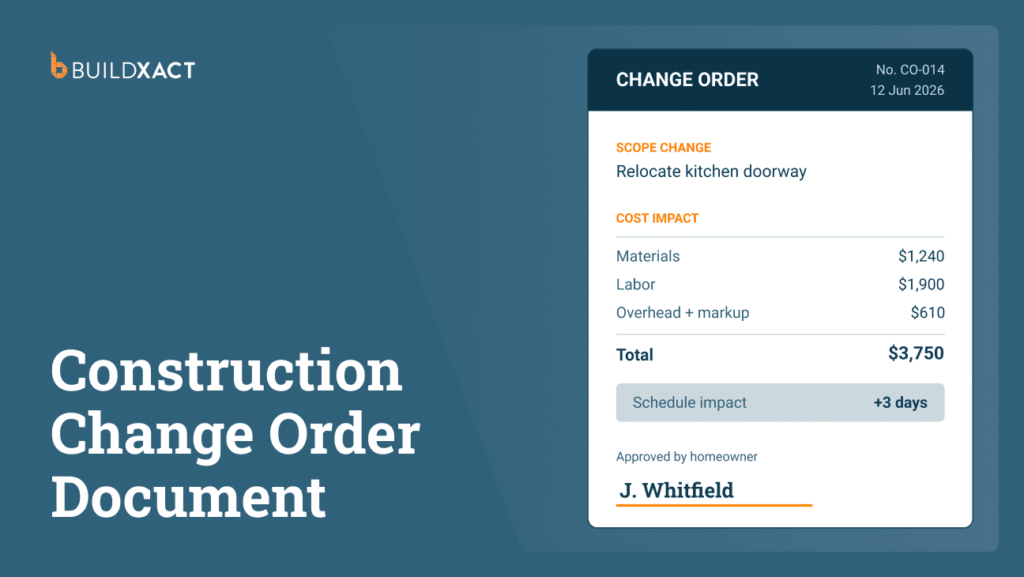
A construction change order is a formal written amendment to the contract.
It outlines the impact of the change to scope, cost, and schedule, provides details on why the change needs to happen in the first place, and includes signatures from both the builder and the homeowner.
On residential projects, the main reasons change orders are required are:
- Homeowner design changes
- Unexpected site conditions
- Code requirements
- Material substitutions
What is the difference between RFI and a change order?
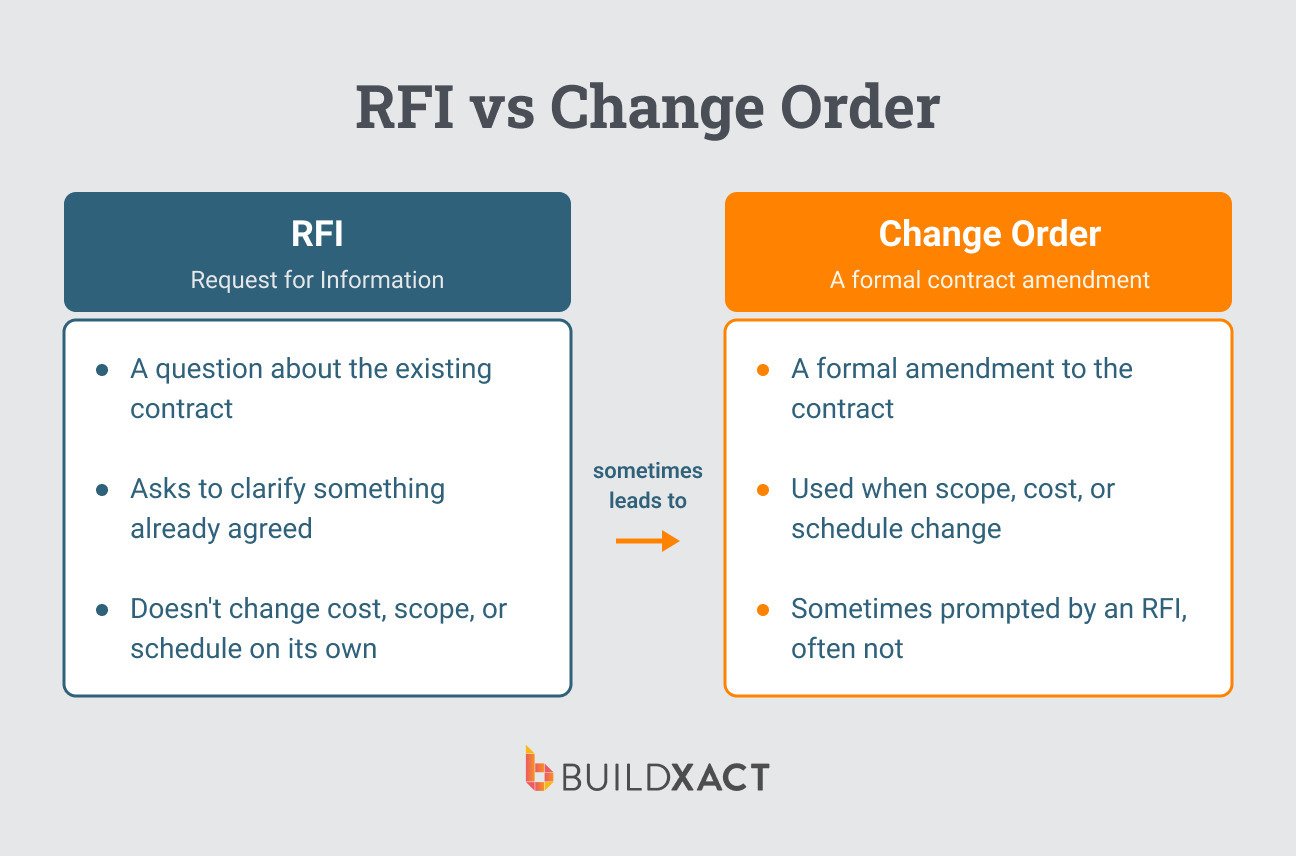
An RFI is a question about existing contract documents.
A change order is what you issue when the scope, cost, or schedule actually changes, which is sometimes prompted by an RFI’s answer (but not necessarily).
Why Undocumented Change Orders Cost Builders Money
Residential builds, by the time they’re finished, rarely end up looking the same as the initial drawings.
Small changes pop up along the way, like a moved doorway, and upgrade fixture, or an extra outlet in the bedroom.
The issue is that each one feels too small on its own to write up, so, in many cases, it just gets absorbed by the builder.
They’re small changes, yes, but they add up over time. Each change still carries additional material, labor, and coordination time that doesn’t get billed, even if the final product (a door in one place vs in another) looks much the same.
On a $40k remodel, enough small unbilled changes can wipe out the whole margin.
Getting a verbal go-ahead on a price increase isn’t much better.
All too often, the homeowner remembers it differently, or not at all. No signed doc means it’s your word against theirs when the bill lands, and, like many builders, you’ll probably end up eating it to keep the peace and the relationship.
An email or text message is a good start, as it gives you a record to refer back to. But it’s not quite the same thing as a proper change order.
A formal change order process solidifies the event psychologically. It’s made abundantly clear that the price is changing, and you have documentation and a signature to back it up if a dispute still happens later.
The Change Order Process: Step by Step
While every builder should have their own change order process that reflects the nature of their business, clients, and projects, the following is a common workflow that many can apply.
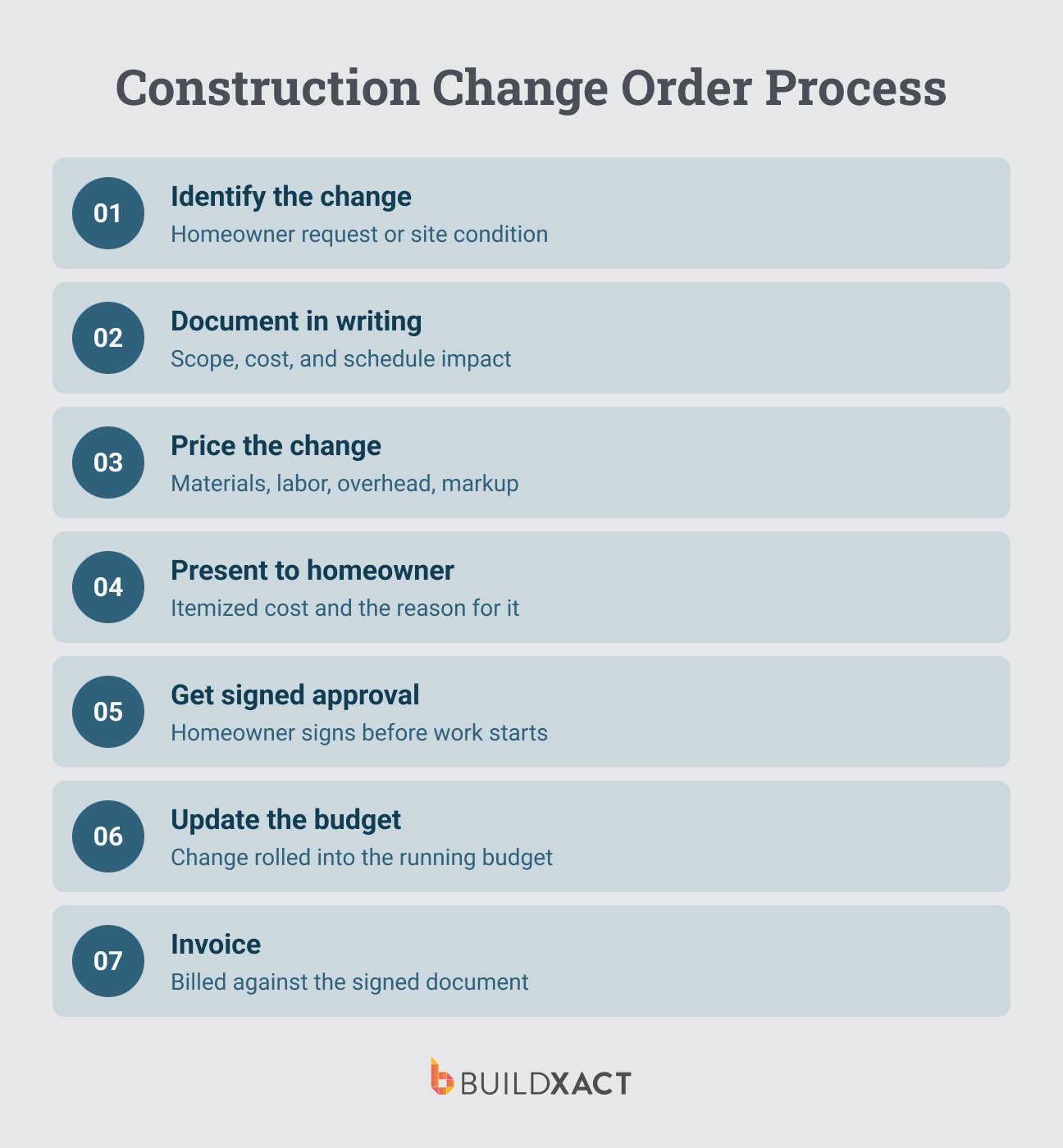
1. Identify the change
Change orders are commonly triggered by the homeowner (the classic “Can we actually move this slightly?”), but they can also be builder-triggered, such as when you uncover old wiring or unexpected rot mid-job.
The moment to act on it is as soon as it comes up on site (or when the client asks), before beginning or continuing work.
2. Document the change in writing
Once the change itself is identified, you need to document it, noting:
- What changed
- Why it changed
- The impact of the change on both cost and schedule
Do this even if you’re mid-conversation with the homeowner, and they haven’t explicitly said they want to go ahead. Formally documenting the change will often help them decide whether the change is worth it.
3. Price the change order
When pricing the change order, consider the cost of:
- Materials
- Your crew’s labor
- Any other trades you need to pull in
- Overhead
- Standard markup rates you apply
4. Present to the client for approval
The actual presentation of the change order needs care and attention. Remember, this is a person in their half-built house reacting to a number, not a procurement dept reading a form.
It can also be quite a sensitive subject for clients, with homeowners often wary of builders who quote low to begin with and then jack up the price mid-project. That’s not what you’re doing here, but it’s important to understand how change orders can be perceived.
Here’s what you should pay attention to when presenting a change order to a residential client
- Lead with the why, then the number. Start with what triggered it (they asked for it, or you found rot behind the wall) so the cost reads as a consequence of reality, not a builder’s choice.
- Itemize in plain language. Spell out how the total cost breaks down into materials, labor, and time, with no jargon. A number with no breakdown invites suspicion, while a number that they can see the parts of feels fair. This is especially important for changes that on the surface don’t look like they should cost more (like an outlet moved from one spot to another).
- Don’t apologize for the change or hedge. “So, uh, this might cost a bit more…” signals the price is soft and invites pushback. A calm “here’s what this adds” is easier to accept than an uncertain one.
- Explain the schedule impact, not just cost. On a renovation, the homeowner is living in the job. An extra three days matters as much as the dollars. Saying it up front avoids a different kind of dispute.
5. Get a signed approval before starting work
This is what the entire change order process is leading up to: explicit, written agreement with signatures to back it up.
This can feel tricky in residential construction, not because getting the signature itself is weird, but because the homeowner might be right there with you on site, and it can feel like putting the brakes on the project by stopping to create a change order and get a signature.
Do it anyway.
This is the step that separates builders who end up eating costs from those who don’t. It’s a slightly uncomfortable situation now to avoid a much more uncomfortable and costly one later.
6. Update the project budget and schedule
Once the change order is signed, roll the approved change into the running project budget and timeline so the change is reflected everywhere, not sitting in a separate note
7. Invoice for the change
Finally, bill for the change order against the signed document so there are no surprises at payment.
What Should Be Included in a Change Order?
These are the ten items to include on every change order (and in your change order template):
- Project name
- Contract number
- Change order number
- Date of the change request
- Description of original scope and proposed modification
- Reason for the change
- Itemized cost impact
- Schedule impact in calendar days
- Signatures of both builder and client
- Reference to the original contract clause governing changes
How to Price Change Orders Without Losing Your Margin
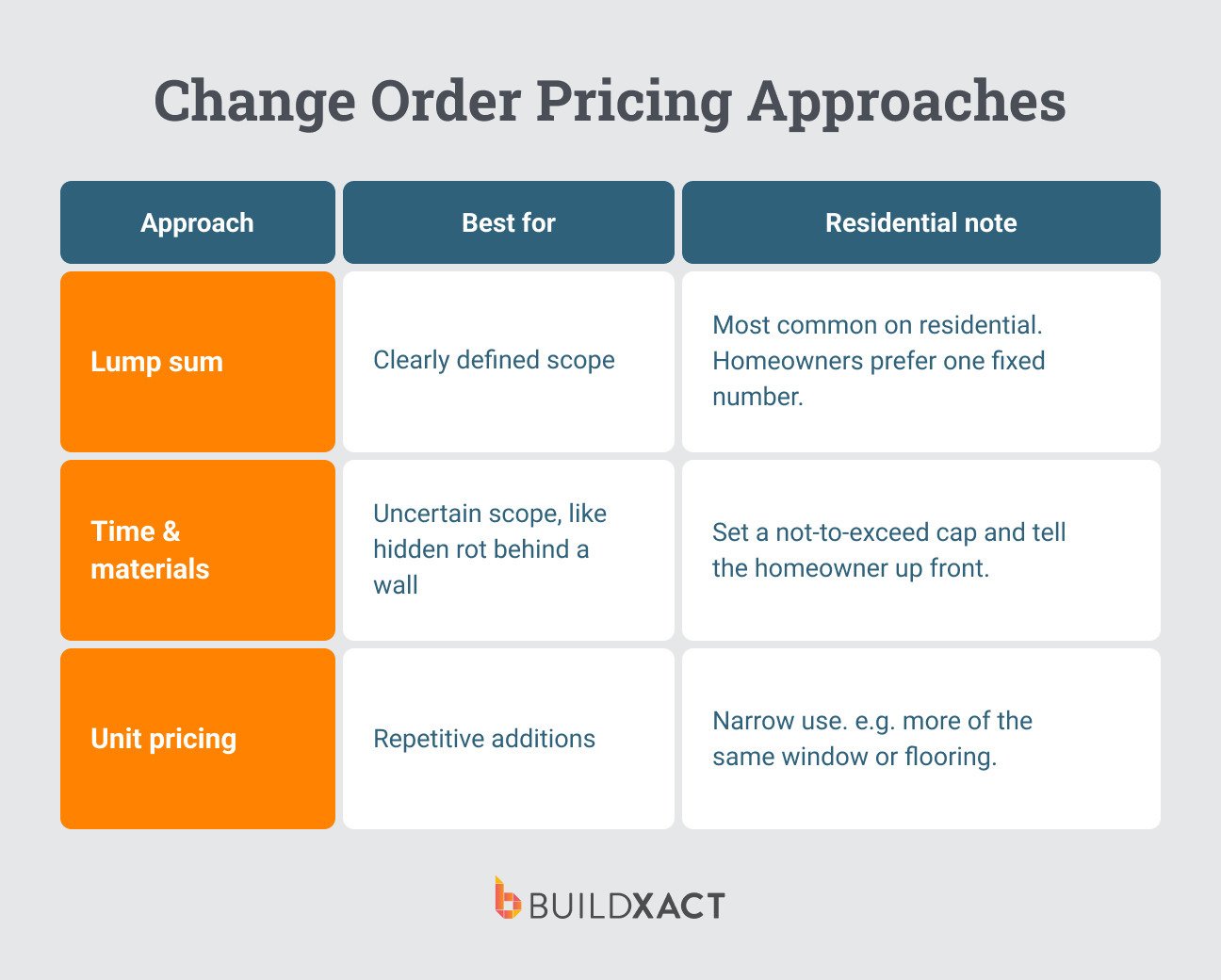
How you price a change order can affect whether a client signs off on it on the first go or pushes back, but it also depends on the kind of work in question.
There are three main pricing structures you can use, each with a slightly different use case:
- Lump sum: One fixed price for the change. Lump sum is best when the scope is clear, like a fixture swap, an added outlet, or a defined bit of extra framing. This is what you’ll use most on residential because most homeowner changes are small and well-defined. Homeowners also prefer it, since it’s a clear additional cost.
- Time and materials (T&M): Bill actual cost plus markup. T&M is best when you genuinely can’t see the bottom of it, e.g., you’ve opened a wall and don’t know how far the rot goes. Homeowners get nervous with T&M because it feels open-ended, so it’s a good idea to set a not-to-exceed cap and tell them what it is up front.
- Unit pricing: An agreed rate per unit of work. Unit pricing is best for repetitive additions, though it has narrow use in residential, really only when a change repeats (five more of the same window, another 200 sq ft of the same flooring).
Whichever model you use for the change order, refer back to your original when pricing, using the same markup, overhead, and labor rates you already set for the job.
That said, if dealer prices have changed since you bid the job, you need to reprice to reflect current material costs. The change order should reflect today’s price, not the number from three months ago. Otherwise, you’re paying a price increase on work you hadn’t agreed to yet.
Managing Change Orders with Construction Software
The process outlined above only works if it’s actually followed on every job, which often comes down to whether your tools are designed to make it easy to implement change orders.
Most builders have change order forms in one place, estimates in another, and invoices in a third, making it harder and more time-consuming than it needs to be to execute a change when it needs to be completed.
Builders get busy, and the change order often slips through the cracks.
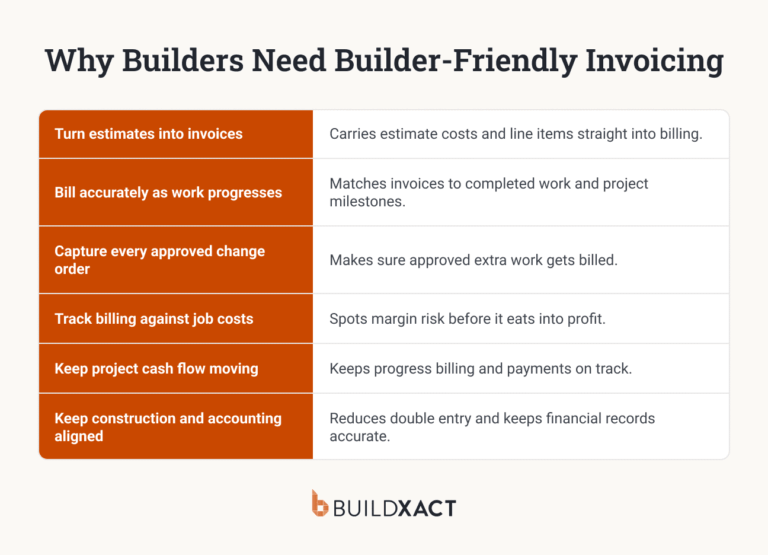
Build management software can support this by making the step of connecting the change order to the budget and invoice automatic, rather than something that risks being skipped when you’re busy.
It allows you to create or adjust a change order directly within the job estimate, so that changes automatically flow through to the budget, purchase orders, and invoicing.
Change order management becomes automatic, not a cumbersome task that holds up work.
Protect Your Margin on Every Change
Change orders aren’t about adding friction to the job or to client relationships.
They actually do the opposite.
They help you ensure that the conversation you have on-site with the homeowners matches the amount on the final invoice, so it doesn’t turn into a dispute that hurts the relationship and project profitability.
The process is much easier to manage consistently isn’t scattered across separate tools.
Buildxact keeps your change orders tied to the estimate, budget, and invoice in one place, so documentation no longer slips when you’re busy.
Start for free and keep every change accounted for from site to invoice.
FAQ
What is an example of a construction change order?
Say a homeowner asks you to move a kitchen island three feet to add seating.
That change has downstream consequences, shifting plumbing and electrical rough-ins. That means you need to document the new scope, price the added labor and materials, note the two-day schedule bump, and get a signature before touching it.
That written, priced, signed amendment is the change order.
Can a contractor request a change order?
Yes. Changes aren’t only homeowner-driven.
Say you open a wall and find rot, hit old wiring, or a code requirement forces a change. These are all valid reasons to initiate the change order.
The trigger is any deviation from the original contract scope, whoever spots it first.
Do contractors charge for change orders?
The change itself is billed at your standard rates: materials, labor, overhead, and the same markup as the original bid.
Some builders also add a small administrative fee for processing, since even a minor change costs planning and coordination time. What you shouldn’t do is absorb small changes for free.
Who pays for change orders in construction?
In most cases, the homeowner pays for the change order, since most changes come from their requests or upgrades.
The exception is when the original contract or plans were wrong. Whether a discovered site condition is billable depends on how your contract handles unforeseen conditions.