

If you’ve built more than a few homes, you already know one thing: the plans rarely survive the entire project unchanged.
A homeowner asks if the backsplash can be upgraded. A fixture gets swapped. Maybe a wall moves a few inches. Everyone agrees it’s a “quick change.” But before long, the scope has shifted, and the job budget doesn’t look the same as it did on day one.
Without a clear process for capturing and approving changes, those moments can quickly turn into disputes, delays, or budget confusion.
If you want to stay ahead of change orders, you need a consistent process and the right digital tools. This article breaks down a straightforward workflow builders use to manage change orders and keep projects (and budgets) on track.
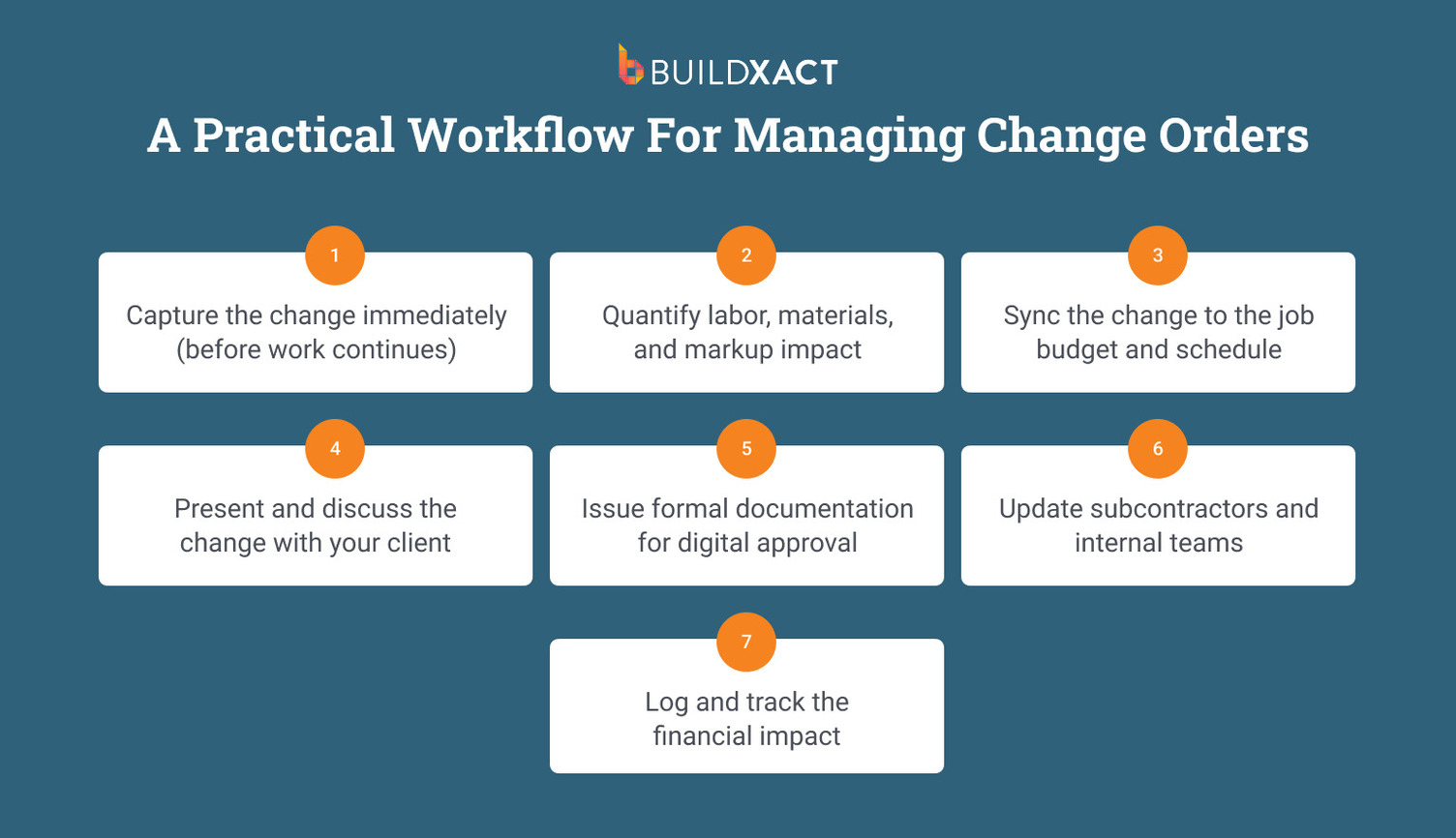
A Practical Workflow for Managing Change Orders
Managing change orders is critical for any construction professional, and communication is vital. Establishing a transparent process for documenting changes using a standardized change order form that captures details and signatures from both the customer and you, the contractor, is essential.
Steps may vary depending on the project or your company policies, as well as the type of change, but for simplicity, we’ve outlined how to implement a change order:
1. Capture the change immediately (before work continues)
The moment a scope adjustment is requested, document it. That could be a homeowner upgrading countertops, moving a wall slightly, or swapping out fixtures. Even small changes should be recorded before work proceeds.
Verbal agreements or “handshake deals” are where problems begin. What feels obvious on-site can easily be forgotten a week later. Without digital documentation, it becomes one person’s memory against another’s.
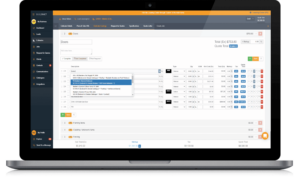
Using a digital tool or construction software makes this much easier. Builders using Buildxact can create or adjust a change order directly within the job estimate, ensuring the request is logged immediately and nothing slips through the cracks.
2. Quantify labor, materials, and markup impact
Once the change is captured, the next step is understanding what it actually costs.
That means recalculating the full impact on the job:
- Additional labor hours
- Material substitutions or upgrades
- Subcontractor adjustments
- Markup and overhead
For example, upgrading kitchen cabinetry might not just affect material cost. It could also change installation time and scheduling for other trades.
This is another place where the right estimating software can save time. Adjust the line items and the totals update automatically, making it much easier to see the real impact of the change.
3. Sync the change to the job budget and schedule
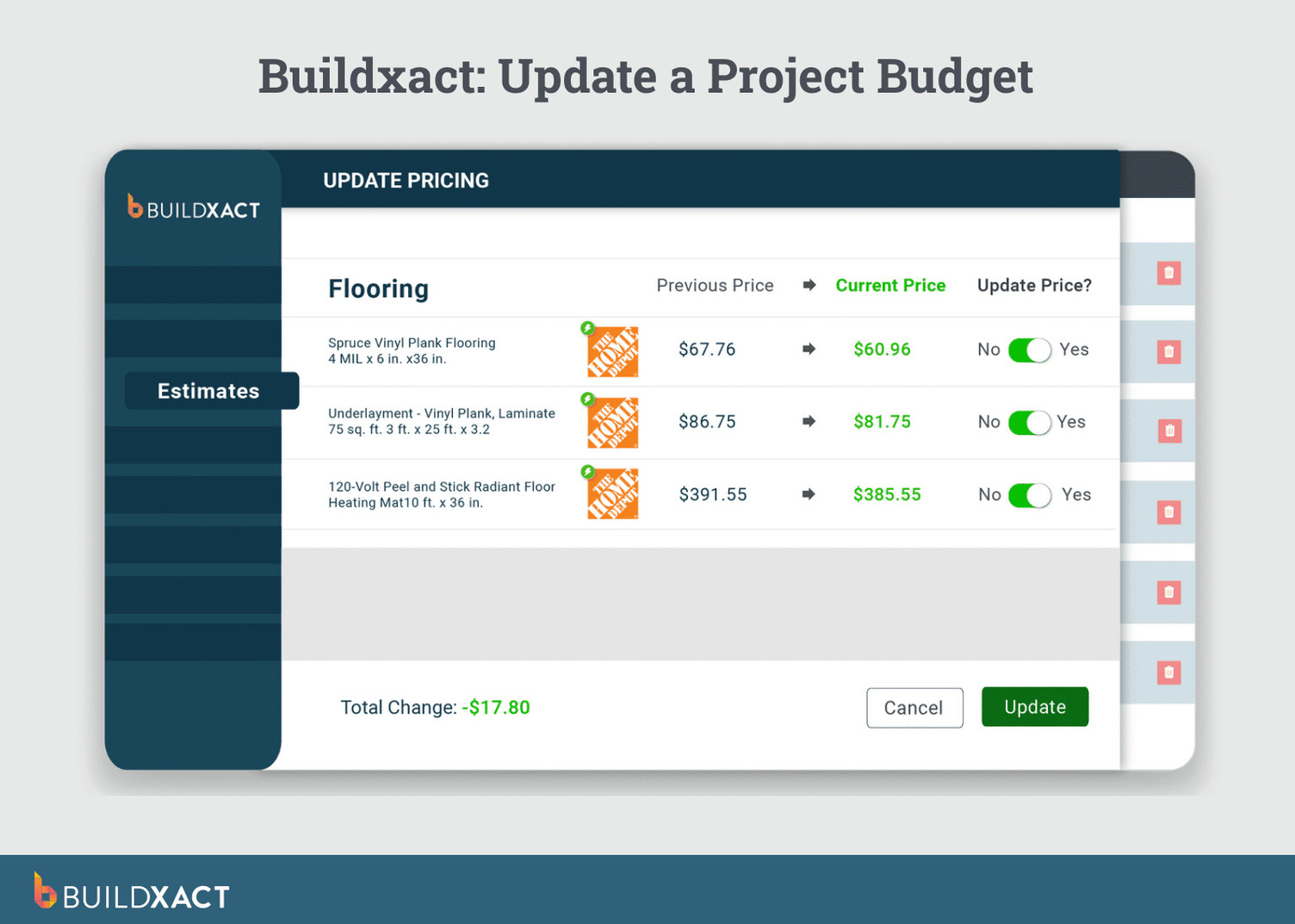
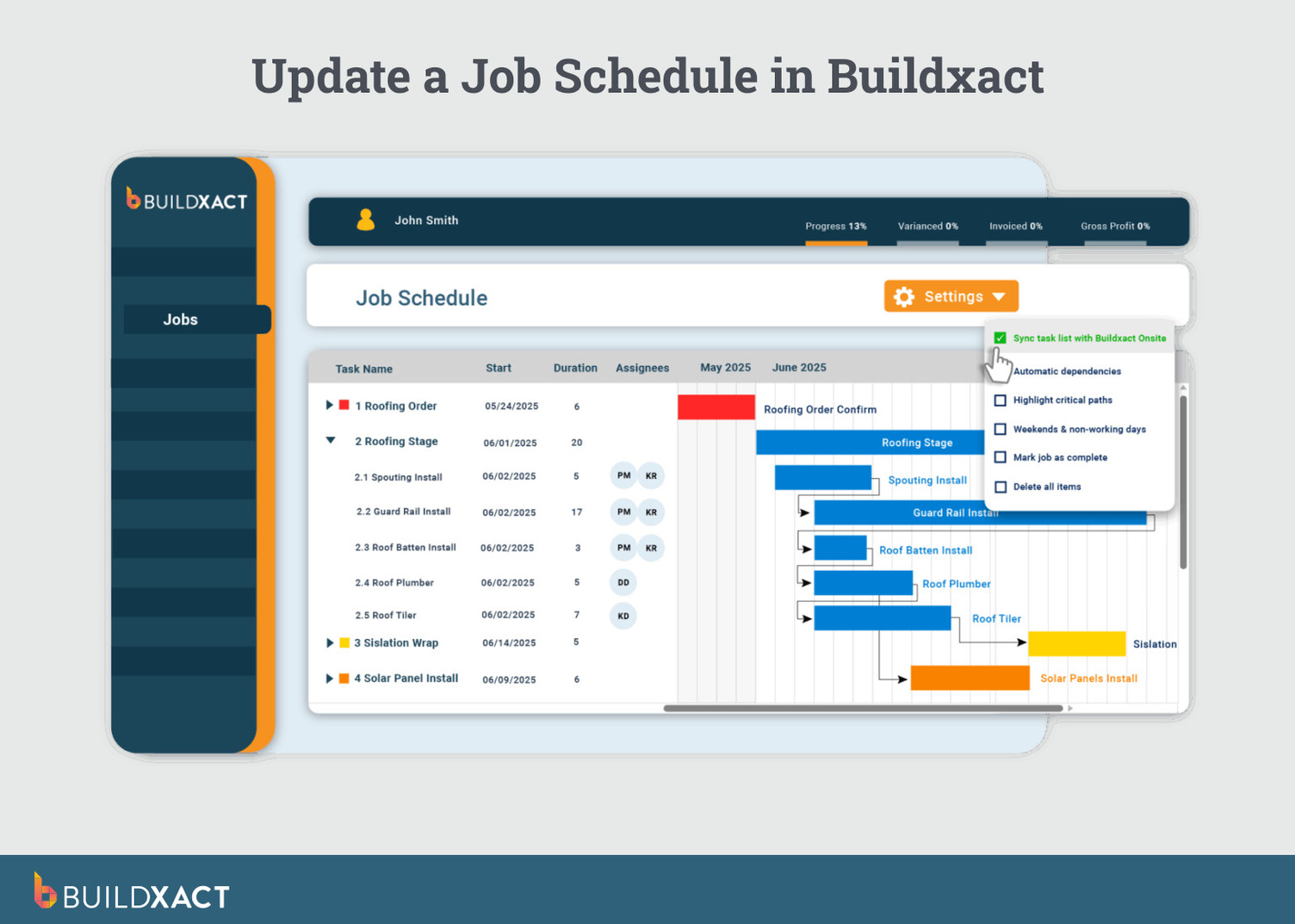
Before presenting the change to the client, update all the appropriate master documents, including the project schedule and budget. Even a small adjustment like adjusting cabinet layout or island size can ripple through the project timeline.
Working through those knock-on effects manually can take time. You’re rechecking labor allowances, updating material quantities, adjusting markups, and ensuring the job budget still reflects the actual scope of work.
AI-powered estimating tools speed this up. With Buildxact’s Blu Estimate Generator, updating line items automatically recalculates totals, markup, and project costs using local pricing data. Because estimates and budgets are connected, approved changes flow straight into job cost reports and project budgets.
4. Present and discuss the change with your client
Before issuing formal documentation, communicate or discuss with your customer in detail, being transparent about the impact on the timeline and budget. Answer any questions or concerns your customer may have.
Explain clearly:
- What is changing
- Why the adjustment is needed
- How it affects the timeline
- How it affects the cost
With Buildxact’s client-facing tools, you can share a clear, itemized change order directly through the software. Homeowners understand exactly what’s changing and why, and you spend less time explaining every last detail. Seeing the scope, costs, and schedule adjustments clearly laid out helps prevent misunderstandings later and makes approval much smoother.
5. Issue formal documentation for digital approval
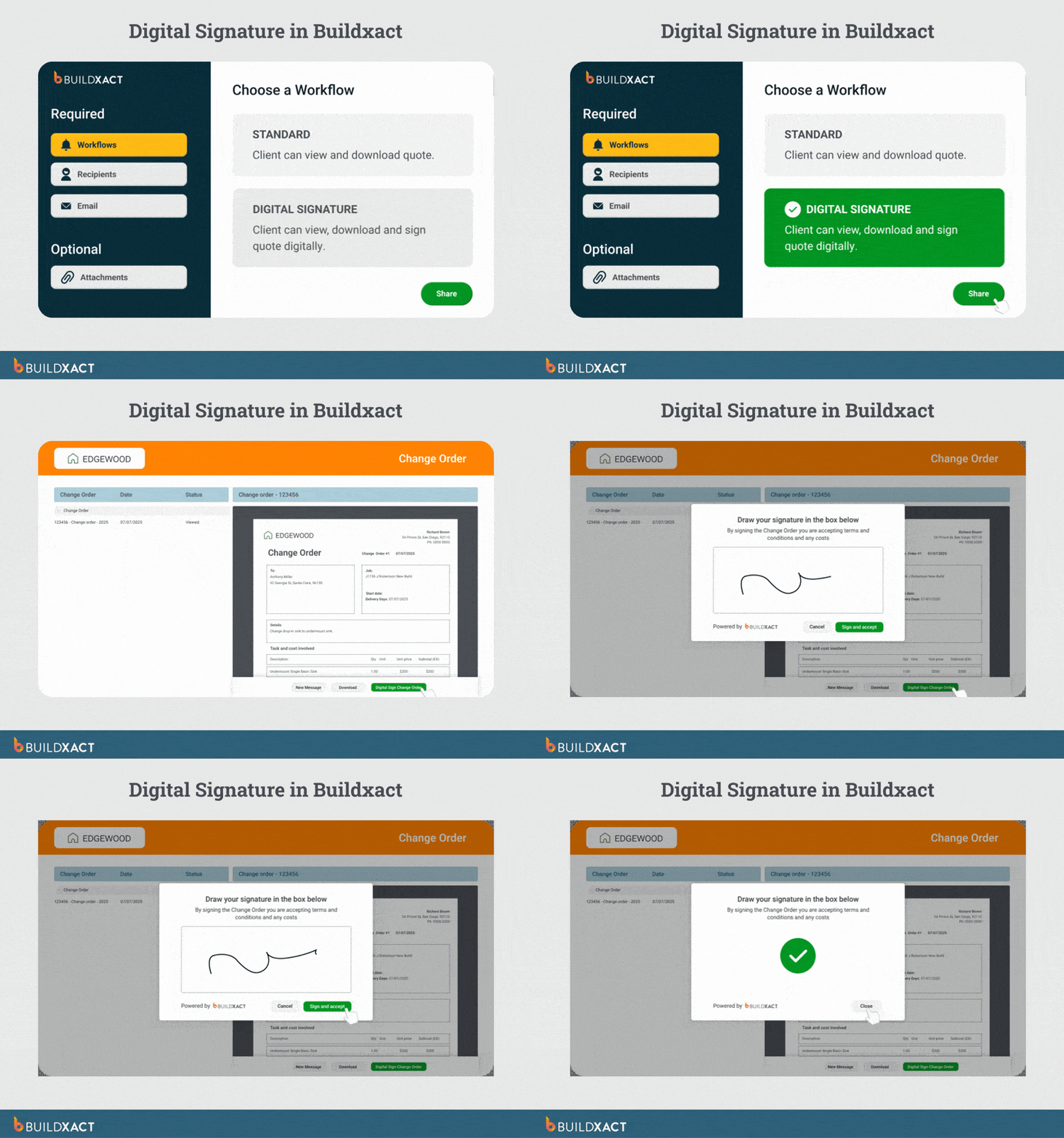
Once everyone is aligned, send a formal change order form for signature. Make sure it includes all essential contract elements because vague change orders can lead to disputes. Use a template or standardized document to capture all the relevant details and supporting documentation as needed.
Here are key elements to include in a change order agreement:
- Project information
- Date of the changes
- Detailed description and reason for the change
- Scheduled impacts
- Cost breakdown and revised budget
- Signatures
If appropriate, attach or include supporting documentation, such as updated drawings, material specifications, or dealer quotes.
Most importantly, get the change order signed before any revised work begins. Starting work without a signed agreement can expose you to payment disputes and weaken your contractual protection.
Construction software can handle this step by sending the change order to the client for a digital signature. With Buildxact, the signed document stays attached to the job file for future reference.
6. Update subcontractors and internal teams
Once the change is approved, communicate the updated scope to everyone involved in the home construction project. Subcontractors, project managers, and dealers all need to be working from the same information.
When everyone understands the revised scope, it reduces the risk of installation errors, missed materials, or scheduling conflicts.
Because Buildxact connects estimates, budgets, and purchase orders, subcontractors and team members can reference updated job details in one centralized system.
7. Log and track the project financials
Lastly, maintain a change order log to track and manage all the changes throughout the project. This helps you see how the job’s financial situation is evolving.
In practice, keeping those records organized can get tricky, especially when several changes are happening at once. Construction management software automatically tracks approved change orders alongside the original contract value, giving you a clearer view of their impact on project profitability.
The Importance of Change Orders in Construction Projects
Studies of construction change orders show the biggest impacts aren’t just cost increases. The most significant effects are increased project re-planning, extra management effort, and rework or demolition of completed work. Here’s why having a clear change order process matters.
Change orders are a necessity, not a curse
Change orders are the “safety valves” of your construction project, providing a more controlled path to altering a project’s scope when things don’t go as planned. Change orders provide the necessary documentation for variances from the original contractual agreement, ensuring that everyone—you, your subcontractors, and your customer—agrees to the revised scope, updated timeline, and adjusted costs. Change orders provide transparency and protection, helping maintain an above-board style of project management.
Common scenarios requiring change orders
Some of the most common scenarios that lead to a change order originate from the customer, the contractor, or situations outside your control.
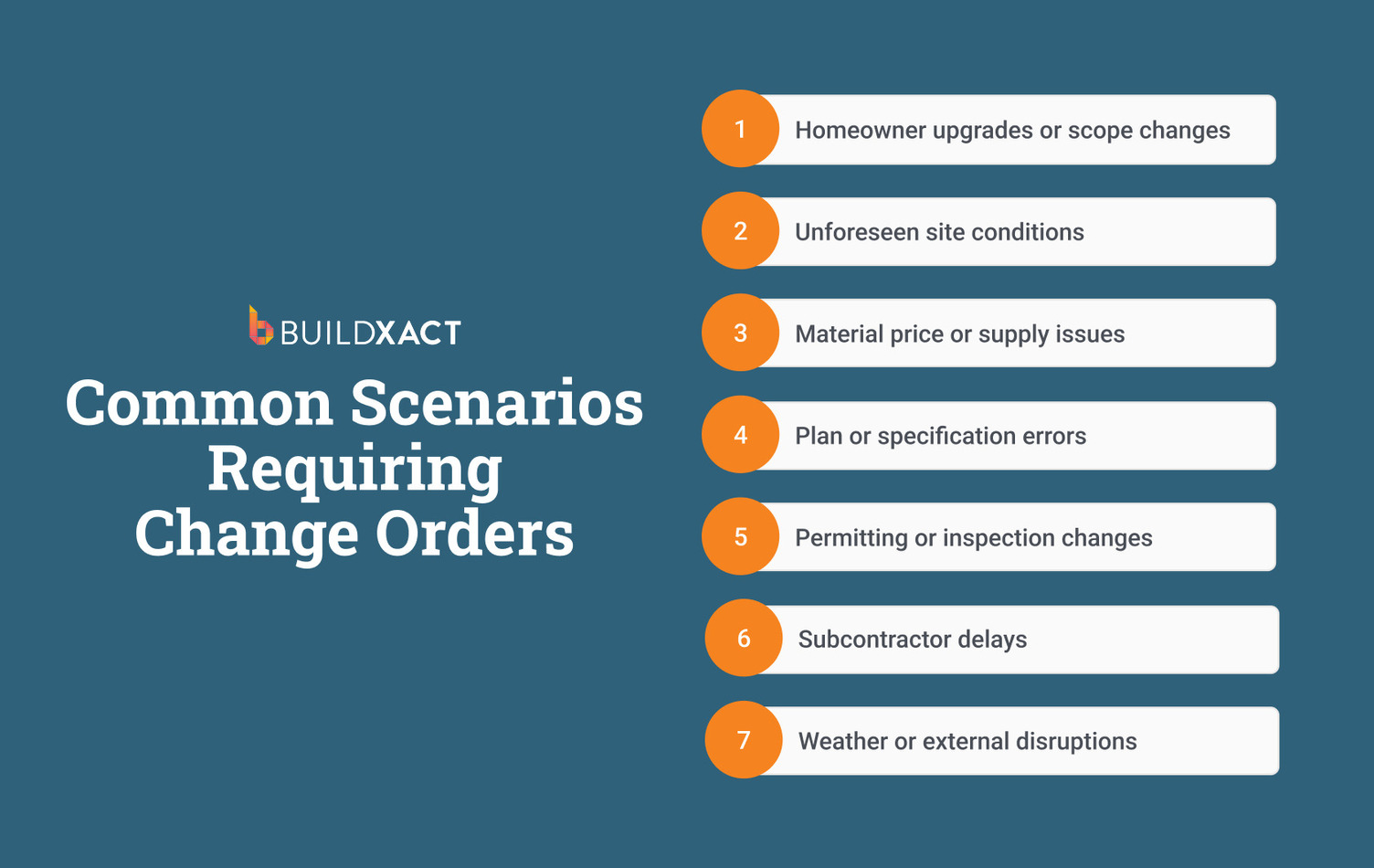
- Customer scope changes: It’s not uncommon for a homeowner to make changes without understanding the downstream ramifications. Adding or removing features and upgrades after construction begins changes the scope of the job. Even small adjustments affect the labor required and the amount and types of materials needed.
- Contractor scope changes: Sometimes the change starts on the builder’s side. You might uncover unforeseen conditions during demolition, or you’re forced to make adjustments because of material price changes. In some cases, mistakes in blueprints or specifications need to be corrected. Contractors may need to propose alternative solutions that trigger a change in specifications.
- External factors: Other situations may include permitting issues, subcontractor availability, or natural events beyond your control.
How technology streamlines change orders
Technology has rapidly transformed how construction pros like you manage change orders. Cloud-based platforms make the process more efficient and transparent. You can collaborate in real time, share digital documents, and automate parts of the workflow. This helps streamline everything from creating a change order to obtaining client approval and maintaining a clear record of project history.
Digital tools for managing change orders
Think of your digital tools as an all-in-one command center for handling project changes. Most cloud-based platforms offer a centralized hub for creating, tracking, and managing change orders. The endgame is to reduce errors, improve communication, and create a more efficient and profitable business.
Buildxact Solves Challenges With Construction Change Orders
Keeping construction projects on track can feel like a never-ending job, and change orders can complicate the process if not managed properly. Common challenges include miscommunication and managing multiple change orders.
We recommend prioritizing clear communication, detailed documentation, accurate cost estimates, and embracing technology like Buildxact to streamline the process.
Miscommunication between the general contractor and stakeholders
If you, your customer, subcontractors, and other stakeholders have different ideas about any project changes, it can cause chaos. Establish a clear and consistent communication pattern to eliminate misunderstandings that could lead to disputes, delays, and project budget blowouts.
Tracking multiple change orders
As a project and its budget evolve, keeping track of all the moving parts takes dedication. It’s the greatest juggling act, and you’re not in the business to be a juggling act.
Each change order request adds to the project’s complexity, and keeping track of change requests can be overwhelming. A systematic approach to documenting, organizing, and tracking can get lost in the paperwork shuffle, leading to confusion and the domino effect described above, where timelines and a project budget shift as change order requests alter the completion date.
Simplify Change Orders With Buildxact
Buildxact simplifies change order management by centralizing everything on a single, user-friendly platform. Imagine having a digital command center where you can effortlessly create, track, and manage all your change orders and the impact on project scope and your project team. With Buildxact, you can quickly generate professional change order forms, automatically update project budgets and timelines, and easily communicate with clients.
Buildxact also lets you make changes to the contract. The process is the same regardless of your choice, ensuring a charge or credit is made to the contract. It also allows you to mark up items as you see fit. Once you finish the contract modifications, you can send it to your customer for a digital signature with your customized, branded change order estimate.
You’ll be able to create professional change order forms, automatically update project budgets and timelines, and seamlessly communicate with clients. That means no more shuffling paperwork that alters contract terms. With features like digital signatures and integrated cost tracking, you’ll save time, reduce errors, and keep projects flowing smoothly.
Buildxact empowers you to manage change orders simply and reliably. Start today with a risk-free, 14-day free trial or schedule a demo.