

Residential builders use generative AI to cut estimating time by turning project information into first-pass scope and line items, measuring supported floor plans, and flagging possible omissions. You then review the quantities, labor, local material prices, risk, and markup before sending the bid.
Once you know how to price the work, much of your estimating time goes into assembling the information needed to prepare the bid.
Generative AI can reduce that preparation by organizing project details into a first-pass scope and line items. You can then spend more time reviewing the conditions that affect cost, risk, and margin instead of rebuilding familiar work.
By the end of this guide, you’ll know where generative AI can save time in your estimating workflow, what information it needs, and how to review its output before sending a bid.
For Residential Builders, AI Starts in the Estimate
Most coverage of generative AI in construction centers on design, BIM, predictive scheduling, robotics, and other applications built for large contractors and complex projects. That makes it difficult to see where AI fits inside a residential construction company.
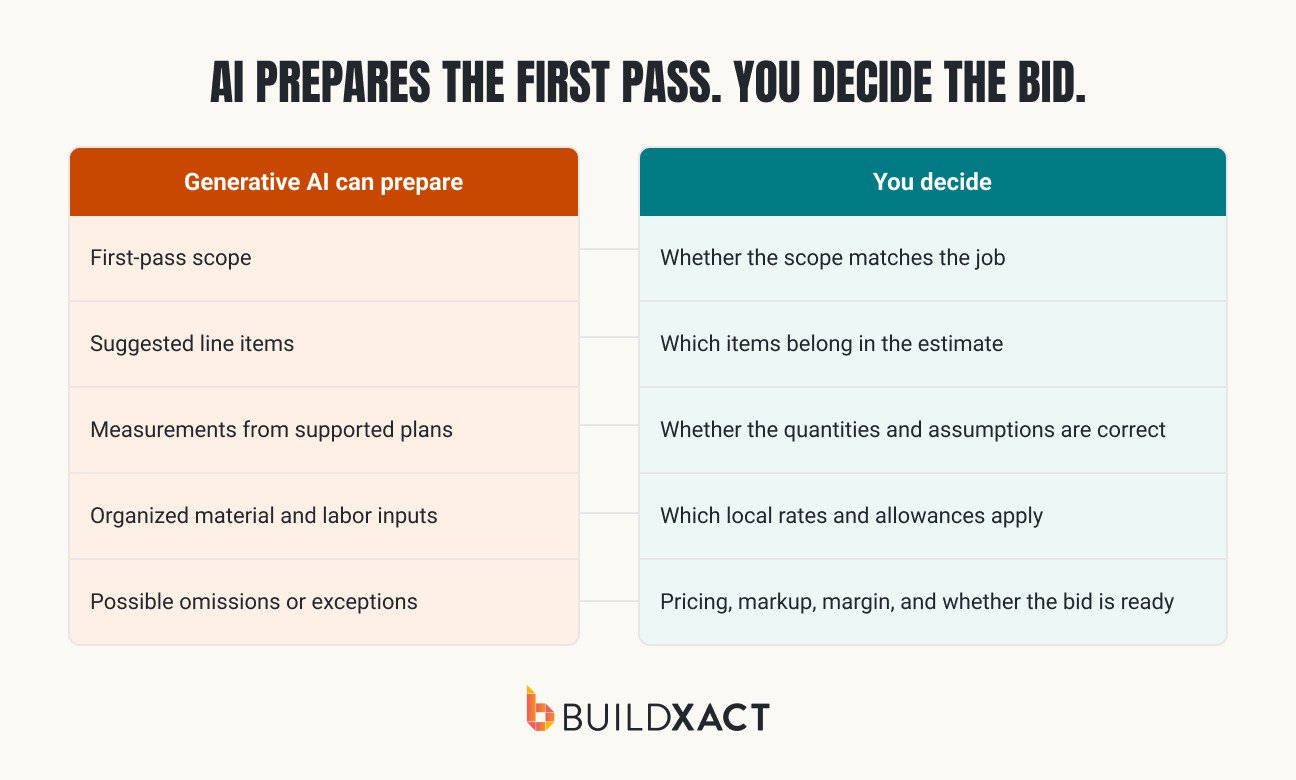
The practical starting point is the estimate. AI can interpret a project description or a supported set of plans and prepare scope, measurements, line items, or review suggestions for you to inspect.
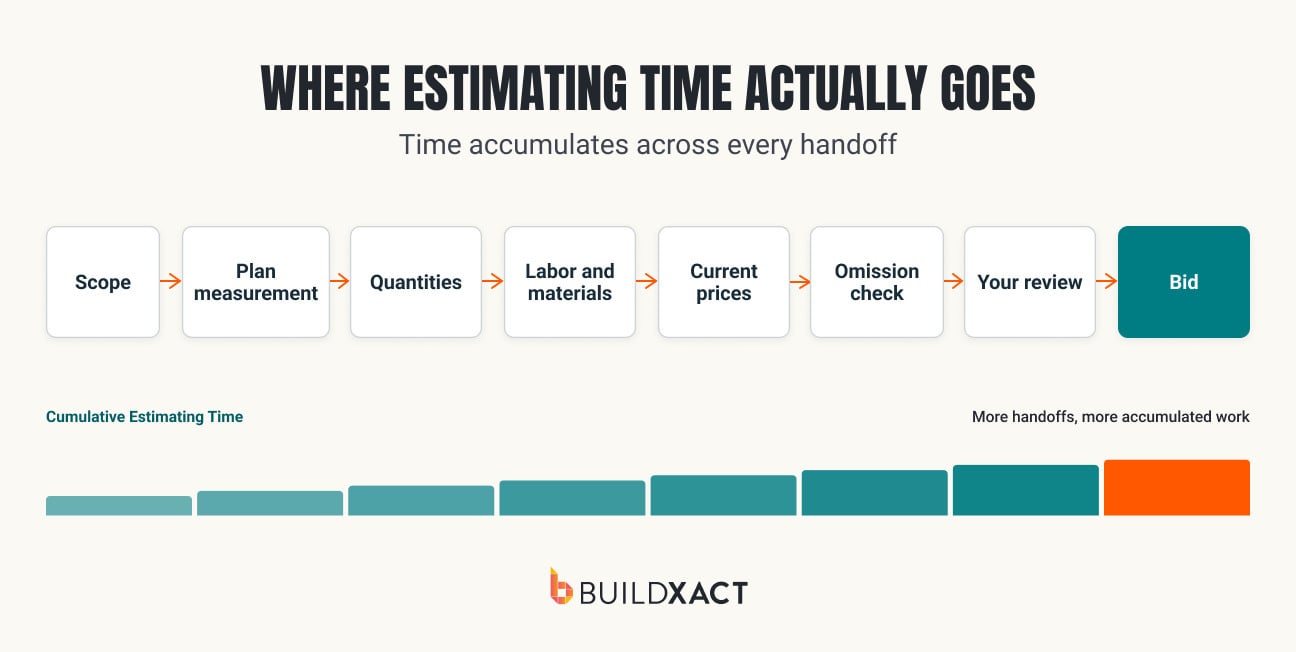
You already have an order for reviewing that work. You know which quantities deserve another look, where labor assumptions tend to break down, and which job conditions need to be reflected in the margin. AI earns its place when it prepares the estimate in a form that follows the review process and keeps the inputs visible. A total with no clear path back to the scope creates another checking job.
Generative AI and software integrations contribute to different parts of the workflow. AI interprets project information and produces a reviewable output. A connected dealer catalog brings current material prices into approved line items. The pricing connection is an integration, not an AI capability.
When those outputs remain connected inside the estimate, you spend less time transferring information between plans, spreadsheets, catalogs, and bid documents. You can inspect the quantities, update the costs, and apply your own decisions without having to rebuild each stage by hand.
The usefulness of the first pass therefore, depends on the project information and pricing data behind it.
What AI Needs to Build a Useful First-Pass Estimate
You do not need to collect years of company data or hire a technical team before AI can help with a residential estimate. It needs the same working information you already use to build the number: plans or a project description, the job address, current dealer pricing, established labor assumptions, assemblies or prior estimates, and your pricing rules.
The system needs to know which project facts and business rules belong to this bid. Without that grounding, a model can produce a polished structure that resembles an estimate while using assumptions you would never make.
A clean-looking first pass is not enough. If the project description is incomplete, a plan uses the wrong scale, or a saved assembly contains an outdated rate, that problem can carry into the estimate.
Before relying on the output, confirm that the scope, quantities, and costs trace back to this job’s information. You should be able to see what the system used, correct an assumption, and understand how the change affects the bid.
The useful question, then, is whether the system used information that belongs to your job, turned that information into visible line items, and left every consequential assumption open to correction.
This is the first fit test. AI is stronger when you already have something worth reusing, like:
- Digital plans or a defined project description
- Current rates
- Repeatable assemblies
- Prior estimates
- A consistent way of pricing risk
When the scope is still conceptual, or the inputs are unsettled, faster generation only creates an earlier draft of a number that isn’t ready to price.
Review remains part of the bargain. AI can reduce blank-page preparation and repeated entry, but the first pass has to survive your normal review. If it cannot be traced back to familiar inputs, the apparent time saving will disappear during correction.
Where AI Saves Time in the Estimate
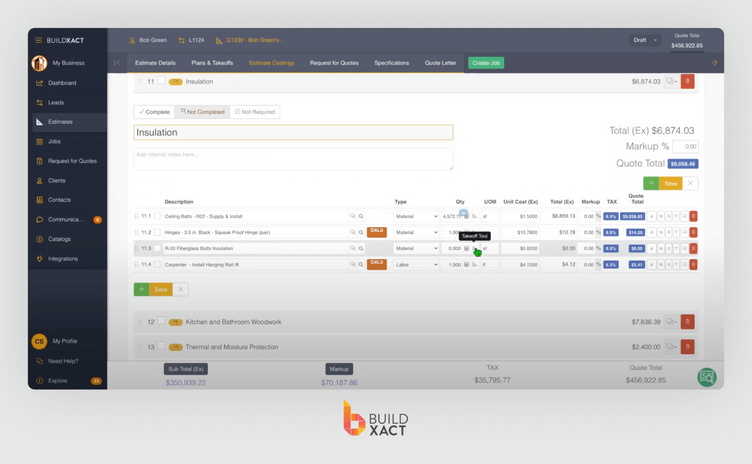
Buildxact’s Blu AI construction assistant applies AI to defined points in the estimating workflow rather than treating the estimate as one autonomous task. The handoff is visible at each stage because Blu prepares something you can inspect, change, or reject.
The value appears in the handoffs between those tasks. A scope draft that cannot accept takeoff quantities, a takeoff that must be re-entered for pricing, or a review that cannot point back to line items simply moves the admin elsewhere. Keeping each output inside the estimate turns several small efficiencies into a shorter route to a bid you can approve.
Build the first-pass scope
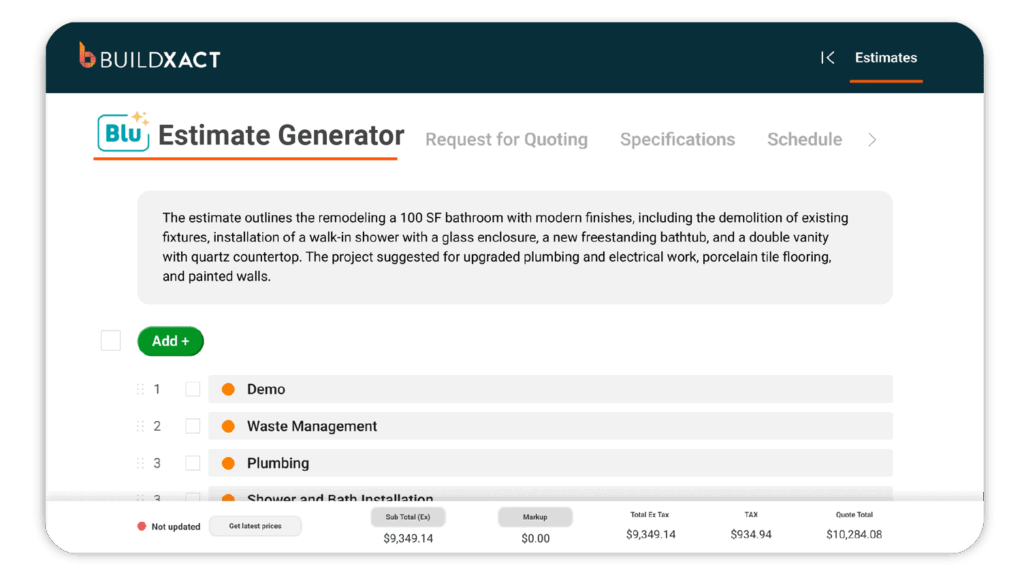
The Blu Estimate Generator turns a plain-English project description into a starting estimate with categories, materials, labor, and pricing. It can also use an existing estimate or template as a reference and ask follow-up questions when the description leaves material gaps.
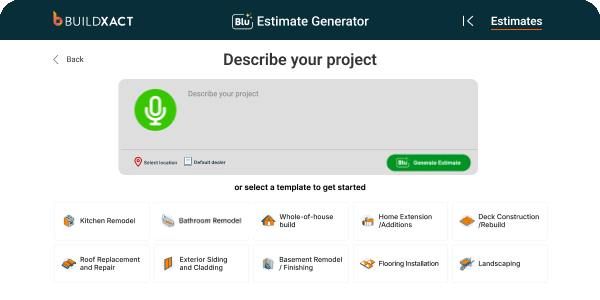
For repeatable work, the speed comes from starting with a structure your business recognizes and identifying what changed. The result remains an editable set of line items, so you can move through it in your normal order and concentrate on the project-specific departures.
Measure routine areas and perimeters
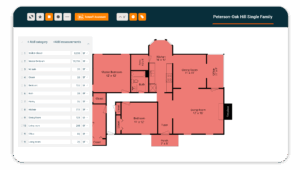
The Blu Takeoff Assistant names and scales supported plan pages, then measures floor areas or perimeters. When the detected shape needs correction, you can edit the polygons with a point tool before using the measurement in the estimate.
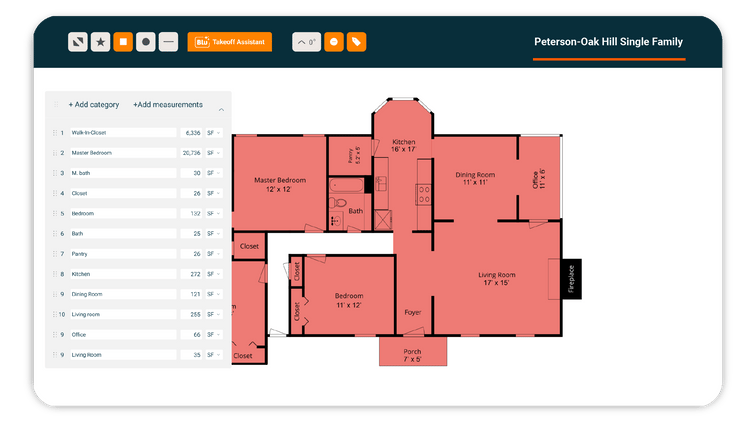
The current boundary is specific. Auto-measure works on floor plans, not roof plans or elevations. Conflicting scales, revisions, irregular spaces, and unclear drawings still interrupt the flow.
Blu can reduce routine setup and tracing around a digital takeoff, but it doesn’t resolve drawing ambiguity or decide how condition changes affect the build.
Refresh material prices without re-entering them
Dealer pricing is the adjacent automation that makes an AI-prepared scope a useful costed estimate. Through Buildxact’s connection with The Home Depot, you can bring available local catalog pricing and eligible Pro Xtra discounts into the relevant line items without searching and re-entering each price.
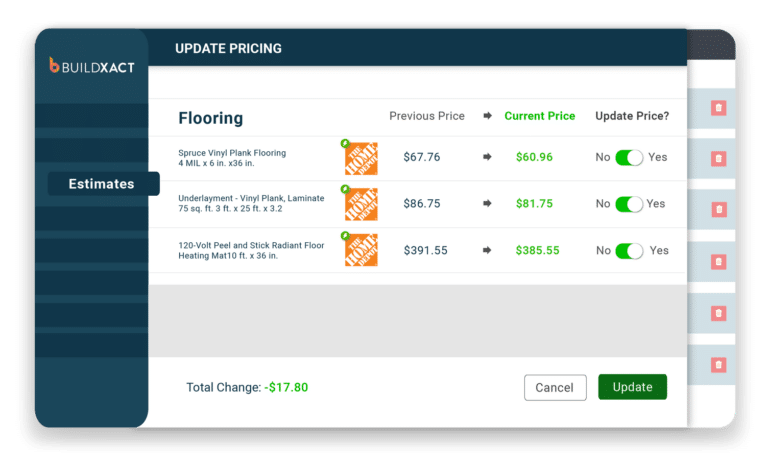
Joshua Bradley of BradWay Construction and Restoration described the alternative as waiting days or weeks for prices to arrive from multiple sources. With The Home Depot connected to Buildxact, he said the latest price could populate the estimate in seconds.
That does not convert a retrieved price into a guaranteed future cost. The familiar judgment around specification, availability, substitutions, waste, delivery, subcontractor costs, and allowances remains. The improvement is that you reach those decisions with current local pricing already attached to the estimate.
Use a second pass to find what you missed
Once scope, measurements, and pricing are in place, Blu Estimate Reviewer can produce a checklist of potential missing costs, quantities to verify, site-specific risks, and other items that may require attention. Details such as project type, address, square footage, environmental risks, and site concerns help tailor the suggestions.
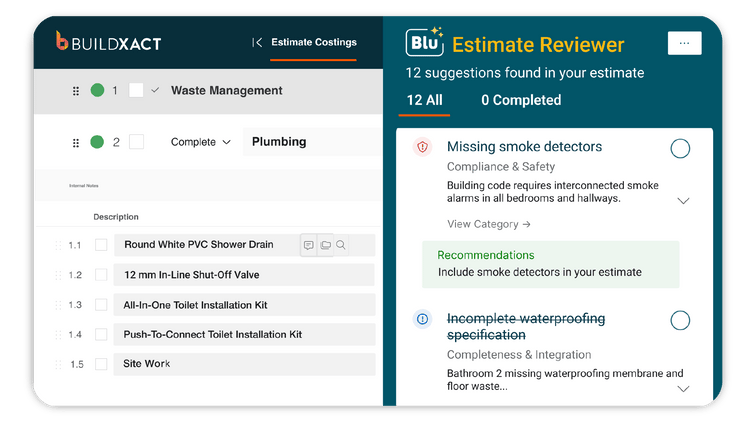
The Reviewer is not a second estimator whose judgment outranks yours. It is an exception pass across a large set of line items. Some suggestions will apply, others will not, and compliance or safety considerations can vary by location. Its value lies in surfacing a question while the estimate is still open, not certifying the answer.
Set the selling price
AI can organize known costs and carry your existing pricing rules into the draft. It cannot decide how much uncertainty your business should accept on this project.
That is where the workflow should stop handing work to the system. You reach the selling-price decision with the scope, measurements, and current costs already assembled, then apply the same commercial judgment you use on every other bid. The time saving comes from reaching that point sooner, not from delegating the decision.
What to Check Before Sending an AI-Assisted Bid
An AI-assisted estimate still passes through the same commercial review as any other bid. The difference is that the workflow can assemble the scope, measurements, line items, and current costs before you begin that review.
Confirm the project inputs
Check the project description, plan scale, measurements, selected assemblies, labor assumptions, and dealer pricing. If something looks wrong later in the estimate, you should be able to trace it to its source and correct the affected input without rebuilding the work.
Review the line items in your usual order
Read the categories, quantities, unit costs, labor, and pricing assumptions in the sequence you already use. Treat Reviewer suggestions as prompts to investigate. A missing recurring item, unexpected quantity, unfamiliar material, or cost outside the normal range for similar work deserves another look before you approve the bid.
Test the workflow on a completed job
Before using the workflow on a live opportunity, run a completed project with a known scope and final estimate through it. Track the time spent setting it up, correcting the output, and completing your review. Then compare the quantities, line items, and final total with the estimate you sent.
Measure the time required to reach a bid you would send, not the time required to generate the first draft. If the differences are explainable and the time savings remain after review, you have evidence from your own work.
John Beiler of Northwoods Construction reported reducing a whole-house estimate from 10 hours to four using Buildxact. Your completed-job test shows what the broader workflow can save in your business.
Cut Estimating Time With One Connected Buildxact Workflow
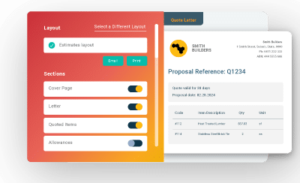
Generative AI saves time when its output moves directly into the estimate you will review and price. In Buildxact, Blu’s Estimate Generator prepares first-pass scope and line items, Takeoff Assistant measures supported plans, connected dealer pricing updates material costs, and Estimate Reviewer flags possible omissions. You can inspect and change each output without rebuilding the work in another tool.
The time saved at each stage carries into the next. After moving his estimating process into Buildxact, Joe Dodson of Dodson Construction reported reducing a simple bathroom estimate from 90 minutes to two hours to 20 to 25 minutes. His experience shows the value of keeping project information, costing, and bid preparation in one workflow.
Test Blu with a completed estimate you know well. Compare its scope, quantities, line items, and final total with the version you sent, then measure how long the full review takes. That gives you a practical basis for deciding where generative AI belongs in your estimating process.
Start for free and see how much preparation you can remove from your next bid.