

Purchase order software should do one simple thing well: turn what you priced into what you actually order, receive, and pay for, without retyping numbers into a second system.
Most tools fail at that.
If you want to create a purchase order (PO), you have to manually re-enter quantities, double-check dealer prices, and check on the back-end that the estimate and the actual cost match.
This article compares the top construction purchase order software for builders, with a focus on the tools that make managing purchase orders easy.
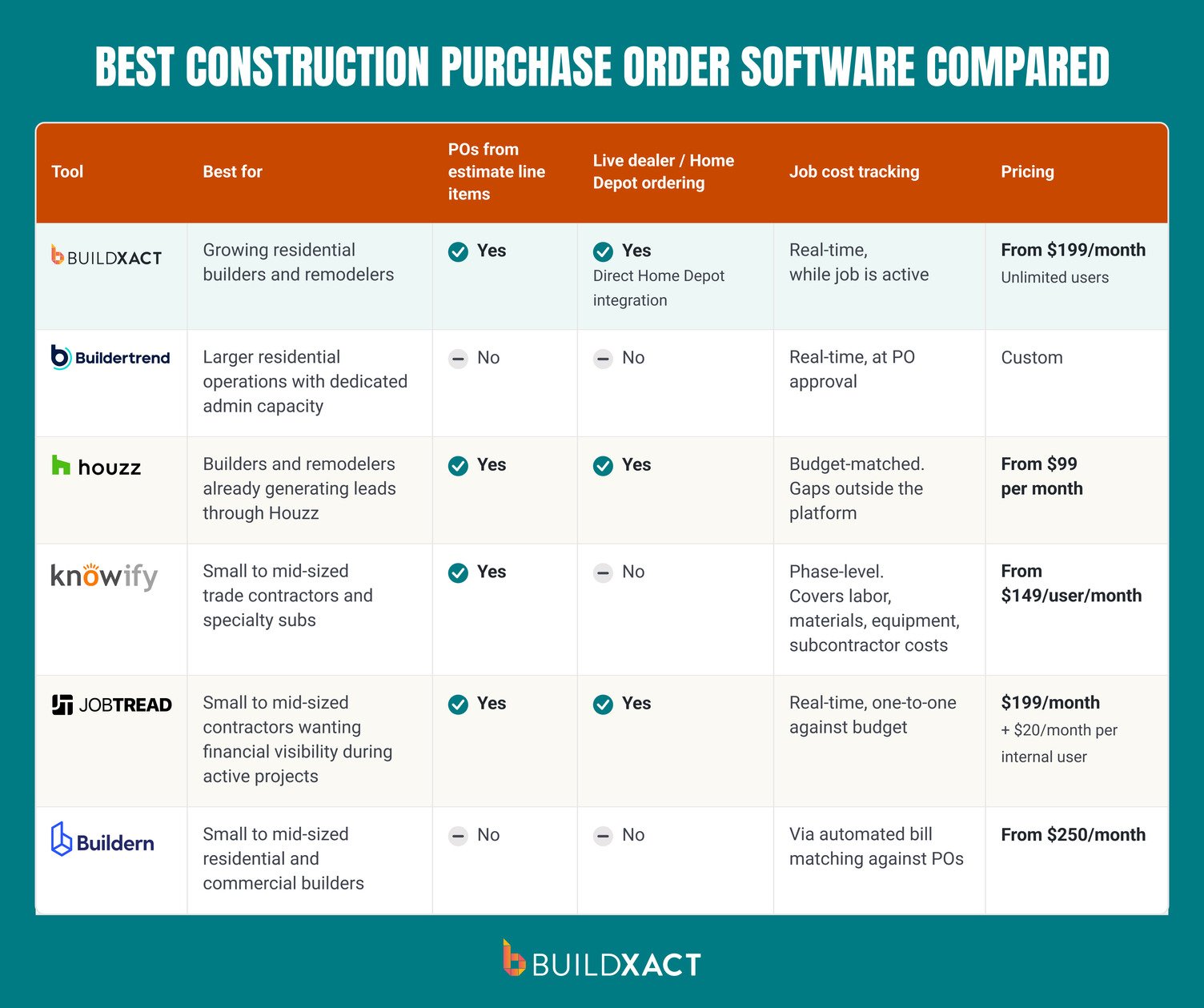
Best Construction Purchase Order Software Compared
What to Look for in Purchase Order Software for Construction
For the majority of construction firms, the best purchase order software is not a standalone tool. Instead, it’s a single feature built into a wider construction management platform.
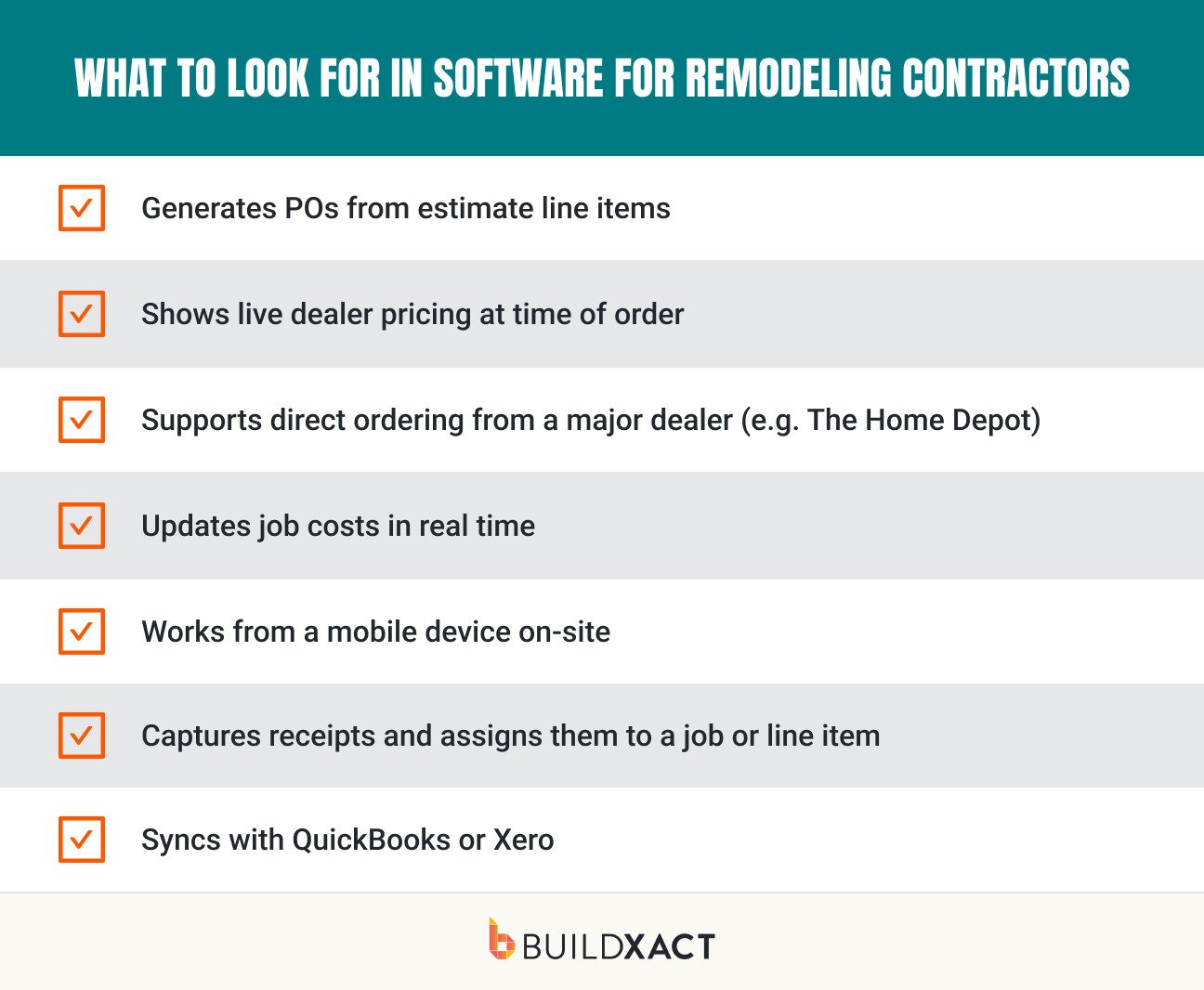
Features can differ between these platforms, however. Here’s what to look out for:
- The ability to generate POs from estimate line items instead of being re-typed into a separate tool, cutting double entry and the over-ordering it causes
- Dealer pricing that updates in real time, so a PO reflects current costs rather than numbers from when the estimate was built
- Home Depot or other direct dealer ordering that allows you to purchase materials without leaving the estimating workflow
- Every purchase logs against the job budget as it happens, so a builder sees committed and actual costs update in real time rather than discovering the total at the end of the job
- Receipt capture functionality that ties purchases back to a specific job, cost category, or estimate line item, so actual costs can be compared against what was budgeted
The six construction purchase order software tools reviewed below each cover a different combination of those features. The best way to choose the right tool for you is to make a shortlist of the features you need, then look for the platform that checks all your boxes.
1. Buildxact
Best for: Growing residential builders and remodelers who want purchase orders generated straight from the estimate and tracked against job costs in one connected system.
Buildxact is construction management software for residential builders and remodelers, keeping estimating, pricing, purchasing, and job costing connected.
In Buildxact, vendor purchase orders are created directly from estimate line items, so quantities carry over without re-keying and there’s no double-handling of data.
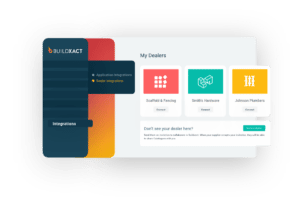
POs can be placed with a standard dealer or ordered directly through Buildxact’s integration with Home Depot, including Pro Xtra pricing, stock checks, and delivery or pickup options.
Receipts flow back into Buildxact automatically, whether the order was placed through the platform, on Home Depot’s site, or in-store, and get assigned to a job, cost category, or specific estimate line item. All purchase activity tracks back to the project’s overall budget in real time, so committed and actual costs are visible while the job is still active.
Work orders for internal labor and equipment run through the same process as purchase orders, keeping the whole cost picture in one place.
The Buildxact workflow
In Buildxact, the PO workflow keeps every order tied back to the estimate you priced:
- Build or open the job estimate
- Generate a purchase order from selected line items
- Send the PO to your dealer, or order directly through Buildxact’s Home Depot integration
- Capture the receipt and assign it to the job, category, or line item
- Watch the committed and actual costs update against the budget
Key features
- Purchase orders generated directly from estimate line items, with no double-handling of data
- Direct ordering through Home Depot, with Pro Xtra pricing, live stock checks, and delivery or pickup selection
- Receipts sync automatically from Buildxact, Home Depot’s site, or in-store purchases into one record
- Work orders for internal labor and equipment are processed the same way as purchase orders
- Real-time job costing: actual costs compared against the estimate while the job is active, not just at closeout
- Two-way accounting sync with QuickBooks and Xero moves purchase orders and invoices into the books without manual re-entry
- Mobile access through Buildxact Onsite for on-site ordering, receipt capture, and cost tracking
Pros
- Purchase orders and Home Depot material orders both trace back to the original estimate, so budgets reflect what was actually priced
- Real-time cost tracking surfaces margin drift while a job is still active, not after it closes
- Unlimited users on every plan, with training and support included
- Fast setup with guided onboarding, built specifically around residential workflows
Cons
- Designed around a full estimate-to-execution workflow; builders who only need standalone purchasing may not use the full system
- Primarily built for residential construction, so large commercial projects with complex compliance needs may require a different fit
Pricing
From $199 per month (unlimited users).
2. Buildertrend
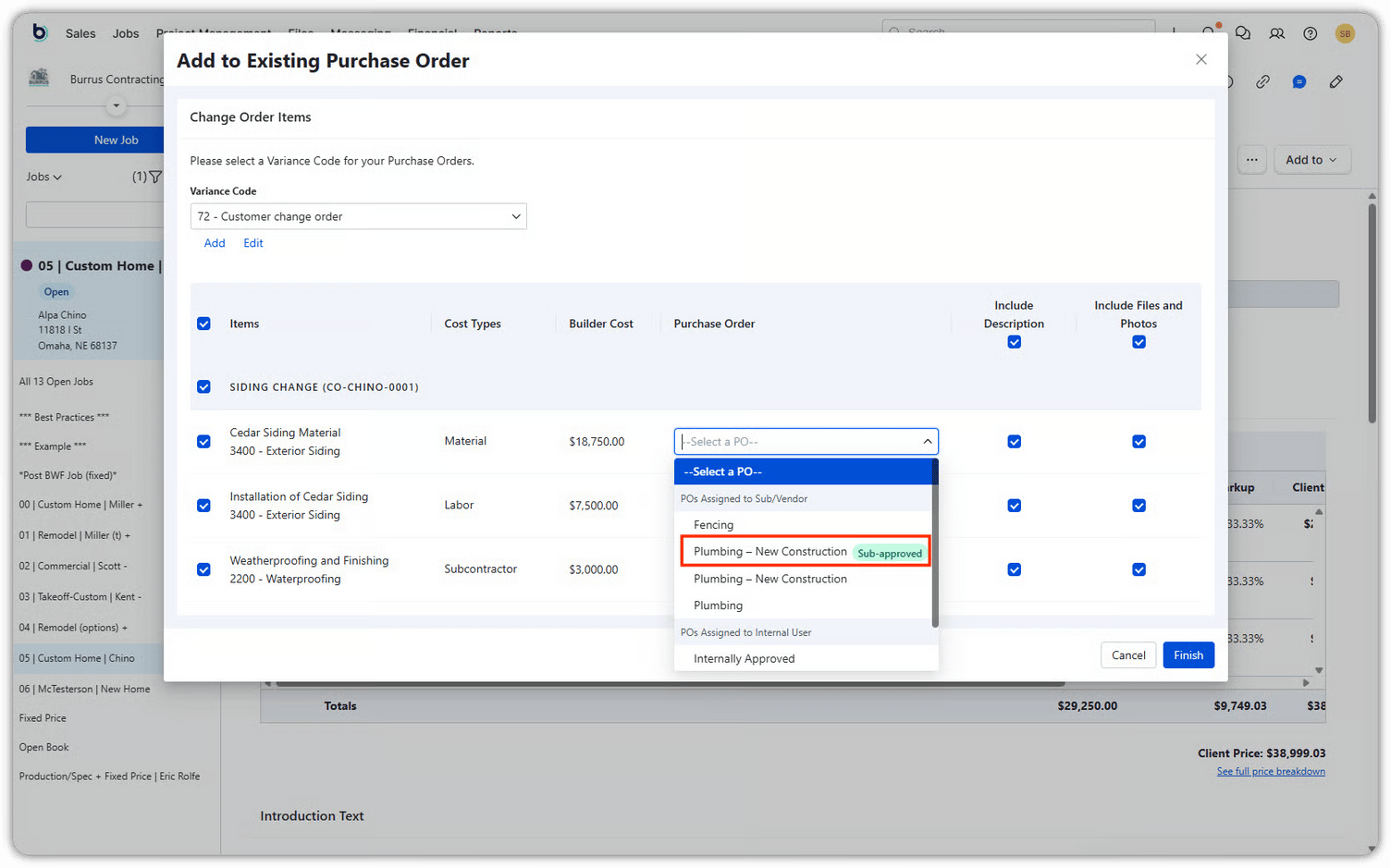
Best for: Larger residential operations with dedicated admin capacity who need scheduling, financial management, and homeowner communication on one platform.
Buildertrend combines scheduling, budgeting, invoicing, change orders, and purchase orders in one system. The purchase order system automatically flags if a bill exceeds what was committed in the PO.
Key features
- POs are used for subcontractor and vendor commitments; quick material buys like a lumber run or a permit fee go through a separate “Bills” record instead
- A Bill can be created directly from an existing PO, or matched to one after the fact, which locks the paid amount to what was committed
- Estimate-to-budget workflow via “Send to Budget,” establishing the initial cost baseline
- Change order approvals update Revised Cost and job running total
Pros
- Buildertrend won’t process a bill above the matched PO amount, a hard control that catches overages before payment rather than after
- Committed Costs update the moment a PO is approved, not when the invoice lands, so a builder sees exposure in real time
- Unlimited users under a company license
Cons
- POs are built around subcontractor and vendor commitments rather than fast day-to-day material ordering (e.g., there’s no line-item takeoff-to-PO flow or connected dealer catalog)
- Budget accuracy depends on consistent use of the Send to Budget workflow
Pricing
Custom pricing.
3. Houzz Pro
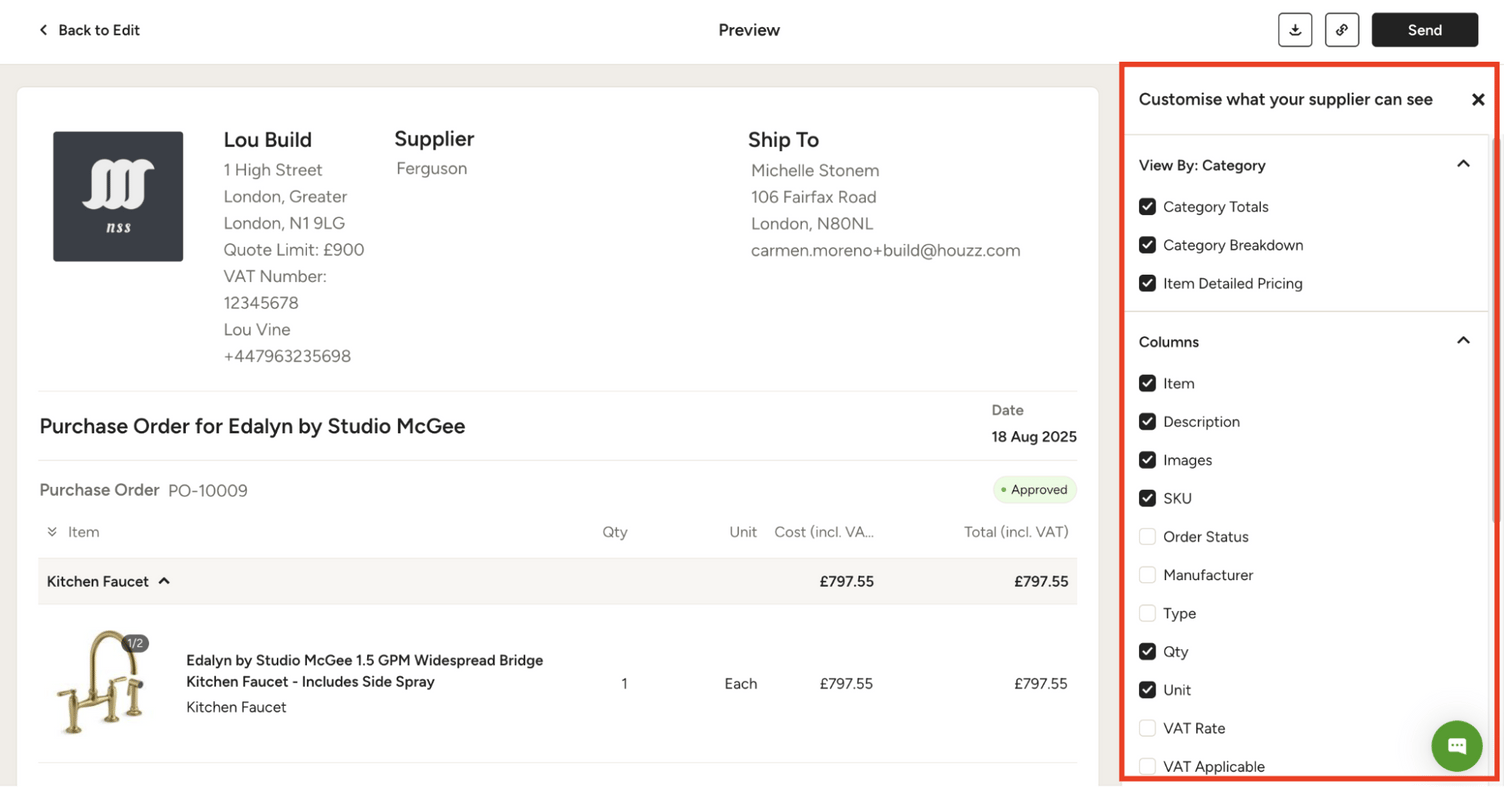
Best for: Builders and remodelers who already generate leads through Houzz and want project management tools within the same platform.
Houzz Pro is a project management platform from the same company as Houzz’s homeowner marketplace, with leads from that marketplace flowing directly into a built-in CRM.
Rather than starting as a construction operations system, Houzz Pro is built around pipeline generation first, with project management and PO functionality layered in.
Key features
- Purchase orders generate directly from approved estimate or proposal line items, carrying over product detail without re-entry
- A Brand Catalog pulls items straight from Home Depot’s catalog into a PO or estimate, alongside an Average Price catalog for general materials
- POs match against the project budget, and with QuickBooks Online sync, vendor invoices tie back to specific projects
- Lead generation through the Houzz marketplace, with leads entered into a built-in CRM
- Change orders created from the approved estimate, showing planned vs. updated values together
Pros
- The Home Depot catalog integration means material items can be added to a PO with real pricing rather than typed in from scratch
- Selections-to-PO flow suits remodelers who run client material choices through Houzz already, since there’s no separate re-entry step to generate the purchase order
- Houzz’s marketplace of homeowners is a built-in lead source
Cons
- Costs recorded outside Houzz Pro, such as freight, taxes, or damaged goods replacements, don’t automatically reconcile against the budget, so estimated-vs-actual tracking can understate true landed cost
- Core financial tracking (budgets, POs) is gated behind the Custom plan, not included at entry level
Pricing
From $99 per month.
4. Knowify
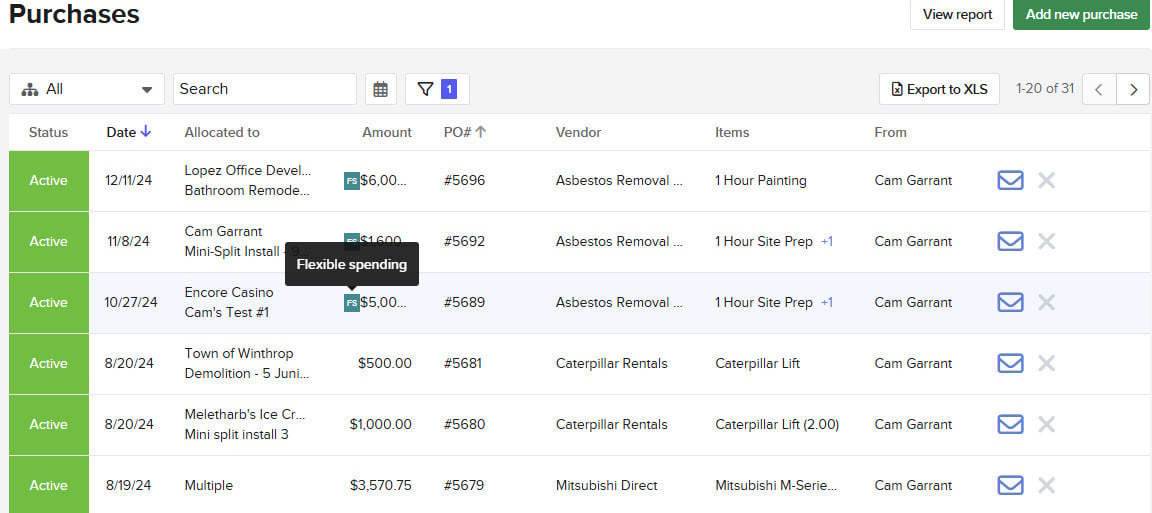
Best for: Small to mid-sized trade contractors and specialty subs who want job costing and tight QuickBooks sync more than a homeowner-facing project platform.
Knowify is a cloud-based job costing and project management tool built for residential contractors and small to midsize commercial subcontractors. Purchase orders are created directly from budgeted line items and can be edited or sent to vendors from within the system.
Key features
- Foremen can request materials and reimbursements directly from the field
- Automatic vendor invoice matching to reduce manual reconciliation
- AIA-style billing (g702/g703) for commercial GC payment applications
Pros
- Purchase orders generated from budgeted line items, editable and sent to vendors within the system
- Job costing tracks labor, materials, equipment, and subcontractor costs at the phase level
Cons
- Built more for phased project accounting on trade/sub work than for a homeowner portal or full project-lifecycle management
- Purchase order management is part of higher-tier plans
Pricing
From $99 per user, per month.
5. JobTread
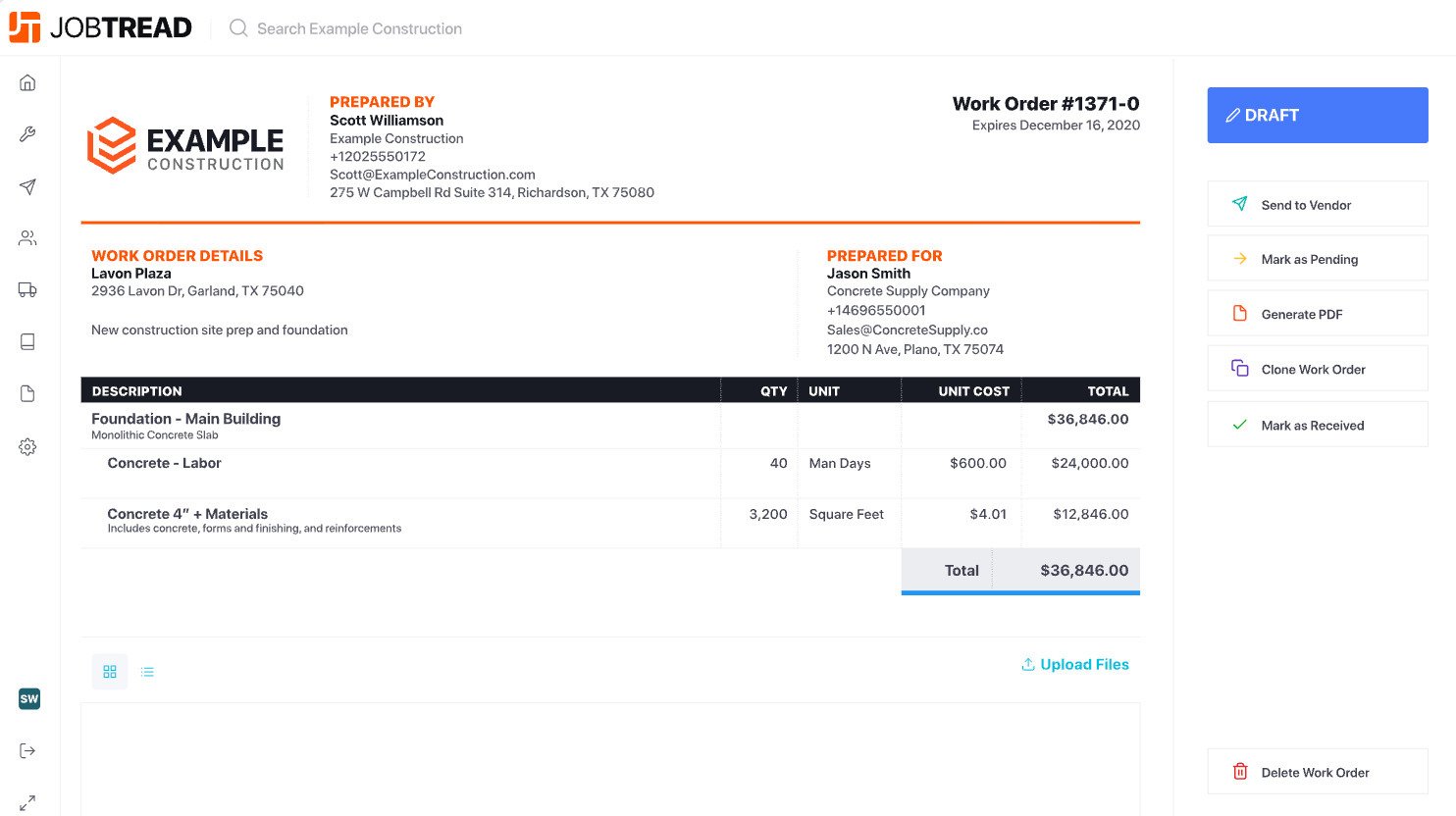
Best for: Small to mid-sized contractors who want financial visibility during active projects without adopting an enterprise-scale system, and every PO tied one-to-one back to a specific budget line.
JobTread is a budget-first construction management software tool. Each project starts with a defined budget, and actual costs track against it as purchase orders, bills, and time entries are recorded.
This approach (and therefore, the platform) works best when material pricing and scope stay relatively stable. Cost control gets harder to stay on top of with JobTread as job volume or pricing complexity increases.
Key features
- Purchase orders generate directly from budget line items, reducing re-entryPurchase orders generate directly from budget line items, reducing re-entry
- POs and work orders can also convert directly from an approved bid, with document types fully customizable to match how a builder already talks about ordering
- A Global Catalog lets material items, including a Home Depot product catalog, be pulled straight into a budget or PO with live pricing, then mass updated when supplier pricing changes
- Selections and allowances link directly to budget items, so client-approved material choices flow into the same one-to-one budget structure as POs
- Estimating with on-screen takeoff, feeding directly into budgets and client-ready proposals
Pros
- The one-to-one link between every PO and a specific budget line item keeps the estimate as the single source of truth through to what’s actually purchased
- Home Depot catalog access means material POs can pull current pricing instead of a builder typing quantities and costs in manually
- Budget vs. actual costs tracked in real time as jobs progress, not only at closeout
Cons
- Updating a cost item in the catalog doesn’t automatically update cost groups that already use it, requiring manual updates
Pricing
$199 per month + $20/month per internal user.
6. Buildern
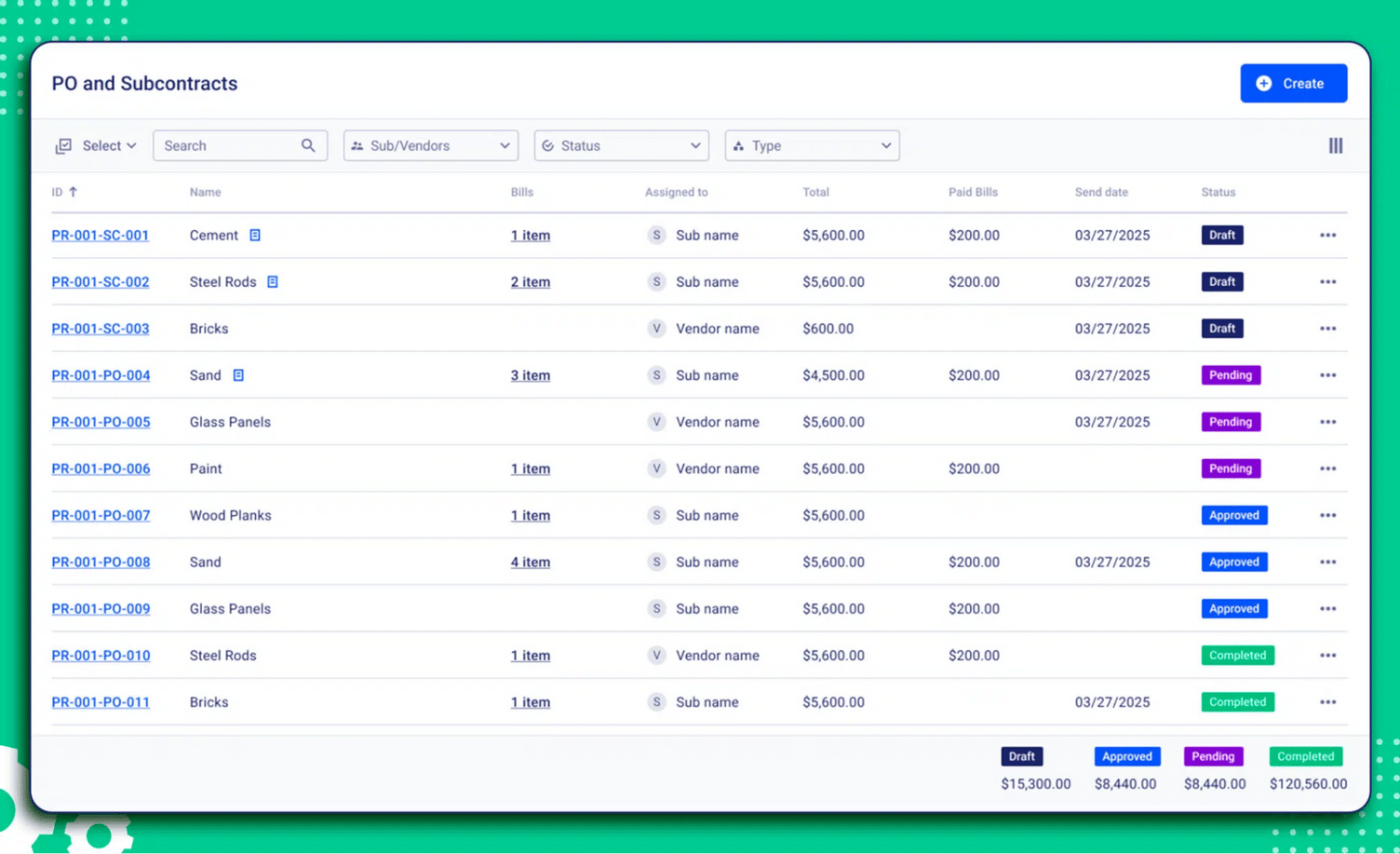
Best for: Small to mid-sized residential and commercial builders who want purchase orders and subcontracts on the same document type, with automated bill matching to catch overpayment before it happens.
Buildern is construction project management software covering estimating, scheduling, budgeting, bidding, and financials in one platform.
Key features
- Purchase orders and subcontracts share one document type, both defined with detailed scope, pricing, and terms before work or delivery begins
- Multiple bills can be created against a single PO or subcontract, supporting partial payments, progress billing, or milestone-based invoicing
- AI Bill Scanning extracts details from uploaded bills automatically and matches them against POs and delivery records to flag mismatches
- Custom approval chains and role-based access control determine who can create, view, edit, or approve a PO
- POs and subcontracts can be scheduled and issued in advance, so cash flow forecasting aligns with when funds are actually committed, not just when they’re spent
Pros
- Bill matching against the original PO is automatic, and any invoice that exceeds the approved amount or contains a discrepancy gets flagged for review before payment goes out
- Structured approval chains suit builders who want a formal sign-off step before a PO becomes a real commitment, rather than a single-person approval
Cons
- The PO and subcontract system is built around formal, documented commitments with approval chains, which may be more process than a typical growing builder placing a quick supply-house order needs
- No confirmed connected dealer catalog (like a Home Depot integration) for pulling live material pricing directly into a PO, so quantities and costs still need to be entered manually
Pricing
From $250 per month.
Choosing Purchase Order Software That Keeps Every Dollar Tied to the Job
One question matters more than any single feature on the comparison above:
Does the software platform turn your estimate into purchase orders and track every order against the job budget as work runs?
Buildxact does that by generating purchase orders straight from the estimate line items you already priced, ordering through your dealer or its Home Depot integration, and tracking committed and actual costs against the budget while the job is still open, so a cost problem shows up while you can still do something about it.
See how it works on a real job. Book a demo.