

More bid opportunities do not create one larger estimating task. Instead, they multiply the smaller ones: setting up plan pages, measuring areas, adapting familiar scope, applying current prices, and reviewing line items before the bid is ready.
Even when you already know how to price the work, that preparation limits how many estimates you can complete.
That is where AI is becoming useful at a residential scale. It can interpret plan information, produce an editable first pass, and flag possible omissions. It does not need to determine what the job is worth. The value lies in reaching your pricing decisions sooner with the quantities, line items, and assumptions still visible.
The six examples below show what AI can prepare within a residential estimating workflow, what standard software automation handles, and what remains for you to review.
How Generative AI Shortens the Work Between Estimating Decisions
Estimating time accumulates between the decisions that require your judgment. Plans need to be prepared for measurement, and measurements need to become quantities.
Those quantities need scope, labor, products, and current prices and lastly, the assembled estimate still needs a final check for work that never made it into the line items.
Generative AI can prepare a first pass at several of those stages. The time saving carries forward only when you can inspect the output, correct it where it originated, and use the approved information in the next task.
But if you’re still having to re-enter the quantities, reconstruct the proposed scope, or trace a total back through hidden assumptions, the software has moved the work rather than removed it. That’s the risk of using generative AI tools that aren’t specifically designed for construction.
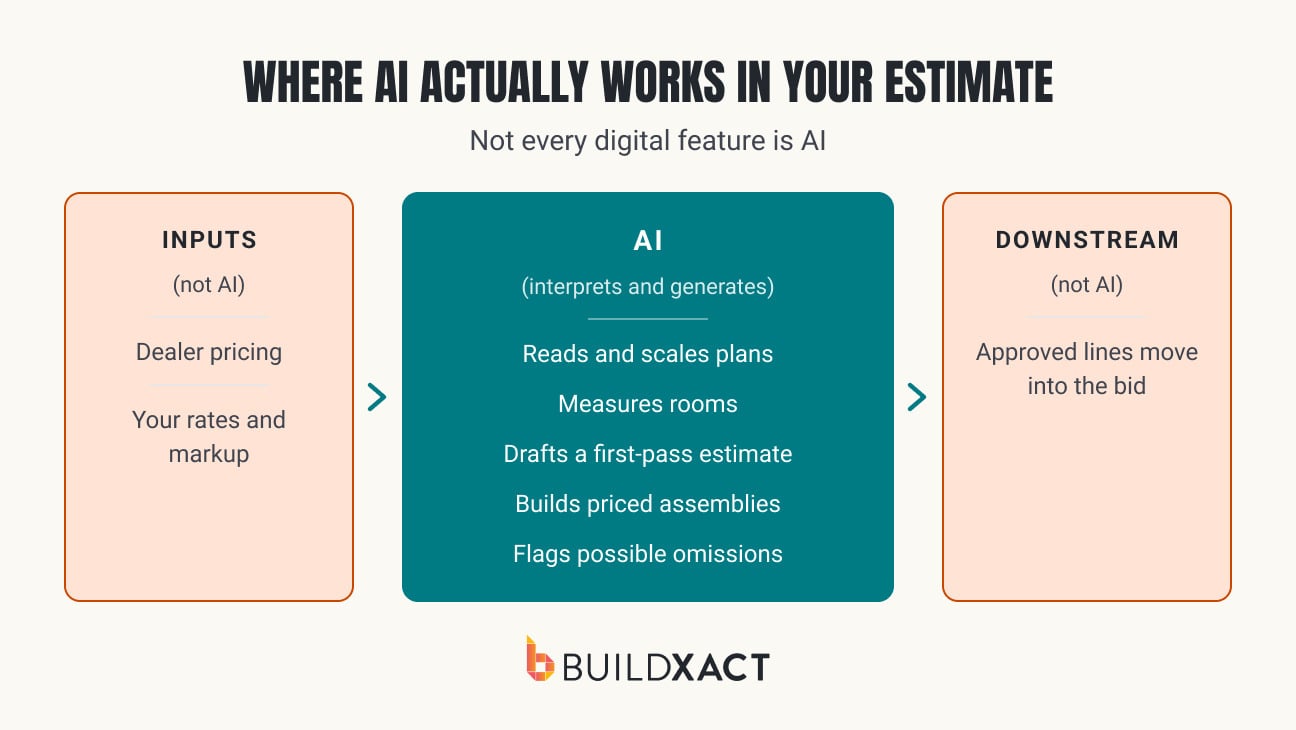
Connected estimating functions in construction software can preserve work across different stages. AI can interpret plans and project descriptions, while dealer pricing, assemblies, and estimating software carry the information you approve into costing and the final bid. Each performs a different function, but their value compounds when you don’t have to rebuild one task for the next.
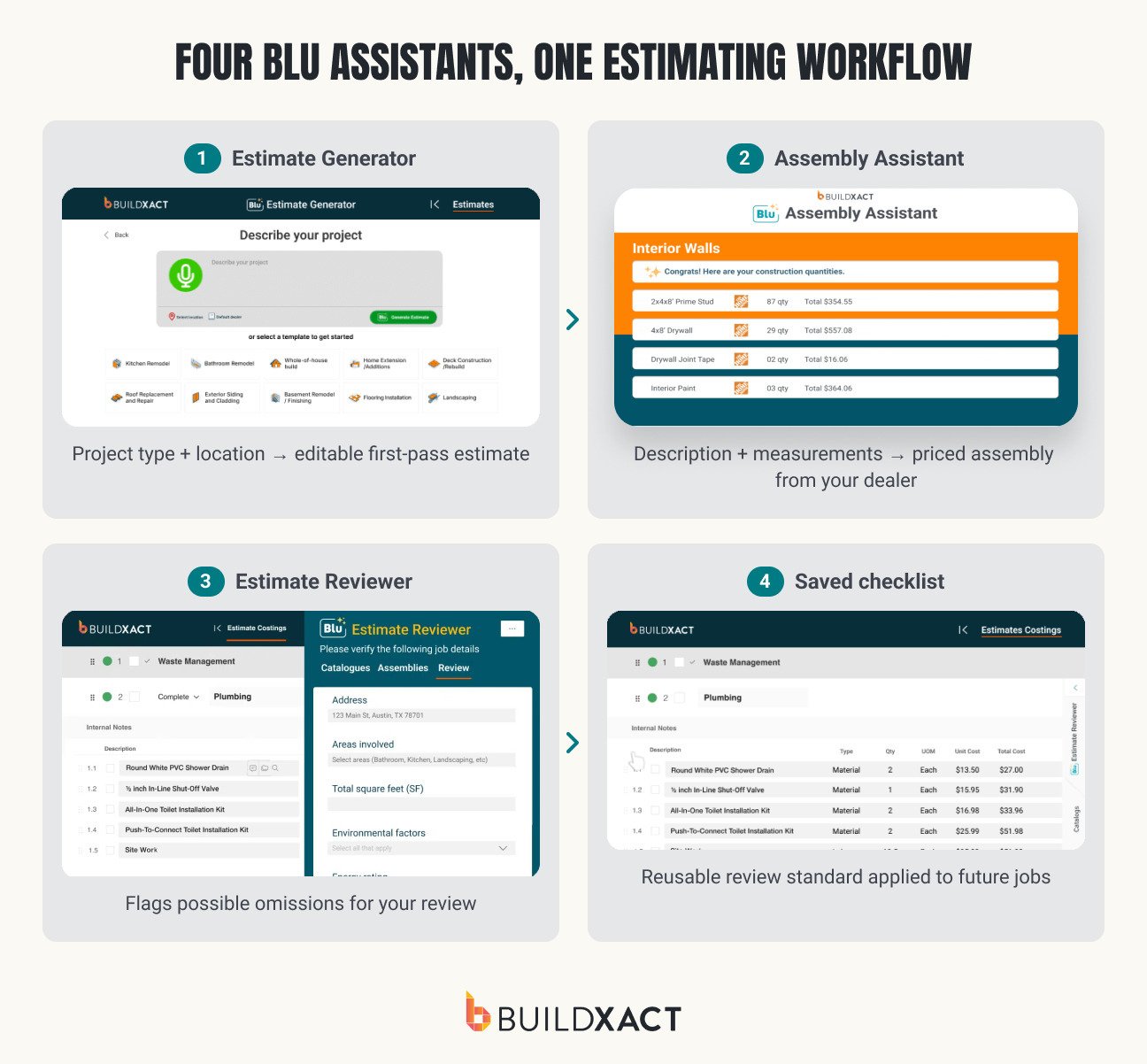
The following six examples trace those handoffs through Buildxact’s four Blu assistants, from preparing the plans to reviewing the completed estimate. Each example shows what Blu prepares, what you still decide, and whether the approved output carries into the next stage.
6 Practical AI in Construction Examples
Each example targets a defined part of the estimate preparation. The output remains inside the estimate, where you can inspect it, correct it, or reject it.
Example 1: Naming and scaling uploaded plan pages
A digital takeoff starts with the correct plan pages, drawing revision, and scale. Setting those up across a multi-page PDF is necessary work, but it does not require you to start from scratch every time.
Blu’s Takeoff Assistant reads uploaded plans, identifies relevant pages and project areas, and applies a proposed scale so you can start takeoff sooner.
Before using the resulting measurements, confirm that the assistant selected the correct page, scale, and drawing revision. That is the task-specific handoff: AI prepares the measurement plan, and you approve the takeoff basis.

Example 2: Measuring Rooms and Areas From Plans
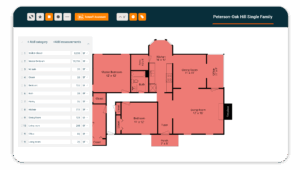
Once the plan is set up, Takeoff Assistant can identify rooms, calculate floor areas and perimeters, and produce measurements from supported plans.
You can adjust a boundary, correct an area, or add a measurement that the drawing did not make clear. That editability matters when the plan contains partial areas, unusual geometry, exclusions, or details that require project knowledge to interpret correctly.
The useful gain is less time spent tracing routine areas before you reach the quantities that deserve closer attention. Confirm the measurement basis and job-specific exceptions, then carry the approved quantities into the estimate without re-entering them.
For more on how measurements move into estimating, see Buildxact’s guide to construction takeoffs.

Example 3: Generating a first-pass project estimate
Templates and past estimates can provide a repeatable baseline, but every project still has its own description, location, scope, and allowances. The setup changes even when the type of work is familiar.
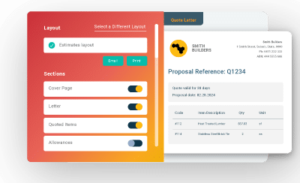
Blu’s Estimate Generator uses the project type, location, and a plain-language description to propose an editable estimate with suggested tasks, materials, labor, and service line items. Buildxact says Blu is trained on thousands of residential projects and integrated into its estimating workflow. The output gives you a structured scope to work from rather than a finished price to accept.
From there, apply the same commercial judgment you use on any estimate: adjust the scope and quantities, replace assumptions that don’t fit the job, and set allowances, overhead, markup, and margin. Estimate Generator shortens the setup leading into those decisions.
See how the generated first pass fits into Buildxact’s broader construction estimating software.

Example 4: Building a Priced Assembly From a Description
Assemblies reduce repeated entry when the same components appear across jobs. AI can shorten the initial assembly setup without turning every project into an identical scope.
Inside an estimate, Blu’s Assembly/Recipe Assistant interprets a description and measurements, then proposes the items and quantities that make up the assembly. A connected dealer catalog supplies the available products and current prices. The assistant interprets the request. The integration supplies the pricing data.
Once you confirm the specification, quantities, waste, labor, and job-specific conditions, you can save the assembly for future estimates. Reuse becomes faster because the confirmed components remain available while the details can still change from one project to the next.
Joshua Bradley of Kentucky-based BradWay Construction described the Home Depot connection, populating an estimate with the latest Home Depot price in a couple of seconds. His experience supports the value of connected pricing, not a claim that AI determines the correct price for every job.

Example 5: Reviewing an Estimate for Potential Omissions
An estimate can be internally consistent and still omit work that belongs in the job. Blu’s Estimate Reviewer provides another pass over the assembled estimate and flags costs, risks, or items that may warrant attention.
You can add project details such as the type of work, address, areas involved, environmental risks, and site concerns before running the review. Blu uses that context to produce more relevant suggestions. The resulting checklist may raise waste management, safety equipment, additional materials, labor requirements, or site-specific risks.
Each suggestion remains a prompt. You decide whether it applies and whether the estimate needs to change. Compliance, safety, and insurance suggestions may also require confirmation from the appropriate authority or adviser.

Example 6: Building a Reusable AI-Assisted Review Checklist
Running the Reviewer checks one estimate. A reusable checklist carries your preferred review standard into future jobs.
You describe the recurring requirements that matter to your company, such as permits, safety considerations, or internal controls. Blu proposes checklist items from that description, and you edit, remove, or add items before saving the checklist. The output is a reusable review structure rather than another review of the current estimate.
This is useful when more than one person contributes to estimating or when you want the same controls applied across similar projects. The checklist preserves the checks you want repeated. It does not confirm that a permit, safety requirement, or other obligation has been satisfied.
Tip: Take a more in-depth look at how Blu’s four assistants map to the estimating and takeoff process.
What to Confirm Before the Bid Goes Out
These are not new estimating standards. They are the points where an AI-generated first pass can inherit an assumption or introduce one that needs correction:
- Plan basis: Confirm the drawing revision, selected pages, scale, boundaries, and exclusions behind the measurements.
- Scope and responsibility: Reconcile proposed scope and quantities with the drawings, specifications, site conditions, and subcontractor responsibilities.
- Cost basis: Check labor productivity, wages, dealer availability, taxes, waste, equipment, and allowances against the conditions of this job.
- Commercial decision: Apply your overhead, markup, margin, and risk judgment. Treat compliance or insurance prompts as questions to verify with the appropriate authority.
The advantage of editable output is that you can correct it at the source and carry the change through the estimate. You should not have to reverse-engineer a total to understand where it came from.
How to Test AI in Your Estimating Workflow
Start with one bounded task on a completed or familiar project whose scope, quantities, and final estimate you already understand. That gives you a reliable baseline without making a live bid depend on an untested workflow.
Run one assistant against the same project information and compare the output with your completed work. Track the time spent on setup, generation, corrections, and final review. Also record missing items surfaced and repeated entry avoided.
The result to evaluate is the time required to reach an estimate you would be prepared to send, not the speed of the first generated output. If corrections consume most of the apparent saving, refine the inputs or choose a more bounded task. Expand only when the first application produces a useful starting point consistently.
Start Saving Time on Your Estimates
The best first application is usually the repeatable task creating the most preparation in your current process. That might be setting up plan pages, measuring routine areas, adapting familiar scope, building assemblies, or running a consistent final review.
The wider workflow matters because the output of one task becomes the input to the next. Using Buildxact, John Beiler of Northwoods Construction reported reducing a whole-house estimate from 10 hours to four. His result reflects the broader Buildxact estimating workflow, where takeoff information, assemblies, costing, and the bid remain connected.
Blu brings AI-assisted preparation into that workflow while keeping each output available for review. Start for free and test it against an estimate you already know.