

Houzz Pro has some good lead generation and client-facing design tools.
But for many builders, it’s not finding new jobs that’s the issue. It’s making sure that every job stays on track and keeps its target margin, from estimate through to invoice.
Houzz Pro has several practical limitations that get in the way of that:
- Costs paid outside Houzz Pro, like dealer invoices or subcontractor bills, never show up in the budget, so job profit looks fine until the job closes and the real number is different
- Real budget tracking, change-order cost impact, and scheduling depth sit behind the higher-tier plan, not what most builders start on
- Client communication and job tracking live in Houzz Pro, but estimating, execution, and purchasing still happen somewhere else
This guide compares seven alternatives built for the delivery side of residential work: estimating, job costing, and keeping profit margin in a job.
Key Takeaways
- Houzz Pro is strong for design and lead generation, but costs paid outside the platform don’t flow into the budget, and real cost tracking sits behind its higher-tier plan
- The alternatives below are built for the delivery side of the job: an estimate that carries into budget and execution without re-entry and actual-vs-estimate visibility while the job is still running
- Fit depends on business size and job type. Budget-conscious small teams, builders who compete on client experience, and firms already running enterprise-scale projects will each lean toward different tools in this list
7 Best Houzz Pro Alternatives
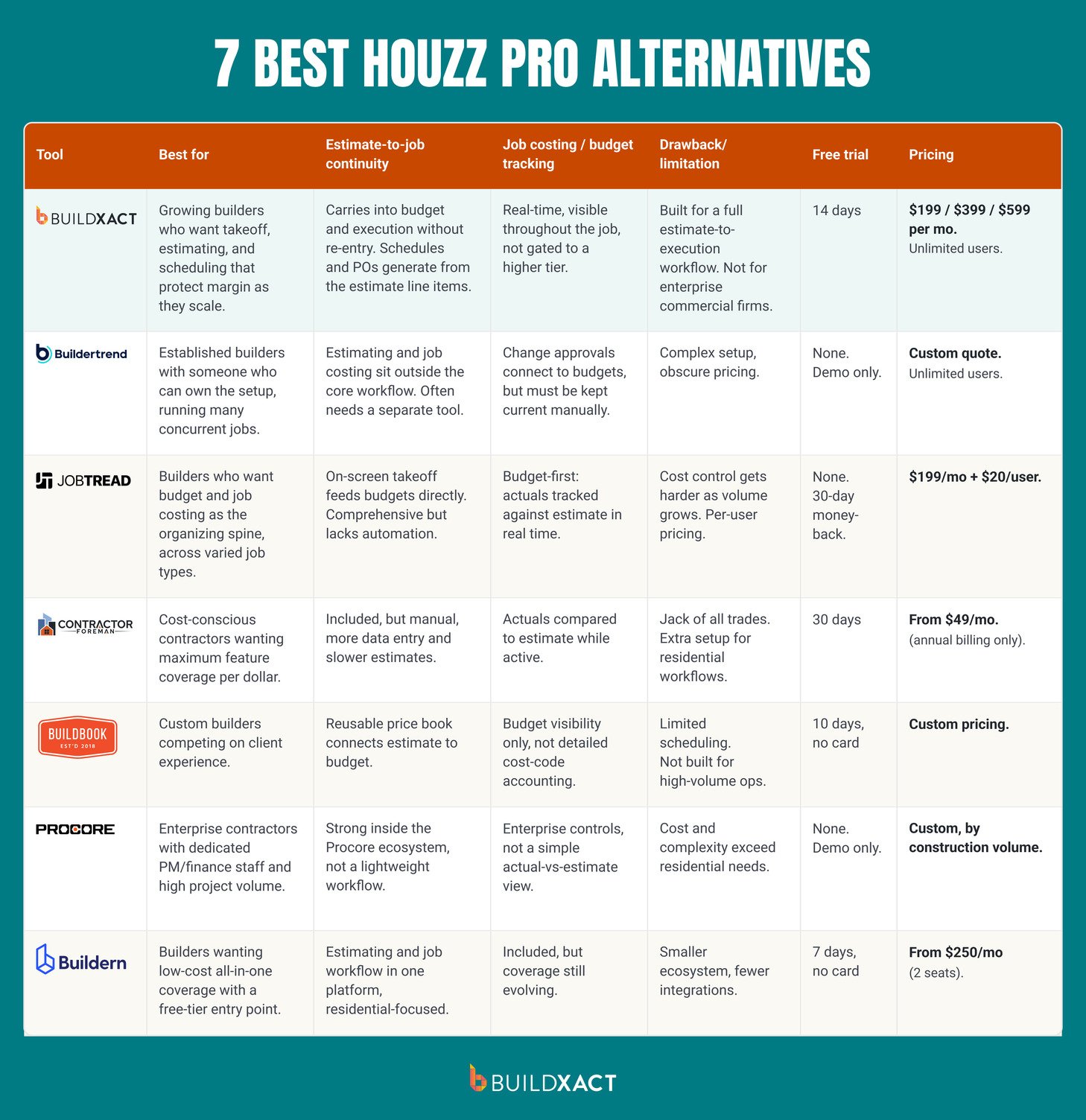
1. Buildxact

Best for: Growing residential builders who want takeoff, estimating, and scheduling tools that help them protect margin as they scale their business.
Buildxact is an estimating and project management software for residential builders.
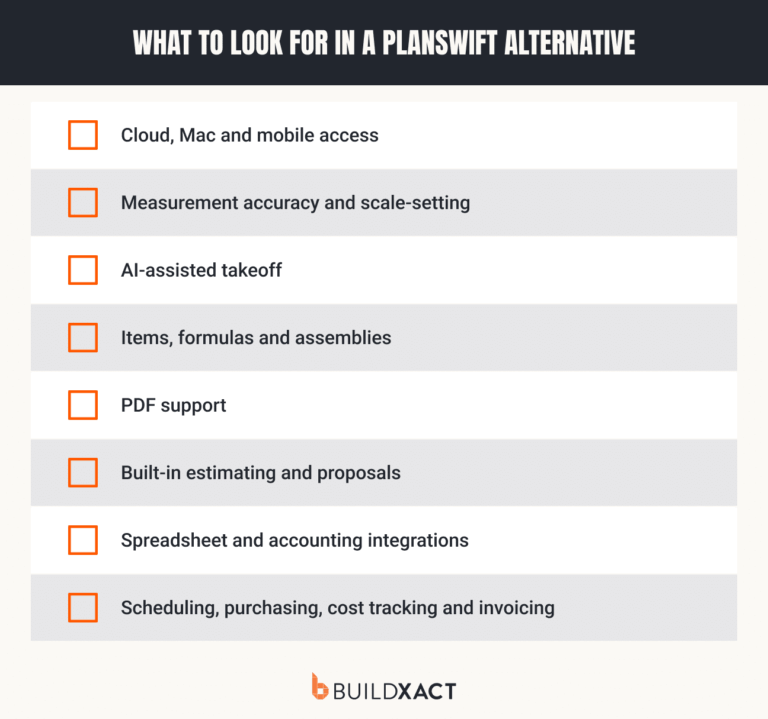
Where Houzz Pro is design-first, Buildxact is focused on where margin is made or lost on residential builds: the estimate.
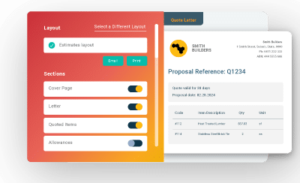
In Buildxact, estimates are built directly from the takeoff, with an AI estimate review step ensuring every task and cost makes it through to the estimate. Buildxact’s own data shows an average of $18,416 in missed items per job; that’s exactly what our AI estimate reviewer is designed to prevent.
It’s all about protecting your profit margin as your firm scales. As you work on multiple jobs simultaneously, with different crews, job types, and perhaps even estimators, errors stack up, and margin risk grows.
Builders using Buildxact mitigate that margin risk as they scale and earn 17% more revenue on whole-of-house builds compared to the average builder.
Here’s how:
Benefits
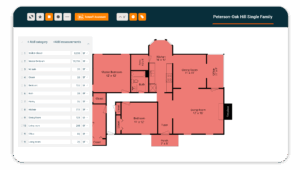
- Blu Takeoff Assistant (AI-assisted): You upload plans, and Blu scales and measures floor areas automatically. It supports digital quantity takeoff directly from drawings, with measured quantities linked directly to the estimate, removing a second data entry step and getting the bid out the door faster.
- Blu Estimate Reviewer: Blue checks the estimate for potential omissions and tells you which items should be reviewed before finalizing the estimate and sending the bid.
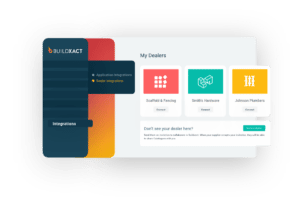
- Live dealer pricing integration: Buildxact with material dealers like The Home Depot so that estimates and change orders are built from accurate pricing without having to manually source up-to-date numbers.
- Schedule built from estimate: Schedules are built directly from estimate line items, so pricing scope aligns with the project timeline. When the estimate changes, that update can be reflected in the budget and the schedule.
Drawbacks
- Buildxact is built around a full estimate-to-execution workflow. Teams that only need a single feature, like scheduling or budgeting, might not get the most value out of it.
- Buildxact is designed for residential builders, meaning it isn’t suitable for enterprise commercial construction firms.
Pricing
Buildxact has three pricing plans:
- Foundation ($199 per month): Includes digital takeoffs, supplier integrations, and Blu Recipe Assistant
- Pro ($399 per month): Adds more advanced features like Blu Estimate Generator and Buildxact Onsite mobile app.
- Master ($599 per month): Our most advanced plan, adding user access control and Blu Takeoff Assistant.
All plans include unlimited users, so you’re not penalized for growth. You can also save 15% when you choose an annual plan.
Get started with a 14-day free trial.
2. Buildertrend

Best for: Established residential builders with a team member who can own the complex setup time and drive adoption across the firm. Fits businesses running many concurrent jobs where the client-portal and financials depth pays back the complexity.
Buildertrend is a full-lifecycle residential project management platform. It excels at integrated financials and deep client-facing features like a client portal.
Benefits
- Office, field, and subcontractors work from one shared schedule and task list
- Selections, approvals, and client updates stay documented in the job, not scattered across email
Drawbacks
- Complexity and an obscure pricing model
- Estimating, pricing, and job costing typically sit outside the core workflow
- Often needs a separate tool to see how scope and pricing changes affect margin
Pricing
Custom pricing.
3. JobTread
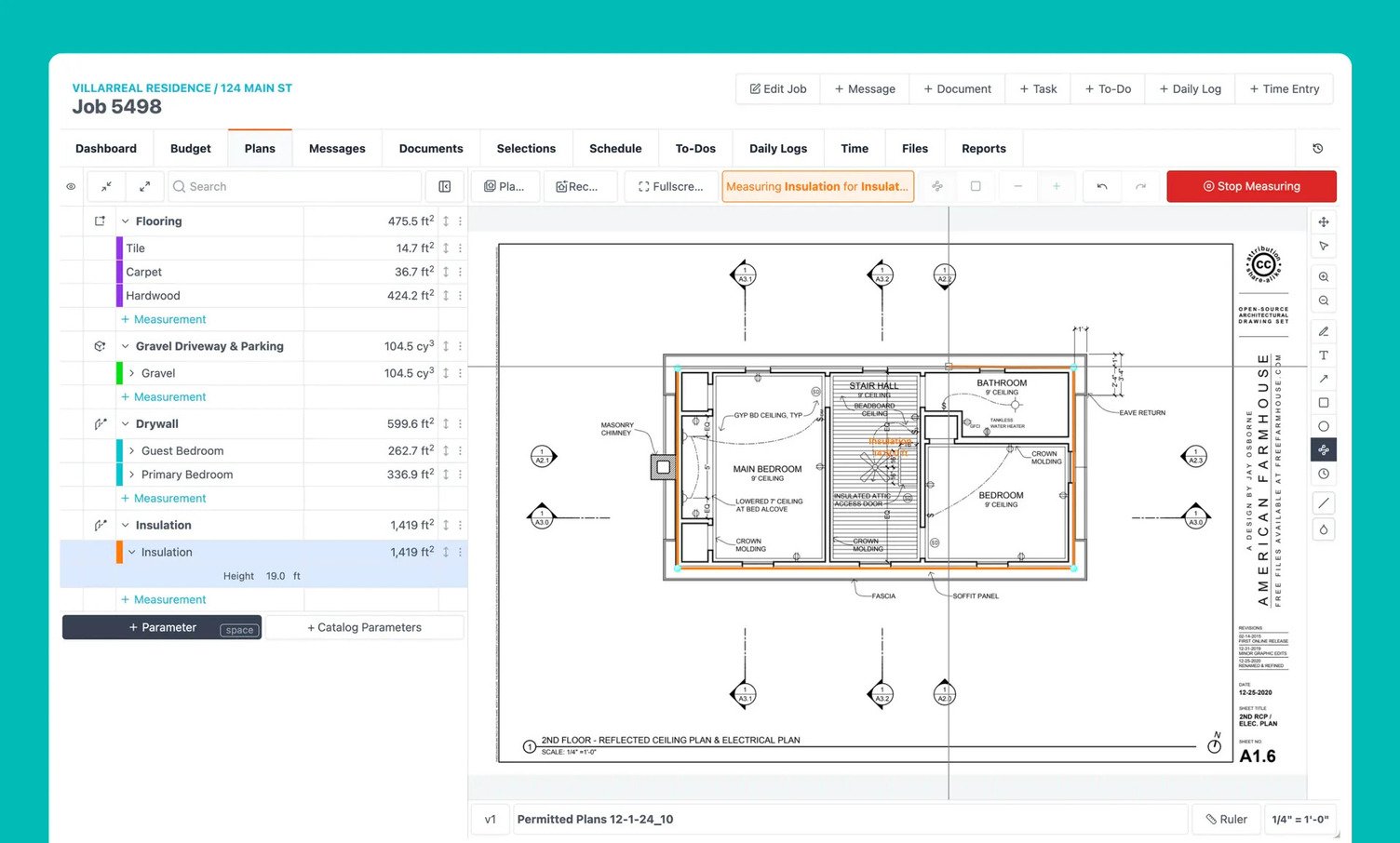
Best for: Builders who want budget and job costing as the organizing spine of the business, and who take on a broad mix of job types beyond straight residential.
JobTread is a budget-first construction platform for residential builders and specialty contractors.
Estimating and takeoff are functional but not a strength, which means builders whose pre-construction time is the bottleneck may not find the answer here.
Benefits
- Approachable for smaller teams without heavy setup or configuration
- Works well for builders running similar jobs repeatedly with stable pricing
Drawbacks
- Estimating tools are comprehensive but lack advanced automation
- Cost control gets harder as job volume or pricing complexity increases
- User-based pricing adds cost as the team grows, unlike unlimited-user plans
Pricing
From $199 per month + $20/month per internal user.
4. Contractor Foreman
Best for: Cost-conscious small-to-mid contractors who want maximum feature coverage per dollar and don’t need a residential-specific workflow.
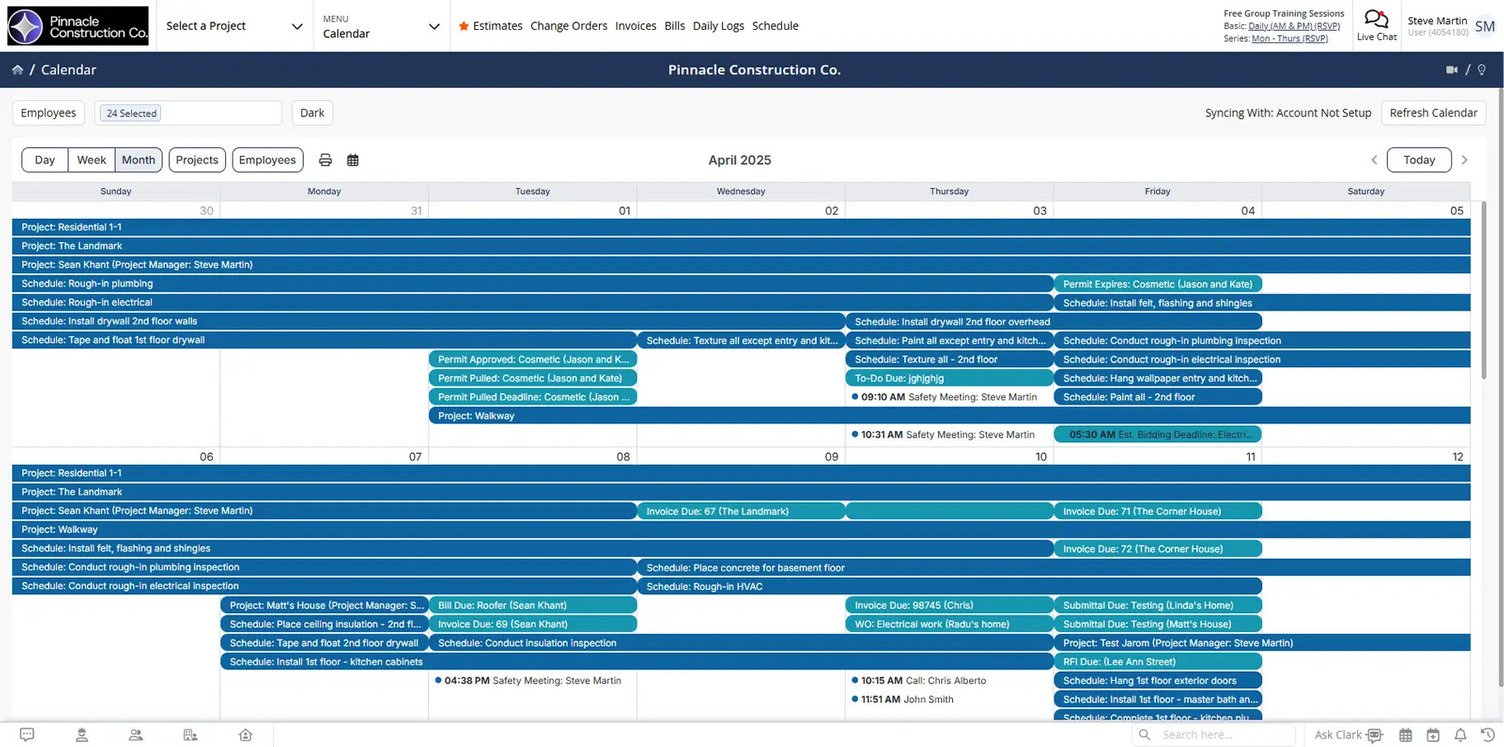
Contractor Foreman is the Houzz Pro alternative with the widest feature list at the lowest published price. It features 40+ features in one platform covering project management, estimating, time cards with GPS, safety, RFIs, submittals, and service tickets, and serves both residential and commercial, GC and subcontractors.
Benefits
- Wide feature set covering estimating, scheduling, safety, and job management in one system
- Low price point, competitive across five pricing tiers
- Good fit for lean teams and tight budgets
Drawbacks
- Jack of all trades; master of none
- Not heavily automated or AI-driven, so more manual data entry and slower estimates
- Setting up workflows for residential-specific needs takes extra configuration and training time
- Unlimited users only on its most expensive plan, user caps on the rest
Pricing
Starting at $49 per month, billed annually, for the Basic plan. The Standard tier is available at $105 per month. Quarterly billing is also available, but only for the Standard and above tiers (starting at $132 per month).
5. BuildBook

Best for: Custom home builders and remodelers who compete on client experience and want a tool the client will actually engage with.
BuildBook is a residential construction management platform organized around the client experience. It features a clean interface, fast onboarding, and a strong client portal.
Benefits
- Strong client-facing side: homeowners get progress updates, photos, documents, selections, and messaging in one portal
- Reusable price book turns estimates into proposals, with estimate data connected to budget visibility
- All paid plans include full feature access
Drawbacks
- The feature set is limited: no advanced scheduling controls or automated scheduling
- Financial tracking covers budget visibility only, not detailed cost-code-level accounting
- Not built for heavy multi-phase or high-volume residential operations
Pricing
Custom pricing.
6. Procore

Best for: Mid-market and enterprise contractors with multiple stakeholders per project, dedicated PM and finance staff, and annual construction volume large enough to justify the cost and complexity.
Procore is an enterprise construction platform covering the full lifecycle: preconstruction, project management, quality and safety, and financials. It serves commercial, civil, healthcare, government, and residential.
Benefits
- Open API with hundreds of integrations
- Estimating sits inside a larger platform covering contracts, project controls, and financial reporting
- Data continuity holds up well for teams fully standardized on the Procore ecosystem
- Built to support multi-stakeholder, multi-project environments
- Enterprise-scale controls and compliance tools
Drawbacks
- Built for enterprise-scale commercial projects, not sized for a $1M–$10M residential operation
- Platform complexity and cost typically exceed what a residential builder needs
- Setup and adoption usually require dedicated administrative resources.
Pricing
Custom, enterprise-structured pricing rather than transparent monthly plans.
7. Buildern

Best for: Builders looking for low-cost all-in-one coverage with a free-tier entry point, and who are comfortable with a younger product still building its market presence and integrations.
Builder leads with CRM and pre-sales as the organizing layer, then adds estimating, scheduling, and QuickBooks/Xero sync.
Benefits
- Estimating and job workflow are accessed within the same platform
- Built specifically with residential builder use cases in mind
- Setup and deployment structured for smaller teams
Drawbacks
- Fewer integrations, thinner third-party review coverage, and less customer-community depth than the more mature platforms
- Smaller ecosystem than more established platforms
- Feature coverage is still evolving over time
Pricing
From $250 per month (2 seats only).
7 HouzzPro alternatives: Which is right for you?
Houzz Pro can help you keep your pipeline full and your clients in the loop.
What it won’t tell you is that the job you bid with a 22% margin in it is finishing at 14%.
Every tool on this list handles that differently and comes with different pros and cons. Some track the budget but leave the estimate behind at approval. Some cover the client side but stop short of job costing. A few are built exclusively for large commercial outfits.
Buildxact helps builders protect their margins by keeping the estimate live through purchasing, the schedule, and actual costs.
Book a demo to see if Buildxact is the right Houzz Pro alternative for you.