

Cost control software in construction checks purchase orders, subcontracts, and change orders against the job’s budget before money is committed.
A job priced at 15% margin can finish at 5% if there’s no live connection between what was estimated, what’s been committed, what’s changed, and what’s been billed.
For residential builders running multiple projects without a dedicated estimator, that’s the difference that scales and one that grows but doesn’t make more profit.
Cost control software in construction keeps estimated, committed, and actual costs connected in one place, so you can track purchase orders, manage change orders, sync with your accounting software, and forecast final job cost while the build is still underway.
This guide compares six cost control platforms judged on those four criteria, with recommendations for which kind of builder each tool is best suited to.
Key Takeaways
- Cost control software connects estimated, committed, and actual costs in one place so you can see where a job stands financially while the build is still underway.
- The six platforms compared in this guide are judged on commitment tracking, change order workflows, accounting integration, and real-time forecasting.
- Enterprise tools like Procore, Autodesk, and CMiC offer deep financial controls but require implementation timelines and team structures that don’t match a $1M–$10M residential operation.
- Buildxact is the strongest fit for growing residential builders because purchase orders are created from the estimate, keeping committed costs tied to the same cost categories the job was priced on.
- The right tool should be usable within days, not months, and shouldn’t need a dedicated admin to run.
Best Cost Control Software for Growing Residential Builders
All six of the tools below are judged on the same four things:
- Whether it captures a cost at the point of commitment (PO or contract signing) or only once the invoice arrives
- Whether it supports change order approval before work proceeds
- How directly it connects to accounting software
- Whether it’s built for a growing residential team or a large commercial one
You be the judge of which fits best for growing residential builders looking to keep costs under control.
1. Buildxact
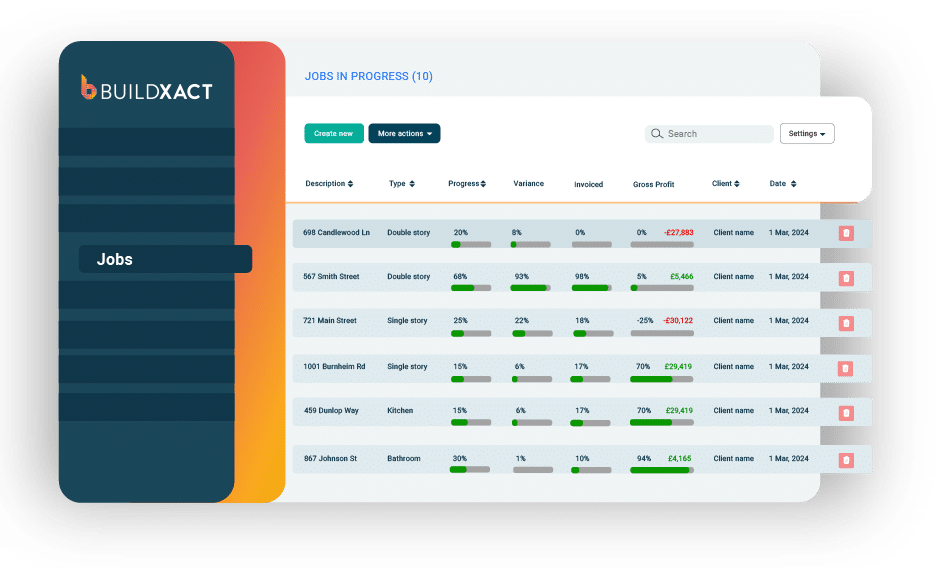
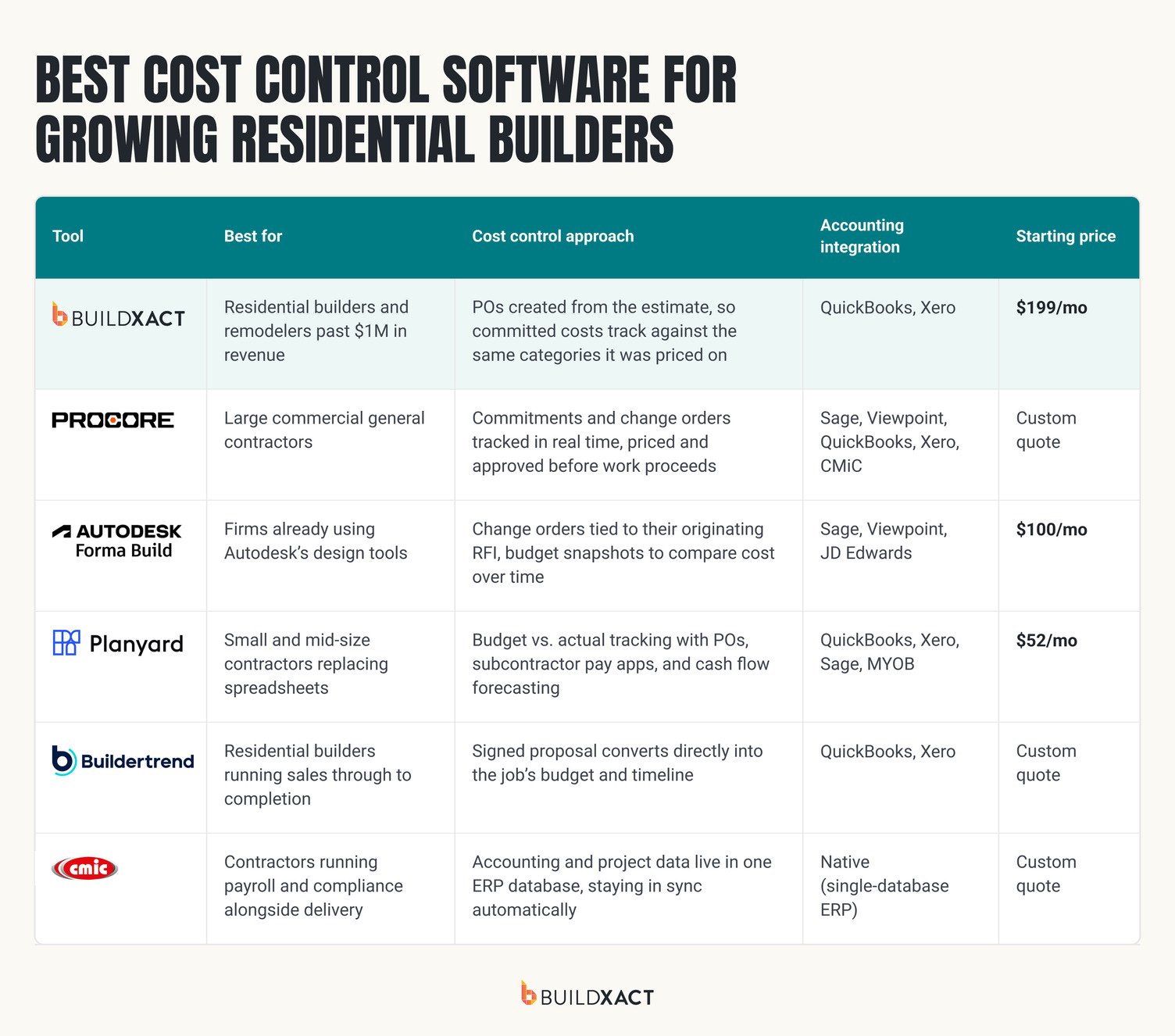
Buildxact is estimating and project management software for residential builders and remodelers, scaling past $1M in revenue, and focused on keeping profit margins strong as they do it.
In Buildxact:
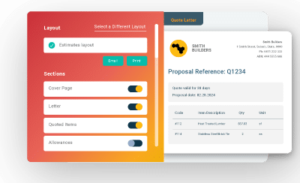
- Purchase orders and work orders are created directly from the estimate, so a committed cost is tracked against the same cost category the estimate assigned it to
- Blu AI Construction Assistant supports estimate review, feeding a stronger baseline into the numbers costs get tracked against
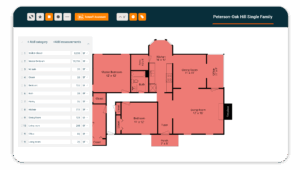
- Builders can access real-time budget vs. actual visibility, broken down line-by-line or by cost category
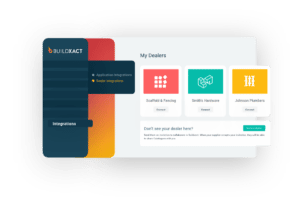
Every plan comes with QuickBooks and Xero integrations to eliminate duplicate data entry and unlimited users, so software costs don’t increase as you scale.
Book a demo to learn how Buildxact can help control costs and keep margins strong.
2. Procore
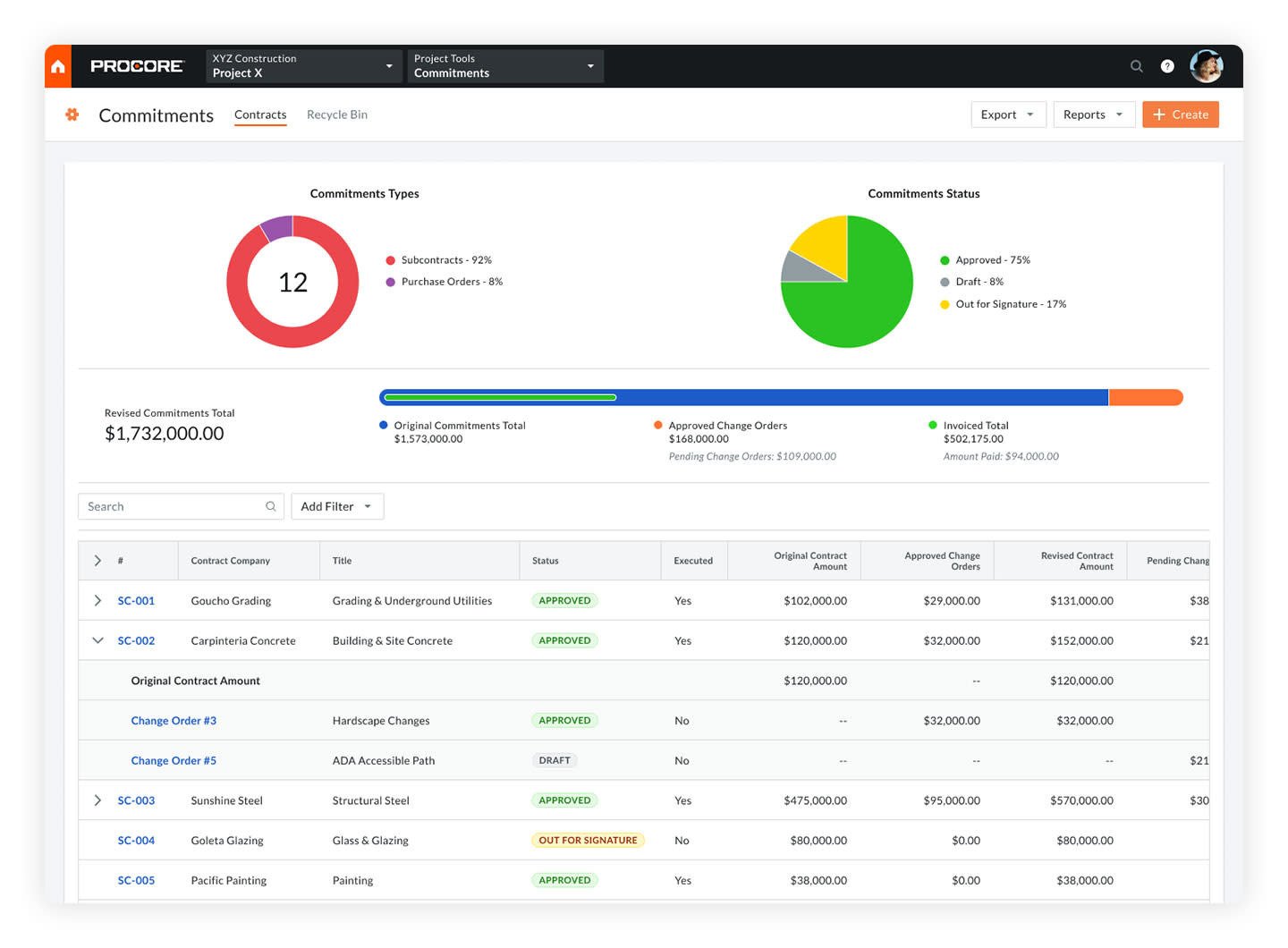
Procore is construction project management software built for large general contractors running commercial projects at scale.
In the platform, you can track subcontracts and purchase orders against the budget in real time, build commercial change order workflows that connect to project financials, and access financial controls designed for complex multi-stakeholder projects.
That makes it a good fit for large-scale commercial builders; less so for residential builders.
The extensive functionality Procore offers in itself means a longer setup and training period, which is typically more than a small residential team without a dedicated estimator or admin function wants to take on.
3. Autodesk
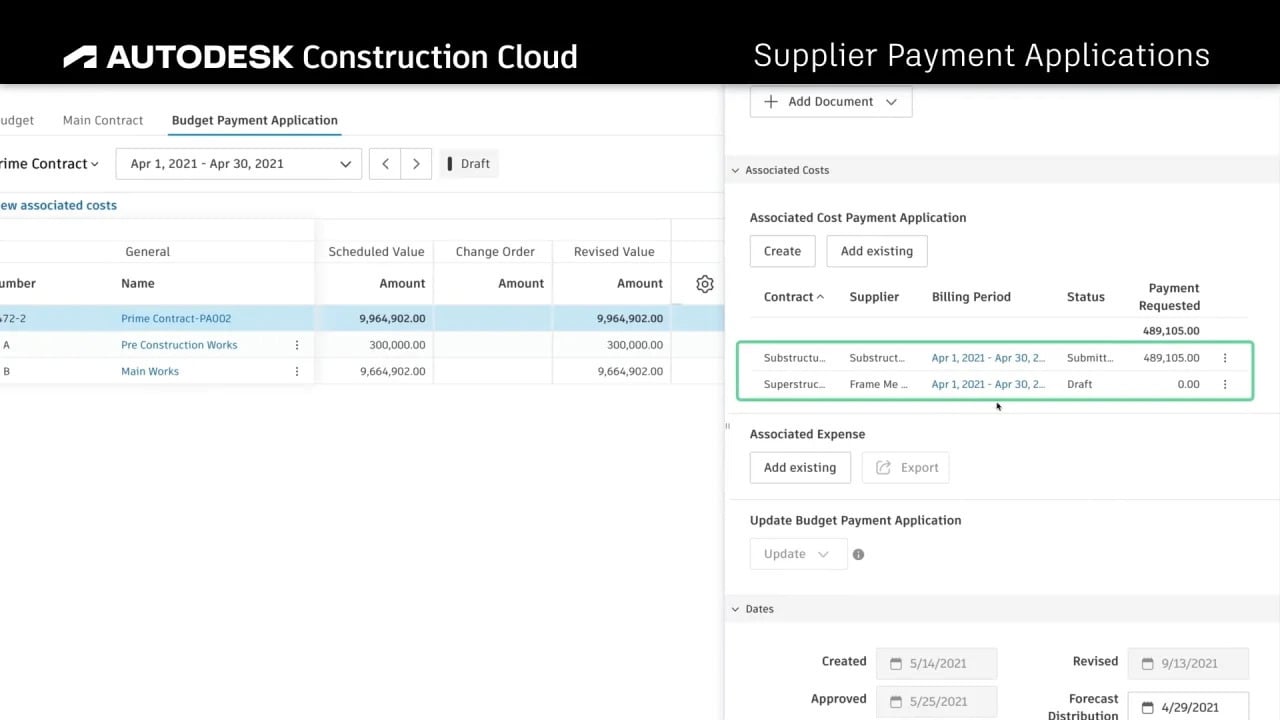
Autodesk is construction management software with a strong focus on architectural design.
It’s built for firms already using Autodesk’s design tools (AutoCAD, Forma) that want cost management within the same ecosystem.
Autodesk ties cost changes back to their origins in the field: a potential change order can be created directly from an RFI, and budget snapshots let you compare the budget at different points to see what changed.
Contracts, expenses, and pay applications route through configurable approval workflows, and the system syncs with accounting platforms like Sage, Viewpoint, and JD Edwards.
Autodesk is built around design-to-construction workflows. It’s not a standalone cost-tracking tool and is probably overkill for any residential builder who isn’t already running Autodesk’s design stack.
4. Planyard
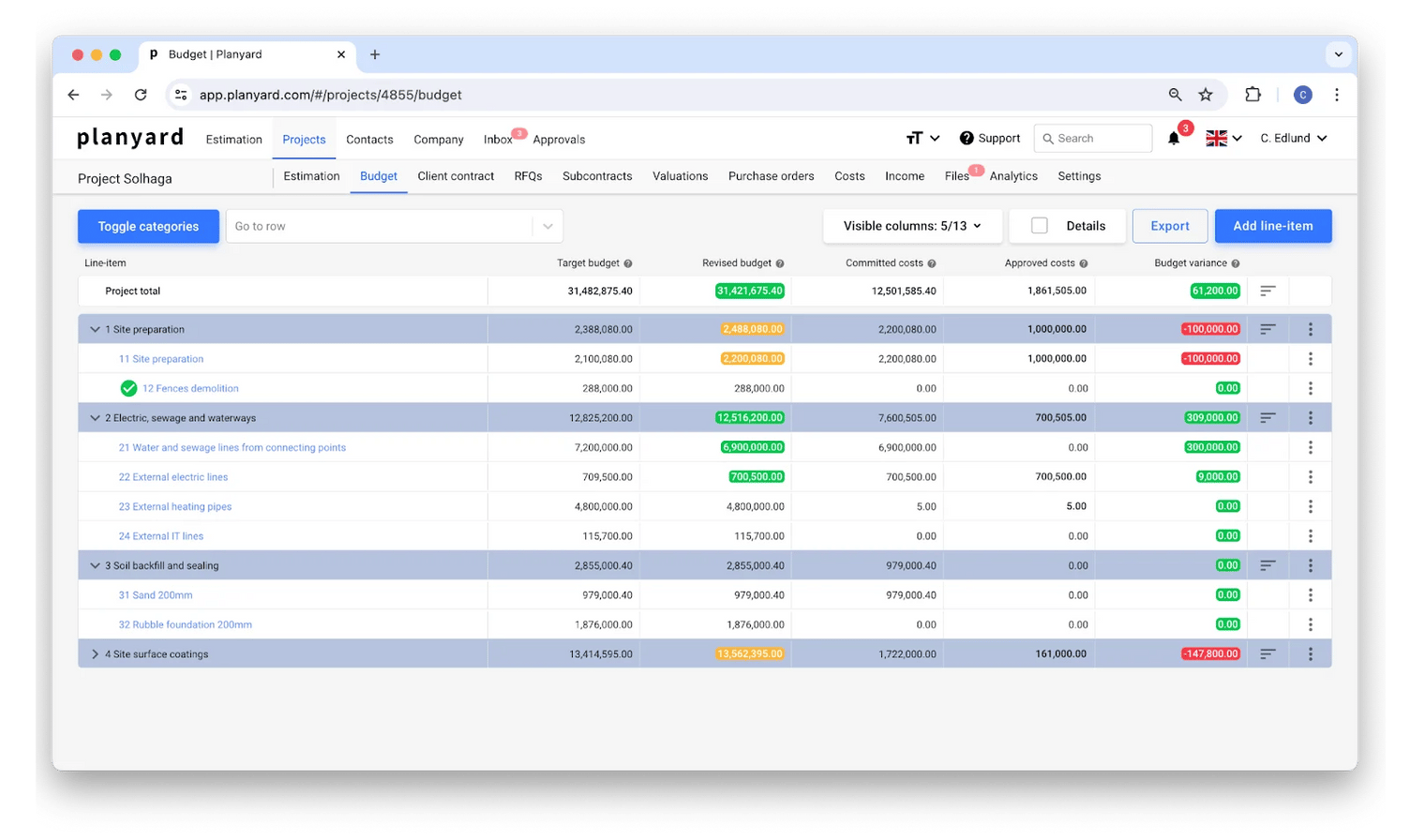
Planyard is primarily an accounting platform, built for small and mid-size contractors, replacing budget spreadsheets.
Key features for cost management include budget-versus-actual tracking for purchase orders, subcontract management, change-order workflows, and integrations with QuickBooks and Xero.
Planyard covers budget tracking, purchase orders, subcontractor pay apps, and retention, and cash flow forecasting, but has no AI support for estimating or cost review.
5. Buildertrend
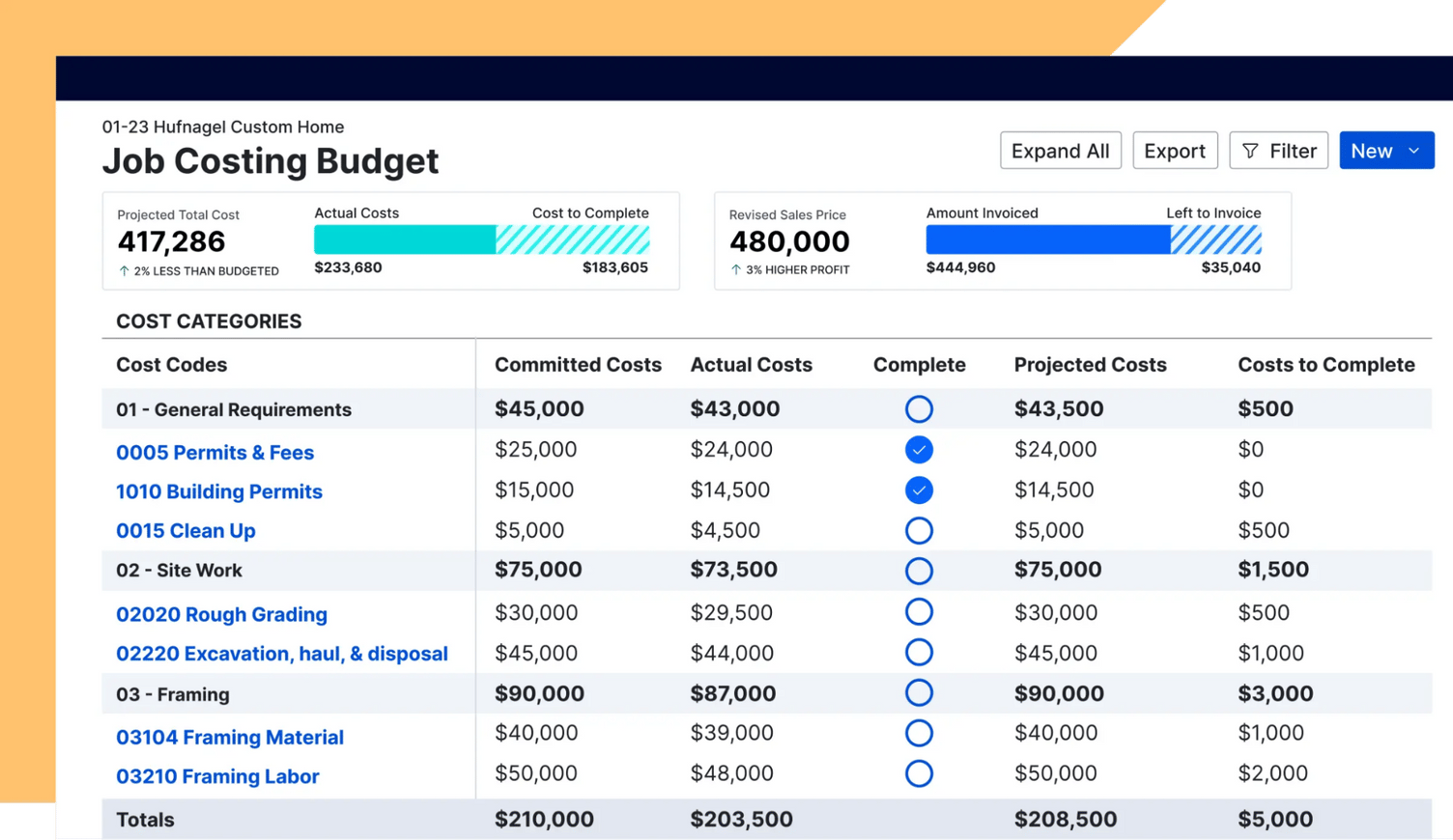
Buildertrend is a construction project management platform for residential builders and remodelers, where a signed sales proposal converts directly into the job’s budget and timeline, so the estimate a client agreed to becomes the record costs are tracked against once work starts.
Cost-related features include estimates, change orders, and client billing.
Buildertrend also offers a homeowner-facing client portal where builders can choose to give clients visibility into budgeted numbers, invoices, and bills, alongside project updates, selections, and change orders.
The main downside with this tool is that its feature set is weighted toward sales and client communication rather than commitment-level cost tracking tied back to the original estimate. That’s not a problem if sales are your core challenge, but it might be if cost control on live jobs is a more active concern.
6. CMiC
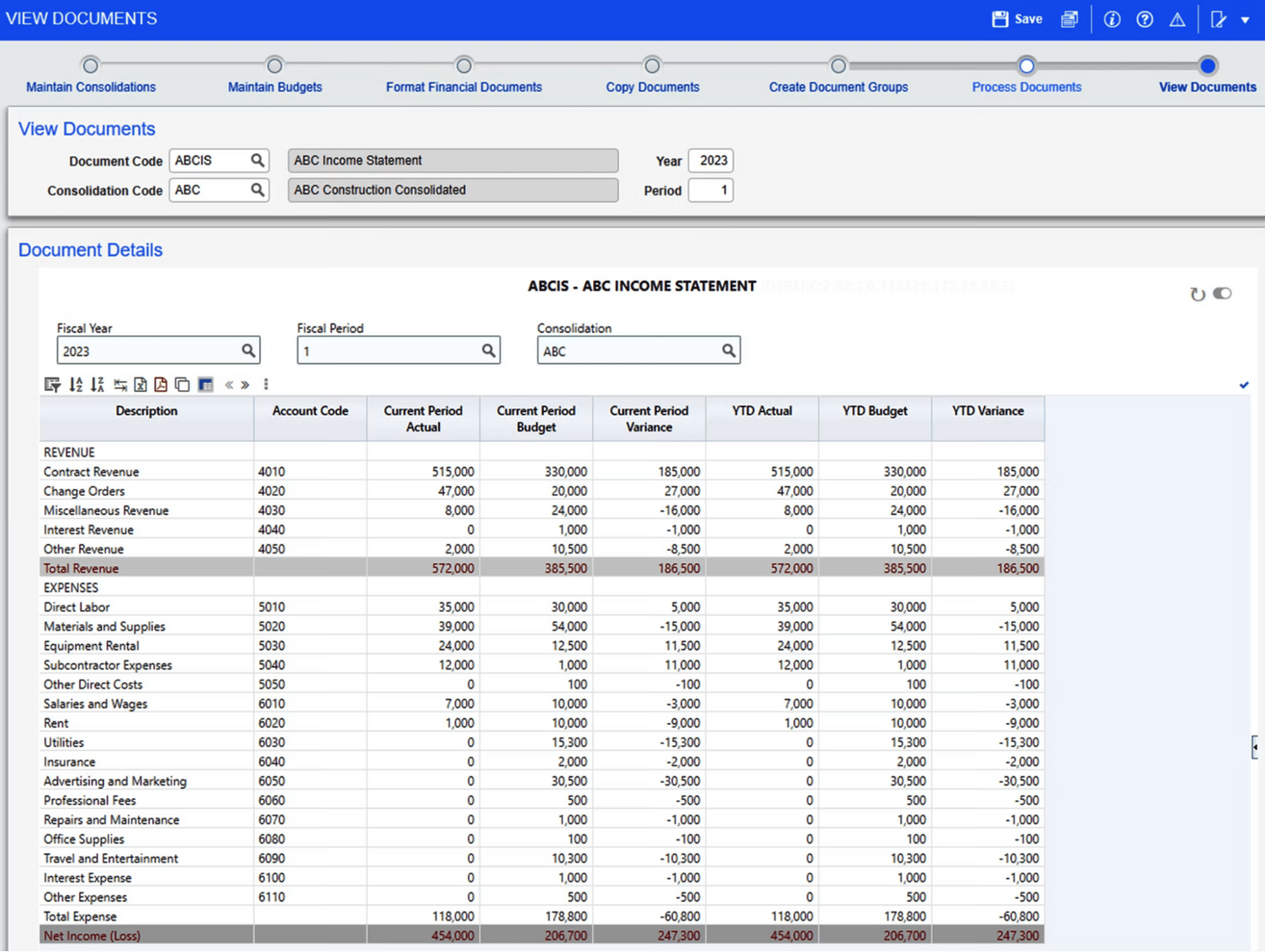
CMiC is built for contractors running payroll, equipment, and compliance functions alongside project delivery, where keeping the accounting and project systems in sync manually becomes the bottleneck rather than the software itself.
CMiC fits into the same bucket as Procore: possibly a good fit for larger commercial businesses, but probably overkill for what a $1M-$10M residential operation needs, especially given the implementation timeline and cost involved with a tool like this.
Which Cost Control Software Fits a Growing Residential Builder?
What makes a cost control tool fit a residential builder with $1M- $10M in revenue?
It has to:
- Work for a small team without a dedicated estimator or admin function
- Be usable within days, not months
- Connect cost tracking to the estimate on which the job was priced
Buildxact is a great fit for residential builders and remodelers looking for exactly that.
In Buildxact, POs are created from the estimate, so a committed cost is tracked against the same cost category the estimate assigned it to, and QuickBooks and Xero sync keep the accounting side aligned without duplicate entry.
Book a demo to learn more about how Buildxact can help keep costs under control as you scale.
What to Look for in Cost Control Software
The best cost control software for a growing residential team keeps estimates, commitments, and accounting in a single, connected record. These five capabilities decide whether a tool does that or just adds another place to enter data.
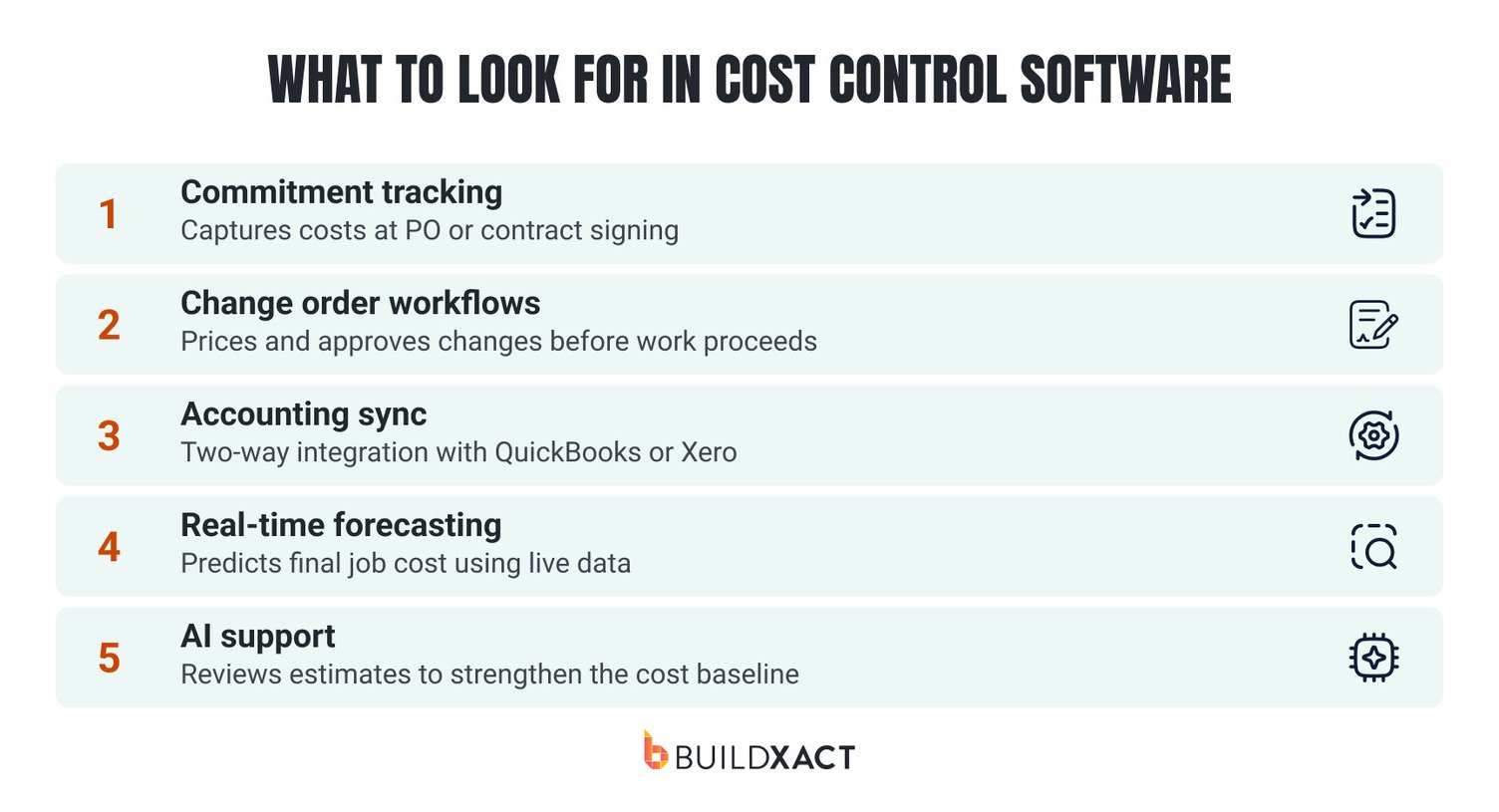
Commitment tracking
Software that captures a cost when you sign a contract or issue a purchase order shows you what the job has committed to, not just what has been invoiced.
That gives you budget visibility during delivery, instead of a surprise at final billing, as well as a reference to check subcontractor invoices against, so a bill that exceeds its PO gets caught before it’s paid.
Change order workflows
Change orders are a common source of margin loss because they’re often priced quickly, on the spot, or after the work is underway. Look for a workflow that prices the change against live costs and that allows homeowners to review and approve the request easily, ideally before work proceeds.
Accounting sync
Two-way integration with QuickBooks or Xero means invoices and purchase orders flow between systems without manual re-entry on either side. Duplicate entry is where mismatched numbers come from, and it adds admin hours that a small team doesn’t have.
Look for a tool that integrates cleanly with whichever accounting tool you’re already using.
Real-time forecasting
Cost control software should go beyond tracking. Tracking just tells you what happened. Forecasting uses live field and cost data to project final job cost while there’s still time to act.
If a category is trending 8% over at the halfway point, you can adjust the remaining purchasing or reprice upcoming change orders.
AI support
AI tools that help build and review estimates address the part of cost control most tools skip: the baseline.
Every overrun is measured against the estimate, which ultimately means that a weak estimate produces weak control.
Blu by Buildxact features an Estimate Reviewer that checks an estimate for missed items and gives suggestions on compliance, insurance, and more, tailored to details you add like room types or environmental factors. It works as a checklist for tightening the estimate before the job starts, which gives every later cost comparison a stronger number to work from.
Protect Your Margins With Cost Control Software for Residential Builders
On residential projects, cost overruns don’t happen all at once.
They come from commitments that aren’t tracked against the estimate, change orders priced on outdated figures, and accounting that doesn’t reflect job costs until the build is finished.
Buildxact keeps the estimate as the live record through the entire job: purchase orders, change orders, and actual costs all track against the same cost categories the job was priced on, synced to QuickBooks or Xero so the financial picture stays current without duplicate entry.
Book a demo to learn more about how Buildxact can help keep costs under control as you scale.
FAQs
What is cost control in construction?
Cost control in construction is the process of keeping a job’s actual spending in line with the budget it was priced on, from the first commitment to the final invoice.
It covers tracking purchase orders and subcontract agreements, pricing change orders against live costs, and comparing what has been spent to the estimate while the build is still underway.
What is cost control software in construction?
Cost control software in construction is a system that checks spending against a job’s budget before the money is committed.
Each purchase order, subcontract, and change order is measured against the estimate at the point it is created or approved, and approved costs sync to accounting tools like QuickBooks or Xero. That lets a builder catch an overrun on a single line while there is still time to act on it, and forecast final job cost from live data.
How is cost control different from cost tracking?
Cost tracking records what has been spent. Cost control uses that record to act while a job is still running, and includes tasks like checking commitments against the estimate, approving change orders before work proceeds, and adjusting course when a category starts to run over.
What size business needs dedicated cost control software?
A residential builder running several jobs at once, with no dedicated estimator or admin, typically reaches the point where spreadsheets stop keeping up. That often happens around $1M in annual revenue, when commitments, change orders, and invoices are spread across more projects than one person can hold in their head.