
You spent time building an accurate estimate, priced the job carefully and built in a healthy margin. As work gets underway, every cost, change order, and progress invoice needs to stay tied to those original numbers.
When they don’t, it gets harder to see whether the job is still delivering the profit you planned.
Missed change orders, billing errors and rising actual costs can cut into your margin well before you spot the problem. And as you take on more projects, keeping those numbers under control becomes even more important.
Contractor invoicing software helps you stay on top of the numbers from the original estimate through to final payment. The right platform connects estimates, job costs, change orders, and invoices so you can bill accurately, keep cash flowing, and protect your margin.
In this guide, we compare the best contractor invoicing software for residential builders in 2026.
Why Do Residential Builders Need Builder-Friendly Invoicing Tools?
Residential construction billing needs to follow the way jobs actually run: progress payments that reflect completed work, change orders that make it onto the bill, and invoiced amounts that stay connected to the original estimate and project costs.
Construction invoicing tools tailored to residential jobs help you manage that process consistently across every project.
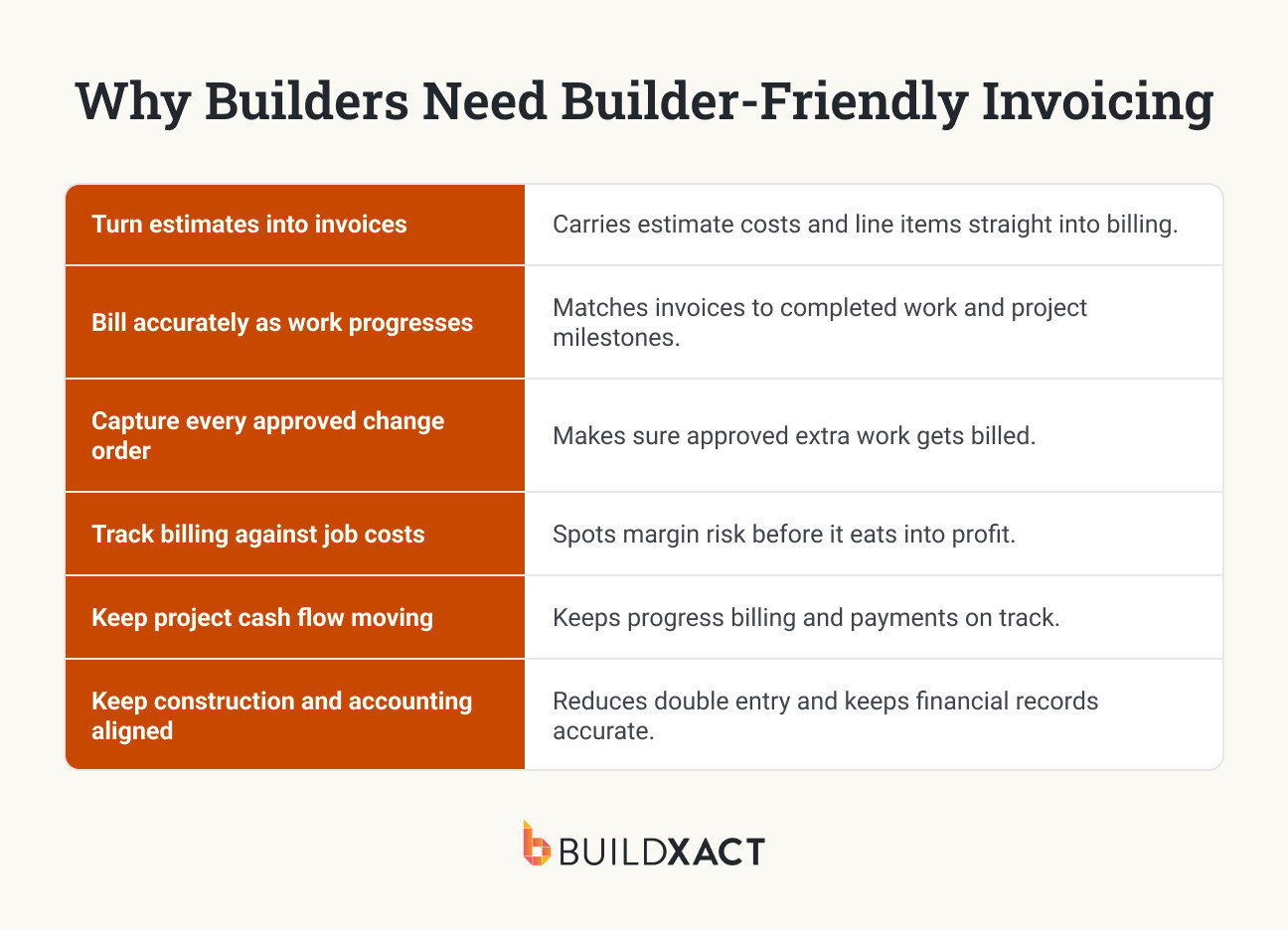
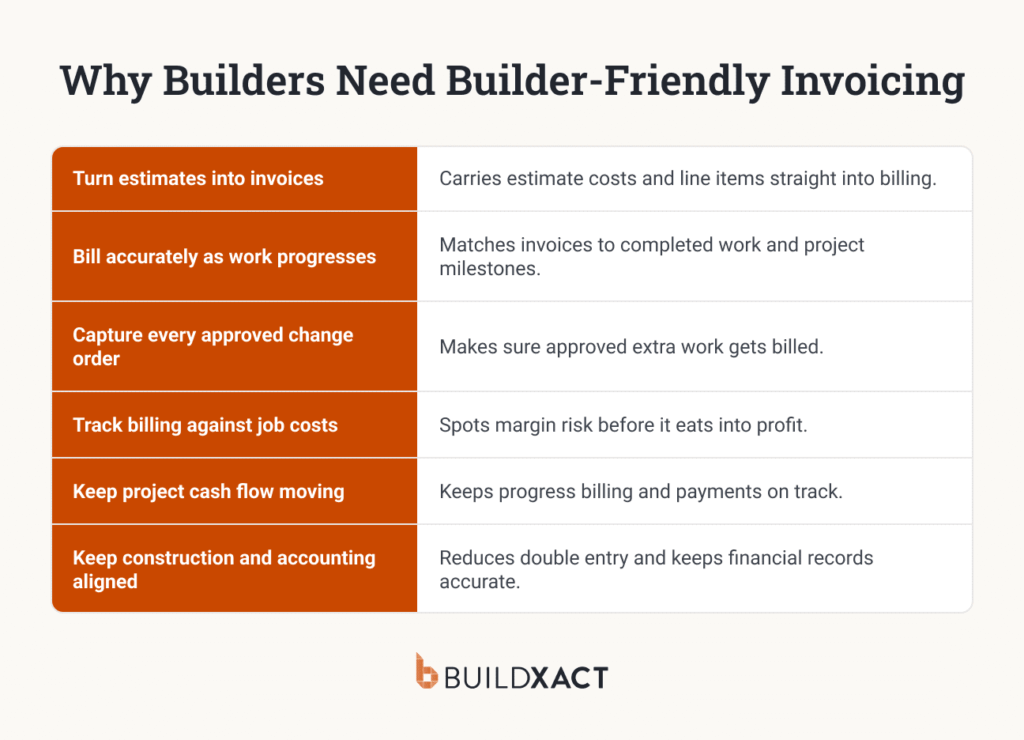
Turn estimates into invoices without rebuilding the numbers
Once a client accepts your estimate, those numbers should carry through to billing. Using the original line items to create invoices saves you from entering the same information again and reduces the chance of something getting missed or entered incorrectly.
Bill accurately as each stage is completed
Residential projects are often billed as work reaches agreed stages or milestones. Progress invoicing lets you bill for completed work as the project moves forward, with a clear record of how much you’ve billed and how much of the contract value remains.
Capture every approved change order
Extra work needs to make it onto the invoice. Carrying approved change orders through to billing ensures the amount the client owes reflects the updated scope, including the costs and markup you agreed on when the change was approved.
Track billing against actual job costs
Compare what you’ve billed with the original estimate and the costs coming into the job. If spending starts moving beyond what you allowed for, you can see how the job is tracking and address the problem before it takes a bigger bite out of your planned margin.

Keep project cash flow moving
Materials, labor and subcontractors often need to be paid before the next client payment. Staying on top of progress invoices and outstanding balances helps you line up incoming cash with those project costs and manage cash flow more reliably across several active jobs.
Ensure construction and accounting numbers stay aligned
Re-entering invoices and payments in your accounting software adds admin and creates another opportunity for mistakes. Syncing the two systems reduces double entry and helps ensure your project and accounting records reflect the same billing and payment information.
As you take on more projects, small gaps in the billing process become harder to manage. The right software should give you the structure and visibility to keep billing accurate and consistent as the business scales.
What Should You Look for in Contractor Invoicing Software?
Once you’ve narrowed your options to tools that can handle residential construction billing, the differences are in how well they handle it. These criteria can help you assess whether the software gives you the control and visibility you need as project volume increases.
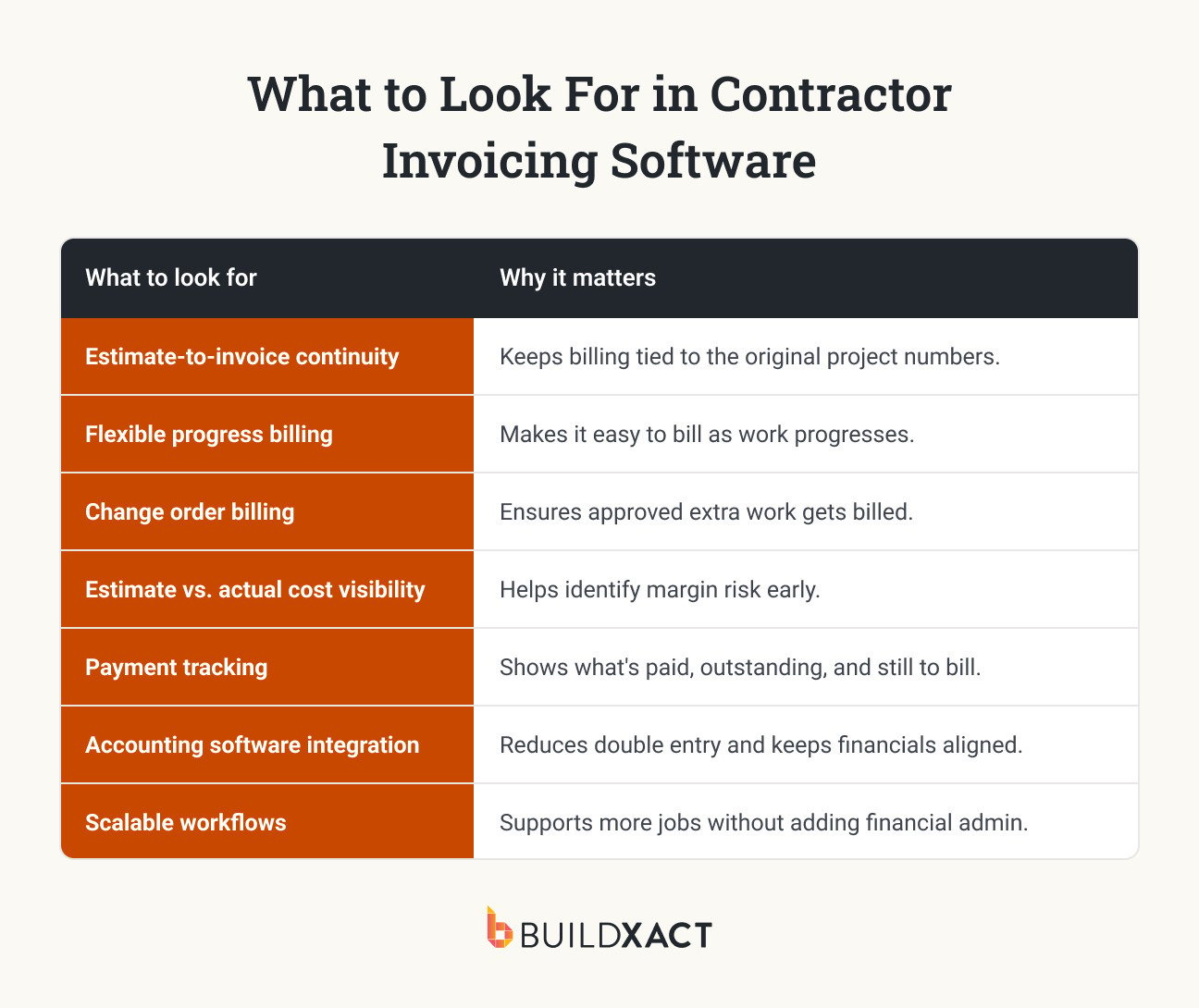
Estimate-to-invoice continuity
Check how much information carries forward from the accepted estimate. Robust estimating software keeps individual line items connected through costing and billing, so you can trace the numbers back to what you priced and see how the job is performing against that starting point.
Flexible progress billing and retainage
Make sure the billing options match the contracts you use. That could include invoicing by stage, milestone or percentage completed, along with handling retainage where required. Check how easily you can see the amount billed to date and the contract value remaining.
Change order billing
Look at what happens after a change order is approved. Ideally, the updated amount becomes part of the job’s billing without needing to be entered again, with a clear record of what changed and what still needs to be invoiced.
Estimate vs. actuals cost visibility
Good cost visibility lets you see variance while there’s still time to act on it. With Buildxact, actual costs are tracked against the estimate, helping you see where a job is moving away from the numbers you priced and what that means for your margin.
Payment tracking
Look beyond whether an invoice is simply marked paid or unpaid. A useful job-level view should show billed, paid and outstanding amounts alongside the remaining contract value, making it easier to see the billing position of each active project.
Accounting software integration
Find out exactly what the integration syncs and in which direction. For example, Buildxact offers two-way integration with QuickBooks and Xero, with invoices and purchase orders syncing between the systems.

Scalable workflows
Assess how much manual work is required to keep the process running. Adding more projects, invoices or team members shouldn’t mean adding the same amount of financial admin. Repeatable workflows make it easier to apply the same billing controls across a growing workload.
Next, we’ll use these criteria to compare seven contractor invoicing software options and where each one fits best for residential builders.
Best Contractor Invoicing Software for Builders (2026)
Contractor invoicing software ranges from simple apps for creating and sending invoices to construction platforms that connect billing with the wider financial picture of each job.
The right fit depends on how you run your projects, how you bill clients, and how much visibility you need over costs and margins as you scale.
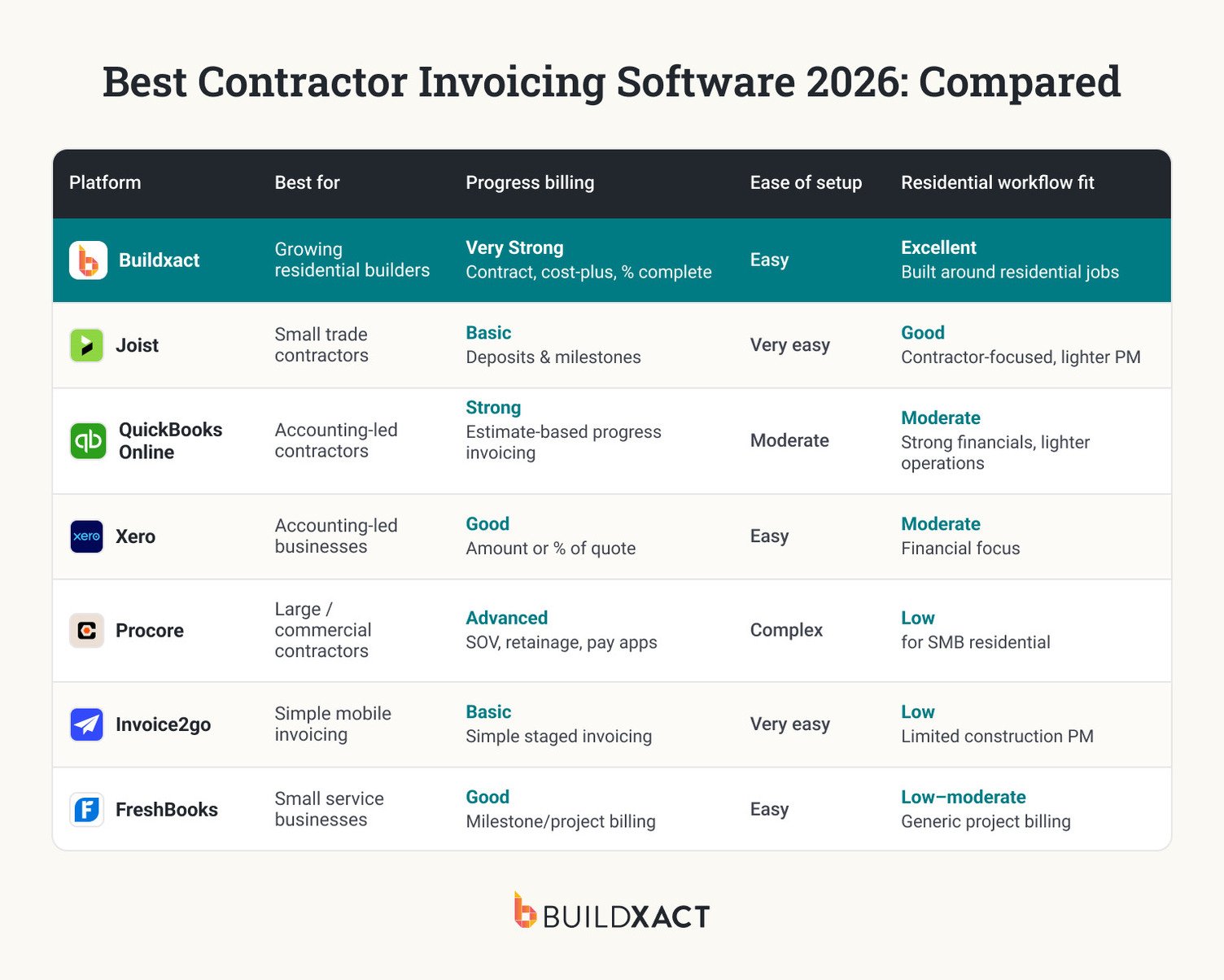
Buildxact: Best Invoicing Software for Protecting Contractor Margins
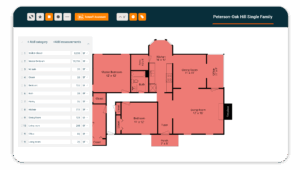
Buildxact is designed for residential builders and remodelers who need invoicing to stay connected to the financial side of the job. The original estimate carries through to the budget, actual costs and billing, giving you a clearer view of whether each project is still tracking toward the margin you planned.
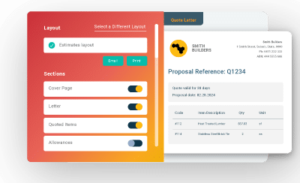
You can create deposit and progress invoices as work moves forward, including contract, cost-plus and percentage-complete billing. Approved change orders stay connected to invoicing, helping make sure additional work is reflected in what the client owes. With Buildxact users tracking an average of $24,092 in change orders per job, that connection can account for a significant amount of billable work. Plus, estimate-to-actuals tracking also lets you see how costs are tracking throughout the job, rather than waiting until the final invoice to see where your margin landed.
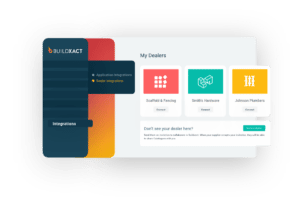
Blu, Buildxact’s AI co-pilot, supports estimating and other project workflows, helping you build the numbers that underpin the job. QuickBooks and Xero integrations connect project and accounting data, reducing the amount of financial information that needs to be entered twice.

Pros
- Estimate-to-actuals cost tracking: Compare your original estimate with actual job costs as the project progresses, helping you identify cost variance and margin risk earlier.
- Progress and deposit invoicing: Create invoices around the way residential projects are billed, including contract, cost-plus and percentage-complete billing.

- Connected change orders and invoicing: Keep approved changes tied to the project so additional scope and costs can be carried through to customer billing.

- Blu AI assistance: Use Blu AI Construction Assistant across estimating and project workflows to support the numbers that feed into costing and billing.
- Accounting integrations: Connect Buildxact with QuickBooks or Xero to reduce double entry and keep project and accounting information aligned.
Cons
Buildxact is focused on growing residential construction businesses. This means it isn’t designed for large commercial or enterprise construction projects that require more complex financial and project controls.
Pricing
Buildxact offers a free Go plan and three paid tiers:
- Foundation ($199/mo) covers estimating with digital takeoffs, dealer integration, and Blu’s Assembly Assistant, with optional AI add-ons.
- Pro ($399/mo) adds project management and scheduling.
- Master ($599/m) includes full Blu AI tools, user controls, and priority support.
Note: Pricing information is accurate as of October 2026 and is subject to change.
What people say about Buildxact
Before Buildxact, Precision Homes owner Brian Yambor spent three to four hours each night manually entering receipts and tracking costs in Excel. Now, costs can be allocated to the right job and cost code, while change orders include clear line items and updated totals.
Brian says the improved cost tracking has helped uncover smaller expenses that previously slipped through and better protect the company’s profit margins.
Joist
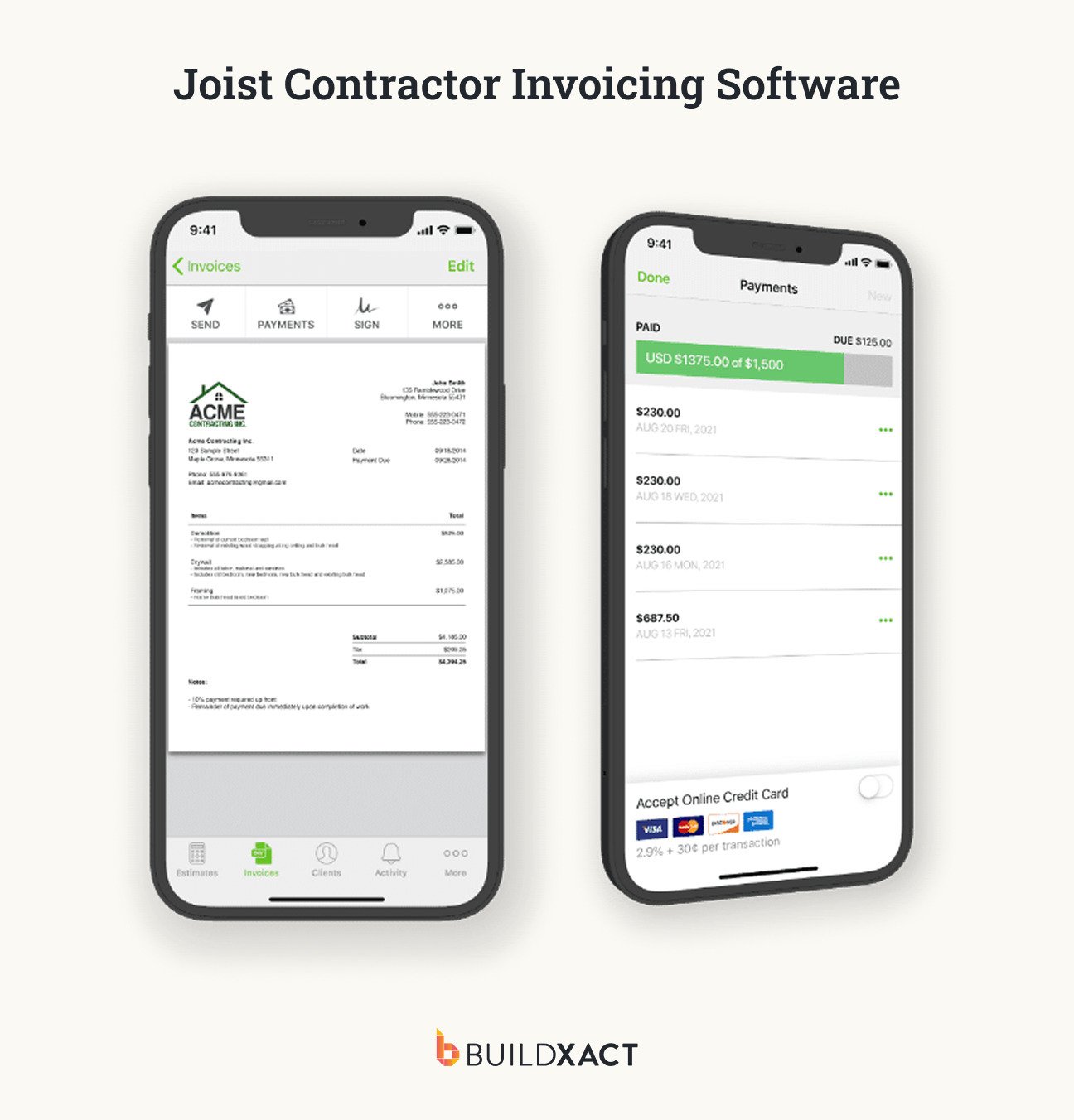
Joist is a mobile-first invoicing and estimating app aimed at solo contractors and small crews. It prioritizes simplicity and field use, making it a practical option for contractors who need straightforward billing tools without the broader workflows of a construction management platform.
Its lighter feature set also means it is better suited to smaller operations with relatively simple billing needs. Builders managing multiple residential projects may need more detailed tools for tracking costs, changes and margins across their workload.
Pros
- Estimates can flow directly into invoices, keeping the billing process simple.
- Customers can pay invoices online by credit card or ACH.
Cons
- Change orders are only available on the higher-priced Elite plan.
- Job-cost and margin tracking is limited for builders managing more complex projects.
Pricing
- Basics: $10/month
- Pro: $17/month
- Elite: $32/month
QuickBooks Online
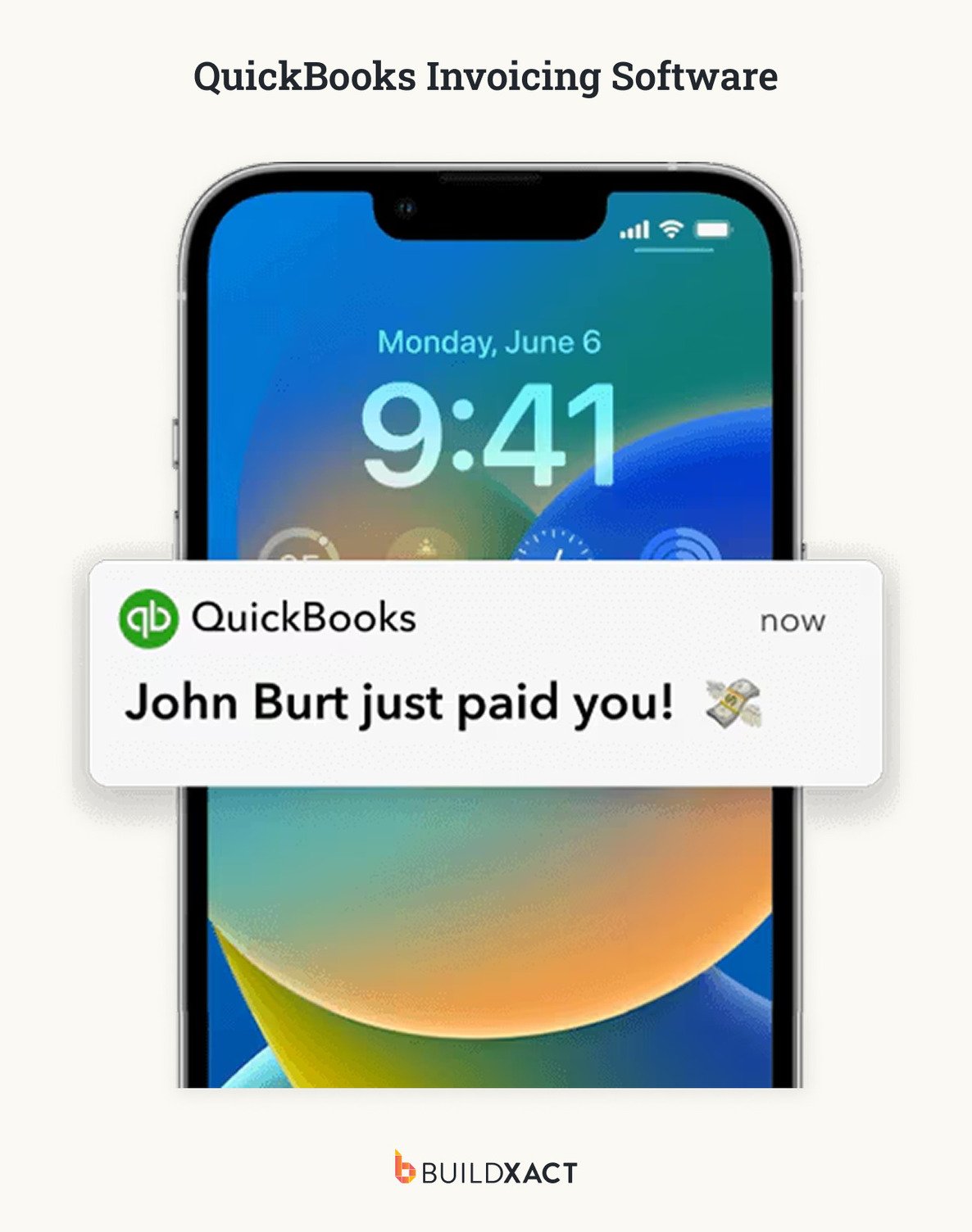
QuickBooks Online is widely used small business accounting software, with tools for invoicing, expense tracking and financial reporting. For builders already running their accounts in QuickBooks, it can provide a familiar way to handle project billing without introducing another financial platform.
Its construction capabilities remain accounting-led, making it better suited to businesses with relatively straightforward project billing needs. Builders looking to connect invoicing more closely with residential estimating, purchasing, scheduling and day-to-day job management may need additional construction software.
Pros
- Billing sits directly within the accounting platform, keeping invoice and accounting records in the same system.
Cons
- Progress invoicing is only available with the higher-tier Plus and Advanced plans.
- Project workflows are less tailored to the way residential builders estimate, purchase and manage jobs.
Pricing
- QuickBooks Online plans start from $19/month
Xero
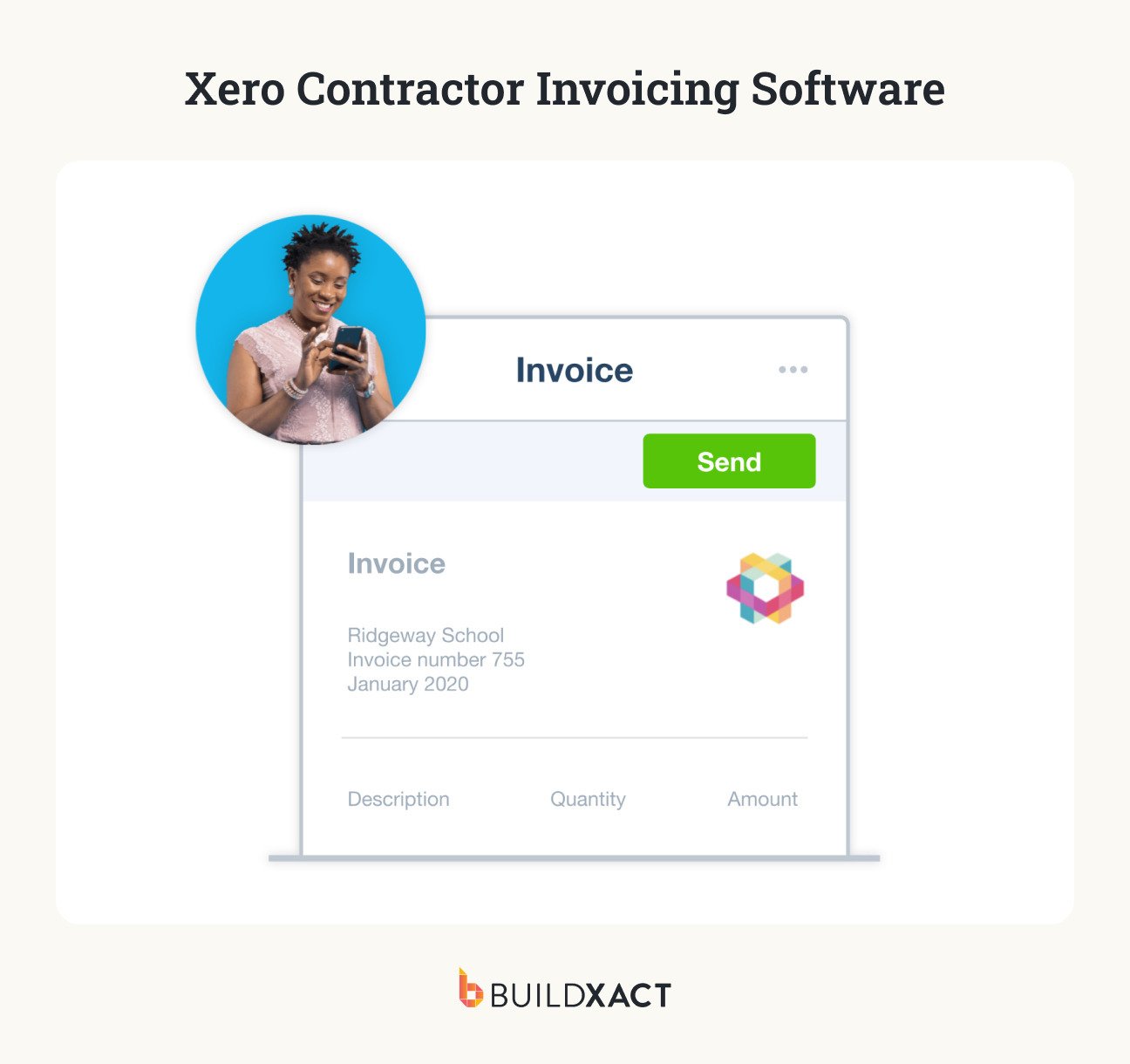
Xero is a cloud accounting platform that combines invoicing with quoting, job costing and payment tracking. It suits contractors who want to manage project finances within their accounting software without moving to a broader construction management platform.
For builders who need more construction-specific workflows, Xero can also connect with platforms such as Buildxact. This allows the accounting system to remain central to the business finances while dedicated construction software handles more of the day-to-day project workflow.
Pros
- Quoting, progress invoicing and job costing provide useful tools for managing project finances.
- Integration with Buildxact adds more construction-specific project and cost management capabilities.
Cons
- Scheduling, purchasing and change order management are less integrated than with purpose-built residential construction software.
- More detailed project management requires Xero Projects or connected construction software.
Pricing
- Starter: $5.80/month for the first three months, then $29/month.
- Standard: $10/month for the first three months, then $50/month
- Premium: $15/month for the first three months, then $75/month.
Procore
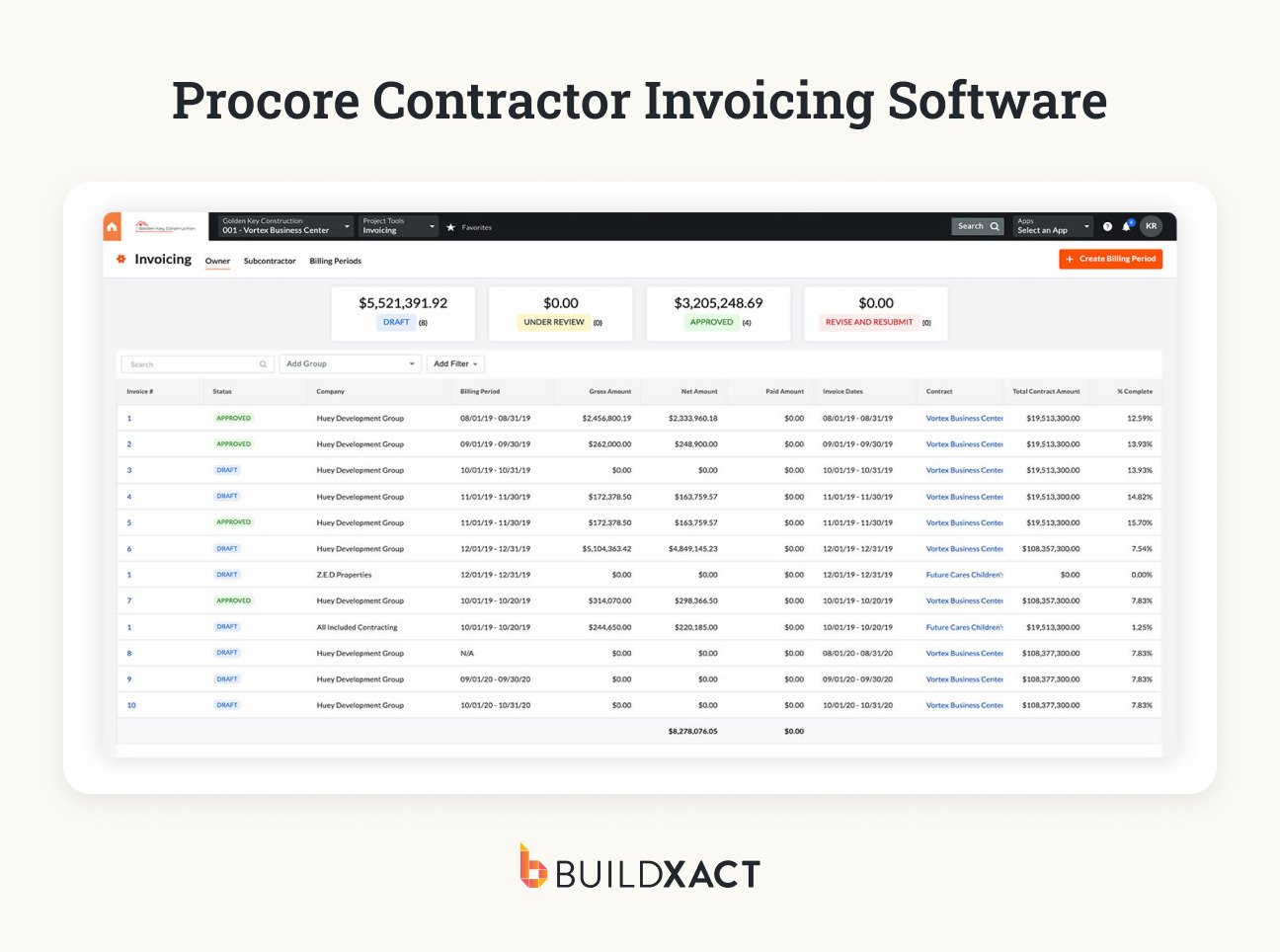
Procore is an enterprise construction management platform with dedicated tools for invoicing and billing. It is best suited to larger builders and commercial contractors managing multiple active projects, particularly those with dedicated project managers and more complex financial processes.
Its billing capabilities are designed for detailed construction workflows, including progress billing and formal payment applications. For smaller residential builders, however, that depth can mean paying for and managing more functionality than the business needs.
Pros
- Supports progress billing and retainage for more complex construction billing requirements.
- Schedules of values and payment applications provide detailed control over project billing.
Cons
- Enterprise-tier pricing can put Procore beyond the budget of smaller residential contractors.
- Implementation and financial management are more complex than most growing residential builders require.
Pricing
- Procore uses custom, volume-based pricing; rates are not publicly listed.
Invoice2go
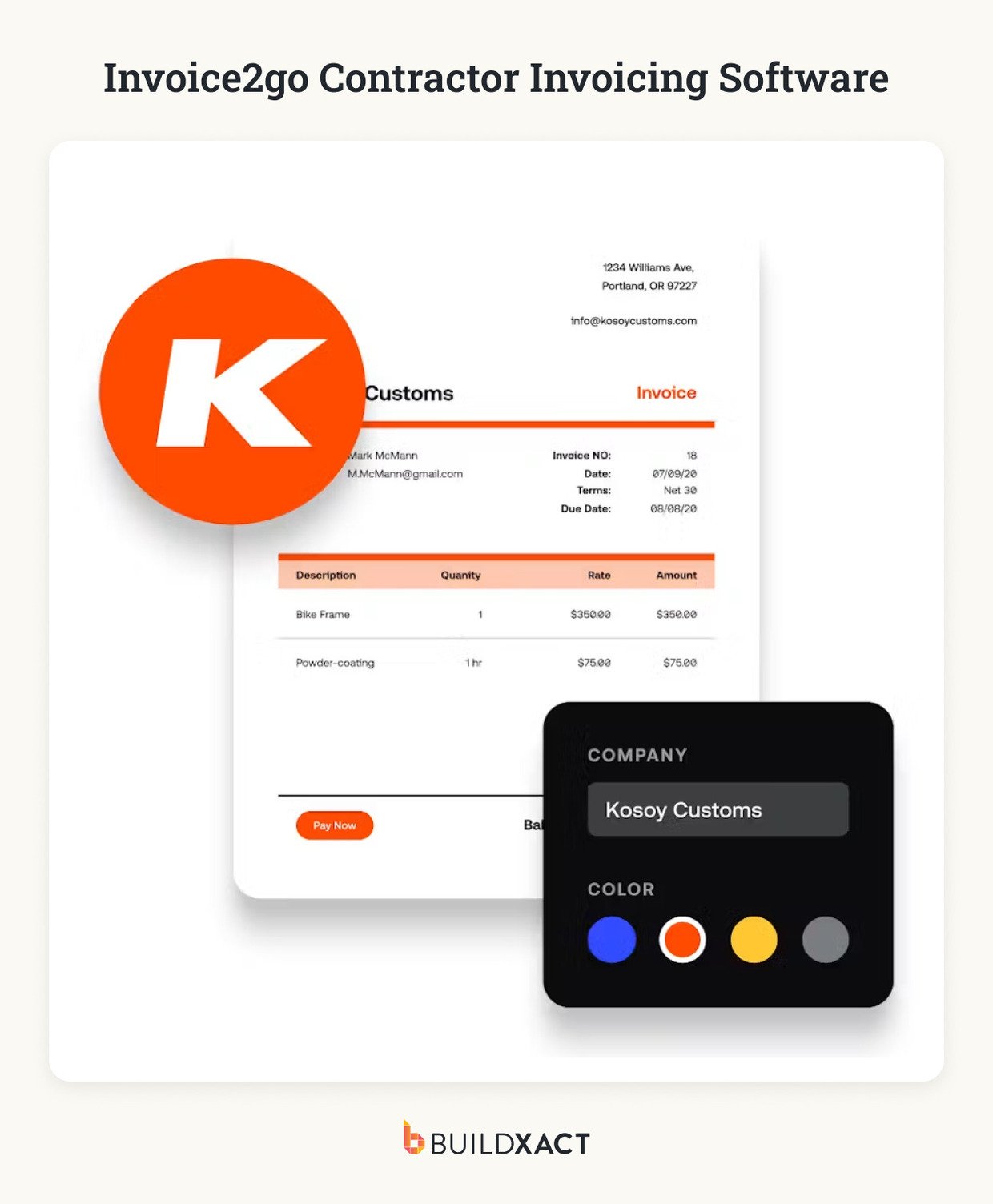
Invoice2go is a mobile invoicing app designed for small businesses and sole proprietors. It is best suited to contractors who want a simple way to create and send invoices without needing project management tools alongside them.
For residential builders managing more detailed projects, Invoice2go’s simpler approach can become restrictive. Invoice2go focuses primarily on the invoicing process rather than connecting billing with job costs and ongoing margin tracking.
Pros
- Invoices can be created quickly, making it well-suited to straightforward billing on the go.
- Professional templates help contractors create consistent, client-ready invoices.
Cons
- There is no construction-specific job-costing workflow for tracking project costs alongside billing.
- Support for following a residential job from the estimate through actual costs and margin is limited.
Pricing
- Invoice2go plans start at $5.99/month.
FreshBooks
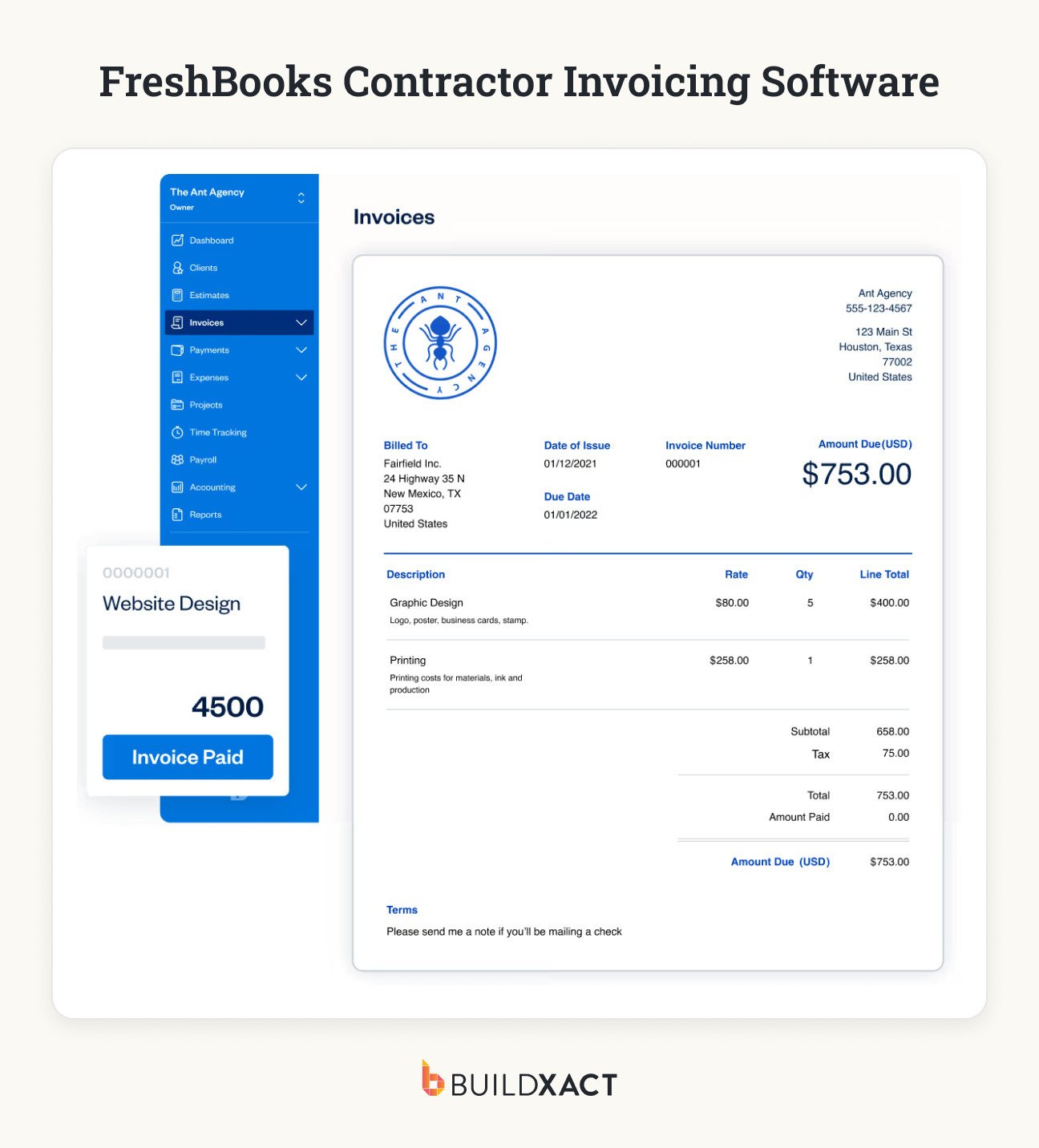
FreshBooks combines small business accounting and invoicing with time tracking, expense management and client billing. Its straightforward interface makes it a good fit for freelancers and very small contractors who prioritize simple bookkeeping and billing.
For residential builders, the limitations become more apparent as projects and financial processes get more complex. FreshBooks isn’t built around construction-specific workflows, making it less suited to businesses that need detailed financial control across several active jobs.
Pros
- The intuitive interface makes everyday invoicing and bookkeeping relatively easy to manage.
- Time and expense tracking can be useful for smaller contractors billing clients for project-related work.
Cons
- It lacks construction-specific workflows for dealer purchasing, change orders and estimate-to-actual job costing.
- Financial controls are relatively limited for builders tracking costs and margins across multiple construction projects.
Pricing
- FreshBooks plans start from $2.30/month.
Each platform we’ve covered above serves a different type of business – and the strongest option on paper won’t necessarily be the best fit for you. Let’s look at how you can narrow down the options to find the right tool for your business.
How Do You Choose the Right Invoicing Software for Your Business?
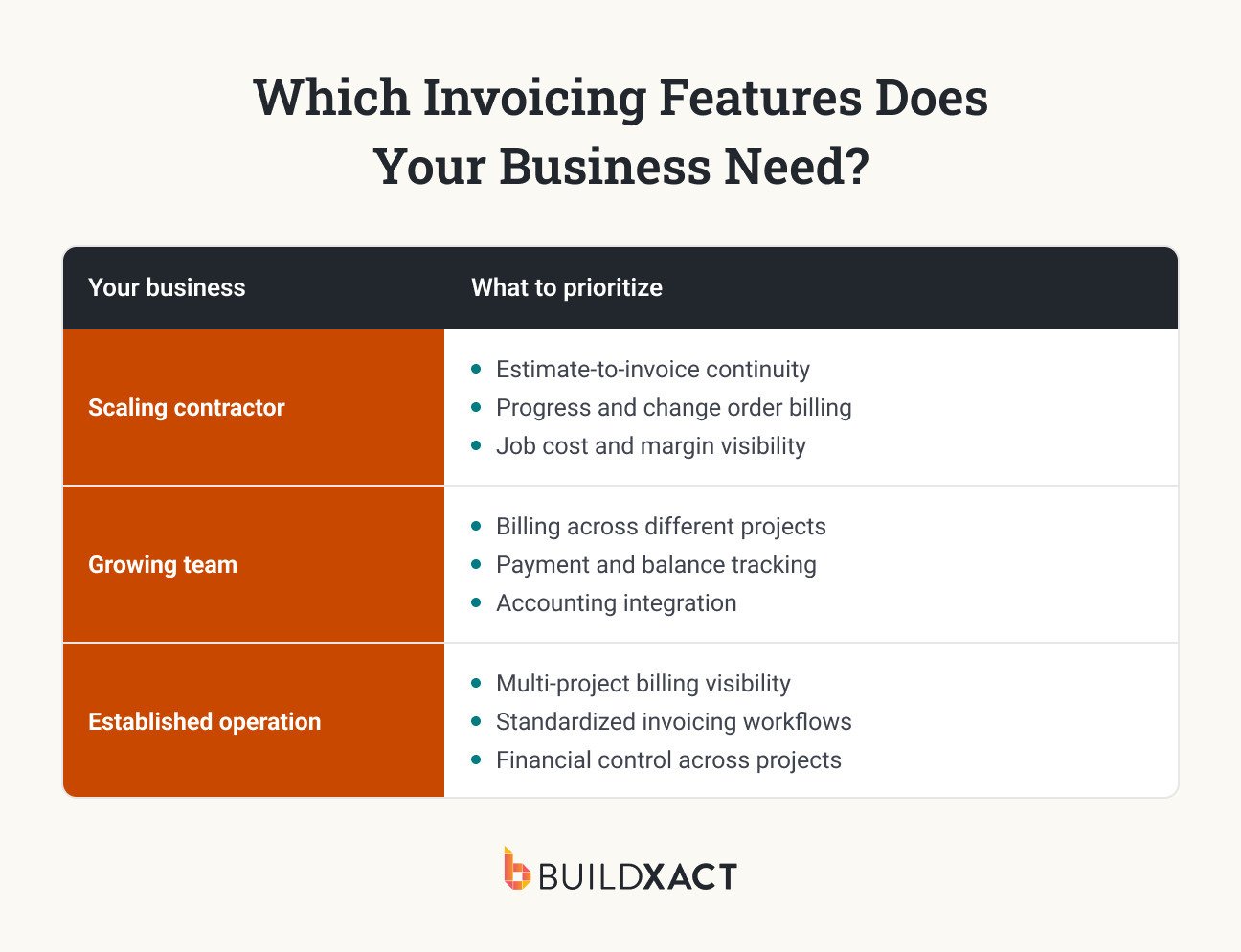
Choosing contractor invoicing software comes down to the level of financial control your business needs. A contractor billing a handful of straightforward jobs has different requirements from a builder managing a growing team and several projects at different stages.
As project volume and complexity increase, accurate billing, margin visibility and repeatable processes become more important. The framework below shows how your invoicing priorities are likely to change as your business scales.
Contractor Invoicing Software: FAQ
What is the best invoicing app for contractors?
The best invoicing app depends on how you run your business. For residential builders managing multiple projects, look for software that connects invoicing with estimates, job costs and change orders so you can track billing alongside project margins.
How do contractors send invoices?
Contractors typically send deposit, progress or final invoices based on the payment terms in the contract. Contractor invoicing software can create and send these invoices while tracking what has been billed, paid and remains outstanding.
What is the best billing software for construction?
For growing residential builders, Buildxact is a strong option because it connects invoicing with the original estimate, actual job costs and change orders. Other platforms may be better suited to sole contractors, accounting-led businesses or large commercial construction companies.
Keep Billing Connected as Your Business Scales
As your residential construction business grows, your billing process needs to work reliably across every job. More projects mean more progress payments, more changes to account for and more money moving through the business.
Buildxact gives growing residential builders the tools to keep billing accurate, stay on top of their numbers and maintain control of project margins as the business scales. That control is crucial, with Buildxact data showing that builders who track their margins achieve an average net profit of 7%, compared with 3% for those who don’t.
And with a saving of around 16 hours a month on admin, Buildxact helps you manage your increasing workload without piling on more manual processes.
Start for free with Buildxact and see how it can make invoicing easier while keeping your job numbers on track.