

Every remodel starts with a margin you plan to make. Keeping that margin intact as material costs fluctuate, change orders add up, and actual costs exceed the ones you forecast is where things get tricky.
For growing remodeling businesses, taking on more jobs means there’s more at stake. A missed line item in the estimate or a cost overrun caught too late can eat into profit across every project.
The right remodeling software helps you stay on top of the numbers from the original estimate through to job completion, so you can spot margin risk early and scale with more certainty.
In this guide, we compare the leading remodeling software for residential contractors, looking at how each platform handles estimating, cost tracking, scheduling, change orders, and the job workflows that help you protect margin as you grow.
Key Takeaways
- Remodeling software should be evaluated by its ability to protect margins across the project lifecycle, not by feature count.
- Remodeling has unique constraints, including occupied homes and frequent change orders, that software needs to handle effectively as project volume grows.
- The critical test is whether data flows from the original estimate through budgeting, cost tracking, and invoicing without manual re-entry, giving you the visibility to spot margin risk before it becomes a loss.
- Match the tool to your growth stage: growing residential remodelers and more established operations will have different priorities for scaling project volume, protecting margins and improving efficiency.
6 Signs You Need Remodeling Software (or Need to Switch)
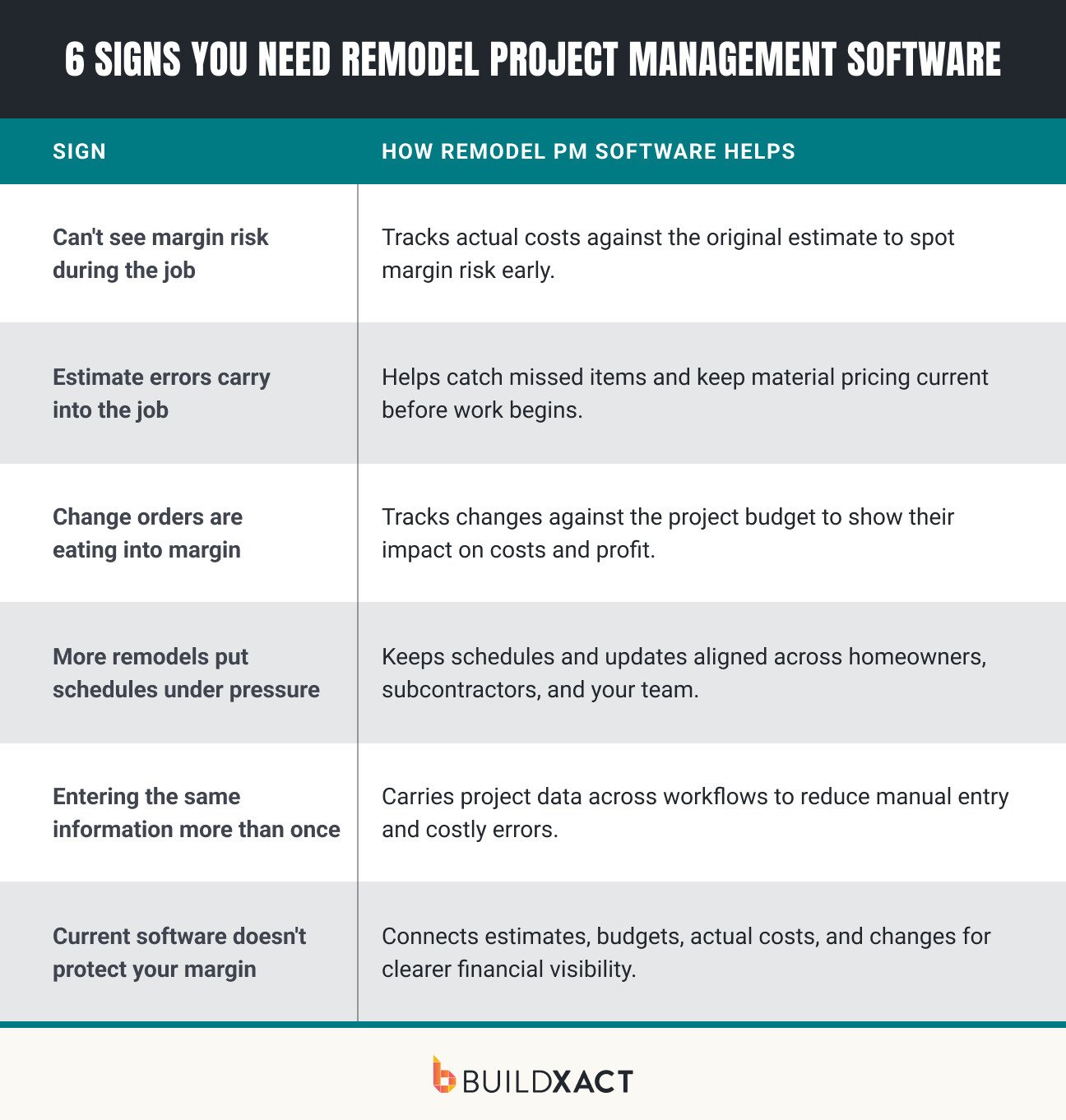
Issues with your current setup usually show up in the day-to-day running of your jobs. You spend too long updating the same information, struggle to keep track of costs, or find problems after they’ve already affected your margin.
Here are six signs it may be time to start using remodeling software or switch to a tool that better fits your business.
You don’t have a clear view of your margin as the job progresses
If actual costs aren’t tracked against your original estimate, you’re left guessing where the job stands. Remodeling software gives you a clearer view of estimated versus actual costs, so you can spot overruns early and protect the margin you planned.
Estimate errors are carrying over into the job
Once work starts, gaps in the estimate become problems you have to solve on the job. Remodeling software can help improve estimating accuracy with current pricing, reusable templates and detailed costings that make missed items easier to catch.
Change orders are eating into your planned margin
Remodels are subject to change. The problem starts when those changes aren’t properly reflected in your costs and budget. Tracking approved change orders alongside the original project numbers makes it easier to see exactly what extra work is doing to your margin.
Coordinating more remodels puts schedules under pressure
Occupied homes, changing client decisions and subcontractor availability can quickly throw schedules off course. As your workload grows, shared scheduling tools help keep your team, trades and homeowners working from the latest plan instead of chasing updates.
You’re entering the same project information more than once
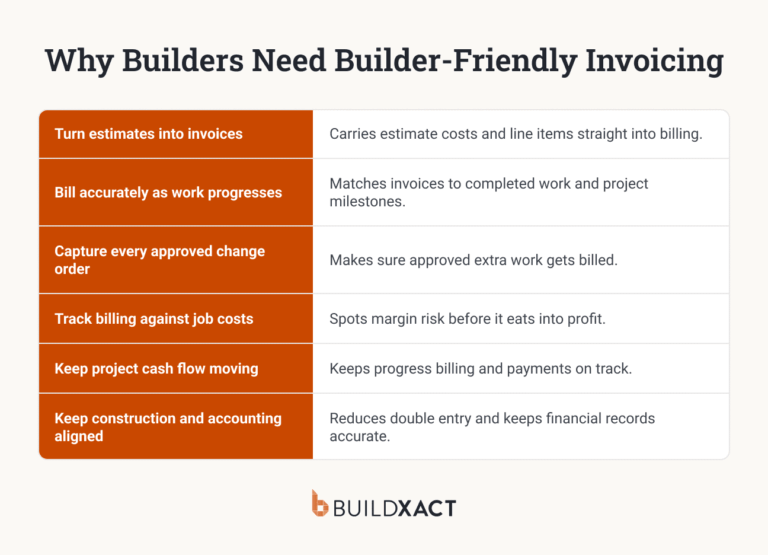
Re-entering estimate details into budgets, schedules, cost tracking and invoices adds hours of admin and more opportunities for mistakes. Connected remodeling software lets project information carry forward, reducing double-handling and keeping the numbers consistent.
Your current software manages projects, but doesn’t help protect your margin
A task list can tell you what needs doing. It can’t tell you whether the job is still making money. When estimates, budgets, actual costs, change orders and invoices stay connected, you get a much clearer picture of financial performance throughout the remodel.
Identifying these problems is the first step. Fixing them relies on choosing remodeling software that matches the way your business runs – both now and as it grows.
What to Look For in Remodeling Software (300 words)
Rather than focus solely on the volume of features, consider how well each option supports the work you do every day.
Does the remodeling software give you the tools to run more projects without making your processes harder to manage? Will it help you improve cost tracking and margin protection as your workload grows?
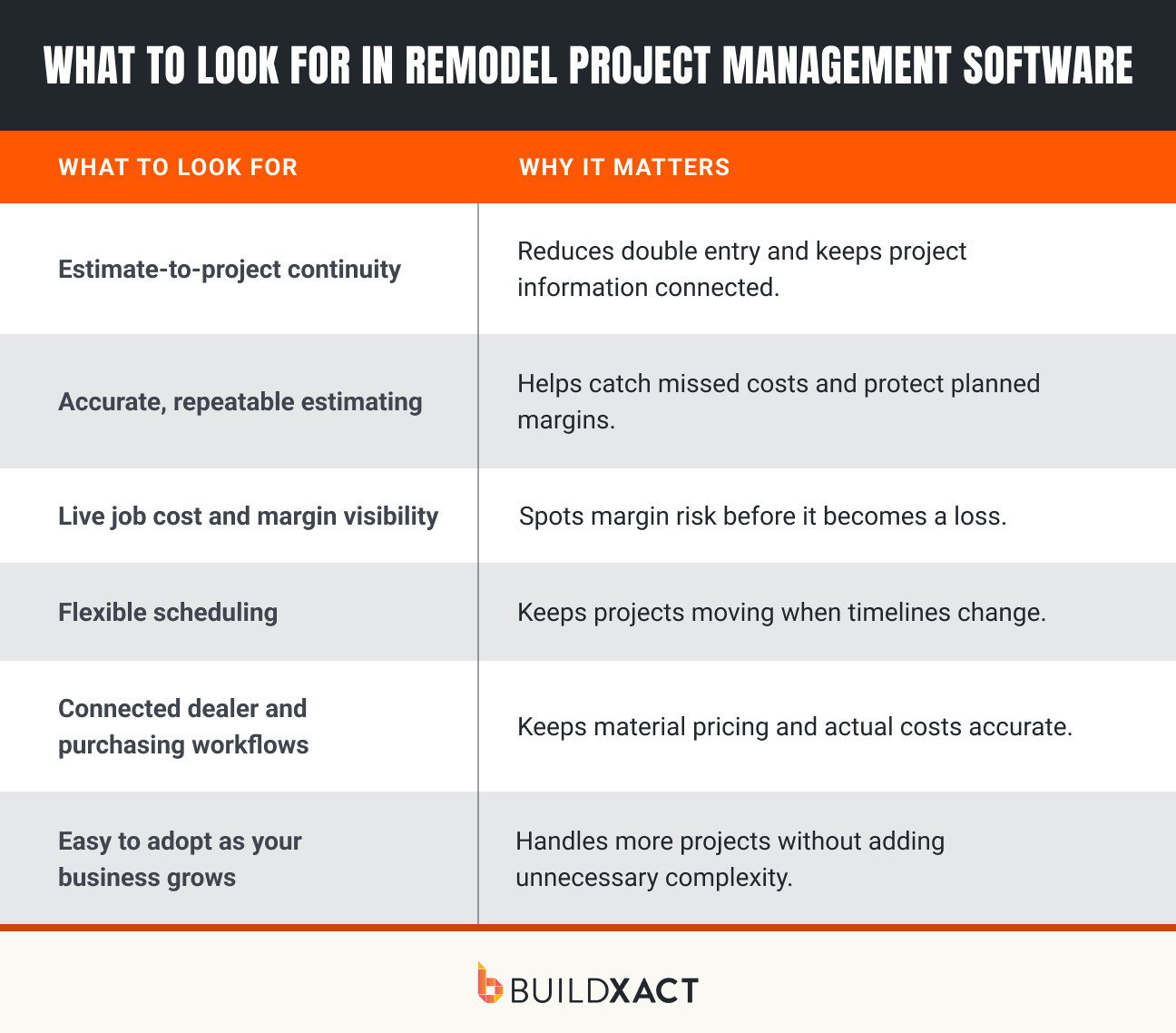
Estimate-to-project continuity
Once a bid is accepted, the information should carry straight into the job. Opt for software that uses those details to build budgets, schedules, purchase orders, cost tracking and invoices, saving you from rebuilding the project at every stage.
Accurate, repeatable estimating
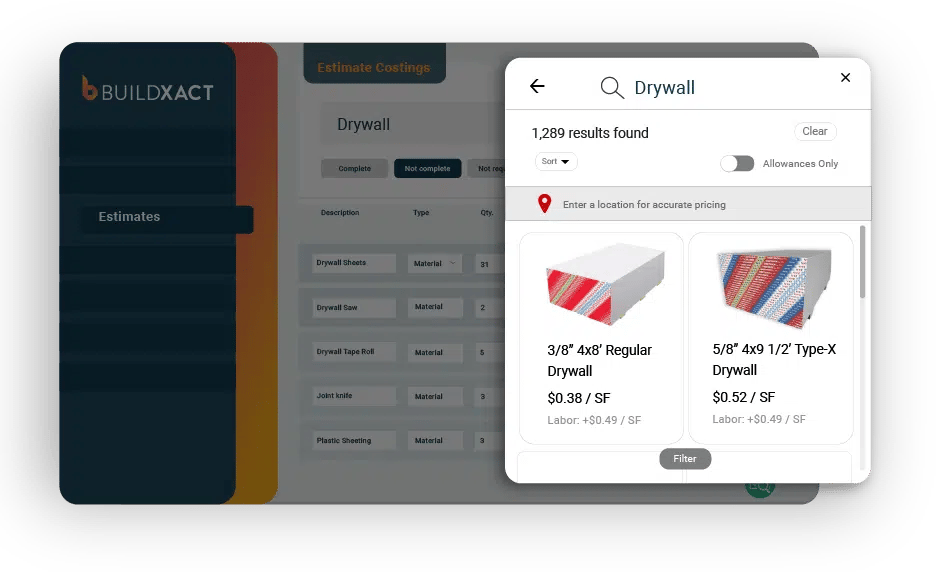
Look for detailed costings, allowances, reusable templates and assemblies that make estimates faster and more consistent. Access to current material pricing and tools that flag possible omissions can also help you build bids based on reliable numbers.
Live job cost and margin visibility
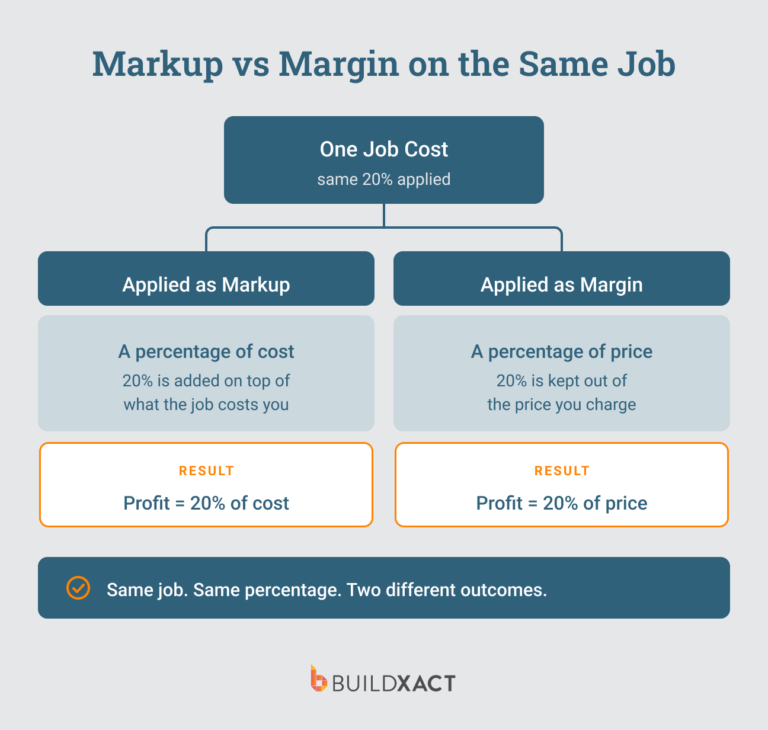
Good remodeling software should show how each job is performing financially while work is underway. Look for a clear comparison of your estimate, budget and actual costs, with up-to-date figures that show where your margin currently stands. For example, Buildxact users who track their margins achieve 7% net profit, compared with 3% without margin tracking.
Flexible scheduling
Remodel schedules rarely stay fixed from start to finish. Choose a tool that makes timelines easy to update when homeowner availability, trade coordination, deliveries or other job changes affect the plan, while keeping everyone working from the latest schedule.
Connected dealer and purchasing workflows
Material purchasing should work with the rest of your project data. Look for current dealer pricing, simple purchase order creation and a way to bring material costs back into the project, so purchasing stays connected to your financial records.
Easy to adopt as your business grows
Software only delivers value when your team can use it. Prioritize straightforward residential workflows, clear pricing and simple onboarding, along with the capacity to manage more jobs and users as your workload increases.
Using these criteria, you have a practical way to assess different remodeling software platforms and decide which adds the most value to your business.
Best Remodeling Software 2026: Compared
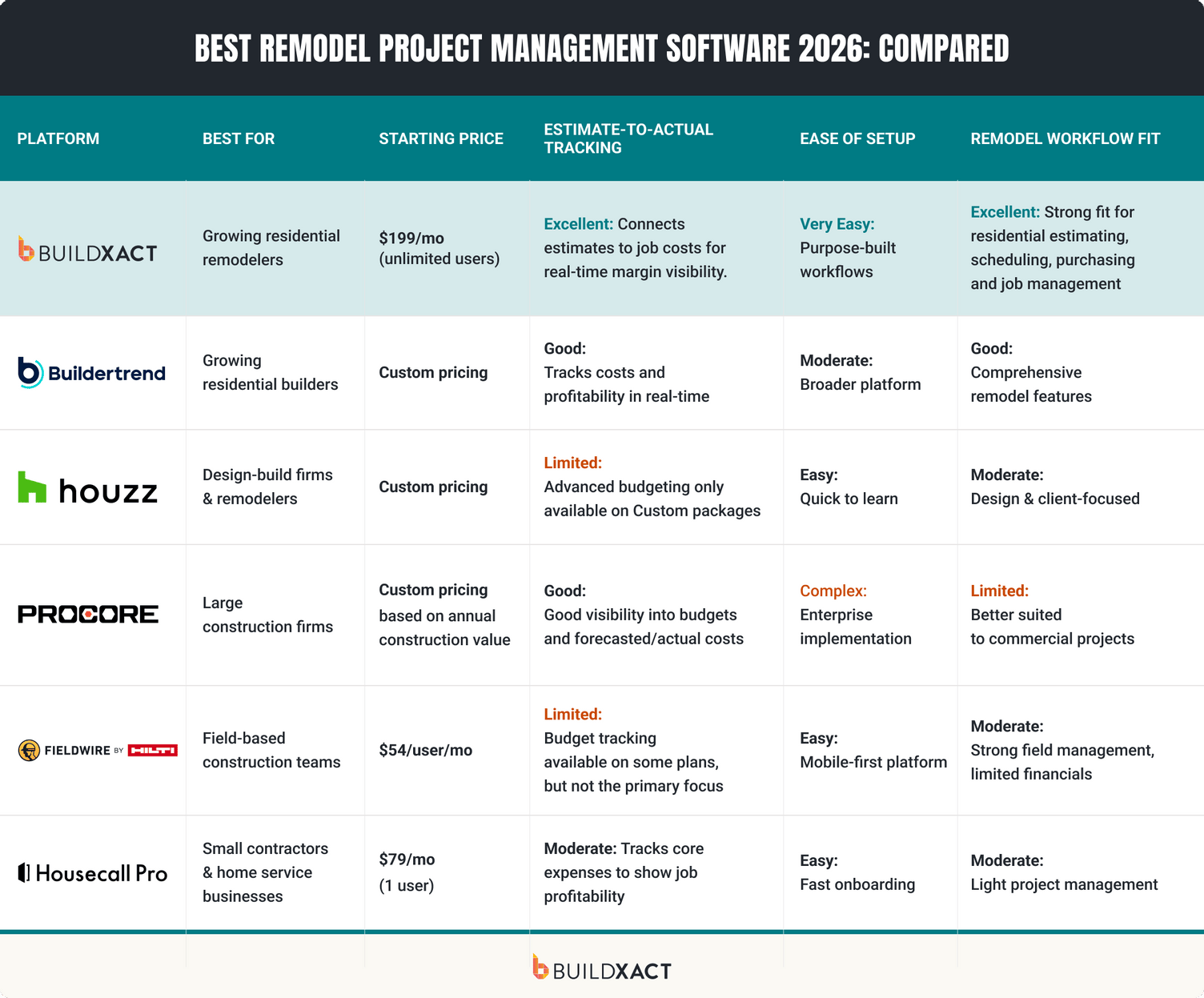
1. Buildxact: Best for remodel estimating and margin control
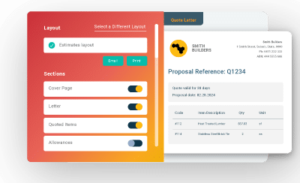
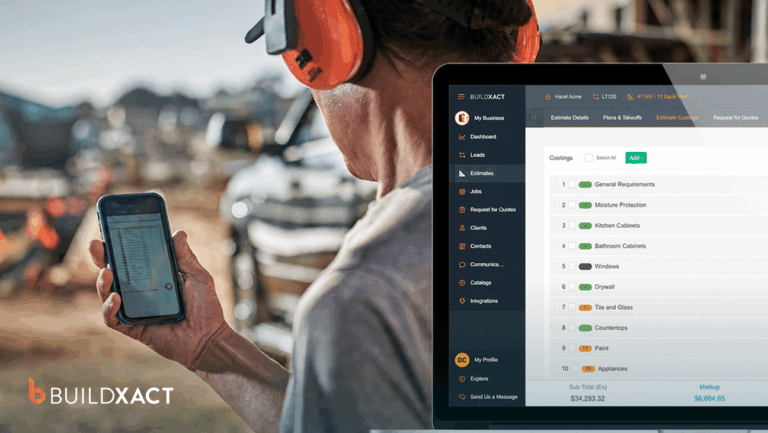
Buildxact puts the numbers that matter to your margin at the center of each remodel. Estimates, budgets, purchasing, scheduling, cost tracking and invoicing stay connected as the job moves forward, giving residential remodelers a clearer picture of where their money is going.

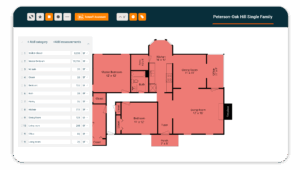
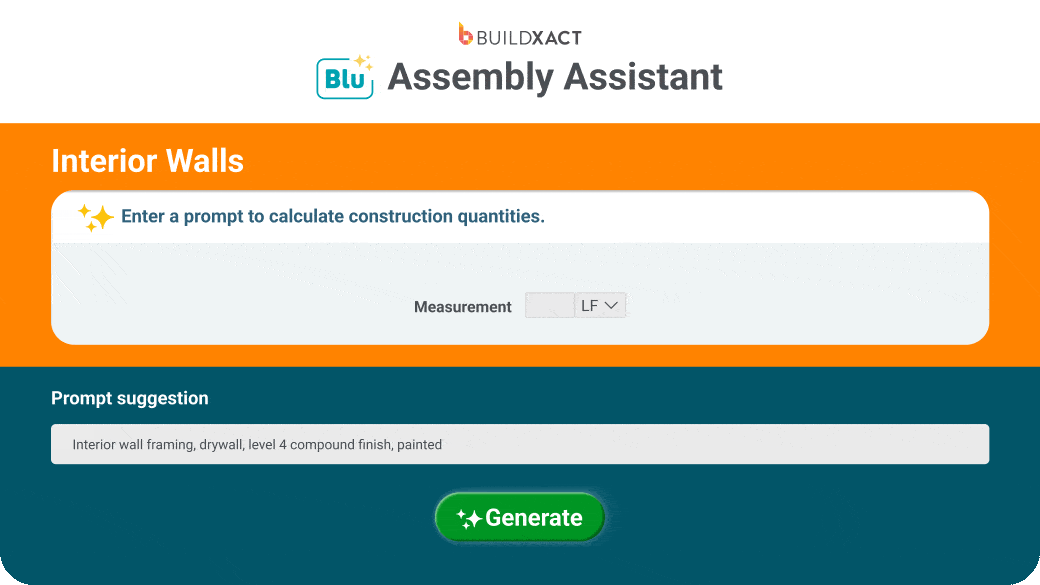
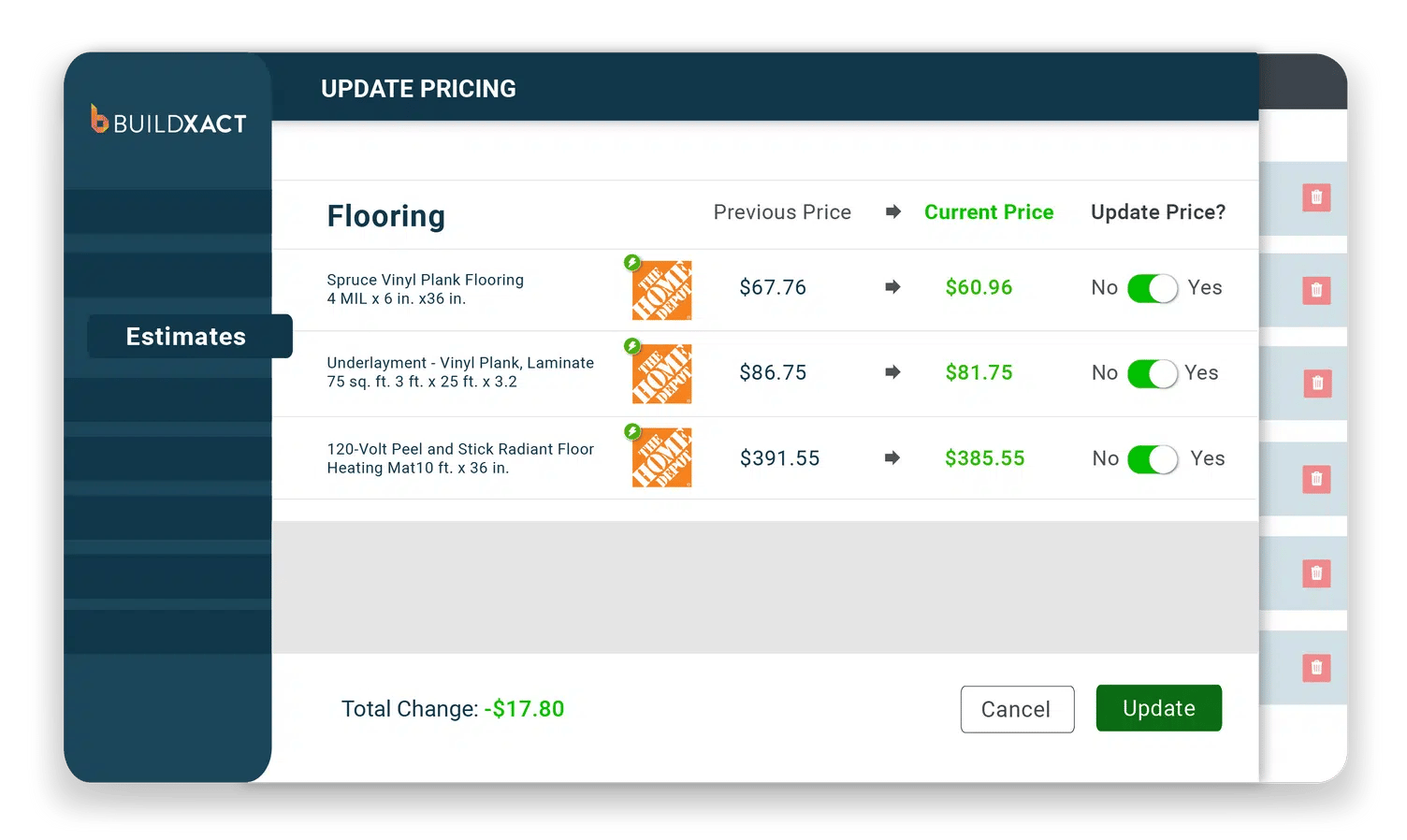
That starts with the estimate. Blu, Buildxact’s AI co-pilot, supports takeoffs, estimate generation and estimate review, helping you build more accurate bids and catch potential missed items before work begins. Live dealer pricing keeps material costs current, while reusable templates and assemblies make it easier to estimate consistently as you take on more jobs.
Once work begins, real-time estimate-versus-actual tracking shows how costs are tracking against your original numbers. Because the estimate remains connected to budgeting, purchasing and invoicing, you can follow the financial side of the job without piecing the numbers together across separate systems.
Pros
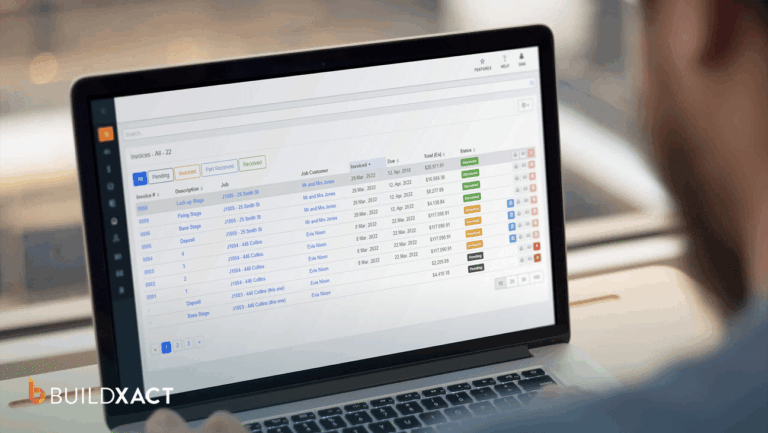
Connected estimate-to-project workflow: Buildxact carries information from the estimate into your project budget, purchasing, cost tracking and invoicing. This cuts down on double entry and helps keep the original numbers connected to what happens once the remodel is underway.
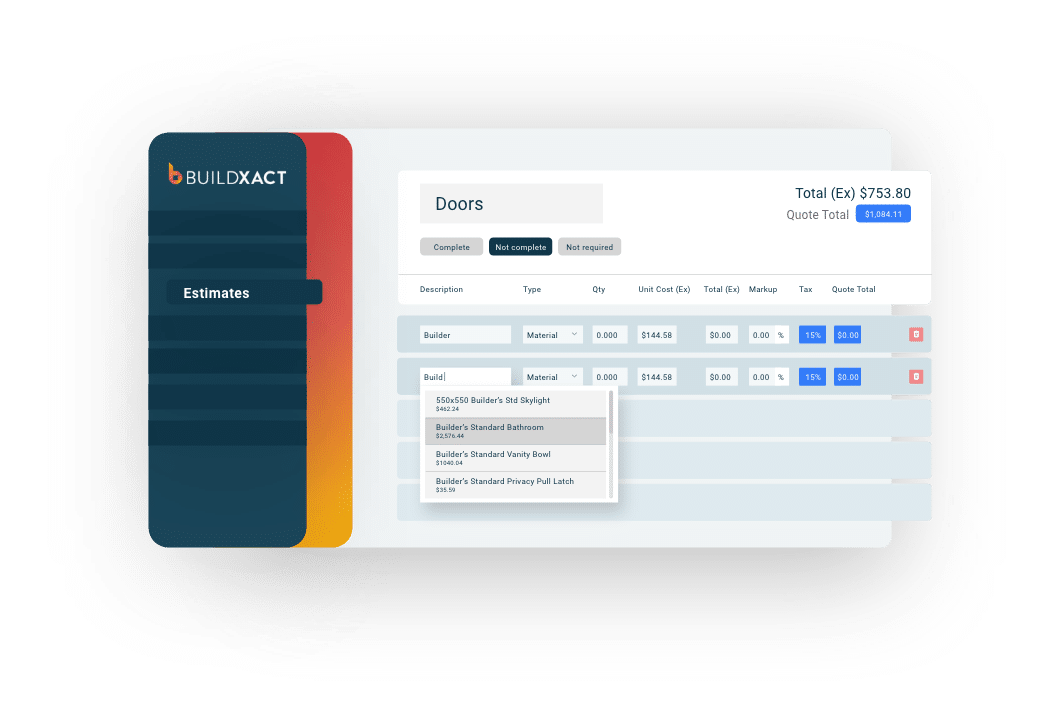
Accurate, repeatable estimating: Templates, assemblies, digital takeoffs and Blu help you build detailed estimates consistently and catch potential omissions before they reach the job. Buildxact data, based on 2.6 million line items analyzed, shows an average of $18,416 in missed items per job.
Live job cost and margin tracking: Buildxact lets you compare actual costs against your original estimate and budget as the job progresses. This gives you earlier visibility into cost overruns and margin pressure, so you can act before they eat into your profit.
Flexible project scheduling: Buildxact’s scheduling tools help you plan tasks, coordinate trades and adjust timelines as remodels change. When dates move, you can update the schedule and keep everyone working from the latest project plan.
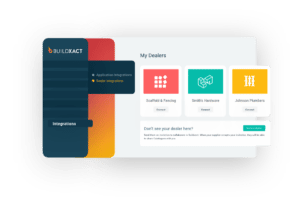
Live dealer pricing and purchasing: Buildxact connects with dealer price books, giving you access to current material pricing when estimating and purchasing. Purchase orders stay connected to the job, making it easier to keep material costs and project budgets aligned.
Jobsite access with Onsite: Buildxact’s Onsite mobile app gives you access to project information from the field, so you can check schedules, track progress and keep job details up to date without waiting until you’re back at the office.
Cons
Buildxact is designed around residential construction workflows, making it a strong fit for remodelers, but less suited to large commercial or enterprise contractors that need the complex controls and reporting required for major construction projects.
What do people say about Buildxact?
“It’s almost like hiring a couple of people at a much lower cost.”
That’s how Joshua Bradley of BradWay Construction & Restoration describes the impact of Buildxact on his business. By using reusable estimate templates and bringing estimating, scheduling, customer communication and invoicing together, Josh has created more repeatable processes for managing residential projects.
The added capacity has helped BradWay take on more work without the same increase in admin, and since adopting Buildxact, the company’s sales have more than doubled.
Pricing
Buildxact offers a free Go plan and three paid tiers:
- Foundation ($199/mo or $169/mo annually) covers estimating with digital takeoffs, dealer integration, and Blu’s Assembly Assistant, with optional AI add-ons.
- Pro ($399/mo or $339/mo annually) adds project management and scheduling.
- Master ($599/mo or $509/mo annually) includes full Blu AI tools, user controls, and priority support.
2. Buildertrend
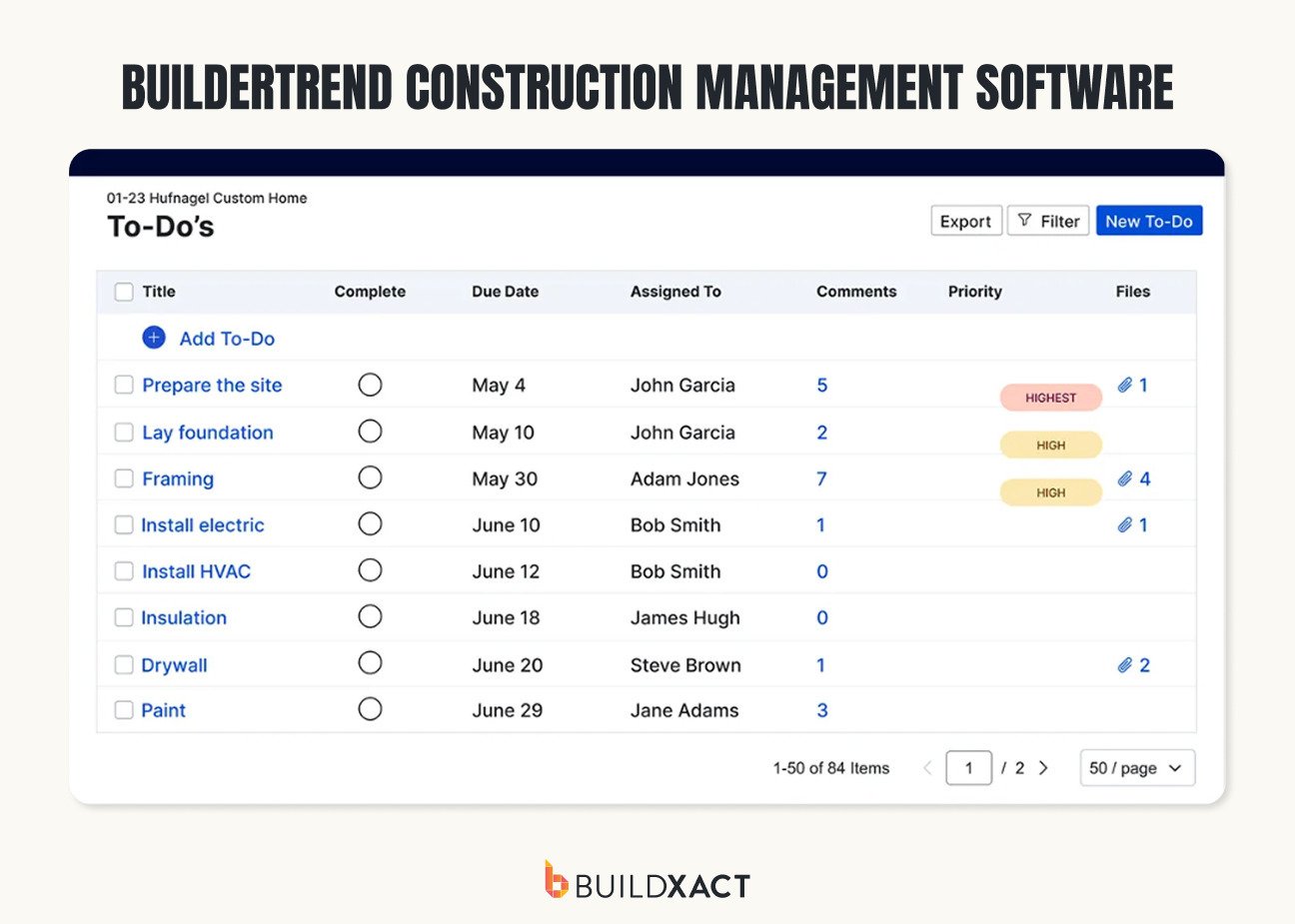
Buildertrend is a construction management platform for home builders, remodelers and specialty contractors. It brings project management and financial tools together, with features for estimating, scheduling, job costing and invoicing alongside tools for managing customers throughout a remodel.
Its broad range of features makes it a comprehensive option for remodeling businesses, particularly those that want strong homeowner collaboration. However, that breadth can also mean a steeper learning curve and more setup, which may be less appealing to smaller teams looking for straightforward remodeling workflows.
Pros
- Broad feature set covers project management, financials, client communication and scheduling.
- Strong homeowner collaboration tools include a client portal, selections and change order management.
Cons
- Broad feature set can require more setup and familiarization than simpler remodeling platforms.
- Additional configuration may be needed to match the workflows of smaller remodeling teams.
Pricing
- Custom quote; Buildertrend does not currently publish standard pricing on its website
- Third-party 2026 estimates start around $399/mo
3. Houzz Pro
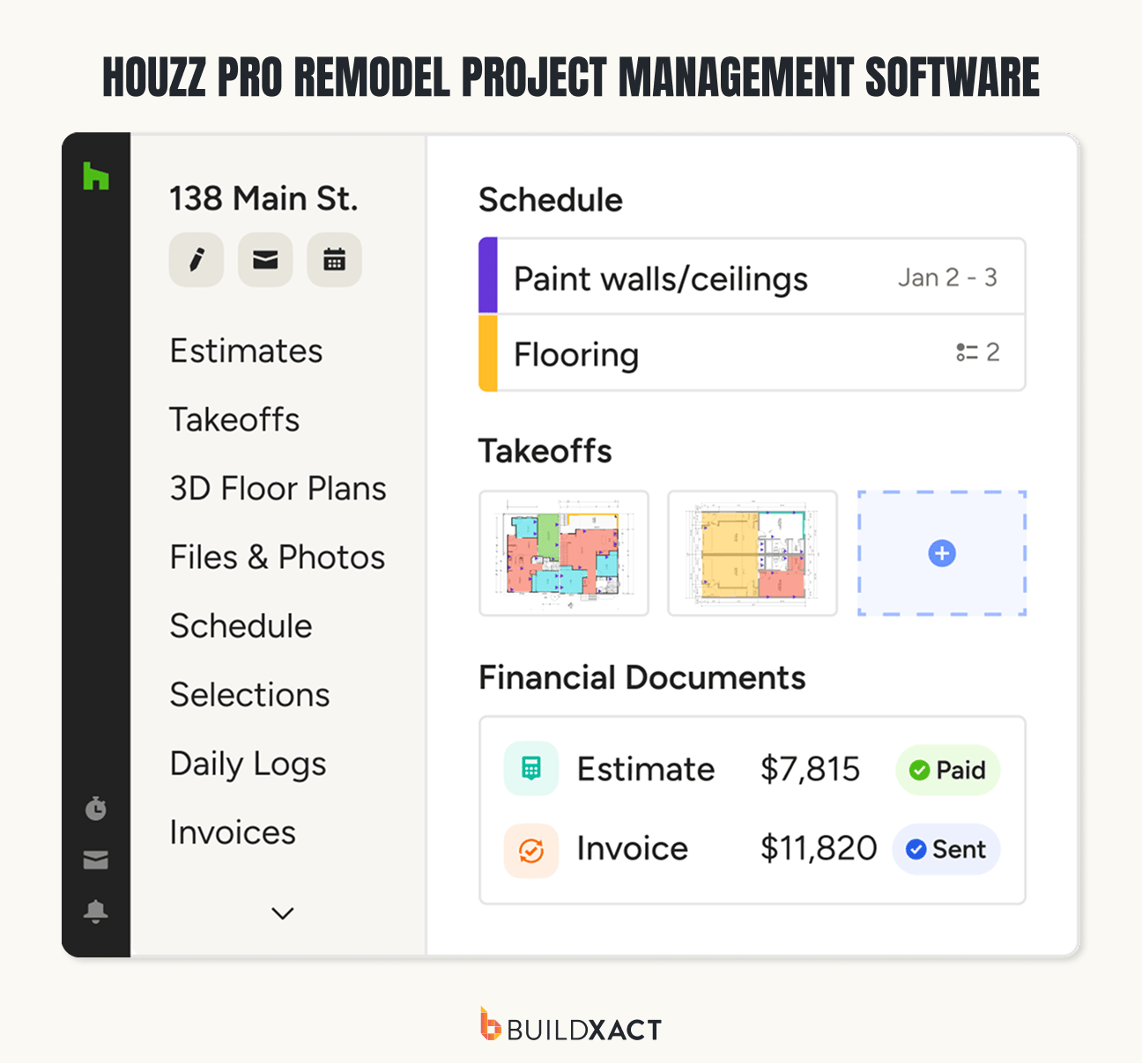
Houzz Pro brings project management together with the design, sales and customer-facing side of remodeling. Contractors can manage estimates, schedules and invoices while also handling selections, client approvals, leads and marketing through the Houzz ecosystem.
Its strengths are particularly noticeable when homeowners are closely involved in the remodeling process, with visual selections and a dedicated client dashboard helping manage decisions and communication. The platform places less emphasis on the deeper job-costing, dealer and estimate-to-budget workflows remodelers may need for tighter financial control.
Pros
- Strong client collaboration features include a Client Dashboard, visual selections, approvals and messaging.
- Built-in marketing and lead generation tools connect remodeling businesses with Houzz’s homeowner audience.
Cons
- More emphasis on sales, design and client experience than job costing and financial management.
- Dealer integration and estimate-to-budget workflows are less central to the platform than its client, design and project management capabilities.
Pricing
- Not available publicly
4. Procore
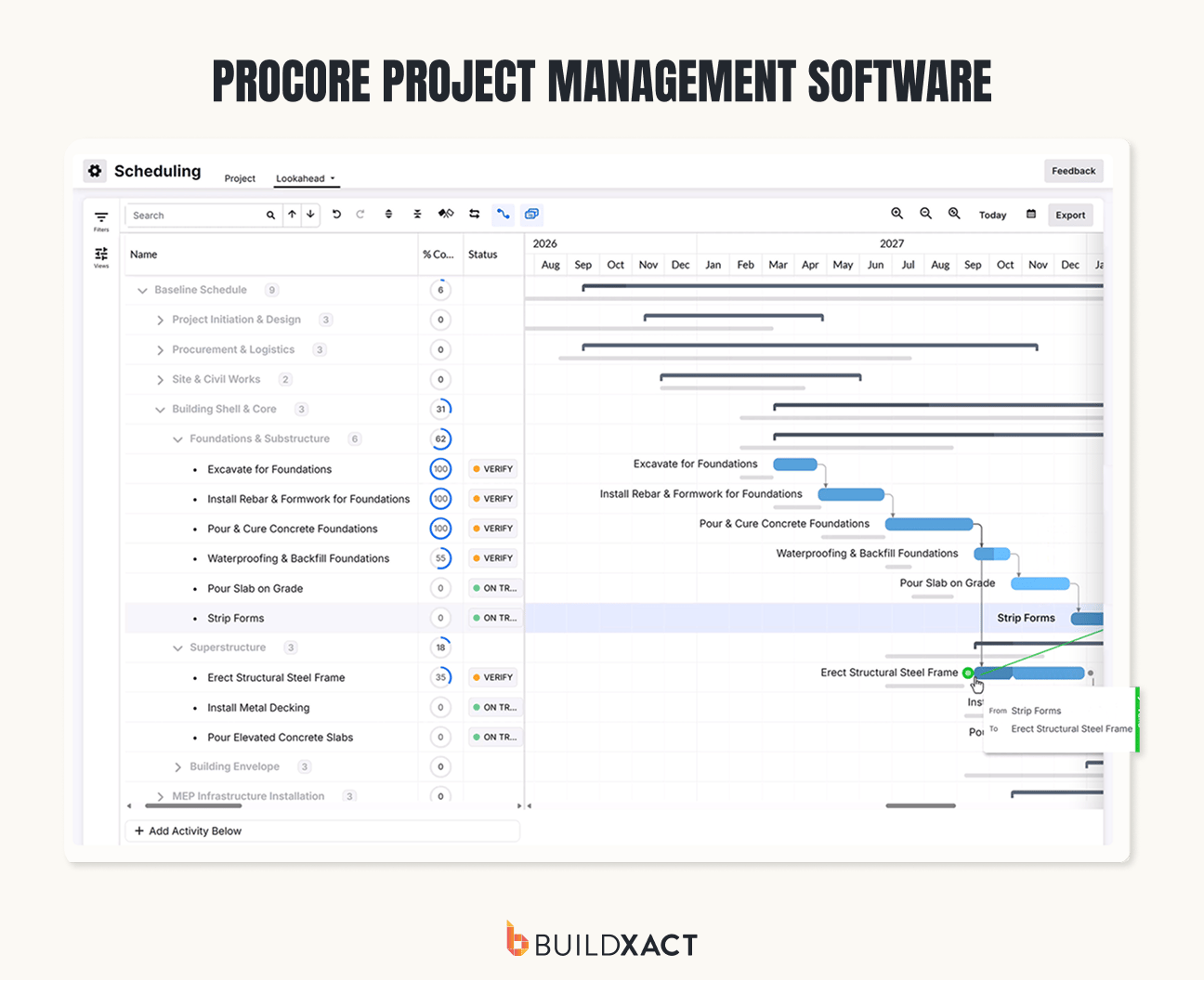
Procore is a construction management platform with extensive tools for managing complex projects, including budgets, schedules, documents, change orders and reporting. While it can support residential construction, Procore has substantial functionality aimed at commercial contractors and larger, more complex construction operations.
For remodelers, Procore offers powerful project controls and financial management capabilities, along with a large integration ecosystem. However, its depth and complexity may be more than smaller residential remodeling teams need for managing their day-to-day projects.
Pros
- Comprehensive project controls, reporting and document management support complex construction projects.
- Extensive integration ecosystem connects Procore with accounting, ERP and other construction software, with more than 500 apps and integrations available.
Cons
- Strong focus on commercial and complex construction can make the platform more involved than many residential remodelers require.
- Higher implementation and training requirements may present a bigger time commitment for smaller remodeling teams.
Pricing
- Custom, volume-based pricing; rates are not publicly listed.
5. Fieldwire
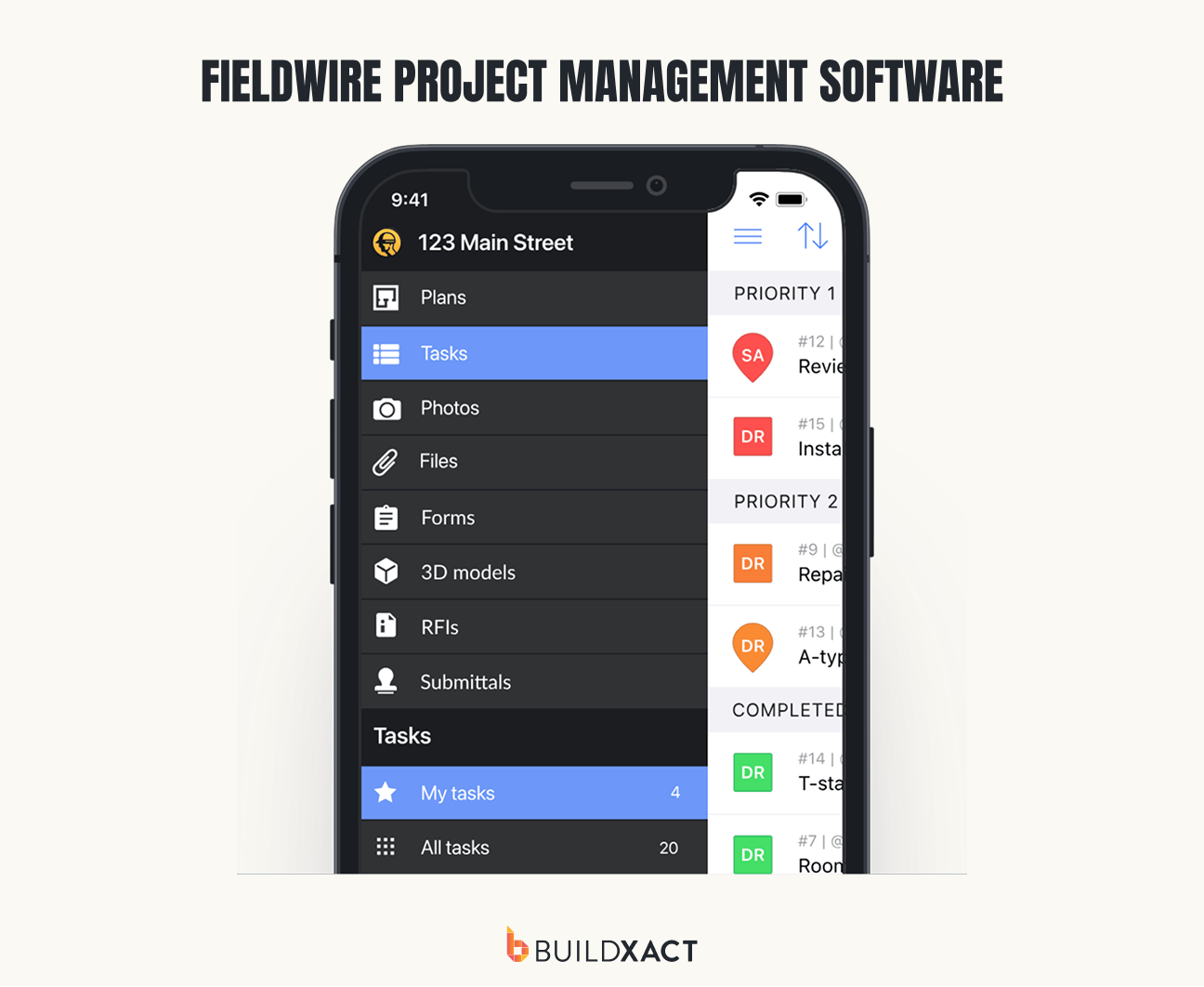
Fieldwire is a field-first construction management platform centered on jobsite coordination. Its mobile and web tools help teams manage tasks, view and mark up plans, track issues and share project information in real time, including offline access from the field.
Its mobile experience and plan management tools make it useful for keeping office and jobsite teams working from current information. However, its core strengths lie in field execution rather than the estimating, budgeting and financial workflows remodelers may want to manage across the full project lifecycle.
Pros
- Strong mobile experience gives field teams real-time access to tasks, plans, markups and project updates.
- Document management and plan viewing tools help office and jobsite teams stay aligned on the latest project information.
Cons
- Estimating, budgeting and financial management are more limited than platforms designed to manage the complete remodel workflow.
- Field-first functionality makes it better suited to jobsite management than managing a remodel from initial estimate through project financials.
Pricing
- Pro: $54/user/month
- Business: $79/user/month
- Business Plus: $104/user/month
- Basic: Free for up to five users, three projects and 100 sheets
6. Housecall Pro
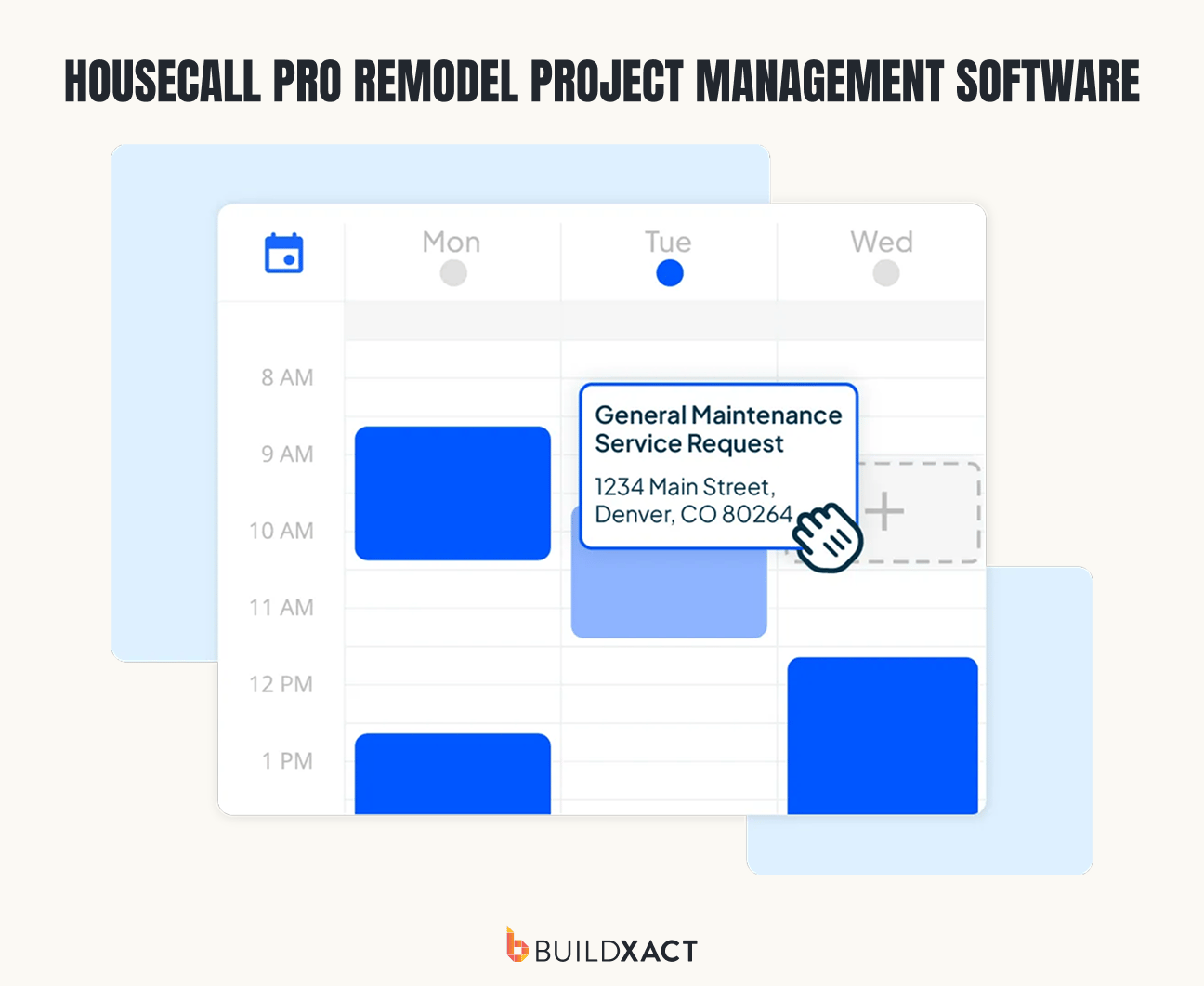
Housecall Pro is a field service management platform used across home service industries, including residential construction and remodeling. Its tools cover scheduling, estimates, invoicing, payments and customer communication, with a mobile app for managing work from the field.
The platform is straightforward to get up and running and covers many of the everyday tasks smaller remodeling businesses need to manage. However, its field-service focus means project management and financial workflows are less comprehensive for larger, multi-phase remodels that require detailed budgeting and cost control.
Pros
- Easy-to-use interface and straightforward setup make it accessible for smaller remodeling businesses.
- Strong scheduling, invoicing and customer communication tools help manage jobs and payments from the office or field.
Cons
- Project management capabilities are less comprehensive for larger or multi-phase remodeling projects.
- Job costing and budget tracking are less extensive than remodel-specific construction management platforms.
Pricing
- Basic: $79/month (1 user)
- Essentials: $189/month (5 users included, extra users $100/mo/user)
- MAX: $329/month, (8 users included, additional users $75/mo/user)
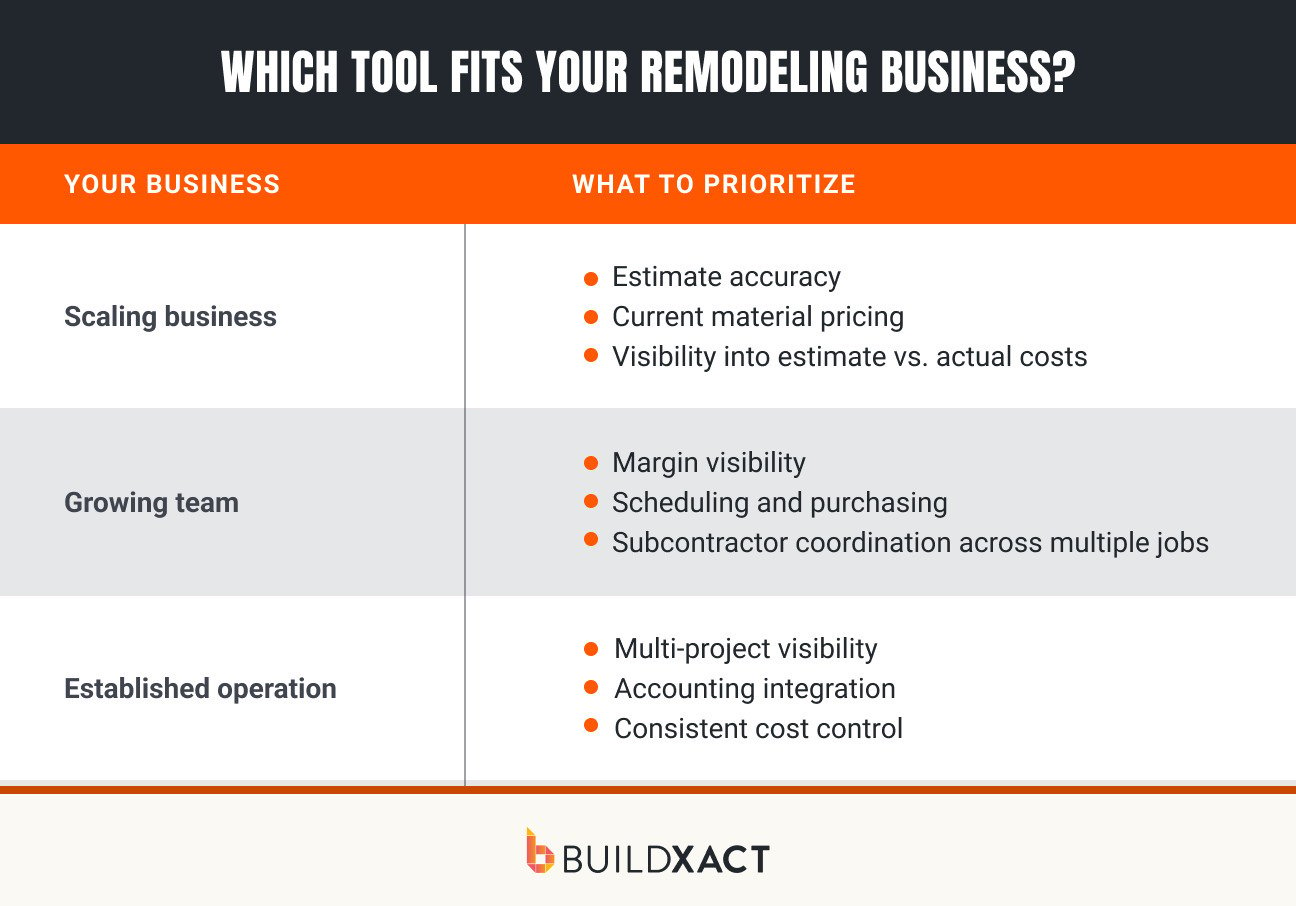
Which Tool Fits Your Remodeling Business? (100 words)
Two remodeling businesses can look at the same software and come to different conclusions about its suitability. The features that matter most depend on factors like the number of jobs you’re managing, the people involved, and how closely you need to track costs and margins.
The framework below shows which capabilities are likely to matter most at each stage of a remodeling business.
The Best Remodeling Software Keeps Your Margins Protected
Choosing remodeling software comes down to how well it fits the way you run your jobs. The right tool should keep each stage connected, help you stay on top of project finances and give you the control you need as your business grows.
For residential remodelers, Buildxact stands out by keeping margin at the center of the job. With construction-specific workflows, practical AI tools and clear visibility into project performance, you can keep jobs profitable and your business moving forward.
Start for free with Buildxact and see how it can help you take control of your remodels and protect your margins.