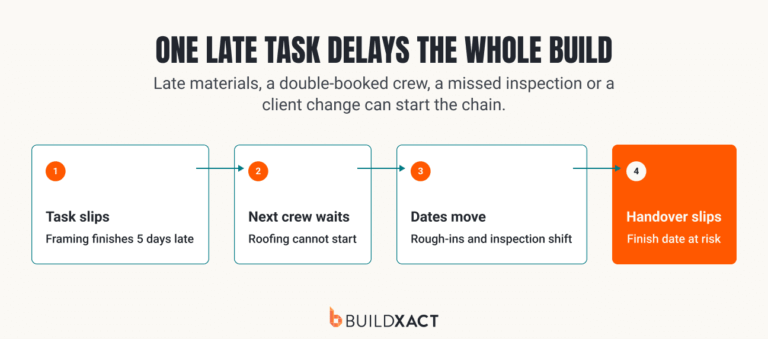

A construction budget does more than set out what a job is expected to cost. It gives you a financial baseline for tracking where the money goes, managing changes, and protecting the margin you planned from the start.
This guide explains how to create and manage a construction budget step by step, including how to break down project costs, plan for contingencies and track budgeted vs. actual costs.
You’ll also get a residential construction budget template to help standardize your budgeting process across projects and teams as your business grows.
Key Takeaways
- A construction budget provides a financial baseline for tracking costs and protecting planned margin throughout a job.
- Accurate budgets account for direct and indirect costs, contingency and current labor and material pricing.
- Regularly comparing budgeted and actual costs helps identify overruns and margin risk before the job is complete.
- Construction budgeting software can connect estimating, current pricing and cost tracking for better visibility into project performance.
What is Construction Budgeting?
Construction budgeting is the process of estimating and organizing all the costs required to complete a construction project. It typically includes direct costs like materials and labor, indirect costs such as permits and insurance, a contingency for unexpected costs, and profit.
For an experienced builder, the budget’s real value is as a baseline. Once work starts, you can compare what you expected to spend with committed and actual costs to see whether the job is still tracking to plan.
Why Construction Budgeting Matters for Your Margin
First and foremost, a construction budget provides visibility into where the money on a job is expected to go. It begins with an accurate, itemized estimate that accounts for the labor, materials, equipment and other costs required to complete the work.
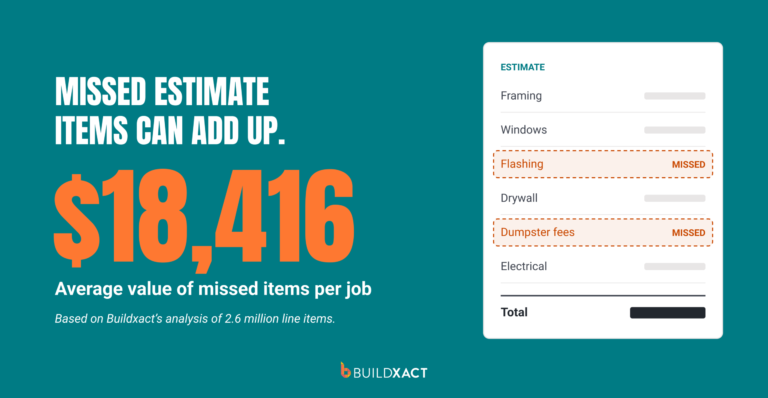
That level of detail helps you identify costs that could otherwise eat into your margin before work begins. Buildxact data reveals that builders miss an average of $18,416 in items per job when estimating, showing how quickly overlooked costs can add up.
Once the job is underway, the budget gives you a baseline for comparing what you planned to spend with what you’re actually spending. If material costs increase, labor takes longer than expected or another cost starts running over budget, you can see the impact on your planned margin and take action before the job is complete.
Not every extra cost can be avoided, which is why a well-planned budget also includes contingency for unexpected expenses that could otherwise come straight out of your margin.
A detailed budget can also help limit waste by accounting for the materials, equipment and labor the job requires. As you take on more projects, applying the same budgeting process across every job makes it easier to keep costs and margins under control.
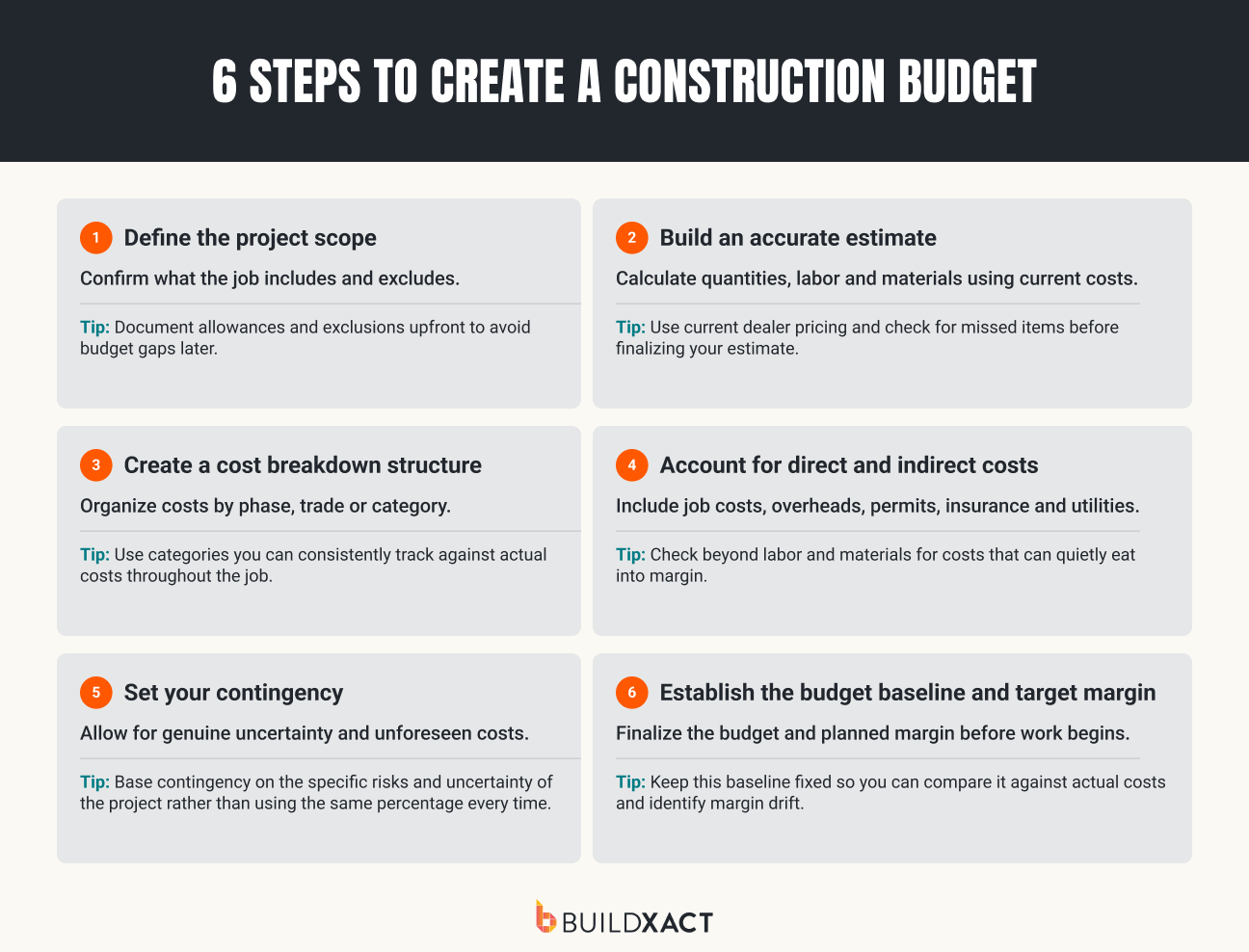
How to Create a Construction Budget in 6 Steps
If you’ve been building for a while, you already know the basics of putting a budget together. The challenge is making sure the numbers you start with give you a reliable baseline for managing the job once work begins.
Here’s a quick refresher on the six key steps.
1. Define the project scope
Start by defining exactly what you’re agreeing to build. Review the plans, specifications and client requirements so you have a clear basis for working out what the project will require.
The aim is to uncover cost implications before you start putting numbers against the job. Restricted access, different foundation requirements or changes to materials can all affect what you need to allow for.
2. Build an accurate estimate
Use the agreed scope to calculate quantities and price the labor, materials, subcontractors and equipment required for the job.
Base your estimate on current costs rather than old price lists or previous jobs. Reusable templates and assemblies can speed up the process, but check that quantities, rates and line items still reflect the project in front of you.
Material and labor costs
Material costs deserve particular attention. Prices can move between projects, so quantities and pricing from a previous job may no longer reflect what you’ll actually pay. Working with established dealers and keeping pricing current gives you more reliable numbers to work with.

Labor costs should include employees, subcontractors and anyone else required to complete the work on site. Management salaries and other business overheads should be accounted for separately as indirect costs rather than included in individual labor tasks.
3. Create a cost breakdown structure
Break the estimate into logical cost categories or phases, such as sitework, framing, roofing, electrical, plumbing and finishes.
Using a consistent structure across your estimates and budgets makes the numbers easier to manage once the job starts and gives you a clear basis for comparing costs across projects.
4. Account for direct and indirect costs
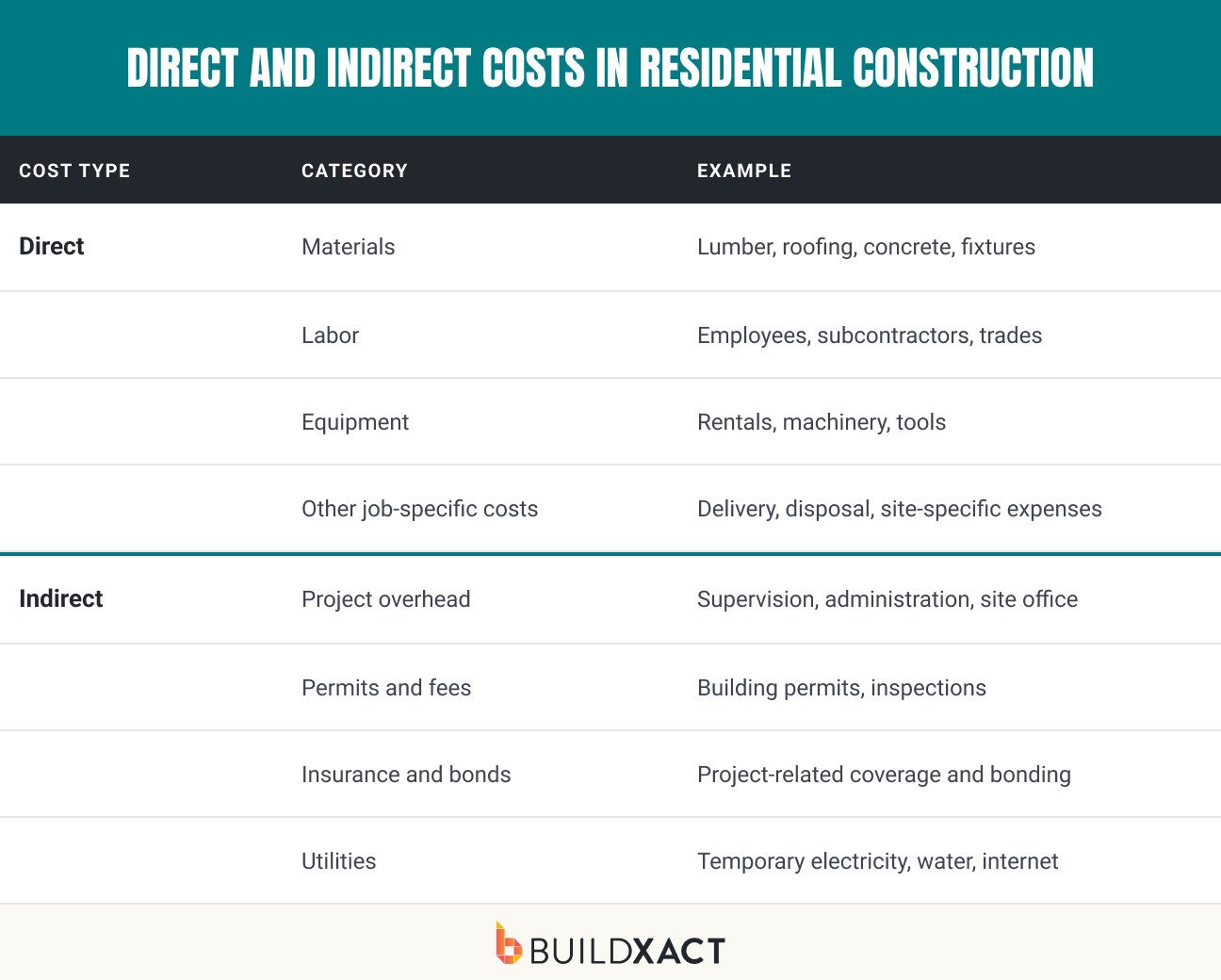
Once you’ve structured the budget, check that you’ve captured the full range of direct and indirect costs involved in delivering the job.
Direct costs
Direct costs are tied directly to the construction work. These can include:
- Materials such as lumber, concrete, fixtures and finishes
- Equipment required for specific construction tasks
- Employee labor used to complete the work
- Subcontractor costs
- Other costs tied directly to the work
Indirect costs
Indirect costs – or soft costs – support the project but aren’t necessarily attached to an individual construction task. Depending on the job, these can include:
- Permits and inspection fees
- Insurance and bonds
- Applicable local and state taxes
- Water, electricity and other site utilities
- Waste disposal
- Site office and administration expenses
- Project management costs
- Internet, software and other project-related services
- Other applicable overheads and soft costs
Some of these costs are easier to miss because they don’t sit neatly against a specific construction task. Smaller incidental expenses can add up too, so consider what you regularly spend to keep a project moving and make sure those costs are accounted for.
5. Set your contingency
Set aside an appropriate contingency based on the risks and unknowns of the specific project. These could include unexpected site conditions, equipment breakdowns, weather delays, or extra labor due to unforeseen conditions.
Keep contingency for unexpected project costs rather than changes to the agreed work. If the homeowner changes materials, adds work or alters a specification, document and price the additional scope through a change order.
6. Establish the budget baseline and target margin
Once the estimate is accepted, use it to establish the working budget for the job. Confirm the final cost categories, allowances, contingency and approved scope before work begins.
That gives you a consistent financial baseline to carry into the project. From there, purchases, invoices, subcontractor costs and approved changes can be recorded against the same budget structure as the job progresses.
Keep a clear record of approved change orders as the scope and costs change, so you can see how the job compares with what you originally planned.
For a builder managing several projects, following the same six steps on every job also reduces reliance on memory and individual ways of working. It gives you and your team a consistent approach to budgeting as project volume grows.
Residential Construction Budget Template: Download
When every project budget is set up differently, it takes longer for someone else to understand the numbers, find a cost or take over the job. A standard template gives your team a familiar framework from one project to the next.
Our residential construction budget template includes key cost categories alongside fields for budgeted costs, actual costs, contingency and variance. Use it to build each project budget in a consistent format, then adapt the individual line items to the scope of the job.
How to Track Budget vs. Actual Construction Costs
A construction budget gives you the baseline. Tracking budgeted costs against committed and actual costs shows you where the job is moving away from that baseline while there’s still time to respond.
The key is to track costs against the same categories and line items used in your original estimate. That way, you can see whether an overrun is isolated to one part of the job or starting to put pressure on the overall project.
For example, if you budgeted $40,000 for framing and costs are now tracking toward $44,000, you have a $4,000 variance. If that extra cost can’t be recovered or offset elsewhere, it reduces the margin you planned for the job.
To keep that visibility throughout the project, follow the same process:
- Set the baseline: Start with the approved project budget so you have a clear benchmark for measuring performance.
- Record actual costs: Assign invoices, labor, materials, subcontractor costs and other expenses to the correct budget categories as they come in.
- Compare regularly: Review budgeted vs. actual costs throughout the project rather than waiting until closeout to check the final numbers.
- Monitor variance: Look for categories running over budget and assess what that means for the remaining costs and planned margin.
- Track change orders: Update the budget to reflect approved changes to the scope and cost of the work, keeping them clearly documented.
- Act early: If a cost is running higher than planned, investigate why and decide what needs to change before the overrun compounds.
Buildxact’s Estimate vs. Actual functionality keeps estimated and actual costs connected as the job progresses, so you can see where you’re spending more than budgeted and what that means for your margin. Builders using margin tracking in Buildxact record an average net profit of 7%, compared with 3% for those who don’t.

Common Construction Budgeting Mistakes
Even a detailed budget can fall short if the numbers going into it are incomplete or aren’t kept current. Watch for these common mistakes on your projects.
Missed or underestimated costs
If a cost is missing or underestimated in the original budget, you still have to pay it when the work is done. Unless you can legitimately recover that extra amount from the client, it comes out of the margin you priced into the job.
Those gaps can be significant. Buildxact analysis of 2.6 million estimate line items found an average of $18,416 in missed items per job.
Reduce the risk by checking quantities, scope and pricing carefully before the estimate becomes your project budget.
Using outdated material prices
Material costs can change between estimating the job and placing the order. If your budget is based on old pricing, the job can start with less margin than the numbers suggest.
Use current dealer pricing when estimating and check prices again before major purchases, particularly when there is a long gap between the bid and the order.
Forgetting overhead and contingency
A job can appear more profitable than it really is when the budget doesn’t account for the full cost of delivering it.
Include relevant project overhead and an appropriate contingency from the start. Keep contingency for genuine unknowns rather than using it to cover costs that should have been included in the estimate or additional client-requested work.
Failing to track budget vs. actual costs
A budget shouldn’t become a static document once work begins. Without regular budget-vs-actual tracking, smaller overruns can accumulate across materials, labor and subcontractors without being obvious until much of the money has already been spent.
Compare committed and actual costs with the original budget throughout the job. When a category starts running over, assess what caused the variance, whether further costs are likely and what it means for the margin you’re now on track to make.
Not updating the budget for change orders
Change orders alter the financial picture of the job. If approved, additional work isn’t reflected in the budget, your original numbers no longer provide an accurate view of project performance.
Buildxact data shows an average of $24,092 in change orders tracked per job. Make sure approved changes flow through to the project budget and billing so the additional costs and revenue are accounted for and you can distinguish genuine overruns from additional client-approved work.
These mistakes can be harder to spot when you’re managing several jobs at once. The right construction budgeting software can help keep estimates, budgets and actual costs connected so gaps are easier to catch.
What Is the Best Construction Budgeting Software?
The best construction budgeting software for residential builders should keep the numbers connected from the first estimate through to the costs you record on the job. That reduces the need to rebuild information in different tools and gives you a consistent way to manage project costs as you take on more work.
Look for software that provides:
- Estimate-to-budget continuity: Turn the accepted estimate into the project budget without re-entering the costs you’ve already priced.
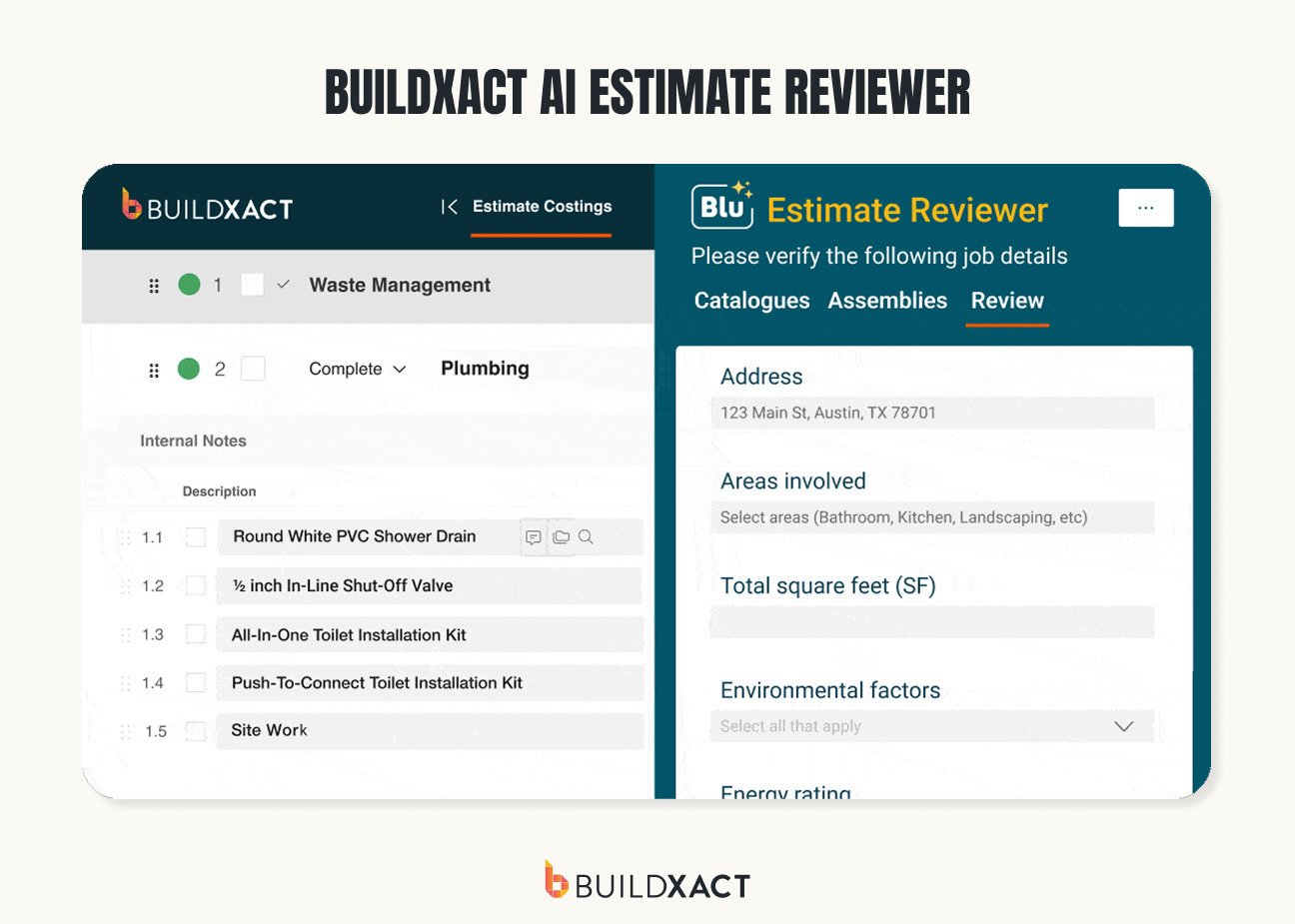
- AI-assisted estimating: Use AI estimating tools to help identify materials and quantities before the estimate becomes the basis of your budget.
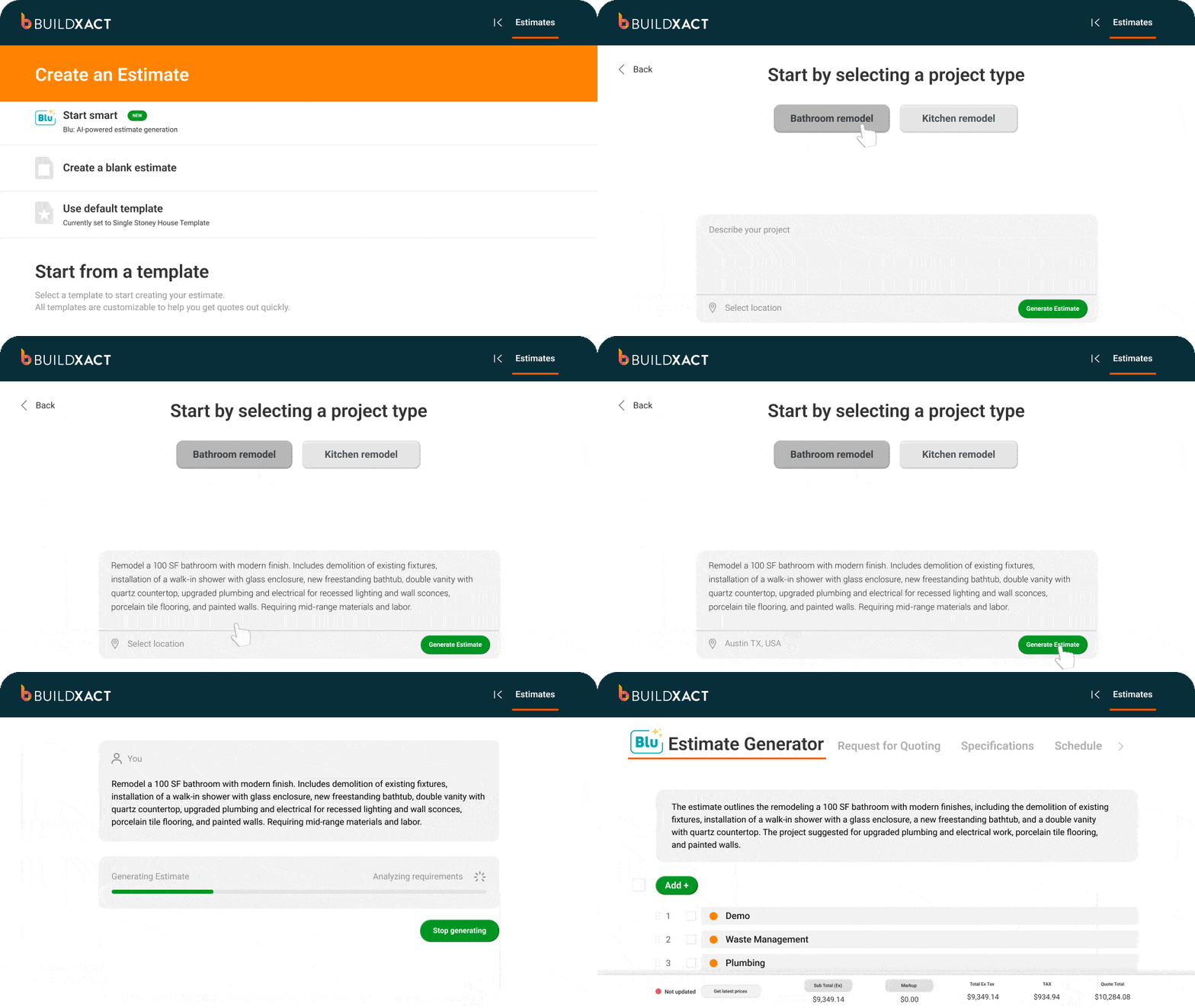
- Budget vs. actual tracking: Compare estimated and actual costs as work progresses so you can identify where a job is running over budget.
- Current material pricing: Use up-to-date dealer pricing instead of relying on old price lists or figures from previous jobs.
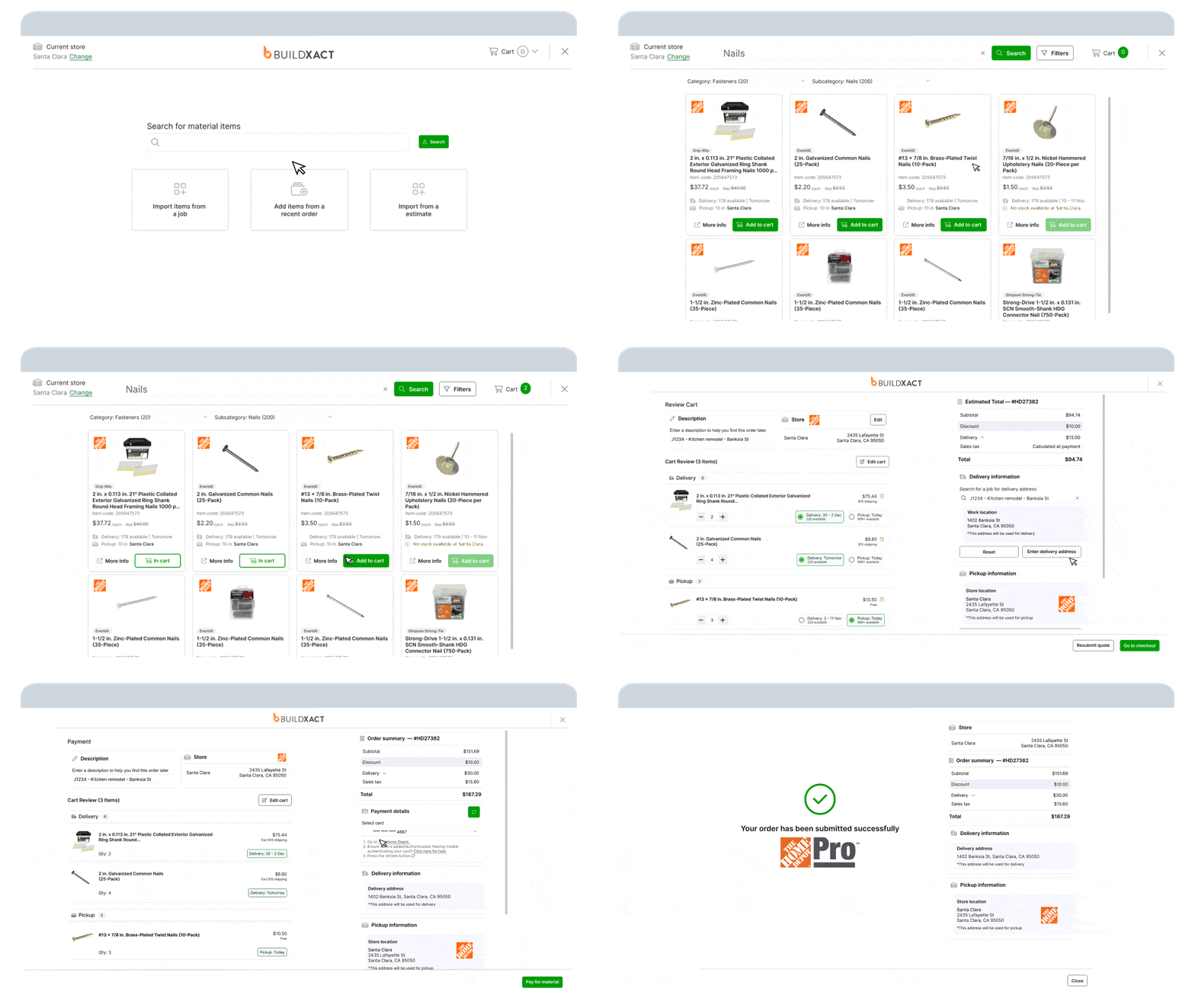
- Connected cost workflows: Record purchases, change orders and other job costs against the relevant project costs.
- Accounting integrations: Connect project cost information with accounting software such as QuickBooks and Xero to reduce duplicate entry.

Buildxact supports this workflow from estimating through cost tracking. Builders can create estimates using current dealer pricing, carry those costs into the project and use Estimate vs. Actual to see how spending compares with the original numbers.
For BradWay Construction & Restoration, moving from spreadsheets to Buildxact meant estimates from successful jobs could be saved as templates and reused for similar projects. Owner Josh Bradley also uses Buildxact’s integration with The Home Depot to pull current material pricing into estimates. Since becoming a Buildxact user in August 2023, BradWay’s sales have more than doubled.
Start for free with Buildxact and keep your estimates, project costs and margins connected as you take on more work.
Construction Budgeting: FAQs
What is included in a construction budget?
A construction budget includes the full cost of delivering the job. That means direct costs such as labor, materials and equipment, as well as indirect costs such as permits, insurance, project overhead and administration. It should also include contingency and your planned profit margin.
What is the difference between hard costs and soft costs?
Hard costs are directly tied to the physical construction work, including materials, labor and equipment. Soft costs support the project but aren’t part of the physical build. These can include permits, design fees, insurance, project management and other overheads.
What percentage of a construction budget should be contingency?
There isn’t one percentage that works for every job. Set your contingency based on the scope, complexity and level of uncertainty involved. For example, a remodel with unknown existing conditions may need more contingency than a straightforward project with a clearly defined scope.
How do you track a construction budget against actual costs?
Record purchases, invoices, labor and other expenses against the relevant budget items as they come in. Then compare actual costs with what you originally allowed for throughout the job. Buildxact’s Estimate vs. Actual functionality keeps these numbers connected so you can quickly see where costs are running over budget and what that means for your margin.