
Looking for a monday.com alternative built for residential construction? You’re in the right place.
Most builders don’t leave monday.com because task tracking stopped working. They leave because residential jobs depend on quantities, unit costs, and scope changes that a board doesn’t carry forward.
Monday.com coordinates crews and deadlines. However, residential building requires coordination around scope; what’s included, what it costs, and what changes when a client requests a change order or dealer pricing shifts.
That mismatch shows up in three places:
- Tasks move without scope: Schedules update, but they aren’t tied to takeoffs, dealer pricing, or subcontractor quotes.
- Costs live in parallel: Estimates and margin logic stay in spreadsheets while progress updates live in the board.
- Workflows become DIY: Teams rely on custom boards and automations to approximate construction workflows.
When these gaps surface, they reflect a structural mismatch with residential construction workflows.
This guide compares the top monday.com alternatives for residential builders, evaluating whether they balance scope and cost and align with how small firms actually price and deliver work.
Buildxact leads this comparison as the platform purpose-built for residential estimating and project management, with alternatives measured against that standard.
Why monday.com Falls Short for Residential Builds
Among a variety of features, monday.com’s most obvious use for residential builders and remodelers is scheduling — and it does so well. But how well does it stack up when it comes to fulfilling other essential needs like being able to, at a click, create schedules that also connect to scope, quantities, pricing, and downstream cost impact? Let’s take a look.
1. When the schedule doesn’t carry scope forward
Monday.com tracks tasks and deadlines, but it does not track what those tasks contain.
A board might show the task, “Install framing — Thursday.” However, the platform doesn’t go beyond the directive. And builders should be able to, just as easily and at a glance, know how many studs are needed, what they cost, or which dealer supplied them.
In other words, monday.com stops short of a builder’s real-world, on-the-job needs, offering no native link between quantity takeoffs, dealer quotes, and scheduled work.
As long as the scope holds, this gap remains hidden — but, as builders know, they rarely, if ever, do. And when change orders multiply across the project’s lifecycle, quantities are recalculated outside the board, pricing is confirmed separately, and the schedule is adjusted manually.
So while coordination happens in monday.com, the material and cost logic sits elsewhere, which ultimately complicates and slows down a builder’s already-busy day.
2. When costing lives outside the platform
A task can show as complete while the financial impact of that work remains unresolved.
Teams build estimates in spreadsheets, track costs in accounting software, and calculate margin separately. Monday.com reflects task status, not financial outcomes.
When a change order occurs, the task updates, but the revised scope does not flow into the projected margin. You end up tracking cost impact outside the board, leaving coordination in one system and financial control in another.
3. When workflow logic must be built manually
Monday.com offers flexibility, which requires teams to design construction workflows using custom boards, columns, and automations.
For small residential teams without dedicated systems support, this creates ongoing configuration work. New job types require new board structures. New reporting needs require additional automation logic.
Over time, the platform becomes something your team maintains rather than simply uses. Instead of enforcing a construction workflow, it relies on the builder to recreate one.
These patterns reflect a structural mismatch. Residential construction depends on continuity between quantities, pricing, scheduling, and margin. When those elements are not structurally linked, gaps emerge.
This guide evaluates alternatives based on how well they address that continuity.
1. Buildxact
Best for: Small residential builders who need scope, cost, and scheduling to operate as one workflow, not three separate tools.
Buildxact is a construction management platform designed for small to mid-sized residential builders and remodelers.
Buildxact operates as an end-to-end platform supported by an ecosystem of integrations for accounting, dealer pricing, and business operations, reducing the need for builders to manage disconnected tools.
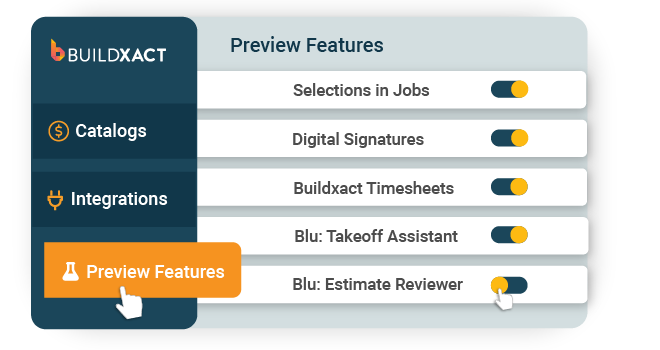
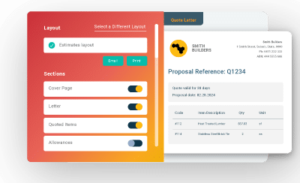
It provides a fixed workflow that reflects how residential jobs are priced, planned, and delivered from digital takeoff through estimating, scheduling, purchasing, and job cost tracking.
How Buildxact keeps scope, cost, and scheduling connected
Buildxact is structured around a predefined construction workflow rather than configurable boards and automations. Scope, quantities, and pricing established during estimating carry forward into scheduling, purchasing, and margin tracking within the same system.
When scope changes, updates made in the estimate flow through to related schedules, purchase orders, and cost tracking. This reduces the need to recalculate quantities, confirm pricing in separate tools, or manually reconcile downstream impacts.
The platform is used by small residential teams managing active jobs without dedicated systems support. Users describe it as a purpose-built system that reduces rework when pricing or scope changes occur.
Joshua Bradley of BradWay Construction reported sales more than doubling after adopting Buildxact, reaching $945,000 in 2024 revenue.
He attributed the change to reduced time spent rebuilding estimates and recalculating pricing as jobs evolved, work he described as hours of manual effort before switching to the new system.
Key features
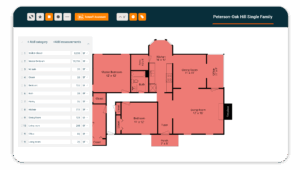
- Digital takeoffs: Upload plans, set scale, and measure quantities directly inside the platform.
- AI-assisted estimating (Blu): Generate material quantities and pricing suggestions using catalog and dealer data, including Home Depot pricing in the U.S.
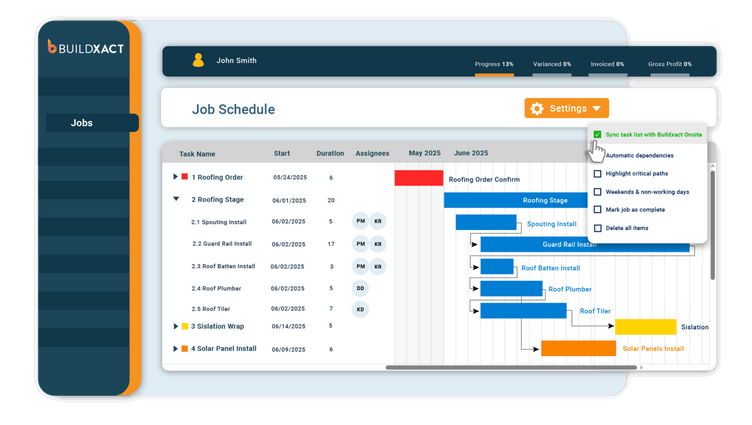
- Scheduling with Gantt charts (Pro+): Assign tasks, schedule trades, and filter by job or subcontractor within the same system used for estimating and purchasing.
- Dealer and subcontractor management: Send purchase orders and bid requests directly from estimates.
- Job cost and materials tracking: Compare estimated and actual costs as work progresses to monitor margin impact before closeout.
Pros
- Estimating, scheduling, purchasing, and costing operate within a single workflow.
- Flat monthly pricing with unlimited users.
- Designed for small residential teams without dedicated systems support.
- Training and support are included at every tier.
Cons
- Built specifically for residential construction, not designed for commercial projects or non-construction teams.
- Follows a fixed construction workflow rather than open-ended customization.
- Focused on estimating-to-completion workflow; sales and design tools sit outside the platform.
Pricing
Buildxact offers three plans: Foundation at $199/mo, Pro at $399/mo, and Master at $599/mo. Every plan includes unlimited users, training, and support. Scheduling and project management are available on Pro and above.
2. Buildertrend
Works for: Mid-sized residential builders who want a broader platform for client communication
Buildertrend is a residential construction management platform designed for home builders and remodelers. It combines scheduling, budgeting, client communication, and pre-construction sales tools into a single system.
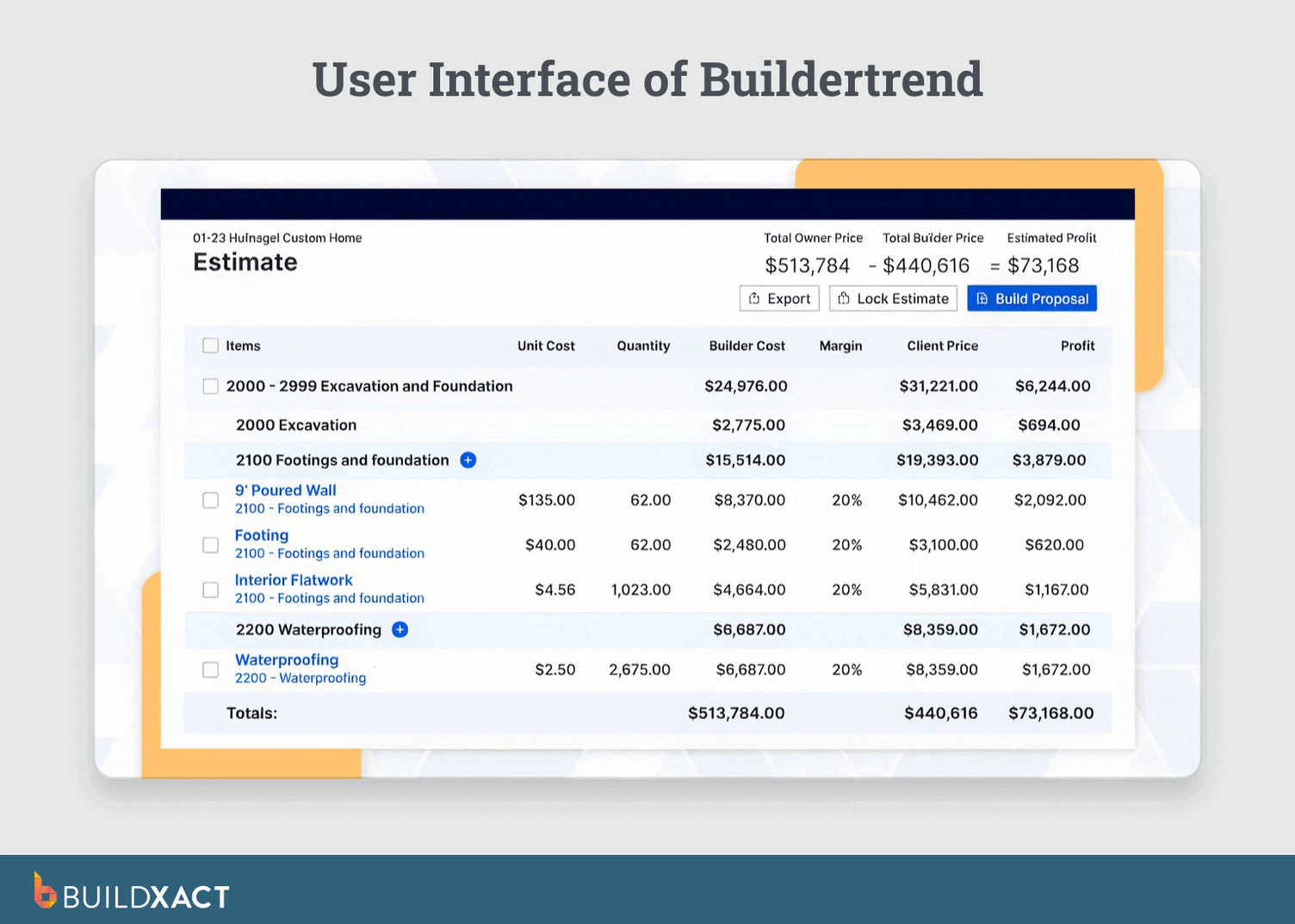
It is used by mid-sized residential builders who want one platform to manage both the build process and the client lifecycle from lead capture and proposals through construction and warranty.
How Buildertrend combines project delivery and client management
Buildertrend is structured around a broader residential construction workflow that extends beyond job delivery into sales, client communication, and post-build engagement.
Scheduling, budgeting, change orders, and client communication are all handled within the tool.
Homeowners interact through a client portal to review progress, approve selections, sign documents, and respond to change orders.
Buildertrend’s expanded feature set introduces a steeper learning curve and greater implementation effort than systems focused primarily on estimating and job costing.
Key features
- Client portal: Homeowners can review progress, approve selections, sign documents, and respond to change orders.
- Pre-construction pipeline: Leads, proposals, and bid requests are tracked within the same system used for project delivery.
- Project scheduling: Gantt charts with task dependencies support trade sequencing and timeline adjustments.
- Budgeting and payments: Budget line items, change orders, purchase orders, and payments are tracked within the project.
Pros
- Includes lead management, project delivery, and warranty tracking.
- Homeowner portal for approvals, selections, and communication.
Cons
- The tool is a broader system than many small residential teams require.
- It requires a steeper onboarding and implementation effort.
- Pricing concerns were reported following the CoConstruct acquisition.
Pricing
Buildertrend does not publish pricing publicly. All plans require a custom quote.
3. Procore
Works for: Commercial builders and enterprise-scale operations
Procore is a construction management platform designed for large commercial contractors and general contractors managing high-value, multi-trade projects. It supports project management, budgeting, quality and safety tracking, and reporting across multiple active sites.
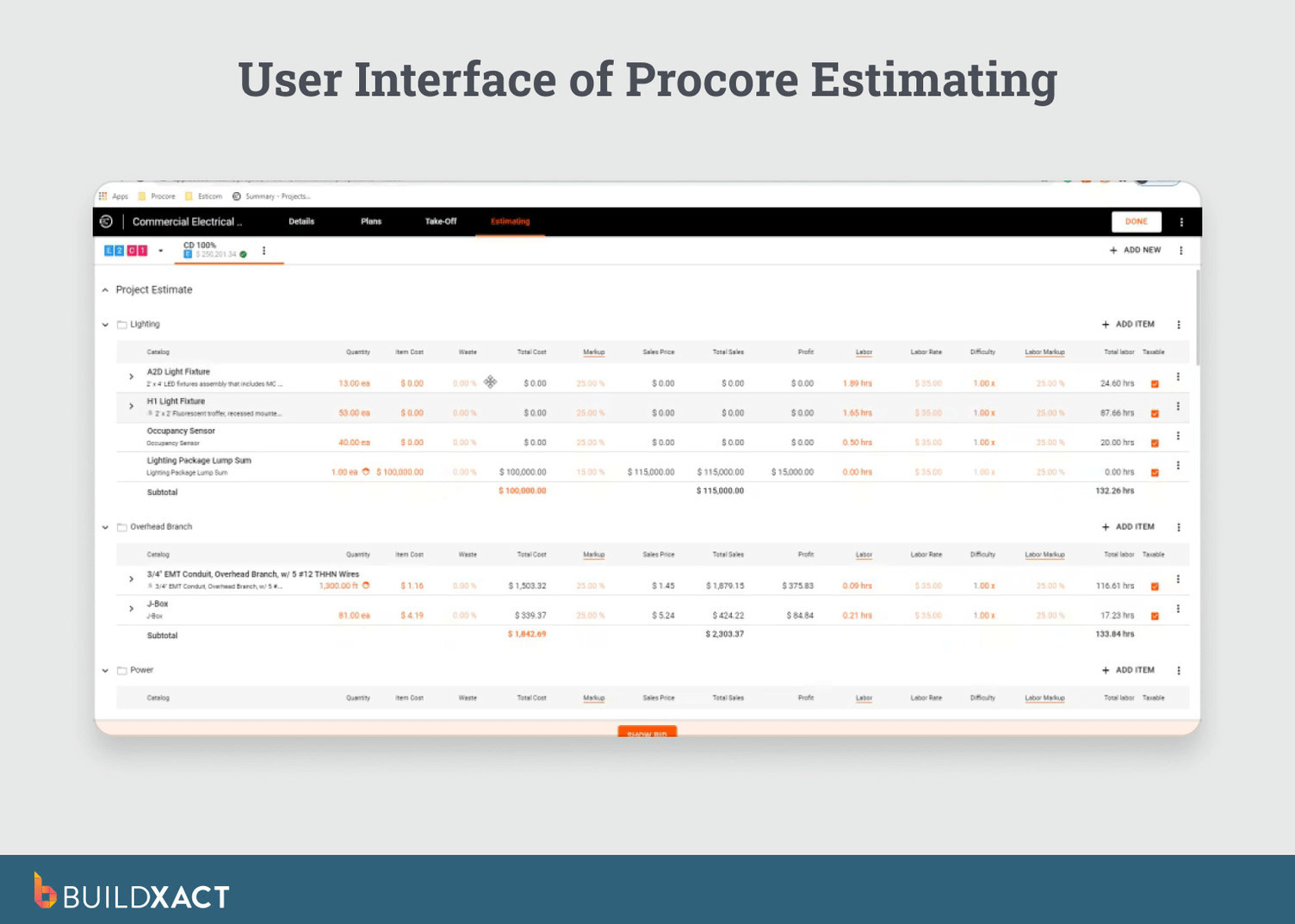
It is used by organizations operating complex commercial builds with extensive subcontractor coordination, compliance requirements, and large project budgets.
How Procore supports enterprise commercial construction
Procore is structured for commercial construction environments with complex subcontractor coordination, formal approval workflows, and enterprise reporting requirements.
Budgeting, change orders, commitments, and cost forecasting are managed within a system designed to support financial oversight across multiple large projects. Subcontractor coordination and compliance tracking are built into the workflow to support regulated job sites.
Procore is sold on annual contracts and priced based on annual construction volume rather than seat count, with implementation typically requiring internal administrative ownership.
For small residential builders managing a limited number of homes per year, this structure introduces additional implementation overhead and cost compared to tools designed for smaller teams.
Key features
- Project management and scheduling: Multi-project oversight with task management and resource coordination across large commercial builds.
- Quality and safety management: Inspection checklists, incident tracking, safety observations, and compliance documentation.
- Budgeting and forecasting: Budgets, change orders, commitments, and cost forecasting with audit trails.
- Subcontractor management: Bid management, subcontractor prequalification, and coordination across large trade networks.
Pros
- Designed for complex commercial projects with multiple trades and compliance requirements.
- Unlimited users included, with pricing based on annual construction volume.
- Integrates with accounting, ERP, and field systems commonly used in commercial construction.
Cons
- Requires internal ownership and a dedicated onboarding effort.
- Designed around commercial construction workflows rather than small residential operations.
- Feature depth may exceed the needs of teams managing a limited number of homes per year.
Pricing
Procore does not publish pricing publicly. Contracts are custom-quoted based on annual construction volume and sold on annual terms.
4. JobTread
Works for: Builders who want estimating and budget tracking in one system with per-user pricing
JobTread is a residential construction management platform designed for home builders and remodelers. It combines estimating, basic project management, client portals, and budget tracking within a single system.
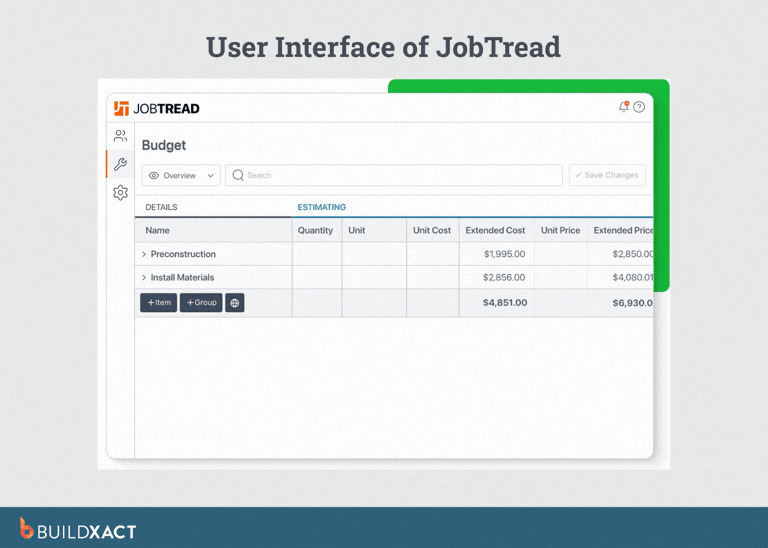
Projects begin with an estimate that converts into an active job budget. Costs, payments, and change orders are tracked against that budget as the project progresses.
How JobTread centers projects around the estimate
JobTread is structured so that the initial cost breakdown establishes the project’s financial baseline. Subsequent costs and payments are recorded against that baseline rather than managed in separate spreadsheets.
Estimating and budget tracking sit alongside day-to-day project management. The platform’s scope is narrower than full lifecycle construction systems, with a focus on budget status rather than extensive scheduling, integrations, or enterprise reporting.
Key features
- Estimating and proposals: Cost line items convert directly into active project budgets.
- Budget tracking: Costs, payments, and change orders are tracked against the original estimate throughout the build.
- Client and vendor portals: Homeowners and subcontractors can access project information and respond to bid requests.
- Reporting: Financial and project reports provide visibility into budget status and job performance.
Pros
- Pricing structure with core features available across plans.
- Estimates convert into project budgets.
- Client and vendor portals included.
Cons
- Takeoff accuracy from uploaded plans has been reported as inconsistent in user reviews.
- Scheduling and integrations are less extensive than those of more established construction platforms.
- Smaller integration ecosystem, though an open API supports custom connections.
Pricing
JobTread charges $199/mo for the first user and $20/mo per additional user. Annual billing drops to $159/mo for the first user and $18/mo per additional user.
5. Contractor Foreman
Works for: Budget-conscious builders who need basic construction management
Contractor Foreman is a construction management platform designed for small contractors and residential builders looking for construction-specific software at a low monthly entry point. It includes estimating, scheduling, safety tools, time tracking, and basic job costing.
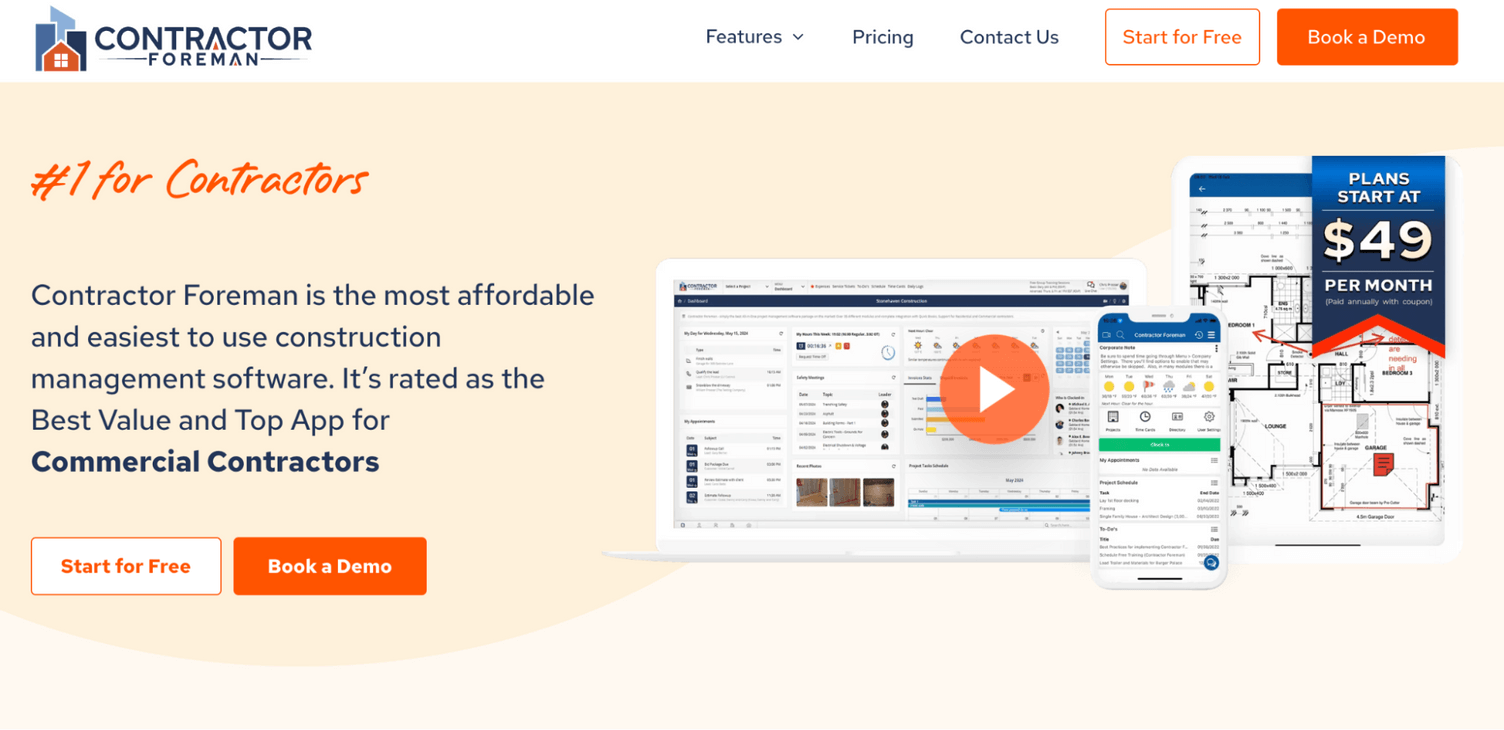
The platform is commonly used by teams moving beyond spreadsheets or general task boards who want operational coverage without the higher pricing of higher-tier construction software.
How Contractor Foreman supports basic construction coordination
Contractor Foreman provides construction-specific workflows for estimating, scheduling, time tracking, and safety documentation. These functions are available in Contractor Foreman.
The system is positioned around affordability and coverage rather than depth. Estimating functionality is designed for straightforward residential projects, and integrations and advanced cost controls are more limited than in higher-end construction platforms.
Key features
- Estimating and proposals: Create cost breakdowns that convert into client-facing proposals for residential projects.
- Project scheduling: Calendar-based task scheduling with subcontractor coordination.
- Time tracking: Crew time tracking with GPS verification and project-level timesheets.
- Safety management: Toolbox talks, incident reporting, and safety documentation.
Pros
- Construction-specific workflows replacing spreadsheets and general task boards.
- Safety documentation and compliance tools included.
- Operational coverage across estimating, scheduling, time tracking, and job costing.
Cons
- No built-in digital plan takeoff tools; quantities must be measured outside the platform.
- No live dealer pricing integrations; material pricing requires manual updates.
- QuickBooks integration is tier-gated (Online at Plus; Desktop at Pro).
- Performance can slow down with larger estimates, according to user reports.
Pricing
Contractor Foreman offers four plans: Standard at $49/mo for 3 users, Plus at $87/mo for 8 users, Pro at $123/mo for 15 users, and Unlimited at $148/mo for unlimited users. All plans are billed annually.
6. Houzz Pro
Works for: Remodelers and design-build firms
Houzz Pro is a business management platform designed for remodelers, interior designers, and design-build firms. It combines project management and basic financial tools with direct integration into the Houzz marketplace, where homeowners browse professionals and request consultations.
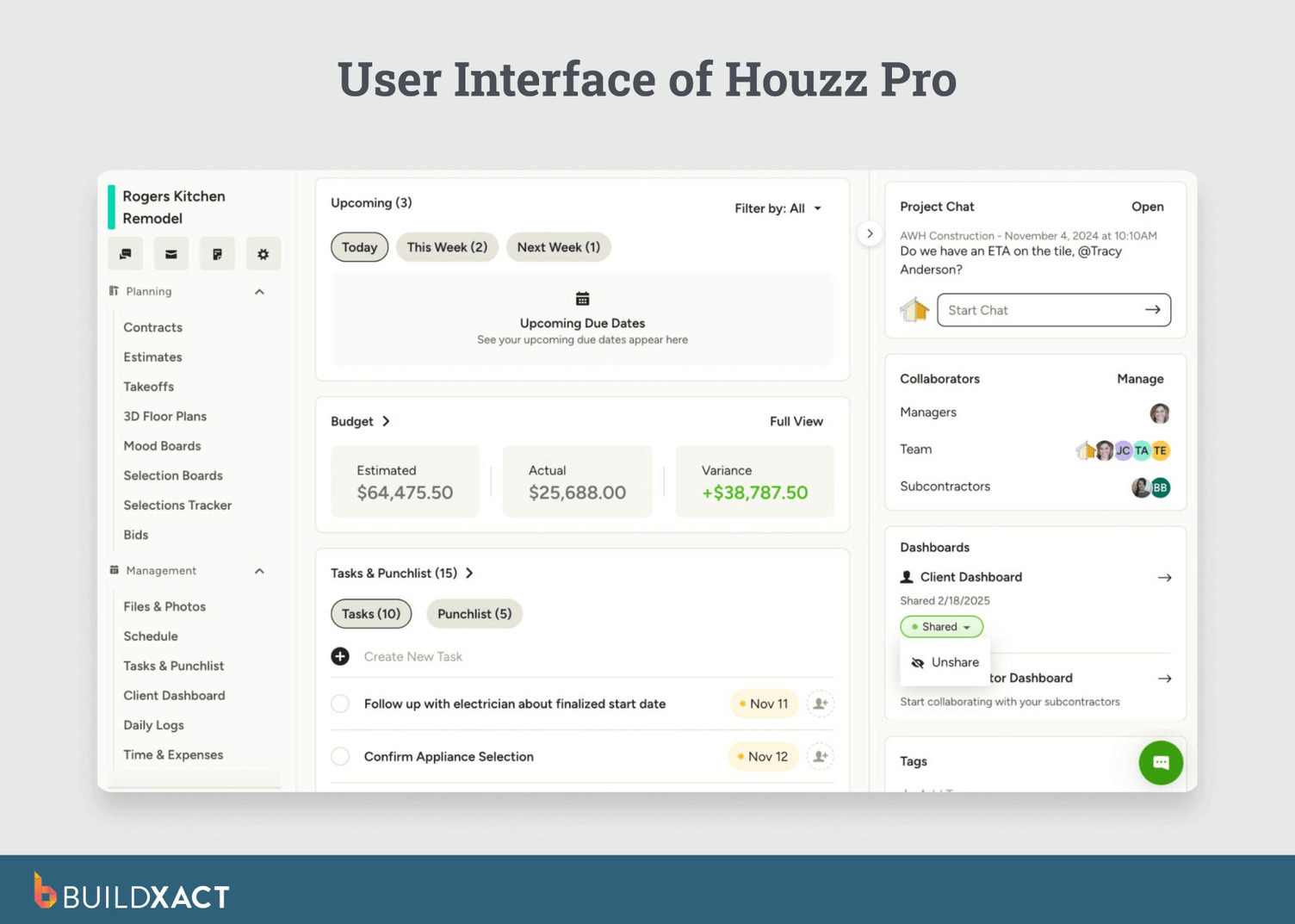
The platform is commonly used by renovation-focused businesses whose work originates through Houzz-based lead generation rather than traditional estimating-led construction workflows.
How Houzz Pro supports marketplace-led project workflows
Houzz Pro is structured around workflows that begin with homeowner discovery on the Houzz marketplace. Leads generated through a Houzz profile move into proposals, selections, and active projects in Houzz Pro.
The platform includes client communication and design collaboration tools. Homeowners interact through shared selections, mood boards, and project updates, reflecting the needs of renovation and design-build engagements.
Estimating and cost tracking are available at a basic level. The platform does not include advanced estimating tools, digital plan takeoffs, or detailed job-costing controls typically used by builders managing new residential construction.
Key features
- Houzz marketplace integration: Leads generated through a Houzz profile enter the project workflow.
- Client communication and mood boards: Homeowners can review selections, design concepts, and project updates.
- Financial tools: Estimates, proposals, and basic cost tracking with payment processing.
- 3D room visualization: Renderings for client presentations, commonly used for kitchen and bathroom remodels.
Pros
- Houzz marketplace leads enter the system directly.
- Client collaboration tools for selections and design communication.
- Oriented toward renovation and design-build workflows.
Cons
- No digital plan takeoff tools.
- Limited estimating and job-costing depth.
- Project management features are lighter than construction-focused platforms.
- Best suited to businesses that rely on Houzz for lead generation.
Pricing
Houzz Pro offers three plans: Pro, Custom, and Enterprise. Pricing is not published publicly; all plans require a quote.
Why Buildxact Remains the best monday.com Alternative for Residential Builders
Choosing a monday.com alternative depends less on feature checklists and more on addressing and plugging up the gaps causing breakdowns occur in the workflow.
When tasks are organized, but estimating, purchasing, and margin tracking remain in spreadsheets, coordination exists, but nothing carries scope into cost.
Layout changes affect quantities. Quantity changes affect purchasing and margin. When those updates are managed across separate tools, fragmentation appears.
Buildxact is structured around that order. Takeoffs convert into estimates, and estimates inform schedules and purchase orders.
This means you track actual costs against the same financial baseline, keeping scope, scheduling, and margin aligned within a single workflow.
For small residential builders, this structure becomes a deciding factor when evaluating systems. Start for free or book a demo to see how your estimating workflow runs inside Buildxact.