
Residential construction falls apart fast when the estimate stops reflecting what’s actually happening on the job.
A change order gets approved on-site but never makes it back into the budget. A client asks for an updated total, but the latest number lives in someone’s inbox, on the office desktop, or inside a spreadsheet no one else can see.
By the time costs, schedule, and budget are reconciled, the margin has already slipped.
That is the real job of building project management software. It keeps the estimate, budget, costs, change orders, and schedule connected as the project moves, so builders can see where the job stands before small misses turn into expensive ones.
The tools below vary in depth, workflow, and fit. Some are better for custom home builders who need estimating and job management in one place. Others are stronger on financial control, scheduling, or broader construction workflows.
We reviewed seven of the top options below, starting with Buildxact, the only platform on this list built specifically for residential builders managing the full workflow without dedicated office staff.
What to Look for in Building Project Management Software
Most platforms include estimates, budgets, change orders, and scheduling. The difference is whether those elements remain connected once the job begins.
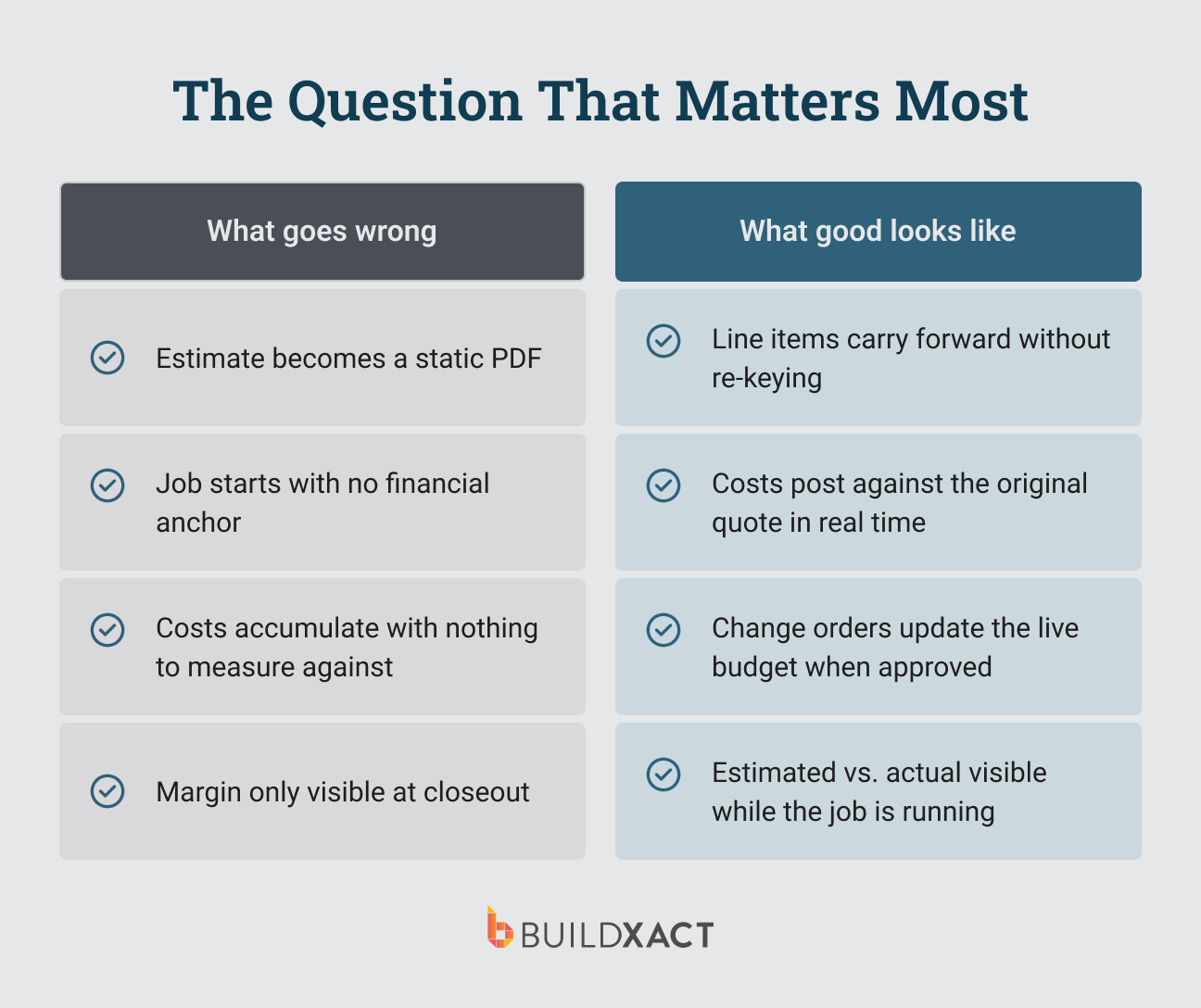
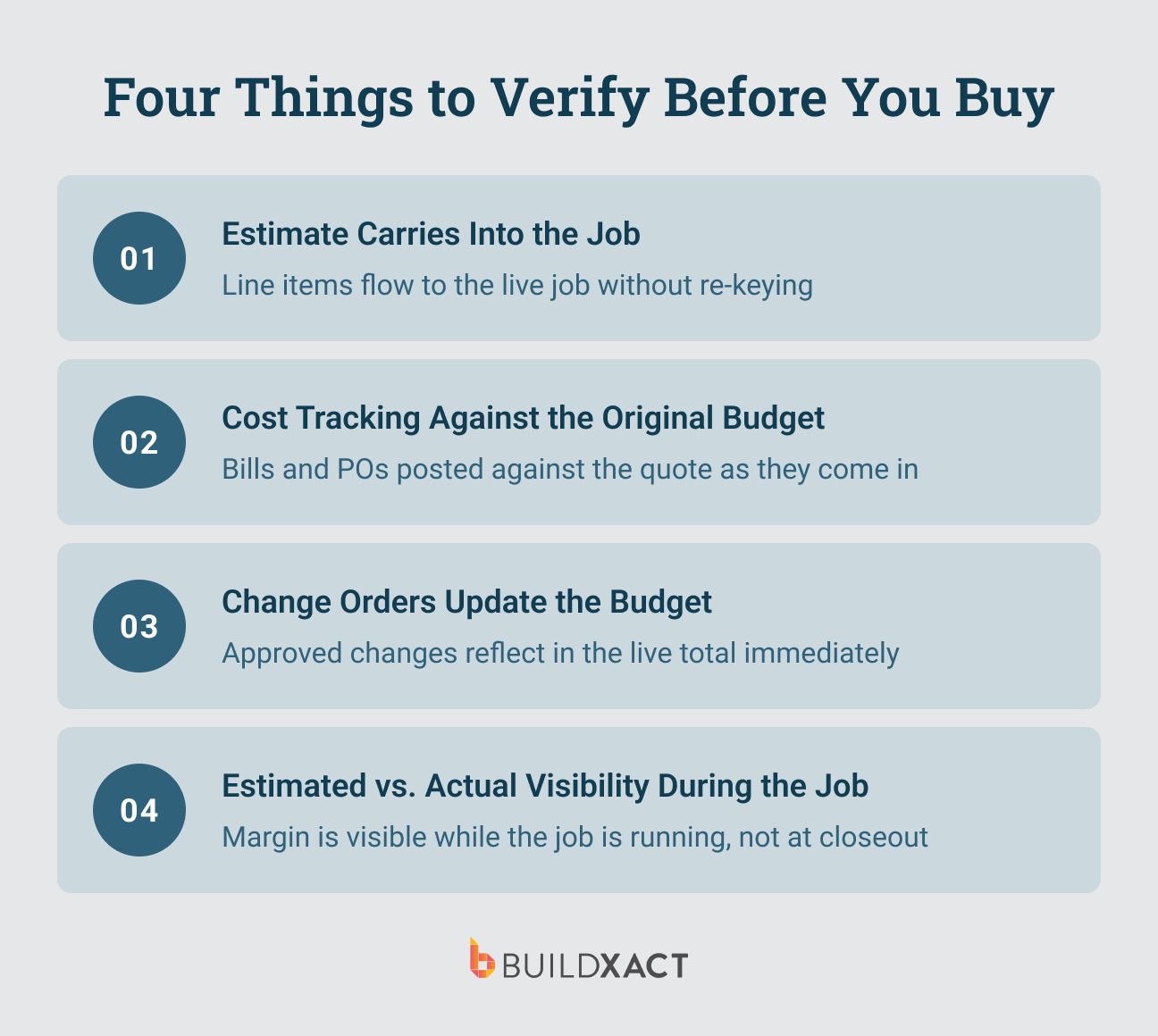
During evaluation, you want to know whether the system preserves the estimate as the financial anchor of the job, or does that connection break at handoff? Here’s what to look for:
Estimate continuity when the job is won
On many platforms, the estimate becomes a static document once the job starts. The live job opens with a new budget, costs accumulate separately, and there is no direct link back to the original numbers. The result is a delayed view of the margin that only becomes clear at closeout.
What holds the connection is having line items from the estimate carry directly into the active job, without re-entry or reconstruction.
Cost posting against the original budget
As costs come in, they either attach to the original budget structure or they do not.
If bills and purchase orders post directly against existing line items, the budget reflects actual spend as the job progresses. If they require manual reconciliation, accuracy depends on someone maintaining that connection consistently.
In smaller teams, that connection tends to degrade over time, and the budget drifts away from reality while the job is still active. Look for a tool that ensures costs are attached to the original budget.
Change orders that update the live budget
Change orders introduce new scope, but the impact depends on how they are handled.
- If approved changes are made, the budget is updated immediately, and the job total reflects the current agreement.
- If there is a delay or a separate step, the budget and the actual scope fall out of sync.
This is where margin commonly erodes due to small gaps between what was approved and what was recorded.
Estimated vs. actual visibility during the job
The distinction is not whether estimated vs. actual can be reported, but when it becomes visible.
- In some systems, that comparison is only available after the job is complete or through separate reporting.
- In others, it is visible at the line-item level as costs are incurred.
The difference determines whether the information can influence decisions while the job is running, or only explain outcomes after it is finished.
The 7 Best Building Project Management Software Tools
1. Buildxact
Best for: Small residential builders who want takeoffs, estimates, and job management in one place without extra admin overhead.
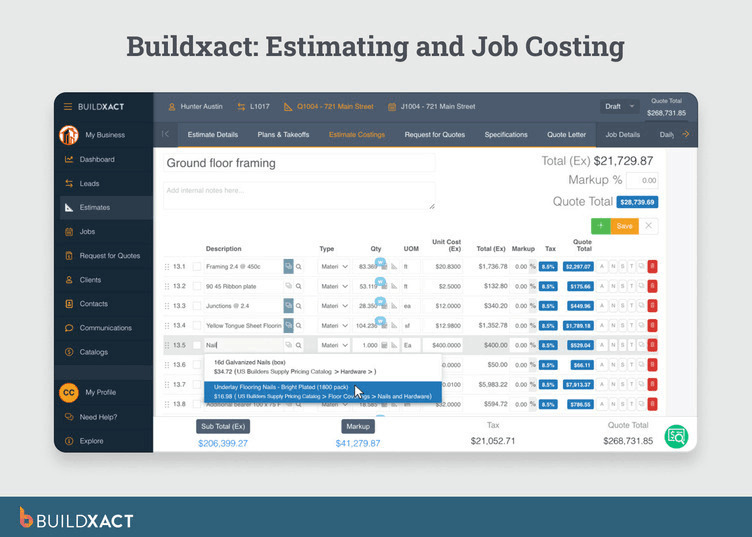
Buildxact is a construction management platform that ensures estimates carry over directly to the job and that the same data is used to generate budgets, purchase orders, and construction schedules.
When a job is marked as won, line items move forward without re-entry, so the budget and purchasing structure are built from the original estimate rather than recreated.
Costs posted against those same line items as bills and purchase orders are recorded, allowing job profitability to be visible during execution rather than only at closeout.
Change orders are created within the system and linked to client approval and billing, so approved changes update the budget and pricing in real time.
Key Features
- Estimate-to-job conversion: line items, budgets, and purchase orders are generated directly from the original estimate
- Line-item cost tracking: costs post against items derived from the estimate, allowing visibility into job profitability during execution
- Change order handling with approval and billing: approved changes update the budget and client-facing totals
- Scheduling generated from estimate data: tasks and dependencies built from project scope; advanced functionality requires higher-tier plans
- Sub and dealer workflows: RFQs, purchase orders, and work orders issued within the system
- Client portal: document access, approvals, and selections handled within the platform
Pros
- No re-entry between estimate and job setup
- Line-item visibility into costs during the job
- Integrated workflow from estimate through purchasing and billing
Cons
- Initial setup requires a meaningful time investment before the system reflects how you work
- Bid templates and automated outputs have limited customization
- Advanced scheduling, mobile access, and a client portal require higher-tier plans
Pricing
- Foundation: $199/month
- Pro: from $399/month
- Master: from $599/month (monthly)
All plans include unlimited users, training, and support.
2. Autodesk Forma
Best for: Builders and construction teams that need integrated financial control across design and execution
Autodesk Forma (formerly Autodesk Construction Cloud) is a construction management platform where cost management, project execution, and document control are connected across the full project lifecycle, from preconstruction through delivery.
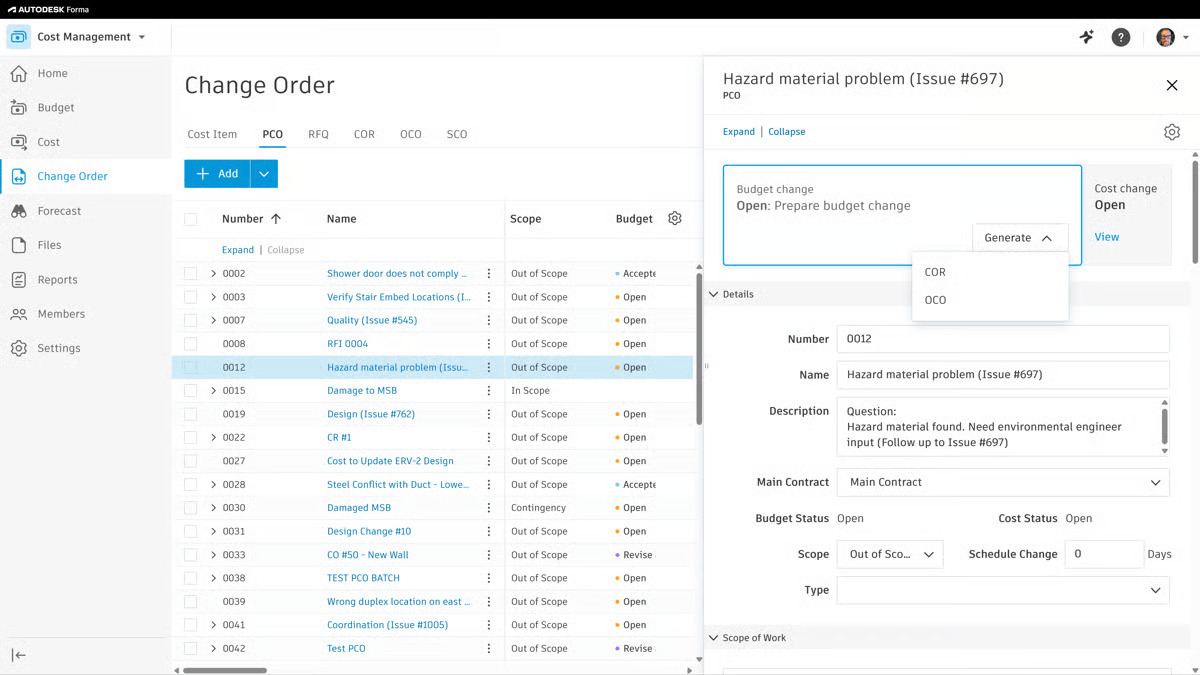
Budgets are structured around cost items and contracts, with committed costs, change orders, and actuals tracked within the same system. This allows the budget to reflect both the current financial position and projected outcomes as the job progresses.
Change orders are handled through formal workflows tied to contracts and cost items, so financial adjustments remain connected to upstream decisions rather than being recorded separately.
The system is designed to operate across multiple stakeholders, including owners, general contractors, and subcontractors, which affects how information is standardized and shared across the project.
Pricing is modular and typically contract-based, with access structured around roles rather than simple per-user tiers. This impacts predictability and requires scoping based on project size and organizational needs.
Key Features
- Unified cost management: budgets, commitments, change orders, and actuals are managed within a connected financial model
- Change order workflows: change events and orders are tied to contracts and cost structures, maintaining traceability
- Document and model coordination: centralized document control with versioning across teams
- Multi-stakeholder access: role-based permissions for owners, contractors, and subs across projects
- Integration with design tools: connects with Autodesk products for design-to-build continuity
Pros
- Financial data remains connected across design, procurement, and execution
- Strong audit trail for changes and contract adjustments
- Scales across large projects and multiple stakeholders
Cons
- Pricing structure is less transparent and requires custom scoping
- Setup and onboarding are more involved than SMB-focused tools
- May be broader than necessary for small residential builders
Pricing
- Custom pricing based on modules, users, and project scale
- Typically annual contracts
- No public flat-rate tiers
3. Buildertrend
Best for: Larger residential operations with dedicated admin capacity
Buildertrend is a project management platform where estimates are transferred to the job budget via a defined “Send to Budget” workflow.
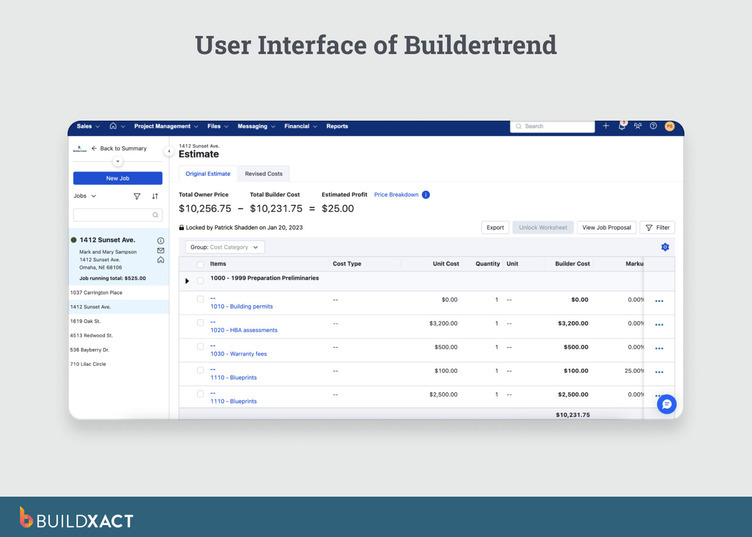
That workflow builds the initial budget from estimated data, but the connection depends on it being followed consistently rather than carried forward automatically.
Purchase orders post to Committed Costs, and bills post to Actual Costs. Estimated, projected, and actual values can be viewed together within the job when data is entered consistently. Approved change orders update the Revised Cost column and Job Running Total, and those changes are reflected in the client-facing view.
The system supports detailed scheduling with dependencies and automatic adjustments, as well as budget tracking and client communication, all within the same platform.
The constraint is operational. Budget accuracy depends on consistent data entry and workflow maintenance. That requirement introduces overhead for smaller teams without dedicated administrative support.
Key Features
- Estimate-to-budget workflow: estimate data transfers into the job budget via “Send to Budget,” establishing the initial cost baseline
- Cost tracking with committed and actual separation: purchase orders and bills post to separate columns within the budget
- Change orders update the budget: approved changes adjust the Revised Cost and running totals within the job
- Multi-view scheduling with dependencies: Gantt, calendar, and list views with automatic schedule adjustments
- Mobile access: field teams can capture bills, receipts, and updates during execution
Pros
- Estimate-to-budget workflow avoids re-entry when followed consistently
- Scheduling supports complex timelines with dependency-based adjustments
- Client-facing updates and budget changes remain visible within the same system
- No per-user pricing as team size increases
Cons
- Budget accuracy depends on consistent workflow usage and data entry
- Administrative overhead required to maintain job costing and scheduling
- Data export and portability require verification before adoption
- Pricing is not publicly disclosed and varies by configuration
Pricing
Buildertrend requires a custom-quote, though unlimited users are included at all tiers.
4. ConstructionOnline
Best for: Builders who need deep cost control and can absorb the price
ConstructionOnline is a project management platform that tracks costs, commitments, and change orders at the line-item level throughout the job.
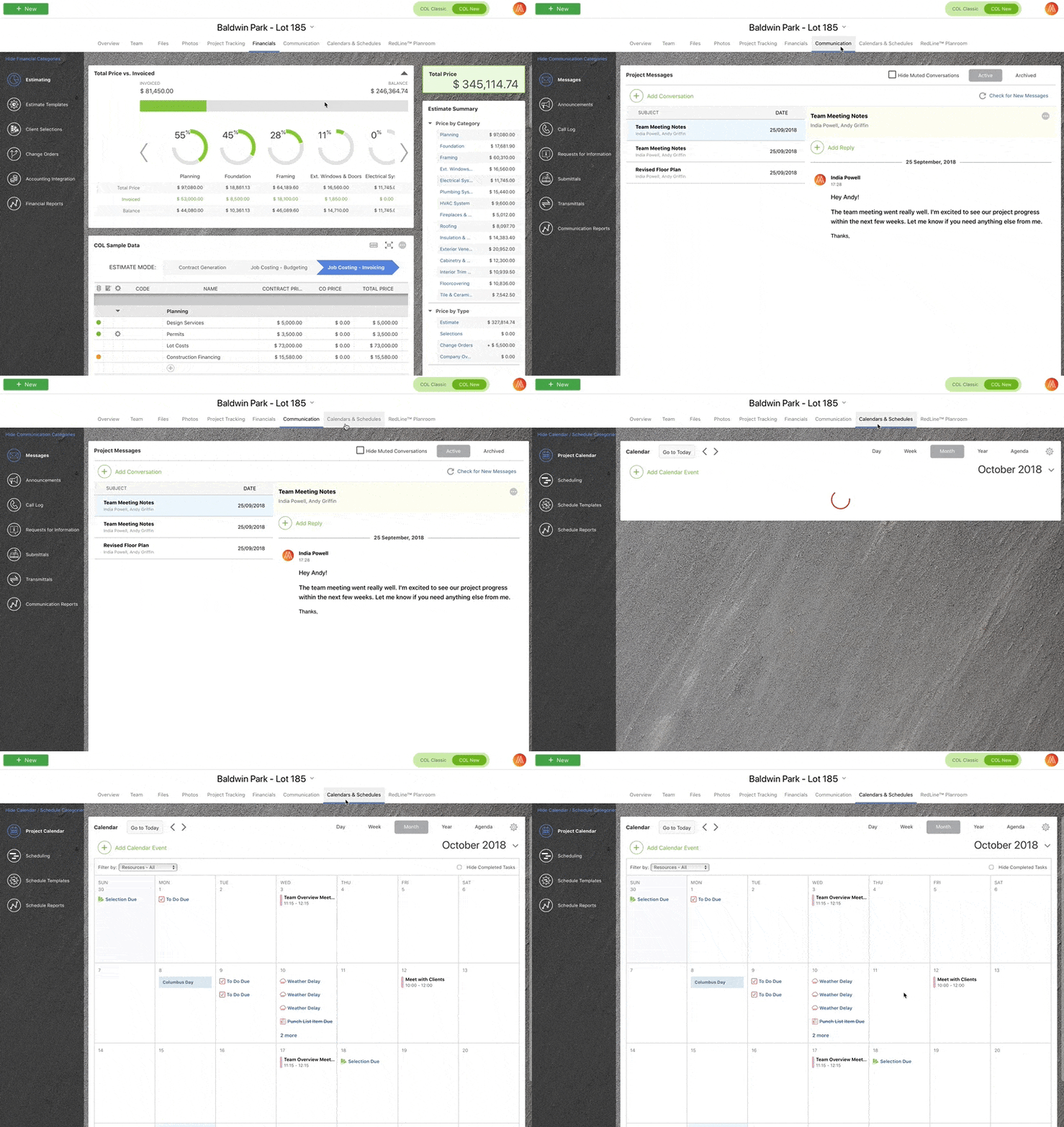
Actual, committed, profit, and change order values are visible for each line item during execution, not only at closeout.
Schedules and purchase orders can be generated from estimated data, maintaining a link between the original scope and execution workflows. Approved change orders are added directly to the project total, while pending and rejected items do not affect the budget.
The system provides detailed financial visibility during the job, but that depth comes with higher setup and usage complexity, particularly in scheduling and dispatch workflows.
Pricing reflects that positioning. The residential entry plan starts at $475/month, which is a meaningful commitment for smaller teams.
Key Features
- OnCost line-item tracking: actuals, committed costs, profit, and change order values visible at the line-item level during the job
- Estimate-linked schedule and purchase orders: schedules and POs generated from estimate data, maintaining continuity from bid to execution
- Approved change orders update the project total: only approved items affect the live budget; pending and rejected changes remain excluded
- Gantt scheduling with dependencies: predecessor relationships and lag-time notation supported; schedule access configurable for clients and subs
- Client portal access: clients can view project files, updates, and approve change orders depending on permissions
Pros
- Line-item financial visibility during execution, not limited to reporting after closeout
- Flat-rate pricing model without per-user or per-project fees
- Trial access available before full commitment
Cons
- Setup and workflow complexity, particularly in scheduling and dispatch modules
- Time tracking and daily logs do not fully integrate
- Mobile filtering for change orders is limited compared to the desktop version
- Project limits on lower tiers introduce additional cost as volume increases
Pricing
- Professional: from $475/month (monthly) or $396/month on the annual plan, billed at $4,750/year
- Team: $812/month
- Business: $1,292/month
All plans include unlimited users. 10-day risk-free trial.
5. Fieldwire (by Hilti)
Best for: Field-driven teams that need structured task tracking and coordination during execution
Fieldwire is a construction field management platform focused on task coordination, plan management, and on-site execution rather than full financial control.
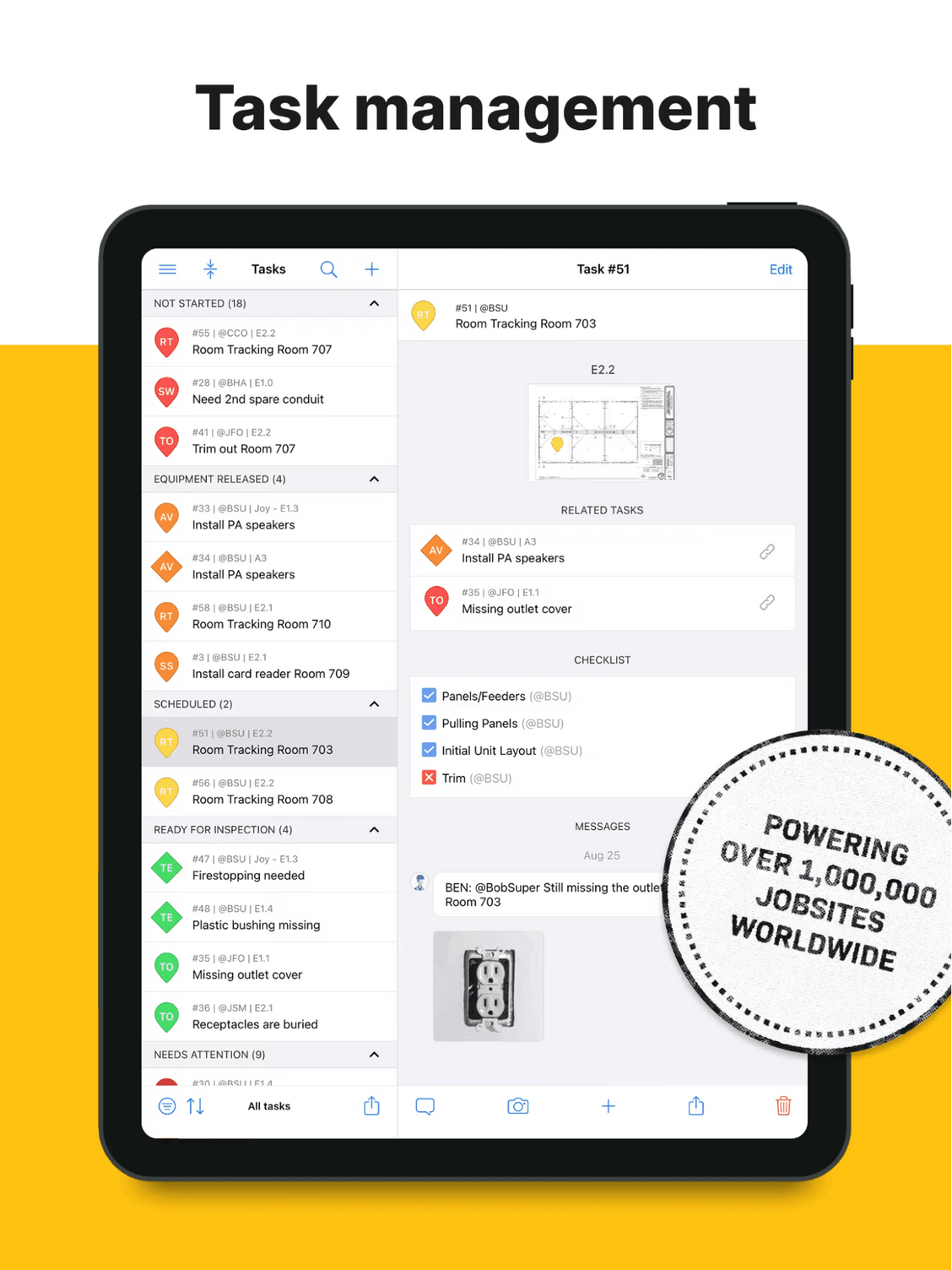
Tasks are created and tied to plans, locations, and trade responsibilities, allowing field teams to track progress and issues directly against drawings. This affects how consistently work is coordinated across crews and subcontractors.
The system emphasizes real-time updates from the field, with photos, checklists, and status changes feeding into project visibility. However, budgeting and cost tracking are not native core features and are typically handled outside the platform or through integrations.
Change tracking exists at the task and issue levels rather than as a formal financial workflow, meaning adjustments are visible operationally but not inherently tied to a project budget.
Pricing is per user, with tiered plans based on feature access. External collaborators can be included depending on the plan, which impacts how broadly the platform can be deployed across subcontractors.
Key Features
- Task-based field management: tasks tied to plans, locations, and trades for execution tracking
- Plan viewing and version control: drawings accessible on mobile with real-time updates
- Issue tracking and documentation: photos, checklists, and comments linked to tasks
- Team coordination: assignments, notifications, and status tracking across field teams
- Mobile-first workflows: designed for on-site usage with offline capabilities
Pros
- Strong adoption in the field due to simplicity and mobile usability
- Clear linkage between tasks and drawings improves coordination
- Fast onboarding compared to more complex systems
Cons
- Limited native budgeting and financial management capabilities
- Change tracking is operational rather than financial
- Requires integration with other systems for full project control
Pricing
- Basic: free plan available with limited features
- Paid plans: per user/month with tiered feature access
- Enterprise plans available for larger teams
6. Houzz Pro
Best for: Client-experience-first remodelers, not cost-control-first builders
Houzz Pro is a project management platform where client communication, selections, and approvals are handled within a single system alongside estimating and project tracking.
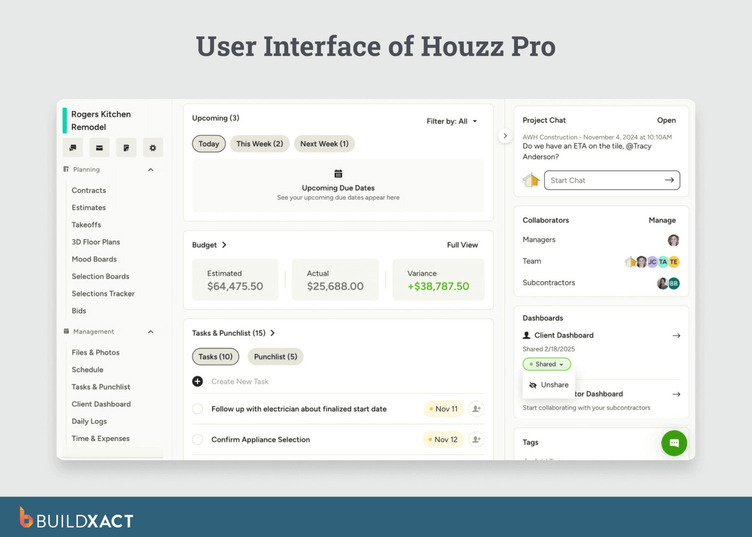
Change orders are created from the approved estimate, with planned and updated values shown together, so adjustments remain tied to the original scope.
The system maintains a consistent record of client communication, documents, and approvals within the platform, which affects how project decisions are tracked and referenced over time.
The constraint is in how costs are captured. Budget actuals reflect only financial activity recorded inside Houzz Pro. Expenses paid through external systems do not appear in the budget view, which means the estimated vs. actual comparison is incomplete if part of the workflow sits outside the platform.
Budget tracking is also limited to higher-tier plans, which changes how the system is evaluated for cost-focused use cases.
Key Features
- 3D renderings for client visualization: clients review design intent before construction begins
- Change orders from approved estimates: planned vs. updated values shown together within the same record
- Client communication hub: messages, documents, and approvals stored in one place
- Budget and financial reports (Custom plan): estimated vs. actual tracking available within the platform
- Digital approvals and e-signatures: estimates and change orders approved within the system
Pros
- Client communication and approvals remain in a single record
- Change orders stay tied to the original estimate, reducing version gaps
- Design visualization supports client-facing workflows during pre-construction
Cons
- Budget reflects only costs recorded inside Houzz Pro; external expenses are excluded from the estimated vs. actual view
- Budget tracking requires higher-tier plans
- Pricing and contract terms require confirmation before purchase
- Reporting depth and subcontractor payment handling may be limited depending on the workflow
Pricing
- Houzz Pro’s pricing is not publicly listed. Sign up for a demo or start a free trial with any of their plans to know what you’ll pay.
7. Procore
Best for: Builders moving into commercial work and need centralized documentation, structured cost control, and compliance workflows across large, multi-party projects
Procore is a construction management platform that tracks budgets, commitments, and change orders within a structured cost system designed for large projects.
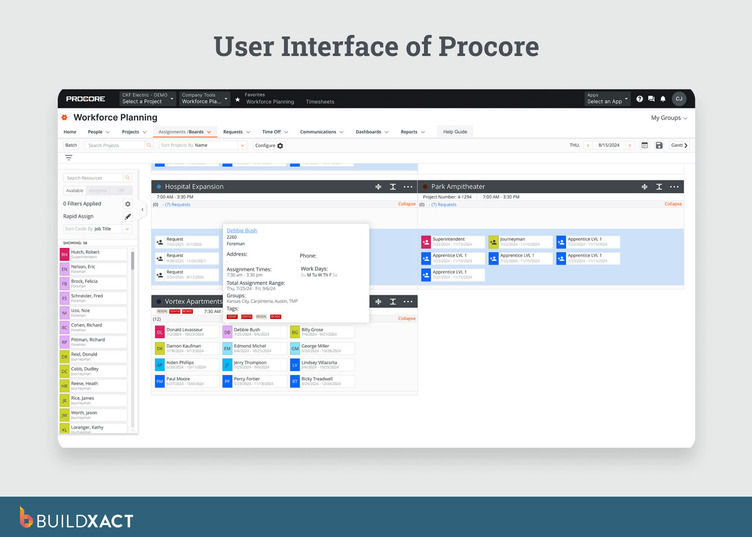
Approved commitment change orders update the Committed Costs column, while pending changes are tracked separately. Budget visibility depends on how consistently those workflows are maintained during the job.
Documentation, RFIs, and submittals are managed in a single system, allowing multiple teams to work from a shared set of records throughout a project.
The constraint is in how the job starts. Procore does not include built-in estimating in the standard product, so the estimate-to-job connection depends on an external system. The budget is established after that handoff rather than carried forward directly.
The platform requires administrative ownership to maintain cost tracking, documentation, and workflows. That structure supports large, compliance-heavy projects but introduces overhead for smaller teams.
Key Features
- Budget tracking with committed and pending cost separation: approved change orders update committed costs; pending items are tracked separately
- Change order workflow with status tracking: approved and pending changes visible within the budget structure
- Documentation control at scale: RFIs, submittals, plans, and reports managed within a shared system
- Field documentation via mobile: site updates, photos, and reports captured from the field
- Unlimited users: no per-seat pricing regardless of team size
Pros
- Structured cost tracking supports complex, multi-party projects
- Documentation and communication remain centralized across teams
- No per-user pricing as team size increases
Cons
- No built-in estimating in the standard product; estimate-to-job continuity depends on external tools
- Administrative overhead required to maintain budget and workflow accuracy
- Pricing scales with company size and is not publicly disclosed
- Configuration designed for large teams introduces friction for smaller residential operations
Pricing
Contact Procore sales to get a custom quote based on construction volume and licensed modules.
When Your Estimate and Job Stay Connected, Nothing Falls Out of Sync
Most of the problems that eat into margin on a residential job come down to the same thing: information that should be in one place ends up in three. A verbal change order that never made it into the budget. A cost that was posted to the wrong line item. A client question you can’t answer until you get back to the office and piece together a number from two different spreadsheets.
None of that is a process failure. It’s what happens when the tools you’re using don’t keep the job connected. The estimate lives in one place, the budget in another, and by the time the job is done, reconciling the two takes longer than it should.
Buildxact was built for a different kind of builder. One who is managing estimates, purchases, clients, and schedules without a back-office team. The estimate carries directly into the job.
Costs post against the original budget as they come in. Change orders update the numbers in real time. The whole workflow runs from one place without re-entry, reconstruction, or needing someone to hold it together.
For a residential builder running 3 to 20 active jobs, that’s the difference between knowing where a job stands while it’s active and finding out at closeout when there’s nothing left to do about it.
Start for free with a 14-day trial or book a demo to see how Buildxact keeps your estimate and your job in the same place.