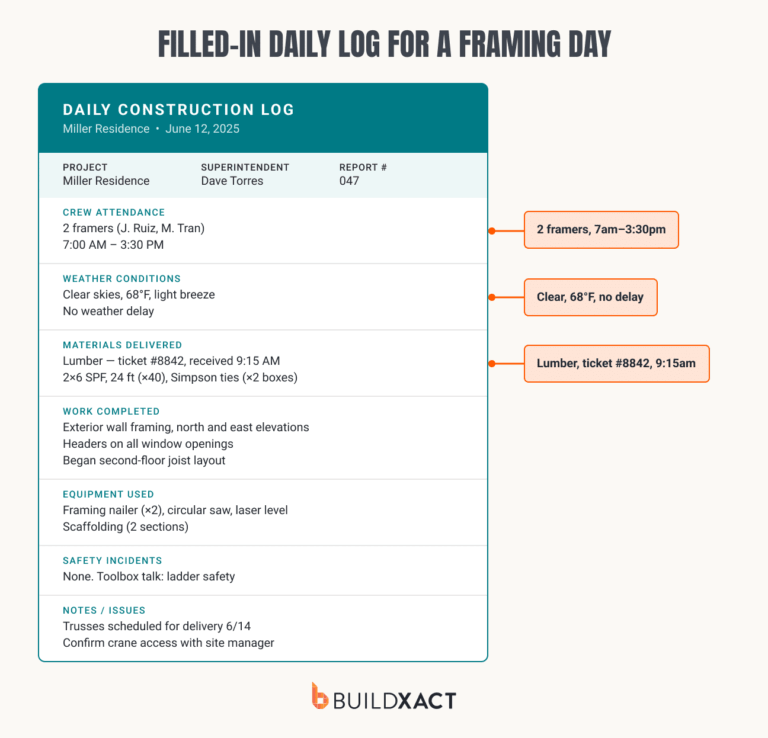
If you’re running multiple residential jobs at once, information tends to get scattered. Bids sit in one place, change orders in another, schedules somewhere else, and site notes live on a phone or in a message thread.
So when a client calls mid-job to ask for an update, you stop what you’re doing and piece together the details from memory, message threads, and whatever you can pull up quickly between tasks.
That costs time, breaks on-site momentum, and makes it harder to respond with confidence. When that keeps happening, cloud-based construction management software starts to feel less optional.
Most cloud-based construction management platforms were designed for very different types of builders. Some come from the world of larger commercial contractors, where there is more back-office support, more role specialization, and more time to implement systems properly.
Others are closer to how small residential builders actually work, where one person often handles pricing, client communication, scheduling, and delivery simultaneously.
That difference shapes the buying decision. A platform can look strong on paper and still create extra admin in practice if it assumes more staff, more setup time, or more process overhead than a small builder can carry.
This review looks at seven platforms through that lens, focusing on the things that affect day-to-day delivery most: field usability, how estimating connects to delivery, how quickly a small team can get up and running, how well the product fits residential workflows, and how clear the pricing is before you commit.
How to Choose the Right Cloud Construction Management Software
The right software depends less on which platform has the longest feature list and more on where your current workflow breaks down. Before you compare products, get clear on three things: what already works, how many jobs you run, and how much setup your team can realistically handle.
Start with what already works
If your estimating process is reliable and clients already receive clear, professional bids, avoid replacing parts of the workflow that already pull their weight.
You might end up spending money retraining people, rebuilding templates, and adjusting habits, yet the real bottleneck lies elsewhere.
In many small building businesses, the trouble starts after the bid goes out. Schedules slip, field updates get missed, change orders never make it back into the budget, and job numbers stay buried in spreadsheets instead of being carried through the job.
When your team rebuilds estimates for every job, stores project data across inboxes, notes, and spreadsheets, and waits until the job closes to understand the margin, you are working without a reliable system.
Start there to find the part of the job that keeps slowing everything down, then choose software that fixes that problem first.
Match pricing to how many jobs you run
Once you know what needs fixing, you can judge pricing with clarity. Job volume matters because software costs usually rise with features, users, or both. A plan that feels affordable at low volume can get expensive fast once more jobs, more people, and more field activity run through it.
If you only run a handful of active jobs each year, lower-tier pricing may be enough. That usually works best when the main need is estimating and bidding from a desk.
As volume picks up, scheduling, mobile access, and field visibility start to matter more. That is where mid-tier plans often start earning their keep, especially when the software needs to support both pre-construction and delivery.
Once the team grows or the workload gets heavier, pricing structure matters as much as sticker price.
Per-seat costs can climb quickly. Flat-rate or unlimited-user models can make more sense when several people need access across the life of the job.
Do not stop at the monthly fee. Ask how long setup takes, what needs manual configuration, what support comes with onboarding, and whether integrations work out of the box. A cheaper plan can still cost more once rollout starts.
Be honest about your team’s technical capacity
A platform only helps if your team can set it up and keep using it.
Some tools are easy to set up and easy to learn. Others ask for more time, more training, and more internal ownership before they pay off. Neither approach is inherently better; the question is whether your team can carry the setup without letting the rest of the business slip.
This is where many small builders get stuck. They walk away because nobody owns the rollout, field crews never adopt it, or the setup drags on until everyone falls back to calls, texts, and spreadsheets.
Look at your team honestly. Who will lead the setup? How many hours each week can you give it? Will the people on-site actually use it when the day gets busy?
The best tool is the one your team will keep using as the job moves fast.
The 6 Best Cloud-Based Construction Management Software Tools for Residential Builders
1. Buildxact
Best for: Small residential builders who want estimating, takeoffs, scheduling, and client billing in one system without taking on enterprise software overhead.
Buildxact is a cloud-based estimating and project management platform designed for residential builders who need to manage projects from first takeoff through final billing without switching between tools.
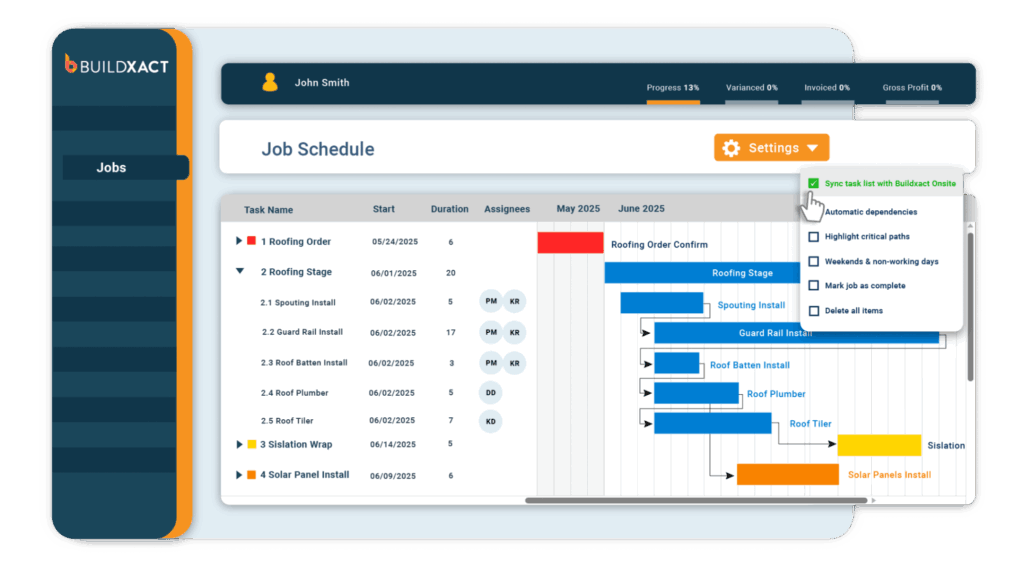
It handles takeoff, estimating, scheduling, client billing, and field access in one system, so the job can move from bid to delivery without getting rebuilt in new tools at every stage.
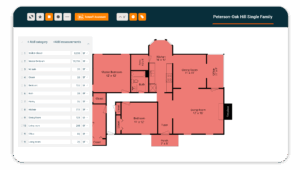
That matters most when estimating is where the work starts to break down. Material quantities from the takeoff flow straight into the estimate. Assemblies let you save repeatable scopes so you are not pricing the same wall, floor, or room type from scratch every time.
Live Home Depot pricing helps keep material costs up to date within the estimate itself. Once the client approves the job, you can move straight into scheduling and project management, rather than starting over on a separate platform.
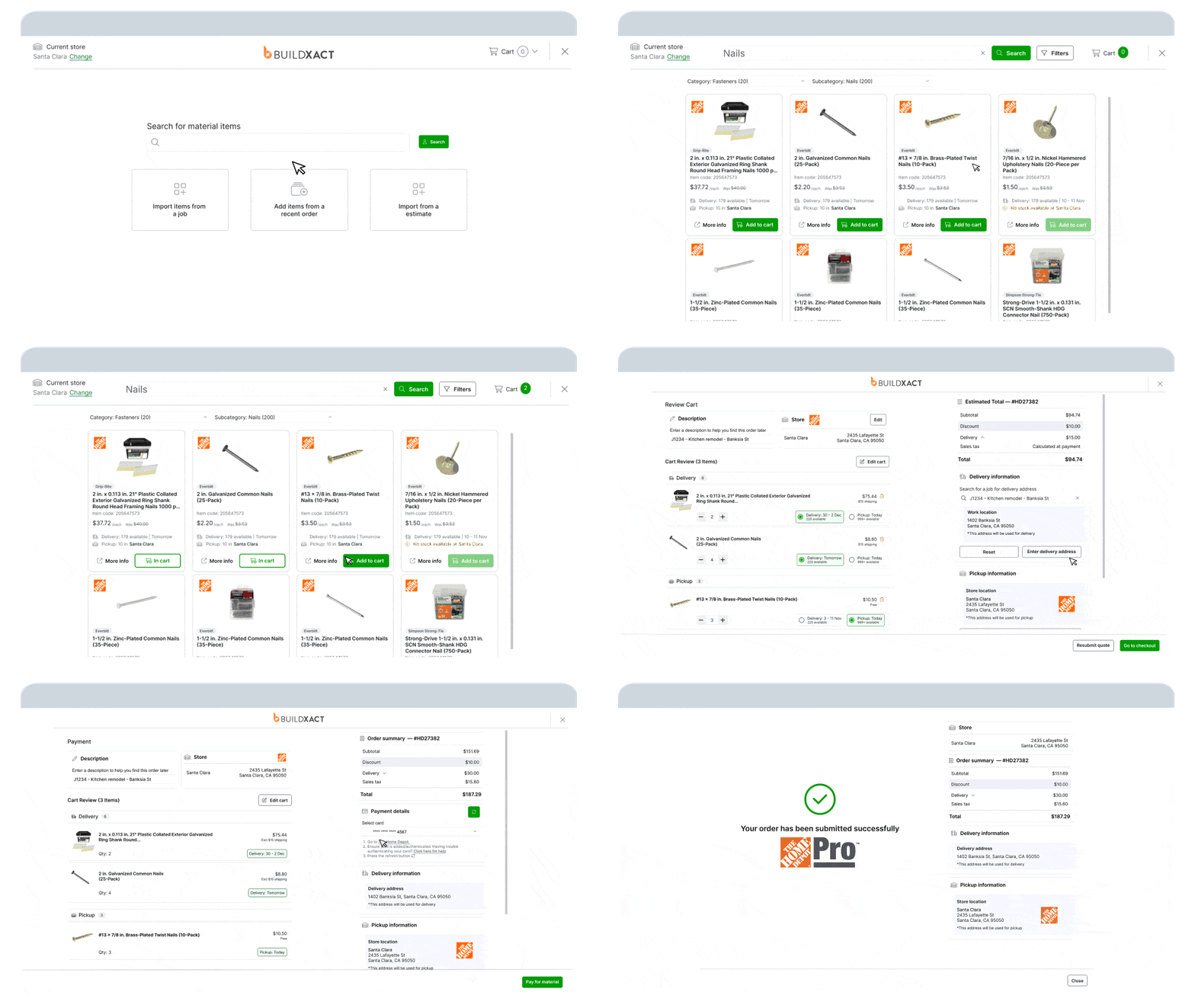
Buildxact makes the most sense when estimating and bidding create more drag than field coordination, and when the same person still wears multiple hats across the job.
It is also a strong fit if:
- Estimating and bidding take too much time or require too much rework
- The same person is handling estimating, job coordination, and client communication
- You want one system that carries the job from takeoff through delivery without a heavy rollout
- Heavier contractor platforms have felt harder to manage than the work itself
Key features
- Digital takeoffs push material quantities directly into the estimate, which cuts out re-entry and reduces transcription mistakes
- Assemblies let you build reusable material and labor groupings for repeat scopes
- Live pricing brings current material costs into the estimate without manual vendor checks
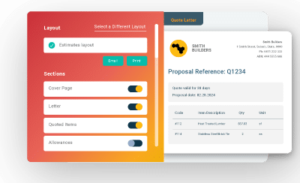
- Client-facing bids include line items, specifications, product images, allowances, and terms
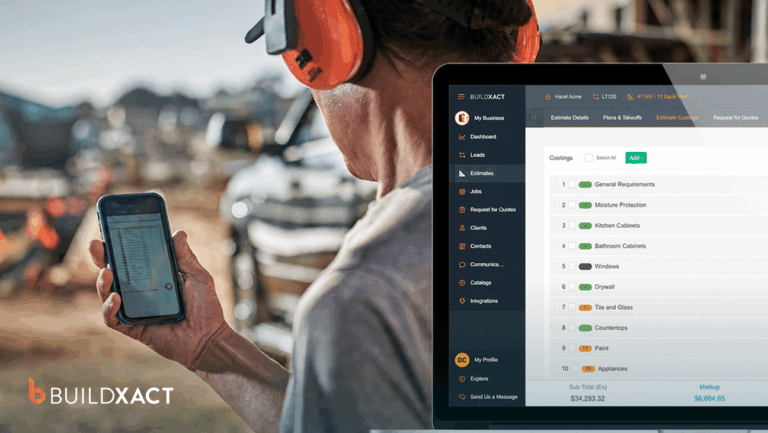
- The on-site mobile app on Pro and Master plans gives field teams access to schedules, daily logs, photos, PDFs, and timesheets
Pros
- The takeoff-to-estimate flow removes one of the most error-prone parts of residential estimating
- Assemblies save time on repeat work and make pricing more consistent across similar jobs
- Bid output looks polished enough for client presentation without needing extra cleanup
- The platform is easier to adopt than heavier contractor systems, especially for smaller teams
Cons
- The product is built around residential work, so commercial jobs or mixed portfolios may push beyond its sweet spot
- The entry plan focuses on estimating and bidding, while scheduling and mobile access sit higher up the pricing ladder
Pricing
Pricing starts at $199 per month for Foundation, with a discounted annual rate of $169 per month.
The Pro plan runs $399 monthly or $339 annually, and the Master plan costs $649 monthly or $552 annually.
Optional add-ons include AI Takeoffs and AI Estimating for $99 per month each and AI Review for $149.
2. Buildertrend
Best for: Residential builders who need broader operational coverage and have enough team support to implement it properly.
Buildertrend is a cloud-based construction management platform for home builders, remodelers, and specialty contractors. It brings leads, estimating, scheduling, client communication, selections, financial workflows, and project management into one system, with unlimited users included in the subscription.
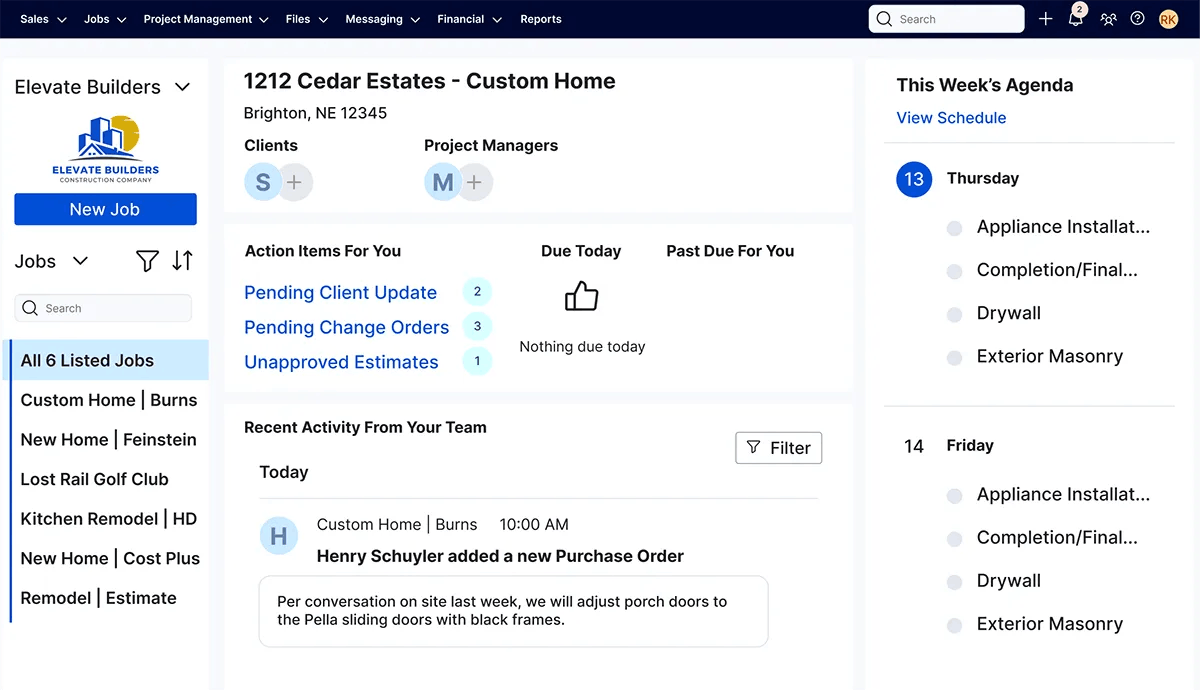
Buildertrend can replace a stack of separate tools and give growing teams one place to run more of the business.
Buildertrend is a strong fit if:
- You have admin support or a clear owner for setup and ongoing system upkeep
- Running more jobs has made your current mix of tools harder to manage
- You want to consolidate more of the business into one platform
- Your team has the time and budget for a longer implementation
Key features
- Unlimited users, which removes per-seat pressure as teams and subcontractor access grow
- Mobile access for crews and subs, including daily logs, a geofenced time clock, and portals for clients and subcontractors
- Change orders, invoices, purchase orders, plans, and selections are managed inside the platform
- QuickBooks integration for teams already using that accounting stack
- Structured onboarding with setup support, data migration help, and 24/7 support
Pros
- Unlimited users is a real advantage for growing teams with staff, subs, and clients all touching the system
- The platform covers a wide enough range of workflows that many teams can reduce their dependence on extra tools
- QuickBooks integration will matter for builders who already run accounting through Intuit
- The onboarding model is better suited to teams that need help getting a complex system in place
Cons
- The interface is clunkier and slower than it needs to be for simple tasks
- Builders managing several jobs at once may feel the limits of seeing all crews and subcontractors across the full portfolio at the same time
- Pricing is not public, so you have to go through sales before you can judge the real cost
Pricing
Buildertrend does not list pricing publicly. Reach out to their sales team to get a quote based on your needs.
3. Procore
Best for: Commercial general contractors running large, complex projects with dedicated staff, formal processes, and the budget to support enterprise software.
Procore is a cloud-based construction management platform built for large commercial projects with many moving parts, many stakeholders, and extensive documentation.
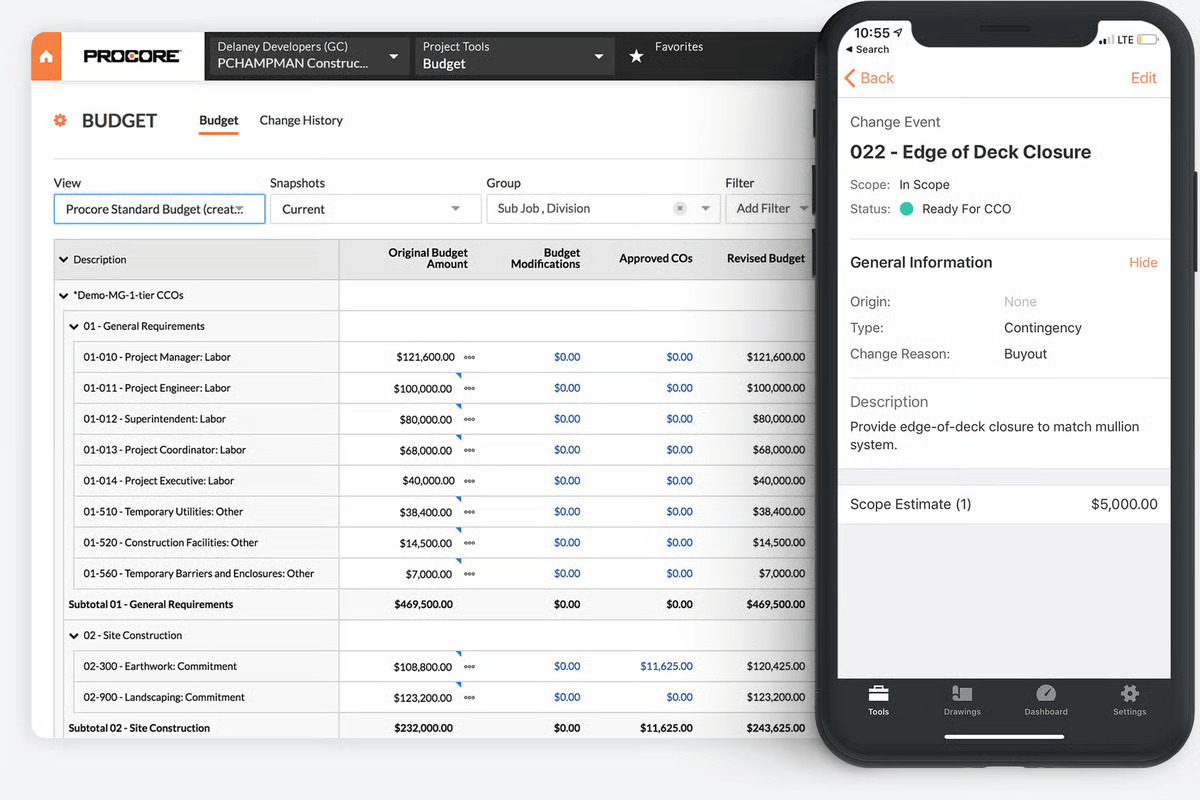
Its pricing model, rollout process, and product structure all reflect that. It is built for organizations that already have specialist roles, established workflows, and enough internal support to carry a longer implementation.
Getting Procore in place takes work. Procore’s own documentation points to a structured implementation with defined team roles, a dedicated project manager, and optional paid professional services. The product structure matters too.
Procore Estimating is sold separately from core project execution. So if a buyer expects estimating and project delivery to be bundled into one purchase, they need to price that reality up front.
Procore is a strong fit if:
- You are managing large commercial projects with multiple stakeholders and specialist roles
- RFIs, submittals, change orders, and document control are central to how the job runs
- Your team has the internal support to handle implementation and ongoing system ownership
- Your business can justify enterprise-level software spend for more complex projects
Key features
- Centralized drawing and document control for teams working across complex plan sets
- RFI, submittal, and change order workflows built around commercial project requirements
- Field documentation tools for photos, daily reports, and real-time job updates
- Offline mobile access with cached sync when connectivity returns
- Unlimited users included in the contract
Pros
- The platform handles documentation-heavy, multi-stakeholder projects better than lighter residential tools
- Unlimited users make broad collaboration easier across large teams and external partners
- Offline mobile access matters for field teams working in low-connectivity environments
- Buyers can license specific modules instead of taking the whole platform at once
Cons
- Pricing is not public, so you need a sales conversation before you can judge the real cost
- Estimating sits outside the core package, which adds cost for buyers who need both workflows
- Implementation takes time, structure, and often paid support
- If teams stop maintaining project data closely, the system becomes less useful quickly
Pricing
Procore provides a custom quote based on your needs.
4. Autodesk Forma
Best for: Design-build firms and commercial teams already using Autodesk tools and needing tighter document control, BIM coordination, and cross-discipline collaboration.
Autodesk Forma (formerly, Autodesk Construction Cloud) is a modular construction management platform used on larger, design-driven projects where architects, engineers, field teams, and owners all need to work from the same set of drawings, documents, and models.
It covers document control, field workflows, preconstruction, and BIM collaboration across a group of separately purchased products.
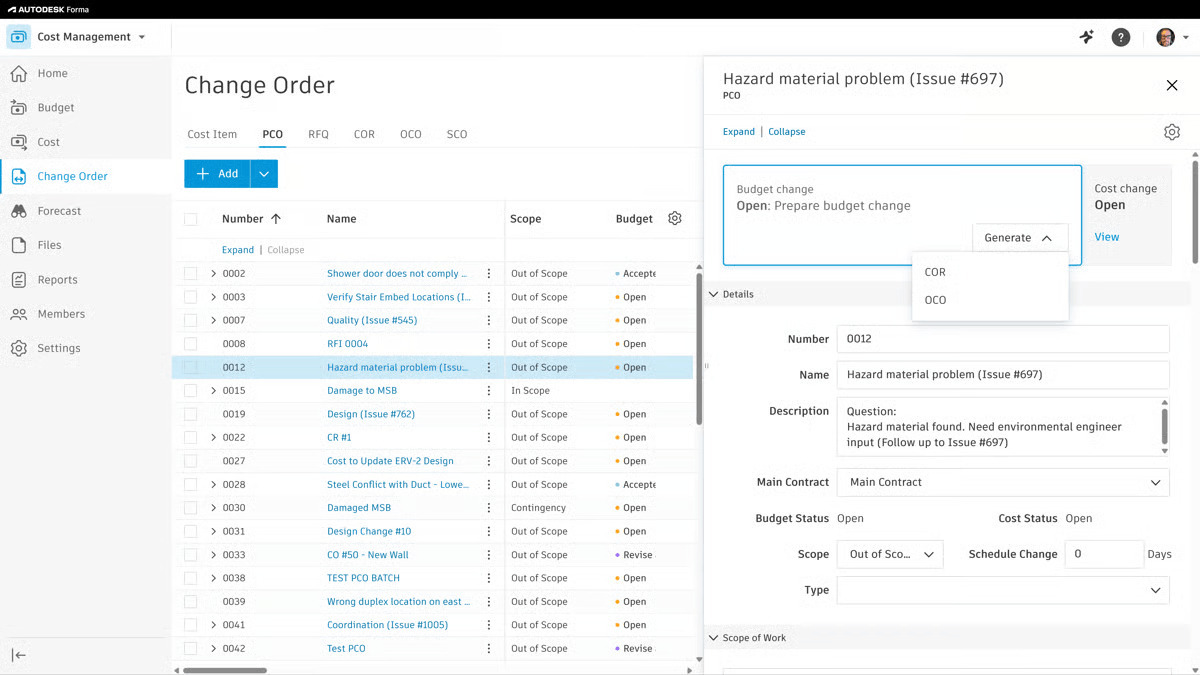
It delivers when project complexity is high, daily coordination is required, and multiple disciplines require tight version control.
Autodesk Forma is a strong fit if:
- Your team already works inside Autodesk products
- BIM coordination and design collaboration are central to the project workflow
- You need stronger document control across architects, engineers, and field teams
- Your business has the budget and internal support for a more complex rollout
Key features
- Document storage and version control for teams managing large drawing sets across multiple disciplines
- BIM and Revit integration for firms where design collaboration drives the project workflow
- Mobile field access with offline support for plans, markups, and issue logging
- A large integration ecosystem with hundreds of pre-built connections
- Modular product structure so teams can buy specific capabilities instead of one all-in package
Pros
- Strong document control for complex projects with a lot of stakeholders and drawing revisions
- BIM integration makes more sense here than it does in builder-focused residential platforms
- Offline mobile access helps field teams keep working when connectivity drops
- The integration ecosystem gives larger teams more flexibility if they already run multiple systems
Cons
- Estimating appears weaker than the rest of the platform, especially for residential-style quoting workflows
- Per-seat pricing can become expensive quickly, including for subcontractors who only need limited access
- The shift from ACC to Autodesk Forma can make evaluation harder because product names and capabilities are not always easy to map
- Some pricing paths still require a custom quote, which makes comparison harder up front
Pricing
Autodesk Forma provides two pricing options: bundle offers and per-product pricing. Contact the team to get a quote.
5. Houzz Pro
Best for: Remodelers and residential builders who win work through presentation, client experience, and a smoother front-end sales process.
Houzz Pro is a cloud-based platform for residential remodelers and design-focused builders. It brings leads, proposals, estimates, contracts, invoices, and client communication into one flow.
That makes it stand out less as a project control tool and more as a client-facing system that helps builders look organized from the first inquiry through to a signed job.
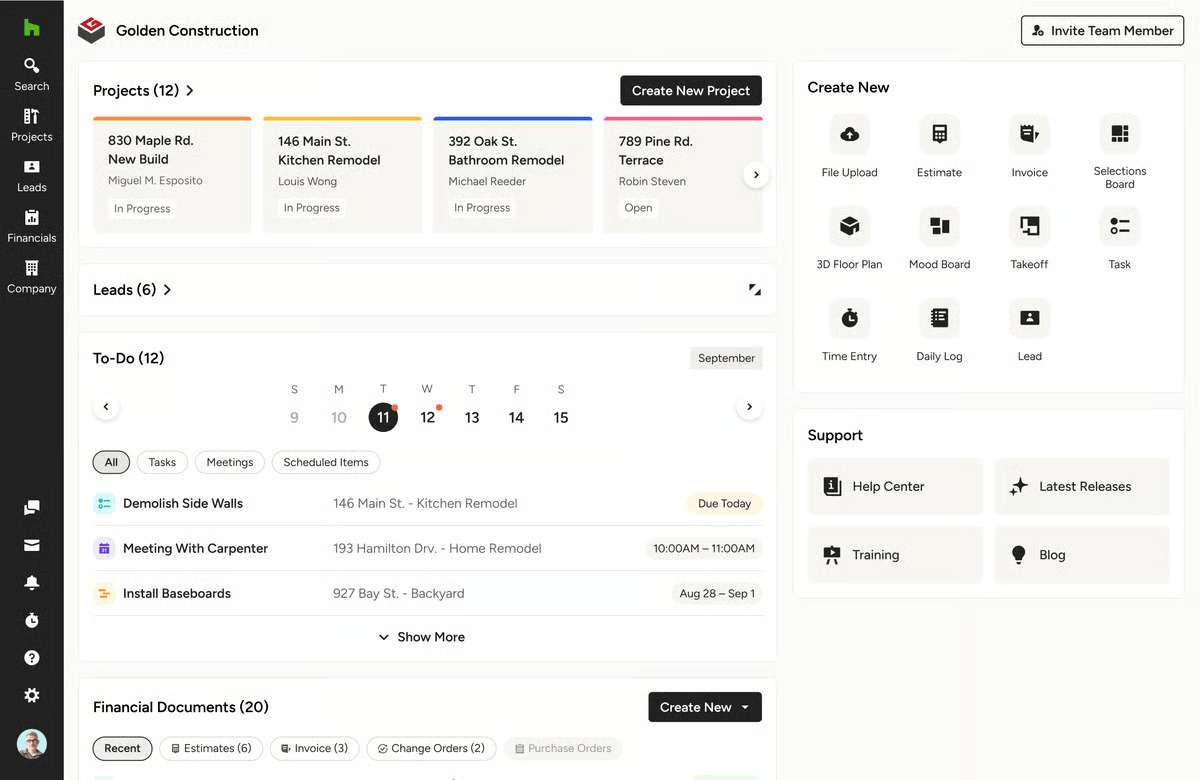
Houzz Pro makes more sense when the front end of the job matters just as much as delivery, especially for businesses that compete on presentation, responsiveness, and a polished client experience.
Visual tools like 3D floor plans and proposal presentation support that kind of sale in a way most builder-focused platforms do not.
The trade-off becomes clear once the job becomes more operationally demanding. For builders who need tighter cost control across active jobs, Houzz Pro is usually not the first tool that comes to mind.
Takeoff is another boundary. It is not included in the base Pro plan, so buyers who assume it comes standard may not catch that until they get into the plan details.
Houzz Pro is a strong fit if:
- Client presentation plays a major role in how you win work
- You want leads, proposals, contracts, invoices, and client communication in one place
- Your business values a smoother front-end sales process more than deep operational controls
- Visual proposals and design tools help you move projects forward
Key features
- End-to-end client flow covering leads, proposals, contracts, invoices, and the client portal
- 3D floor plans and visual proposal tools for businesses that sell on presentation
- Mobile app for on-site project management, file uploads, and client messaging
- Estimate-to-invoice workflow confirmed in reviewer feedback
- Live webinars and on-demand training resources for self-serve onboarding
Pros
- Published entry pricing makes it easier to evaluate than quote-only platforms
- The lead-to-invoice flow is a real advantage for businesses trying to keep the client experience smoother
- Training resources appear more current and more accessible than what some heavier platforms provide
- The product feels closely aligned to residential remodeling and design-forward work
Cons
- Takeoff sits behind Custom and Enterprise plans rather than the base Pro tier
- Reviewer feedback points to reporting limits and a learning curve
- Contract and renewal complaints show up in Capterra reviews
- Performance issues, including slow load times and sync problems, come up often enough to matter for smaller teams
Pricing
Houzz Pro offers three pricing plans: Pro, Custom, and Enterprise. You’ll need to sign up for a demo to know what you will pay for each plan.
6. Fieldwire by Hilti
Best for: Field-heavy teams that need better on-site coordination without trying to run the entire business in one tool.
Fieldwire is a field management platform built around what actually happens on a jobsite. Plans, tasks, punch lists, inspections, and day-to-day coordination all live in one place. It does not try to handle estimating, accounting, or full project controls. It focuses on execution.
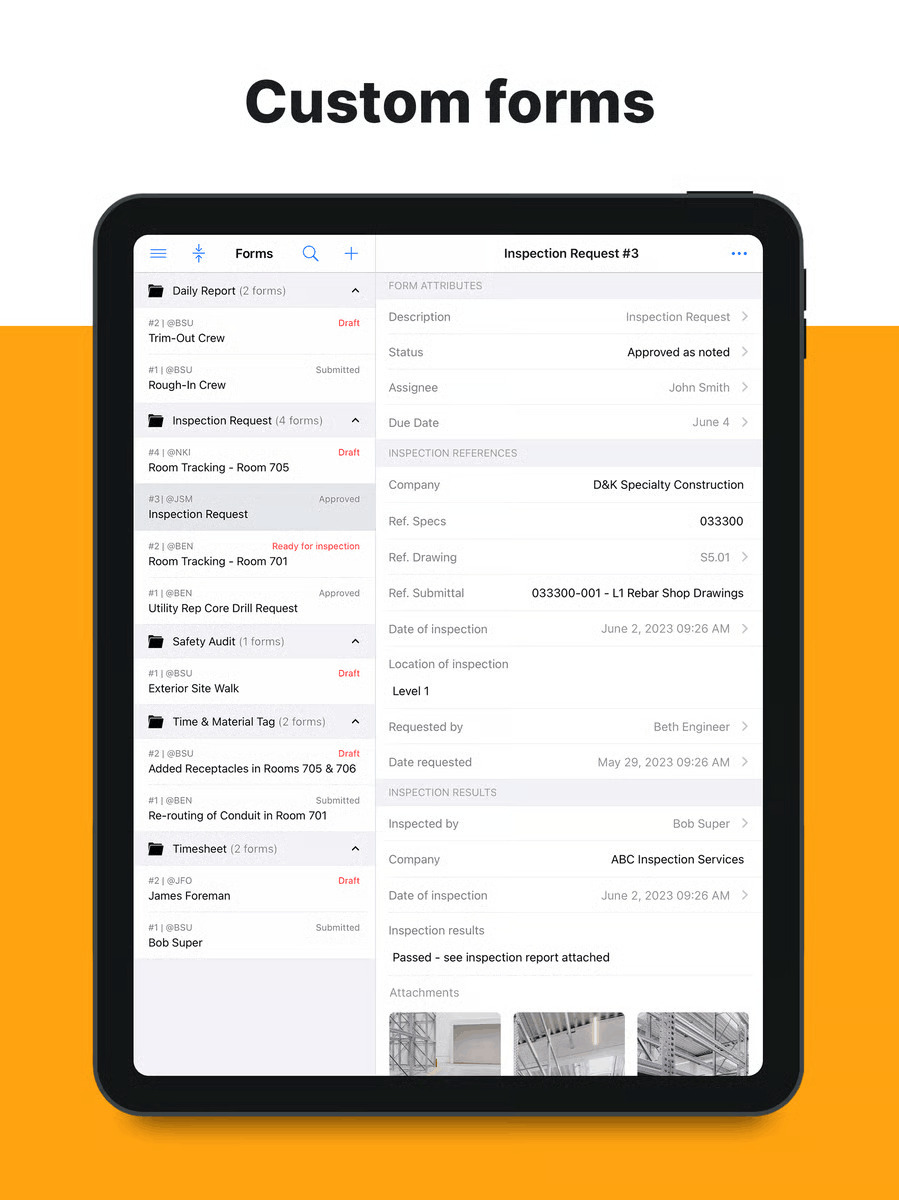
That focus is the reason to use it. Crews can pull up the latest drawings, assign tasks directly on plans, track issues with photos, and keep work moving without chasing updates across calls, messages, and paper plans. The tool feels fast because it is built for the field first.
The limitation is just as clear. Fieldwire does not replace a full construction management system. If you need estimating, procurement, or job costing, you will still run those somewhere else. For some teams, that is fine. For others, it creates another layer in the stack.
Fieldwire is a strong fit if:
- The main coordination problems are happening on-site, not in the office
- Crews still rely on paper plans, messages, or ad hoc updates to stay aligned
- You need a field tool that teams can adopt quickly without much training
- Estimating, accounting, and other back-office workflows already live somewhere else
Key features
- Plan viewing with version control and automatic updates
- Tasks tied directly to drawings with assignments and deadlines
- Punch lists, inspections, and issue tracking with photo documentation
- Offline mode with sync when the connection returns
- Mobile apps built specifically for field use
- Integrations with tools like Procore, Autodesk, Google Drive, and Dropbox
Pros
- The mobile experience is faster and easier to pick up than most construction tools
- Offline mode makes it reliable on active job sites
- Teams tend to adopt it quickly because it matches how work already happens on-site
- The feature set stays focused instead of trying to do everything
Cons
- It does not handle estimating, scheduling depth, or job costing
- Reporting and financial visibility are limited compared to broader platforms
- You may still need separate tools for office workflows
- Larger, more complex projects may expose gaps over time
- Integration depth depends on the other systems you use
Pricing
Free basic plan available. Paid plans start around $39/user/month. Higher tiers unlock more advanced features. Confirm current pricing with Fieldwire.
Choose a Cloud Construction Management Platform That Fits Your Operation
The best construction management software is the one that helps you run your business better, with less friction, from the first job onward.
That client call mid-job, the one where you stop everything to piece together an update, gets easier when your bids, schedules, and job data all live in the same place.
Buildxact stands out because it is built for builders who need estimating, takeoff, project management, and cost control to work together within a single practical workflow.
Instead of forcing you to stitch together separate tools or adapt to a system designed for a larger enterprise, Buildxact is built around how small- and mid-sized residential builders, remodelers, and trade contractors actually operate.
That matters in the real world. You need software that your team can learn quickly, use consistently, and rely on every day. Buildxact gives you that path without the overhead, complexity, or long implementation cycle that often comes with broader systems.
If your goal is to price jobs accurately, stay on top of costs, and keep projects moving without adding operational drag, Buildxact is the right fit. Start for free or sign up for a demo to see how well it fits into your construction workflow.