
As a residential builder, you’re expected to run jobs and be the system that holds them together.
You’re the one fielding calls about delivery status, tracking whether changes made it to the budget, chasing subs for updates, and remembering which client approved what. On top of that, you’re expected to be on-site for the building.
And most build management tools don’t fix this. They give you one more place to enter data, but the schedule, budget, and communication still live in different places.
You’re still the one connecting the dots to successfully manage a build. So we looked at what residential builders actually need from a build management platform:
- Job data that stays connected from estimate through completion
- Changes that carry forward from approval to schedule to billing
- Field updates that feed back without you being the middleman
- Visibility into cost drift before the job closes, not after
If that’s what you’re looking for, this guide breaks down what to evaluate and compares six platforms through that lens: what each does well, where it falls short, and who it fits.
Key Capabilities to Evaluate When Choosing Build Management Software
Once you move past feature lists, the real differences between build management platforms show up after the job starts. This is where many tools that look similar on paper begin to behave very differently in practice.
Use the capabilities below to evaluate how a system actually holds a live build together and where you still need to fill the gaps.
Where takeoffs, pricing, and scope live once the job starts
Every project ends up with a “source of truth.” The question is whether that source is the system, your inbox, or your notebook.
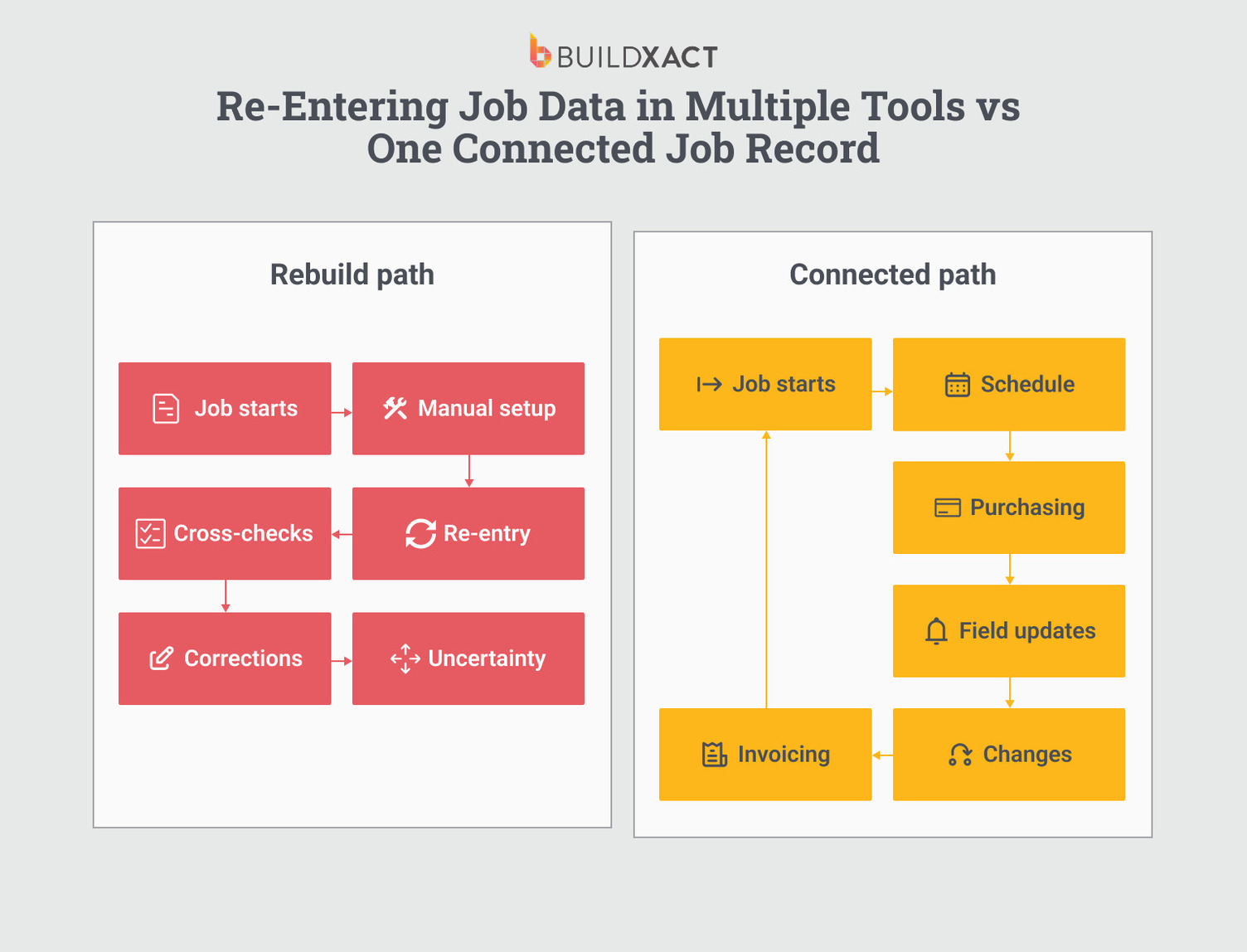
Some platforms store estimates in one place, schedules in another, and costs in yet another. Others keep everything technically “in one tool” but they remain disconnected. The difference matters once execution begins.
Ask where the schedule is built from and where costs accumulate. Most importantly, ask whether you can see scope, timing, and cost together without switching screens or re-entering information. If the answer involves exporting, syncing, or manual updates, the system isn’t really carrying the job forward. You are.
How pricing and quantity changes carry forward automatically
Change orders are where most systems get exposed.
What happens when a client approves a change on-site? Who records it? Where does it go next? Does it update the budget, adjust the schedule, and flow into the bill, or does it stop at approval and rely on someone to follow through?
A simple test: can you trace a single approved change from the moment it’s agreed to the final job cost without touching multiple tools? If not, that gap is where revenue and margin leak.
How field activity feeds back into job control
Mobile access isn’t the real question. What matters is what your crew can actually update without office intervention.
Can tasks be marked complete in a way that affects the schedule? Can photos, notes, or hours be fed into cost tracking, or does progress stall unless someone in the office translates field updates into the system?
Try the bottleneck test: if you’re unavailable for a day, does the job still move forward cleanly?
How pricing and scope stay aligned during execution
Many builders don’t discover margin issues until reconciliation, when it’s too late to correct them.
Real-time visibility means knowing where the job stands while work is still underway, not after the bill is issued. Ask when the system shows you the difference between estimated and actual costs. Is it during execution, or only at closeout?
That timing determines whether you’re managing the job or flying blind until the end.
How much effort does the system require upfront?
Every platform involves tradeoffs. Some require a detailed setup before they’re useful. Others work quickly out of the box but offer less control as jobs get more complex. More structure upfront usually means more power later, but also higher adoption friction.
The key is matching the system to the configuration your team is realistically willing to maintain, not to what the software can theoretically do.
Build Management Software Comparison
Below are six platforms that residential builders use to manage active jobs. Let’s stack them up and see how each handles changes, costs, and day-to-day coordination.

1. Buildxact
Best for: Residential builders who want estimating, scheduling, and job costing connected from bid through construction without managing data across separate systems.
Buildxact is a cloud-based construction management software built specifically for residential builders and remodelers. It combines digital takeoffs, estimating, scheduling, job costing, invoicing, and client communication into a single platform.

Its core design centers on continuity from estimate to execution. Quantities measured during takeoff feed directly into the estimate.
From there, the estimated line items can generate schedule tasks and serve as the basis for project budgets. This reduces the need to recreate the scope when a job moves from pricing into active construction.
Before adopting Buildxact, Matthew McCrimmon of Sabado Homes described managing projects through “a menagerie of spreadsheets, Word docs, text messages, emails, and notebooks.” After implementing the platform, his team relied more on the system as a shared source of project information rather than routing routine questions through him.
Key features
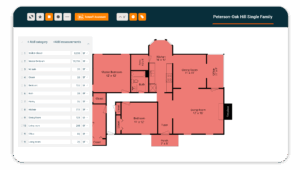
- Blu Takeoff Assistant (AI-assisted): Blu auto-scales uploaded plans, auto-measures floor areas, and supports digital quantity takeoff directly from drawings, eliminating the need to print and scale by hand. Measured quantities link into the estimate, removing the need to re-enter takeoff data.
- Blu Estimate Reviewer: The Reviewer highlights potential omissions and prompts review of items such as administrative costs, compliance considerations, and markup components before finalizing the estimate. It functions as a structured checklist rather than an automated guarantee of completeness.
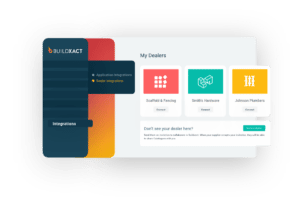
- Live dealer pricing integration: Buildxact integrates with participating material dealers, including The Home Depot, so current dealer pricing flows into estimates rather than relying solely on static price books.
- Schedule built from estimate: Schedule tasks can be generated from estimate line items, so pricing scope forms the basis of the project timeline. When estimates change, updates can be reflected in scheduling and job budgets.
- Job costing during execution: Builders can compare actual costs against estimated values while the job is active rather than waiting for final reconciliation, providing visibility into budget variance during construction.
- Accounting integrations: Buildxact provides native Xero integration. QuickBooks integration is available but is more limited in scope than Xero’s. The platform does not currently offer a public open API or Zapier connector for custom integrations.
- Client portal: Clients can access project updates, documents, and communication within the system.
Pros
- Estimate data carries forward into scheduling, job costing, and invoicing
- Integrated takeoff, estimating, and scheduling workflow in one platform
- Real-time cost comparison during active projects
- Unlimited users are included in all subscription tiers
Cons
- Designed around a full estimate-to-execution workflow, teams needing only scheduling or only budgeting may not use the entire system
- Strongest accounting integration is with Xero; QuickBooks depth is more limited
- No open API or Zapier connector for advanced custom integrations
Pricing
The Foundation plan at $199/month is built for pre-construction, including digital takeoffs, estimating, and dealer pricing. When you’re ready to manage the job during construction, the Pro plan at $399/month adds scheduling, job costing, and the tools needed to run active projects.
2. Buildertrend
Best for: Mid-sized residential builders who want scheduling, financial management, and homeowner communication on one platform, and who are prepared for a structured onboarding process.
Buildertrend is residential construction management software that combines scheduling, daily logs, budgeting, invoicing, change orders, and client communication in a single system.
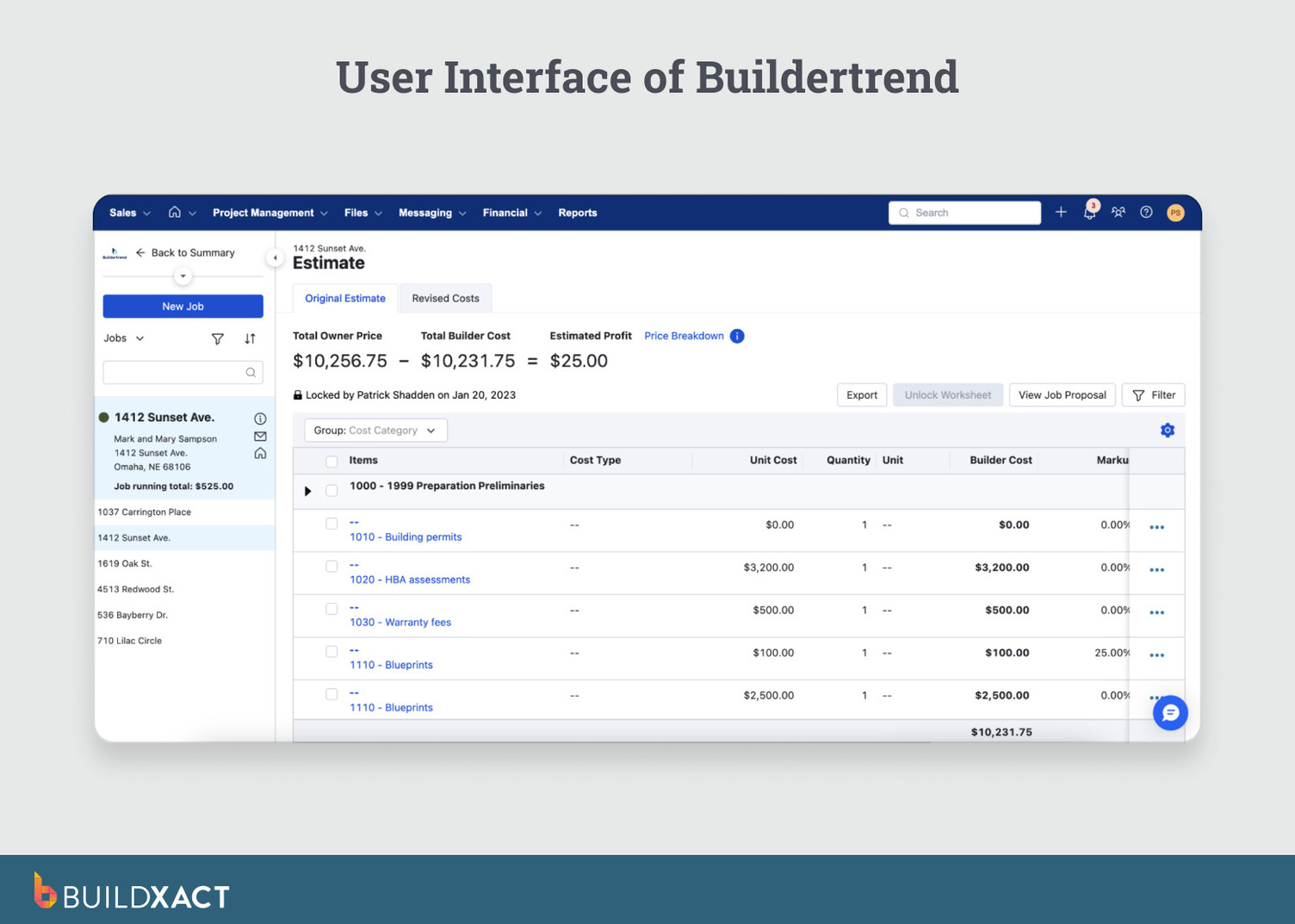
Buildertrend’s users can manage timelines, financial records, homeowner selections, and field updates within the same environment. However, that value depends on setup and consistent use: scheduling, budgets, and change orders must be kept up to date within the system for visibility to hold.
Key features
- Scheduling with Gantt charts: Build project timelines with task dependencies and update schedules as conditions change. The system notifies assigned team members when tasks shift.
- Client portal: Homeowners log in to view progress, approve selections, review documents, and communicate within the platform.
- Change order management: Record scope changes and connect approvals directly to budget updates so financial records reflect revised scope.
- Daily logs and financial tools: Capture field updates and photos. Manage budgeting, invoicing, purchase orders, and lien waivers, with integrations for QuickBooks and Xero.
Pros
- Broad coverage across scheduling, financials, and client communication in one system
- Homeowner portal supports structured approvals and documentation
- Unlimited users under a company license
Cons
- Requires onboarding and structured setup before teams see full value
- Users report inconsistent mobile performance, including slow load times and limited offline functionality
- Data export lacks bulk download options, increasing switching friction
Pricing
Buildertrend offers custom quote-based pricing.
3. JobTread
Best for: Small to mid-sized contractors who want financial visibility during active projects without adopting an enterprise-scale system.
JobTread is construction management software built around a budget-first workflow. Each project begins with a defined budget, and the system tracks actual costs against that budget as purchase orders, bills, and time entries are recorded.

The platform focuses on keeping financial tracking central during execution rather than reconciling costs after closeout.
Key features
- Budget-first job management: Start each project with a budget. As costs enter the system, JobTread compares actuals with estimates in real time.
- Customer and vendor portals: Provide external stakeholders access to relevant job information through unlimited portal accounts. Field crew can upload photos and log notes without requiring paid user seats.
- Estimating with on-screen takeoff: Upload plans and measure digitally. Estimates feed directly into budgets and proposals so financial tracking aligns with bid scope.
- Open API and integrations: Connect with QuickBooks Online and Desktop, Stripe, Slack, and Zapier. The open API supports custom integrations beyond standard connectors.
Pros
- Budget versus actual costs tracked in real time as jobs progress, not after they close.
- Every feature is included in every plan. No features locked behind higher tiers.
- Vendors, subs, and clients get free portal access with no per-user charges.
- Open API and Zapier connector for custom integrations.
Cons
- Updating a cost item in the catalog does not automatically update cost groups that use it. You have to go through each one manually.
- Takeoff measurements can be imprecise on some plans, which affects the accuracy of downstream estimates.
- No internal messaging between team members. You cannot see where users are currently clocked in.
Pricing
JobTread charges per user, starting at $199/month for the first user and $20/month for each additional. Annual billing drops to $159 and $18. Every feature is included across all plans, so the only variable is team size.
4. Houzz Pro
Best for: Builders and remodelers who already generate leads through Houzz and want project management tools within the same platform.
Houzz Pro is a lead-generation and project management platform built on Houzz’s network. It combines marketing tools, CRM functionality, estimating, and basic project management features.

The platform centers on pipeline generation first, with project management layered in, rather than starting as a construction operations system.
For builders who rely on Houzz for visibility and inbound leads, this keeps marketing and project coordination in one place.
Key features
- Lead generation through the Houzz marketplace: Your profile appears to homeowners searching for builders in your area. Leads are entered into the built-in CRM so you can manage inquiries and projects in the same system.
- 3D floor plans and room scanning: AI-powered tools scan rooms and generate 3D floor plans to support pre-construction planning and client presentations.
- Client dashboard: Homeowners view progress, approve selections, review documents, and communicate inside the platform.
- Estimates, proposals, and scheduling: Create estimates, send branded proposals with e-signatures, and manage timelines through calendar and Gantt views. Integrates with QuickBooks Online.
Pros
- Houzz’s marketplace of 70+ million homeowners is a lead source.
- 3D floor plans and room-scanning help remodelers communicate design intent to clients before construction begins.
- 30-day free trial with no credit card required.
- Proposals are polished and branded, giving smaller builders a professional edge when clients compare bids from multiple contractors.
Cons
- Marketing add-ons and upgrade prompts appear throughout the platform, even for users who only need project management
- 12-month contract with automatic renewal. Cancellation requires written notice 30 days before the renewal date.
- No time tracking. Scheduling uses a calendar and basic Gantt views without task dependencies or a critical path.
- Integrations are limited to QuickBooks and Gmail. No open API or no Zapier integration.
Pricing
Houzz Pro has three paid tiers: Pro, Custom, and Enterprise. Prices are not published. The Pro plan includes estimates, invoicing, 3D floor plans, and CRM. Scheduling, takeoffs, daily logs, budgets, and change orders require the Custom plan. A free plan is available with limited access to 3D floor plans, estimates, and invoicing.
5. Contractor Foreman
Best for: Small to mid-sized general and trade contractors who want broad construction management functionality at a low monthly starting cost.
Contractor Foreman is construction management software that combines estimating, scheduling, job costing, time tracking, invoicing, and financial controls into a single system.

It positions itself as an all-in-one platform for contractors who want to replace spreadsheets and separate point tools with a single operational environment.
The platform’s strength is coverage. Smaller teams can manage scheduling, field reporting, cost tracking, and job costing within a single subscription. For straightforward residential builds and trade work, this centralization can simplify day-to-day coordination. On larger or multi-phase projects, users report slower performance and less reporting flexibility than with higher-priced systems.
Key features
- Scheduling and daily logs: Build project timelines using Gantt charts and capture field activity directly inside the job record.
- Estimating and job costing: Create estimates and issue change orders. Compare actual costs against estimated values while the project is active.
- GPS time tracking: Crew clocks in from the field with location verification. Labor hours feed directly into the assigned job for cost tracking.
- Invoicing and AIA billing: Generate invoices and progress billing from within the system.
- Two-way QuickBooks Online sync: Sync financial data between Contractor Foreman and QuickBooks Online to reduce duplicate accounting entries.
Pros
- Broad operational coverage across scheduling, job costing, time tracking, and invoicing.
- Two-way QuickBooks Online integration supports alignment of accounting priorities.
- Includes AIA billing and progress invoicing tools.
- Fixed per-company pricing rather than per-user scaling.
Cons
- Users report slower performance on complex, multi-phase projects.
- Reporting customization is more limited than higher-priced platforms.
- The interface can feel dense due to the number of bundled features.
- Some users report billing friction on annual plans.
Pricing
Plans start at $49/month with five tiers based on features and user limits. The Standard plan includes three users. Higher tiers expand user capacity and advanced features.
6. BuildBook
Best for: Small residential builders and remodelers who prioritize client communication and fast onboarding over advanced financial controls.
BuildBook is residential construction management software built around scheduling and homeowner communication. The platform focuses on replacing spreadsheets, text threads, and email updates with a centralized client-facing system. Its design emphasizes ease of use rather than deep operational or accounting complexity.

For builders managing a limited number of projects at a time, BuildBook consolidates timelines, estimates, budget visibility, and client messaging in one place. For larger or multi-phase residential projects requiring granular job costing, advanced reporting, or complex integrations, the platform’s financial and technical depth is more limited.
Key features
- Scheduling: Create and adjust project timelines using a simplified Gantt-style interface. The system supports task organization and progress tracking, but does not offer the advanced dependency management found in more complex platforms.
- Client communication portal: Homeowners access progress updates, photos, documents, selections, and messaging inside a dedicated portal. Communication remains tied to the job record rather than dispersed across email threads.
- Estimating: Build estimates using a reusable price book and convert them into proposals. Estimate data connects to project budgets for visibility during execution.
- Budget tracking: Track actual costs against estimated amounts using cost categories. Financial tracking focuses on budget visibility rather than detailed cost-code-level accounting controls.
- Mobile access: Builders and clients can access project information from mobile devices. The platform is designed for ease of use in the field, though it does not provide advanced field reporting or deep accounting tools.
Pros
- Strong client-facing experience with centralized communication and selections.
- Fast onboarding and minimal training required.
- All paid plans include full feature access.
- 10-day free trial with no credit card required.
Cons
- Limited depth in operational job costing and financial controls.
- No open API for advanced system integrations.
- Reporting customization is limited for builders managing multiple complex projects.
- Not designed for heavy multi-phase or high-volume residential operations.
Pricing
Plans start at $79/month and are priced based on the number of users. All paid tiers include the same feature set.
Choosing Build Management Software That Actually Reduces Your Load
Build management software should not require you to enter the same information twice. Its real value shows up when you stop being the person stitching together estimates, schedules, changes, and costs in your head.
The differences between these platforms are not about feature counts. They show up once the job is live: how changes move from approval to billing, when cost issues become visible, and how much coordination still routes through you. Some tools centralize communication. Others improve financial visibility. A few try to cover everything, with tradeoffs in setup and complexity.
If your estimating, scheduling, and job costing still live in separate places, the software hasn’t actually removed complexity; it’s just moved it onto you. You’re still translating scope changes, watching for cost drift, and making sure what was approved is what gets built and billed.
Buildxact is designed around that break point. The estimate isn’t just a document; it becomes the backbone of the job. Quantities, scope, pricing, schedules, and costs remain linked as the project progresses, so changes don’t rely on memory or manual re-entry to stay aligned.
For residential builders who want job data to carry from bid through completion without acting as the system in between, Buildxact is the strongest fit in this comparison.
Start for free or book a demo to run one of your real projects through the full estimate-to-completion workflow and see where the load actually comes off.”