

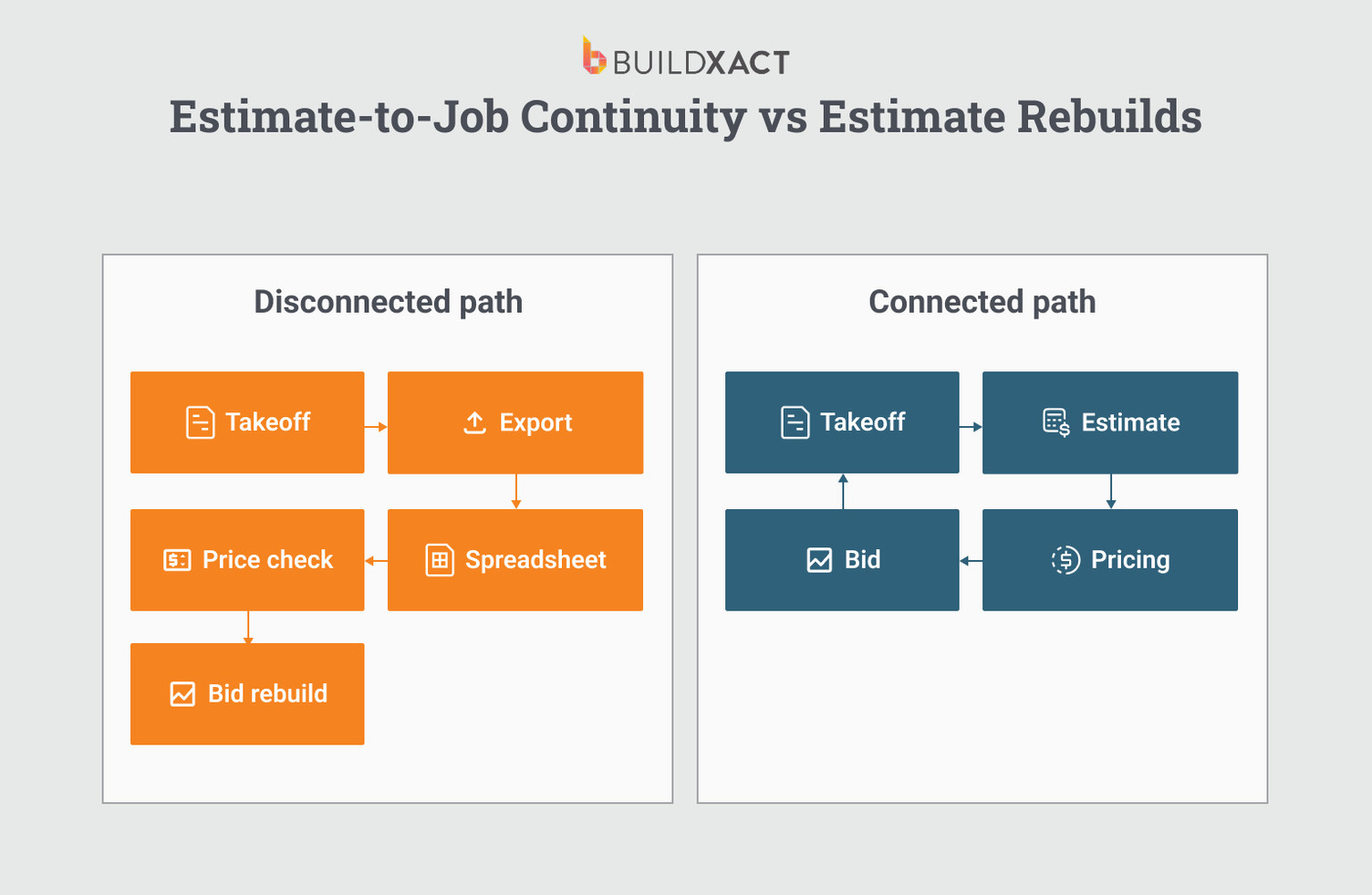
If you’re still estimating framing jobs with spreadsheets and manual takeoffs, the problem is that your takeoff, pricing, and bid live in separate places.
When they’re not connected, every update is manual, every revision is a rebuild, and margin erodes in the spaces between them.
Pricing is where it shows up first. Lumber costs change, but if your price list isn’t tied to your takeoff and bid, those changes don’t flow through.
You bid based on last week’s numbers, the yard charges this week, and the margin is gone before framing starts.
Manual workflows make it worse. You measure the plans, copy quantities into a spreadsheet, cross-check a price list, and then format a bid in Word. When a revision comes in, you’re not only updating one system but also redoing three separate steps.
The losses that add up fastest are the ones that never make it into the estimate. Small items that fall out because nothing in the workflow requires their inclusion.
Framing estimating software solves this by integrating takeoff, pricing, and bidding into a single system. Quantities, costs, and proposals live together, revisions flow through automatically, and every line item carries forward.
In this guide, we compare six tools based on whether they actually connect that workflow or just digitize individual steps.
Framing Estimating Software at a Glance
| Platform | Best For | Integrated Workflow? | Live Dealer Pricing? |
| Buildxact | Residential builders wanting a single system from takeoff to bid | Yes | Yes (The Home Depot) |
| PlanSwift | Framing contractors who prefer desktop takeoff tools | Exports to Excel | Manual updates |
| Stack | Mid-sized teams needing cloud collaboration across multiple trades | Separate steps | Reference database only |
| Kreo | Tech-forward contractors wanting AI-powered takeoffs | Separate steps | No US dealer integrations |
| TradeTek | Framing contractors who want trade-specific depth at a lower cost | Exports to Excel/PDF | External databases, manual updates |
| Square Takeoff | Small contractors wanting simple, affordable digital takeoffs | Exports to Excel | No pricing tools |
Key Features to Look for in Framing Estimating Software
When evaluating framing estimating software, the goal is to understand how those features work together. Some tools digitize individual steps.
Others connect estimating to a continuous workflow. The difference becomes visible when scope changes, pricing updates, or revisions occur.
These five capabilities matter most when evaluating what software to pick:
Digital takeoffs that flow directly into the estimate
Digital measurement alone is not enough. In some tools, takeoffs are exported to Excel or PDF, and quantities must be entered manually in the estimate. If the plan changes, the process repeats.
A stronger estimating tool links measurement to the estimate itself. Quantities are automatically populated, and when dimensions change, the estimate updates in the same environment.
If quantities require copying between tools, the workflow is still fragmented, and you don’t need that tool.
Reusable templates and assemblies
Templates reduce repetition, and assemblies reduce risk. An assembly groups related components, for example, studs, plates, sheathing, insulation, and fasteners, into a single measurable unit. Once the wall is measured, all required materials are automatically calculated.
Without assemblies and templates, estimates depend on manually entering each component, increasing the likelihood of omissions, especially under time pressure.
Pick a tool with reusable templates and assemblies to standardize scope across jobs and reduce variability in how you build estimates.
Current pricing that updates inside the estimate
Maintaining a static price list requires constant manual updates. In volatile markets, even short delays can create discrepancies between estimated and actual material costs.
Software with pricing integration pulls current dealer pricing directly into the estimate. When pricing changes, affected line items are automatically updated.
This ensures that the numbers used for bidding reflect current conditions rather than outdated assumptions.
Direct estimate-to-bid conversion
In some workflows, the estimate and client-facing proposal are separate documents. Revisions must be made in both places, increasing the risk of mismatched figures.
Estimating software that converts estimates directly into formatted bids maintains a single data source so revisions flow through automatically, reducing version confusion and manual reformatting.
The estimate and the bid remain aligned throughout the revision process.
Cloud and mobile accessibility
Residential builders often work across job sites, vehicles, and home offices. Estimating may need to happen between site visits or during client walkthroughs.
Cloud-based access lets you review and update estimates from any location without transferring files between devices.
For small teams without dedicated administrative support, accessibility directly affects how quickly revisions and approvals can move forward.
With these capabilities in mind, the next step is evaluating how the following framing estimating tools compare in practice.
Framing Estimating Software Comparison: The Best Tools for Residential Builders
The difference between different framing estimating tools lies in workflow continuity. If measurement, pricing, and bidding live in separate systems, errors emerge during revisions.
Each platform below is assessed on three criteria: whether takeoffs feed the estimate, whether pricing updates automatically, and whether the estimate flows directly into the bid.
1. Buildxact
Best for: Small-to-mid residential builders and remodelers who want takeoff, estimating, pricing, and bidding connected inside one system.
Buildxact is an estimating-centered construction platform built specifically for residential builders.
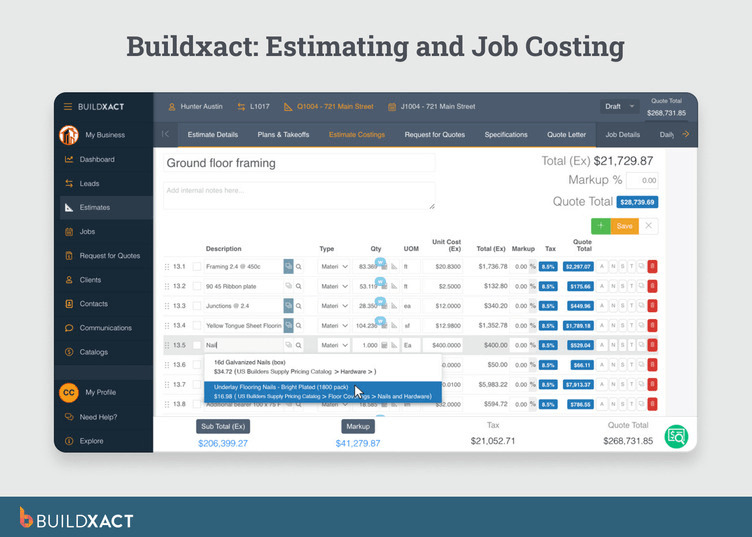
It is designed for owner-operators and small crews who manage pricing and bidding themselves rather than enterprise commercial contractors with layered approval structures.
Measurement, assemblies, pricing, bidding, and scheduling operate within the same environment, so the estimate remains the governing document from first takeoff to signed proposal.
When quantities or material prices change, those revisions automatically flow through the estimate and into the bid, rather than requiring exports or manual reconciliation.
Here’s how Buildxact maintains that continuity:
Assemblies that standardize scope
In residential framing, margin erosion often comes from small omissions rather than large counting errors. Fasteners, blocking, waste factors, and secondary materials are frequently included from memory during manual estimating.
Buildxact’s assembly system groups related materials into structured units, so that measuring a wall automatically calculates all associated components. The platform includes 11 pre-built residential estimate templates organized around common project types.
One residential builder, John Beiler of Northwoods Construction, reported reducing whole-house estimating time from 10 hours to 4 hours after implementing assemblies.
The improvement came from standardization rather than speed alone. Estimates captured the scope consistently without rebuilding it manually each time.
The advantage is consistency because assemblies reduce variability and limit reliance on memory.
Live dealer pricing integration
Most estimating tools use static price databases that you update manually. In a volatile lumber market, that means your bids are always behind.
Buildxact’s Home Depot integration converts estimates to orderable material lists with real-time pricing. Orders are tied to your Pro Xtra account, and receipts are sent back to Buildxact.
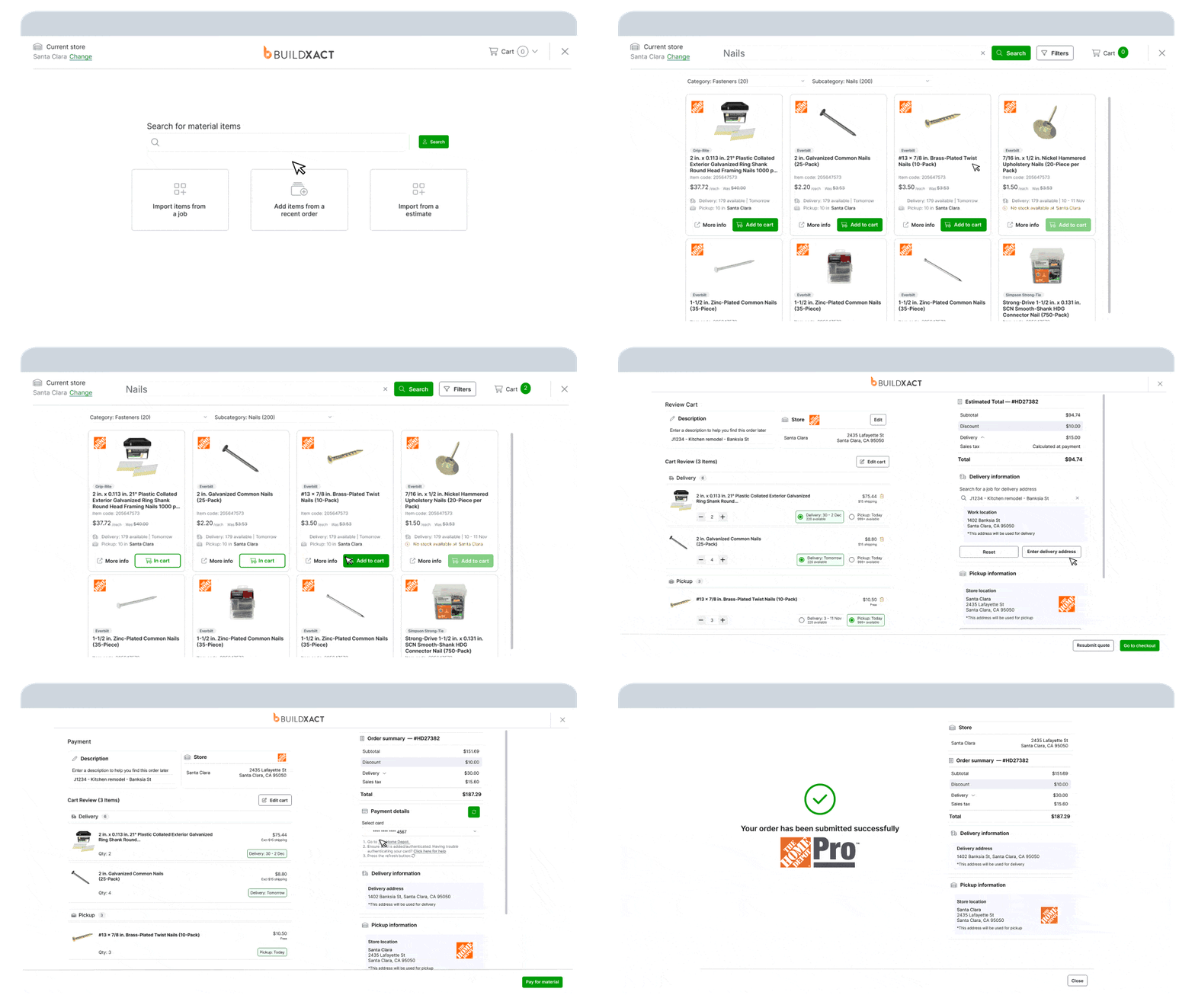
Price changes in the dealer system automatically flow through to your estimate, so you’re never bidding on outdated numbers.
Most estimating tools let you store a price list, but you’re responsible for keeping it up to date. With live dealer integration, pricing updates within the estimating workflow itself. You don’t maintain it. It maintains itself.
Estimate-to-bid continuity
In disconnected workflows, the internal estimate and the client-facing proposal exist as separate documents. Revisions must be updated in both places, increasing the risk of mismatched figures.
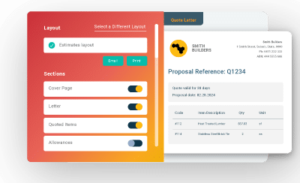
Buildxact converts the estimate directly into a branded bid through its Client Portal. Line items, overhead, and markup carry through automatically, and clients can review and approve online.
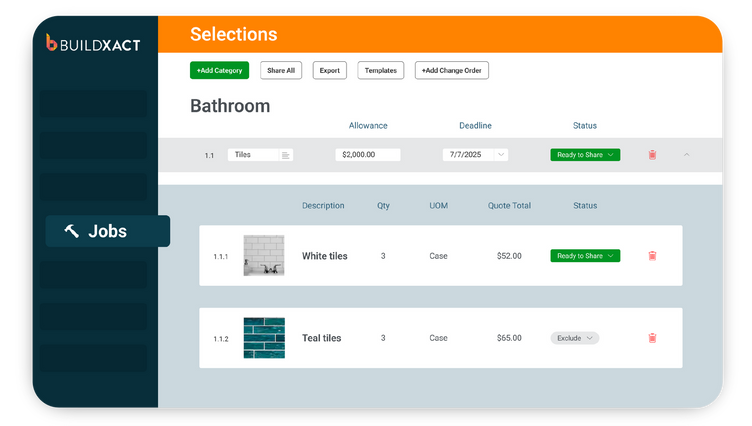
Because the bid is generated from the estimate itself, revisions remain aligned, and version confusion is reduced.
AI support across the workflow
Buildxact includes an AI assistant, Blu, that supports measurement, assembly creation, estimate review, and draft generation directly inside the estimating module.
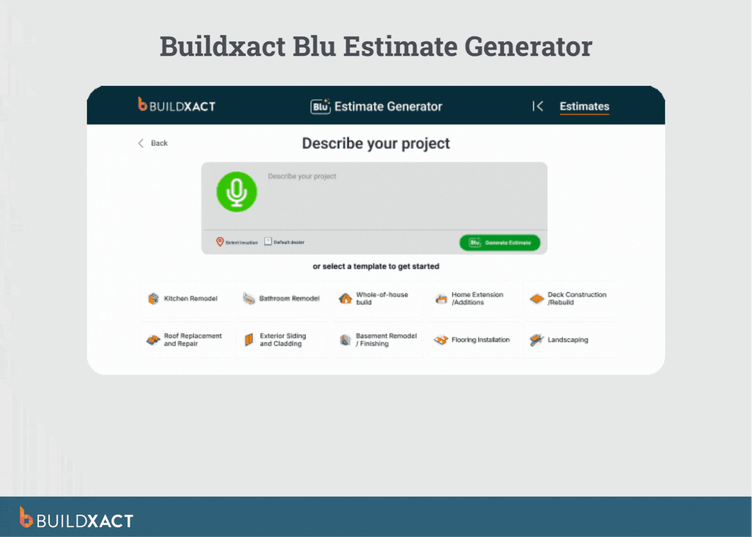
Instead of exporting drawings to a separate AI tool or copying results back into the estimate, the AI works on the same data the estimate uses.
Blu does not replace your judgment as an estimator. You review and approve outputs, particularly during the tool’s initial adoption.
Its role is to reduce repetitive work, such as scaling plans, counting components, or checking for missing line items, so the estimator can focus on pricing and scope decisions rather than manual verification.
Key features
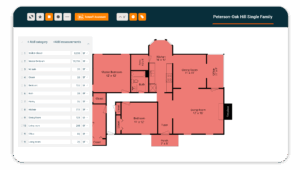
Integrated digital takeoffs: Measurements are performed inside the estimating module, so quantities populate line items automatically and eliminate manual re-entry errors.
Assembly system with pre-built templates: Structured assemblies group framing components, ensuring that measuring once provides all required materials and reduces the risk of omissions.
Live Home Depot pricing integration: Dealer pricing feeds directly into the estimate, keeping material costs up to date without manual database updates.
Direct estimate-to-bid conversion: The estimate converts into a client-ready proposal within the same system, keeping revisions aligned and preventing version mismatches.
Cost tracking against the original estimate: Actual job costs are recorded against estimate line items, maintaining visibility into margin performance during construction.
Pros
- Connected workflow from takeoff through bid
- Live dealer pricing integration
- Designed specifically for residential builders
- Assemblies reduce omission risk
- AI support across the estimating lifecycle
- Cloud and mobile accessibility
Cons
- Adjustment period for teams transitioning from spreadsheets
- No public API for custom integrations
Pricing
Buildxact offers three tiers. Foundation ($199/mo or $169/mo annually) covers estimating with digital takeoffs, dealer integration, and Blu’s Assembly Assistant, with optional AI add-ons. Pro ($399/mo or $339/mo annually) adds project management and scheduling, while Master ($599/mo or $509/mo annually) includes full Blu AI tools, user controls, and priority support.
2. PlanSwift
Best for: Framing contractors who want Windows-based desktop takeoff tools with dedicated framing measurement features and are comfortable managing pricing and bidding outside the platform.
PlanSwift is a desktop takeoff application focused on digital measurement from PDF plans. It is built primarily for contractors who want precise on-screen takeoff tools and prefer running estimating software locally on Windows rather than in a cloud-based environment.
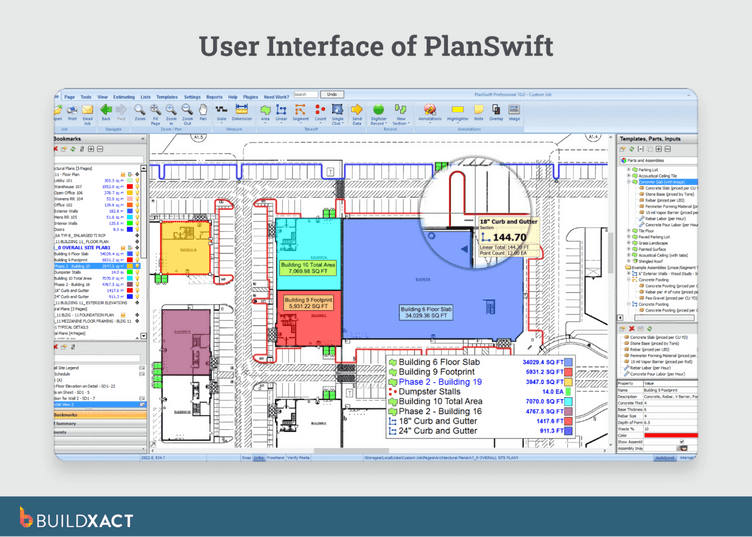
The platform includes framing-specific measurement tools for joists, rafters, studs, and headers, as well as counting tools for posts and connectors. Materials can be grouped into assemblies that combine quantities, waste, and labor for structured calculations.
The database contains more than 50,000 customizable material items, and trade-specific starter packs support initial setup. Users commonly export completed takeoffs to Excel for pricing and bid formatting.
PlanSwift performs strongly in measurement. Pricing control, proposal formatting, and workflow continuity depend on external systems.
Key Features
- Dedicated framing takeoff tools: Joist, rafter, stud, and header measurement tools allow contractors to quantify framing components directly from PDF plans.
- Drag-and-drop material assemblies: Materials, waste, and labor can be grouped into structured calculations to streamline repetitive takeoff work.
- Customizable material database: A database of 50,000+ items allows users to build and maintain their own pricing libraries.
- Direct Excel export: Completed takeoffs export to Excel, supporting contractors who price and format bids within spreadsheet workflows.
- Trade-specific starter packs: Pre-configured trade templates help reduce setup time for new users.
Pros
- Strong digital takeoff capabilities with framing-specific tools
- Customizable database for detailed material tracking
- Works well for Excel-based estimating workflows
- Established tool with a long user history
- No requirement to adopt a cloud-based system
Cons
- Windows-only desktop software (no Mac or mobile access)
- No built-in cloud collaboration
- No live dealer pricing integration
- Manual price database updates required
- Estimate-to-bid formatting handled outside the platform
Pricing
PlanSwift does not publish public pricing. Request a quote to see how much you’ll pay to use the tool.
3. Stack
Best for: Mid-sized contractors or estimating teams who need cloud-based collaboration across multiple trades and offices.
Stack is a cloud-based takeoff and estimating platform built for multi-trade contractors operating across locations. It is designed for teams with multiple estimators who need shared access to plans, markups, and pricing libraries, rather than for single-owner operators managing framing bids independently.
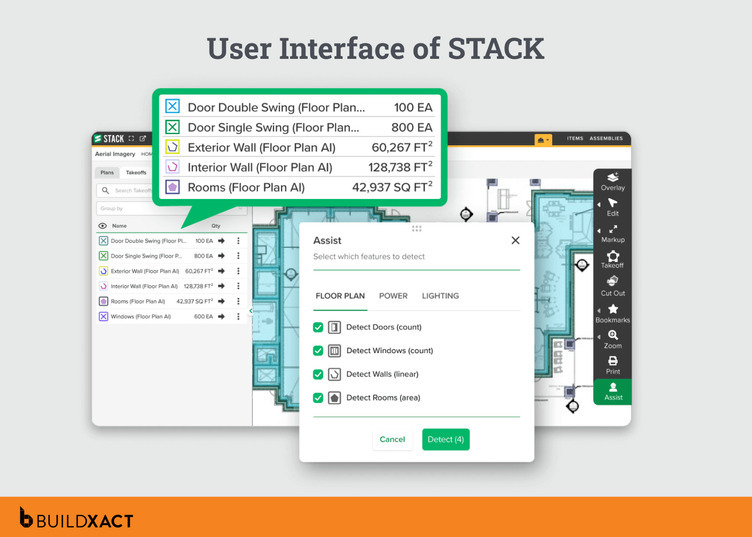
The platform includes AI-powered tools such as auto-count and OCR to accelerate repetitive takeoff work. Collaboration features allow teams to share documents, assign tasks, compare plan versions through overlays, and maintain centralized project records.
A pre-built database of more than 300,000 items with regional pricing provides a starting reference for estimates.
For framing contractors, Stack operates as a multi-trade generalist. It supports electrical, plumbing, concrete, framing, and other scopes within the same environment.
That breadth supports diversified contractors but does not provide framing-specific depth, such as dedicated material bundles or dealer integrations. Pricing references are included in the database, but keeping those prices current remains a manual responsibility.
Key features
- Cloud-based collaboration: Estimators can access shared plans, markups, and pricing libraries across offices, supporting distributed teams.
- AI-assisted takeoff tools: Auto-count and OCR reduce repetitive measurement work by identifying symbols and quantities from plans.
- Large pre-built item database: A library of 300,000+ items with regional pricing provides a structured starting point for estimates.
- Plan overlay and version comparison: Drawing revisions can be compared visually, helping teams track scope changes between plan versions.
- Accounting and PM integrations: Integrations with Procore, QuickBooks, and Acumatica connect estimating to broader financial and project workflows.
Pros
- Strong cloud collaboration for multi-user teams
- AI tools reduce repetitive takeoff tasks
- Extensive item database with regional pricing references
- Supports multiple trades within one platform
- Integrates with major accounting and project systems
Cons
- Not framing-specific in workflow depth
- No live dealer pricing integration
- Reported performance issues during large takeoffs
- Renewal pricing variability reported by some users
Pricing
Stack pricing starts at $2,599 per user per year for the Standard plan, increases to $2,999 for the Premium plan with added AI capabilities, and reaches $3,999 per user per year for the Pro tier. All plans include unlimited projects and documents, full cloud access, and unlimited viewer seats, with higher tiers expanding AI features and platform depth.
4. Kreo
Best for: Tech-forward contractors and quantity surveyors comfortable with AI-driven workflows who work across multiple trades.
Kreo is a cloud-based takeoff platform centered on AI-assisted drawing interpretation. Rather than relying primarily on point-and-click measurement, it uses machine learning to detect and classify drawing elements such as rooms, doors, windows, and walls, then auto-measures them.
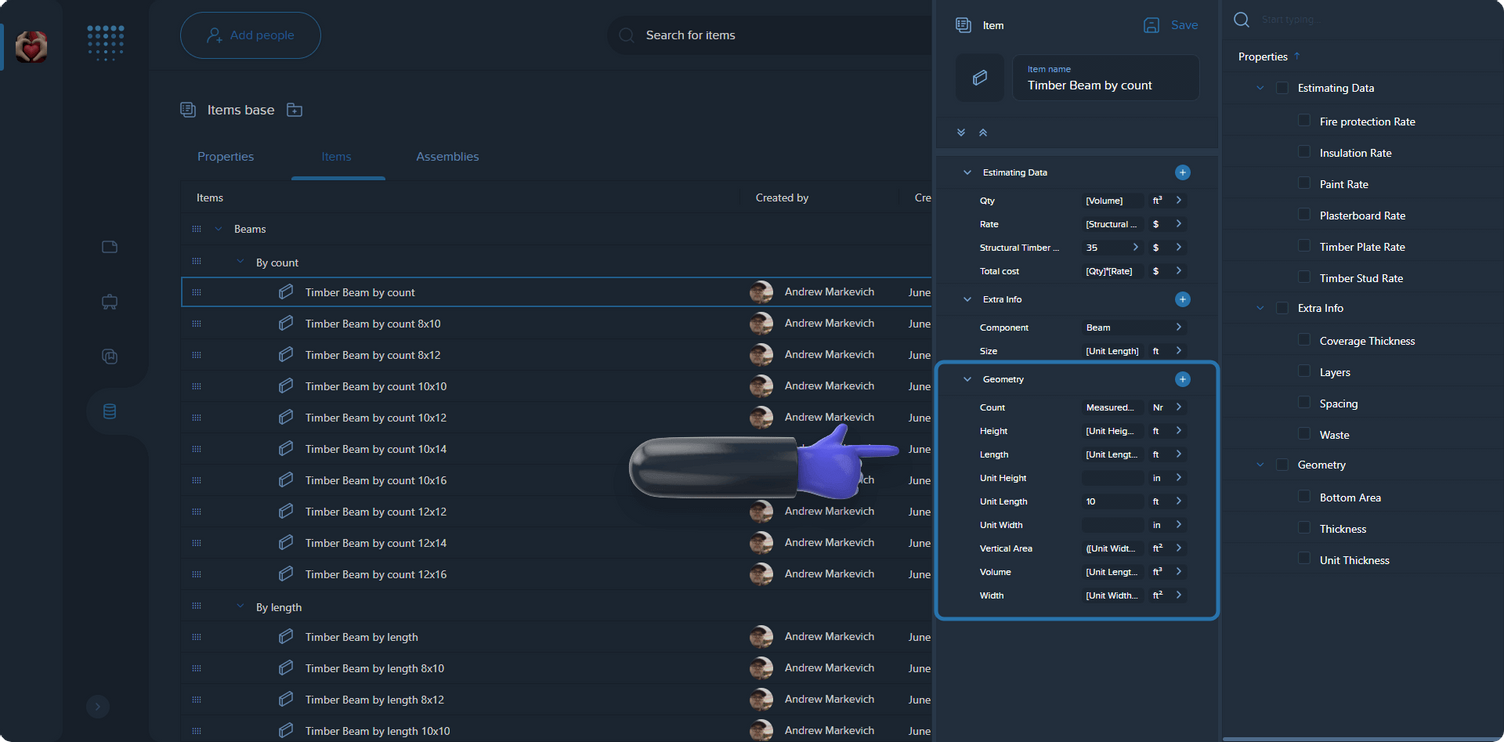
The platform includes one-click area measurement, auto-count for repetitive components, and text-based prompts interpreted by AI. It runs in the browser on both Mac and Windows and publishes transparent pricing tiers.
Kreo is built for a multi-trade and quantity surveying audience rather than residential framing specialists. It does not provide framing-specific material assemblies or US dealer pricing integrations. AI accuracy varies depending on drawing quality, and auto-measured results may require manual adjustment.
Key features
- AI-driven element detection: The system automatically identifies and classifies drawing elements, reducing manual tracing.
- Auto-measure and auto-count tools: Repetitive components can be quantified quickly using AI-assisted measurement.
- Cloud-based browser access: Runs on Mac and Windows without local installation.
- Drawing collaboration tools: Teams can share drawings and comments within the platform.
- Transparent pricing tiers: Publicly listed subscription plans eliminate the need for sales calls to view pricing.
Pros
- Advanced AI-assisted takeoff capabilities
- Browser-based access across operating systems
- Fast area and component measurement tools
- Suitable for tech-forward teams comfortable with automation
Cons
- Not tailored to residential framing workflows
- No framing-specific material assemblies
- No US dealer pricing integrations
- AI outputs may require manual cleanup
- No offline functionality
Pricing
Kreo pricing starts at $35 per user per month for Lite, which focuses on drawing collaboration. Plus is $70 per user per month and adds measurement tools and reporting without AI features, while Pro is $175 per user per month and includes the full AI suite with auto-measure, auto-count, and one-click area. Enterprise plans are custom, and a 7-day free trial is available on the Pro tier.
5. TradeTek
Best for: Framing contractors who want a dedicated framing bundle with pre-built material lists
TradeTek takes a trade-specific approach rather than positioning itself as a multi-trade estimating platform. Instead of covering all construction scopes in a single generalized system, it offers individual trade bundles, including a Framing Bundle tailored to residential framing work.
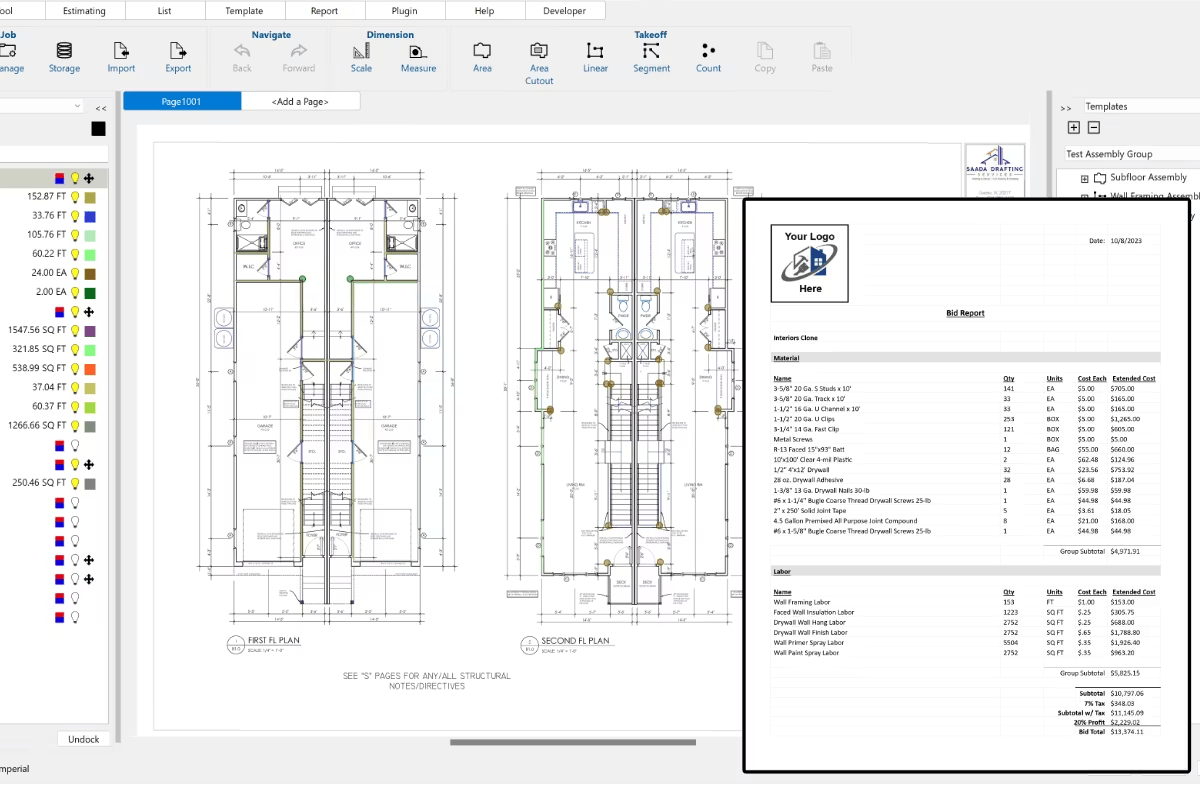
The Framing Bundle includes pre-built material lists for wall, floor, and ceiling framing, beams, posts, roof framing, and associated hardware. These lists align with standard framing components and provide a structured starting point for estimates.
The platform runs natively on both Mac and Windows and operates offline, with optional cloud synchronization when connected. That said, it’s desktop-first, so mobile flexibility is limited if your workflow moves between the office and the field.
On the sourcing side, TradeTek partners with LMC and allows connections to external pricing databases, enabling multi-vendor price comparisons.
However, pricing updates remain a manual responsibility, and reports are exported to Excel or PDF rather than being converted directly into an integrated client-ready bid.
Key features
- Trade-specific Framing Bundle: Pre-built framing material lists provide a structured set of components aligned with standard residential framing workflows.
- Mac and Windows desktop support: Native desktop applications allow offline estimating with optional cloud synchronization.
- External pricing database connections: Users can link to external pricing sources and compare vendor costs when sourcing materials.
- Multi-trade expansion options: Additional trade bundles (Roofing, Concrete, Masonry, Siding, Interior, Flooring, Millwork) expand scope.
- Lower base license cost: Annual licensing is positioned below most multi-trade cloud competitors.
Pros
- Framing-focused material lists
- Works on both Mac and Windows
- Offline capability with optional cloud sync
- Lower base price compared to many competitors
- Vendor comparison capability through external database links
Cons
- Total cost unclear without bundle pricing disclosure
- No live dealer pricing integration
- Manual pricing updates required
- A desktop-first approach limits mobile flexibility
- No integrated estimate-to-bid workflow
Pricing
TradeTek offers both monthly and annual licenses per computer. Pricing starts at $99 per month or $995 per year for the desktop version, while the Cloud edition is $149 per month or $1,495 per year. Licenses include updates and support, and subscriptions can be canceled at any time; trade bundles, such as the Framing Bundle, are purchased separately.
6. Square Takeoff
Best for: Small contractors who want straightforward digital takeoffs and are comfortable handling pricing and bid formatting manually in Excel.
Square Takeoff is a cloud-based takeoff tool designed to digitize measurement without introducing complex estimating systems. It runs in any browser and is positioned as a low-friction entry point for contractors transitioning from paper plans.
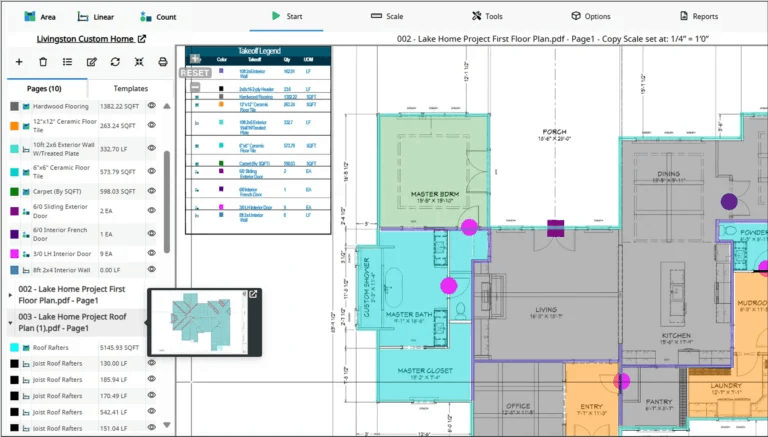
The platform includes framing-specific tools such as a Joist and Rafter Tool, a custom wall area tool, and a customizable material parts catalog. Users commonly export completed takeoffs into Excel to apply pricing and generate bids. The system is designed to be easy to adopt, with a reported short learning curve.
Square Takeoff focuses on measurement rather than on maintaining a full estimating workflow. It does not include live dealer pricing integration, AI-driven takeoff automation, or direct estimate-to-bid conversion.
When the takeoff is complete, pricing, formatting, and proposal generation occur outside the platform.
The distinction is scope: it digitizes measurement but leaves pricing and bid alignment dependent on external tools.
Key features
- Browser-based takeoffs: Cloud access allows plan measurement from any device without local installation.
- Framing-specific measurement tools: Joist, rafter, and wall area tools support common framing calculations.
- Customizable material catalog: Users can build and modify material part lists for reuse.
- Unlimited jobs and storage: Plans and projects can be stored without job limits.
- Straightforward pricing model: Public, transparent pricing with monthly or annual options.
Pros
- Easy onboarding for small contractors
- Cloud-based access across devices
- Framing-specific measurement tools
- Transparent pricing structure
- No long-term contract required for the monthly plan
Cons
- No live pricing integration
- No estimate-to-bid conversion workflow
- No AI-assisted automation
- Pricing and formatting handled outside the system
- No API for deeper integrations
Pricing
Square Takeoff offers three payment options, with all features included in every plan. Pricing is $249 per month (month-to-month), $599 per quarter, or $1,699 per year, with unlimited jobs and storage across all tiers. Enterprise and multi-license pricing is available upon request.
Choose the Right Framing Estimating Software for Your Crew
Framing estimating breaks down when measurement, pricing, and bidding live in separate places. You measure in one tool, price in another, format the bid somewhere else, and reconcile changes manually. That structure creates omissions, outdated pricing, and revision errors.
For most residential builders running one-to-ten-person crews, the solution is not another isolated takeoff tool. It is a system where the estimate remains the single source of truth from the first measurement through the signed proposal.
We deliver that continuity. Integrated takeoffs, assemblies, live Home Depot pricing, and direct estimate-to-bid conversion operate within a single workflow, so scope changes and pricing updates flow through automatically.
If you want to see how a connected system compares to your current process, start for free or book a demo with Buildxact.