

You’ve got three jobs on the go at once. The framing crew is at one, the electrician just wrapped at another, and a dealer truck is somewhere between the two.
At the end of the day, you’re the one who has to know what happened at each. A construction daily log is how builders managing multiple projects stop guessing.
But if you’re not on site at each project, how do you make sure that log actually gets filled out, in full, on time, and accurately?
In this article, we’ll explore two strategies that growing builders put in place to improve compliance and consistency in the daily logs their crews create.
The first is using a construction daily log template. We’ve got one already prepared, available for download in PDF and Word format. The second is looking to modern site management tools to make it easier for site crews to fill out daily logs in the first place.
Key Takeaways
- A daily log is a same-day record of everything that happened on site, not a report written from memory later.
- Logs fall apart from inconsistency, missing fields, different formats, and some are getting skipped altogether.
- A template fixes the consistency problem. Same fields and same layout on every job, no matter who fills it out.
- The template below is free to download in PDF or Word.
- The bigger barrier is ease of capture. Site teams skip logging when it competes with time on the actual job.
- A complete log is dispute and claim protection. Ticket numbers, discrepancies, and pre-dig photos only hold up as evidence if they’re logged the day they happen.
- Logging from the site is what protects the margin. Buildxact Onsite captures entries, photos, and timestamps in real time and syncs them to one permanent record.
Where Many Construction Daily Logs Fall Apart
Your crew is already supposed to be keeping a daily log. It’s probably been a rule since you started running more than one job at a time.
The problem is follow-through.
A daily log from one site crew looks different from that of another, each with its own shorthand and formatting. Half the time, they come through with fields missing, since everyone has their own idea of what counts as worth writing down.
On busy days, the daily log often gets skipped altogether.
Step one to solving this is creating consistency. Enforcing compulsory on-site logging is a good start, and you’ll make your own life easier (and your crews’) if logs are filled out using the same foundation each and every time.
A construction daily log template is what creates that foundation.
Having site teams work from a template means you receive the same log, with the same layout, formatting, and fields on every job, no matter who fills it out. That’s what makes a log from one site actually comparable to a log from another, and what makes sure nothing gets left out just because someone forgot to ask or didn’t think it was important to note down today.
Step two is making it easy to fill out the daily log from the site.
Site teams don’t skip daily logs because they don’t care. They skip them because they feel like filling them out gets in the way of the actual work. A template doesn’t help if it still takes 30 minutes of typing on a laptop to use.
The fix is to make logging easy. A short audio message, transcribed and added as notes, or the ability to snap a photo when a delivery lands on site, makes completing daily logs simple and doesn’t require an extra half hour on a laptop at the end of a day.
Download Your Free Daily Log Template (PDF and Word)
This construction daily log template is available as a PDF if you prefer to print it and fill it out by hand on-site, or as a Word file for typing directly on a laptop or tablet.
Either way, it’s ready to use on your next job. Grab the format that fits how you work.
How To Make Sure Daily Logging Actually Happens
A lot of site teams leave daily logging to the end of the day, but at that point, it’s an afterthought.
It’s rushed through with minimal detail (everyone just wants to get home), and ends up losing the specifics that make it worth keeping, like the pallet count on the delivery ticket, the exact time the rain started, or the conditions the inspector attached to Tuesday’s sign-off.
The thing is, those are the details that settle disputes and back up change orders. It’s the evidence that helps you protect margin. Which means making compulsory on-site logging throughout the day a crucial move.
It’s not enough to just state it as a rule, however. Here are a few strategies you can implement to make sure it actually happens on-site:
- Pick one person per site who owns the log for the day. That’s usually the lead carpenter or site foreman. When there is only one name against one job, it becomes clear who didn’t file it when it’s missing, and there is no finger-pointing.
- Set a daily cutoff. For example, that can be before the crew leaves the site, or before the truck pulls out of the driveway. Not “end of day” as an idea, but a specific time or milestone.
- Make the delivery photo non-negotiable. Every time a delivery lands that lands, the team must take a photo of the ticket and the pallets against the job’s log. This one habit alone kills most dealer disputes before they start, as it’s irrefutable proof.
- Remove barriers to compliance. Having to keep a laptop in the truck just to access your construction project management tool and upload a daily log is an unnecessary barrier. Instead, look for a tool that allows daily logging via a mobile app, like Buildxact Onsite, and you’ll instantly improve team compliance.
From there, make it a habit to spend fifteen minutes once a week reading the logs across your active jobs.
It’s not so much about checking compliance (though it may be at first if your teams aren’t logging regularly); it’s more about catching quality drift. Daily logs tend to get thinner or more vague as the job progresses, and that means important details that protect you against disputes and margin loss are missing.
How Buildxact Onsite Makes Daily Logging Easy
Buildxact Onsite is the mobile app version of Buildxact, making it easy to complete daily logs on-site rather than in the office.
Here’s how it works:
- Entries sync automatically: Anything posted from Onsite (e.g., updates, photos, change orders, schedule changes) lands in the same Daily Log within the main Buildxact project, without a manual transfer step. Each job gets its own Daily Log, so multi-project builders aren’t cross-checking which entry belongs to which site.
- Crew can post updates directly from the field: Progress photos, comments, and status updates all land in the same log as they happen, not batched at the end of the day. Entries are timestamped automatically as they’re posted, so the record shows not just what happened but when, without the crew needing to note the time themselves.
- In-office visibility: Everything posted is visible across devices (phone, tablet, desktop) so the office sees site activity the same day.
Discover how the Onsite mobile app helps Buildxact users save an average of 16 hours of admin time each month.
FAQs
How to make a construction log?
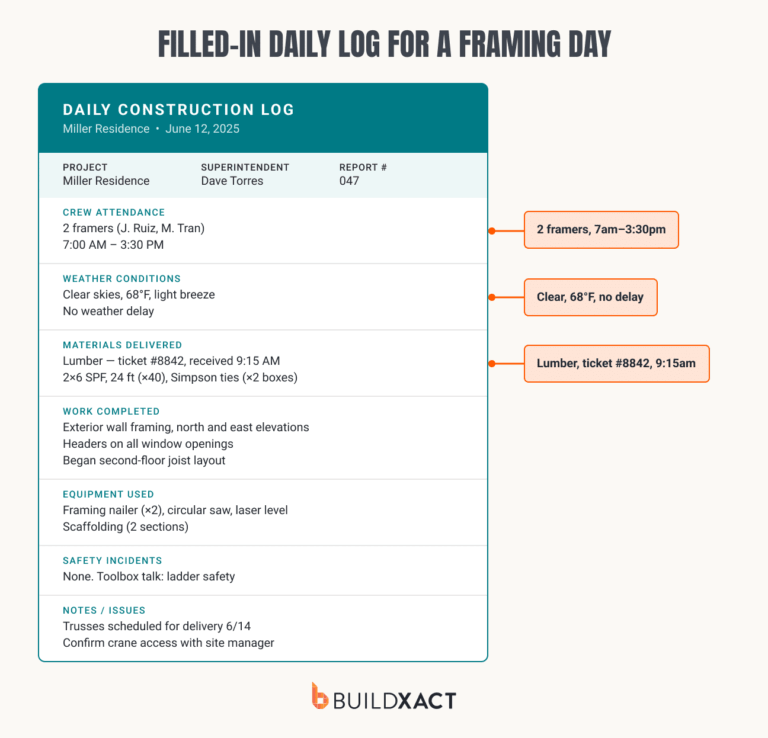
Start with a template that covers the same fields on every job:
- Date and job info
- Weather
- Crew attendance
- Work completed
- Materials delivered
- Equipment used
- Safety incidents
- Visitor sign-in
Fill it out from the site as the day happens rather than from memory afterward, since details like delivery times and delay lengths are hard to reconstruct accurately later. Whoever is on site each day, usually the lead carpenter or foreman, should make sure it is done before they leave.
How to write a daily report?
A daily report is the polished version of that day’s log, built for a client or lender rather than for the crew.
Take the same fields from the log and condense each one into a summary line:
- Conditions and any delay caused
- Total crew hours by role
- Progress by area or task
- What materials arrived
- What equipment ran
- Any safety incidents (or a clear “none”)
- Who was on site outside the crew
The report should read as a summary of the day, not a repeat of the raw log entries.
Why is the daily log important?
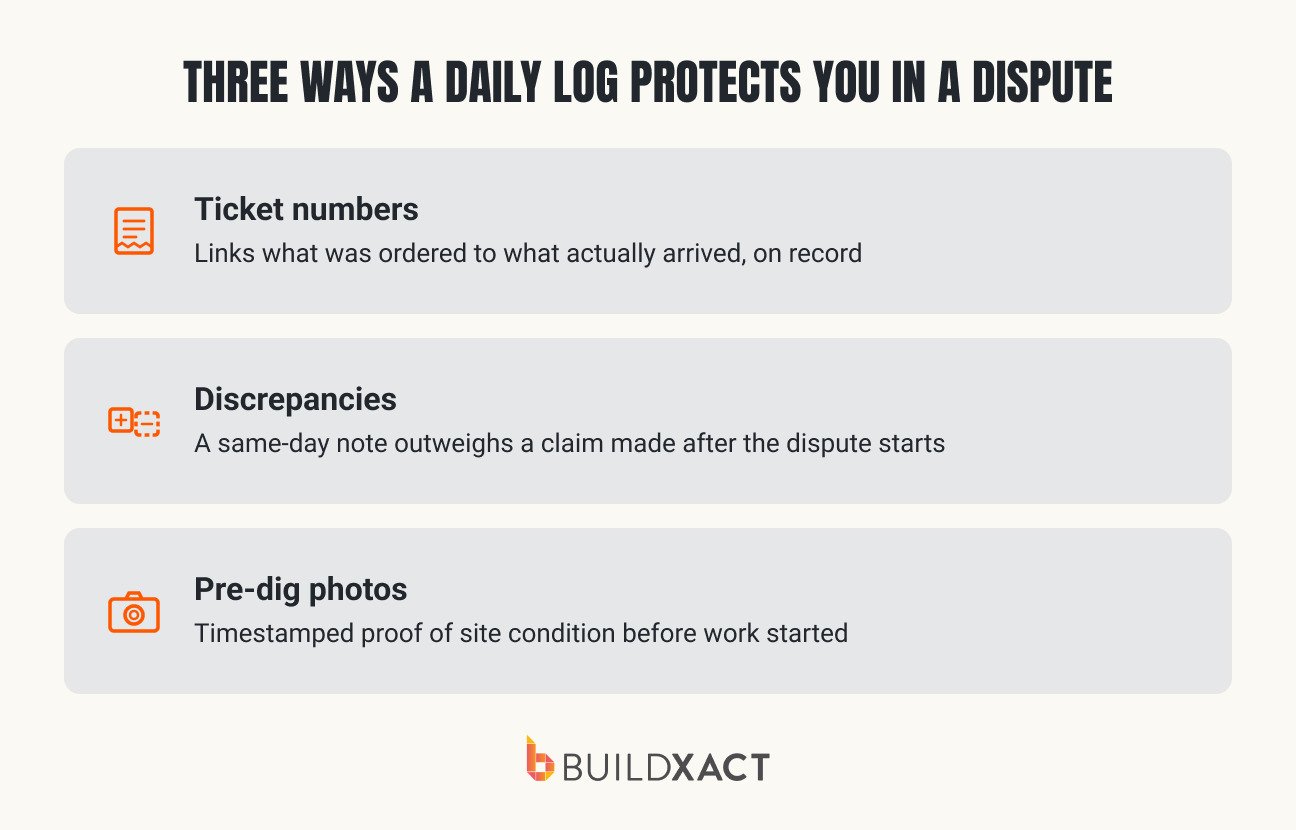
A daily log is a hard record you can refer to when something gets disputed later, for example, a delayed delivery, a disagreement over hours, or a change order that the client says they didn’t approve.
With a log filled in daily, those disputes come down to memory and often become a case of “he said, she said”. That’s where a lot of builders end up taking the hit to save the customer relationship, and where profit margins drop.
What to put in a daily log?
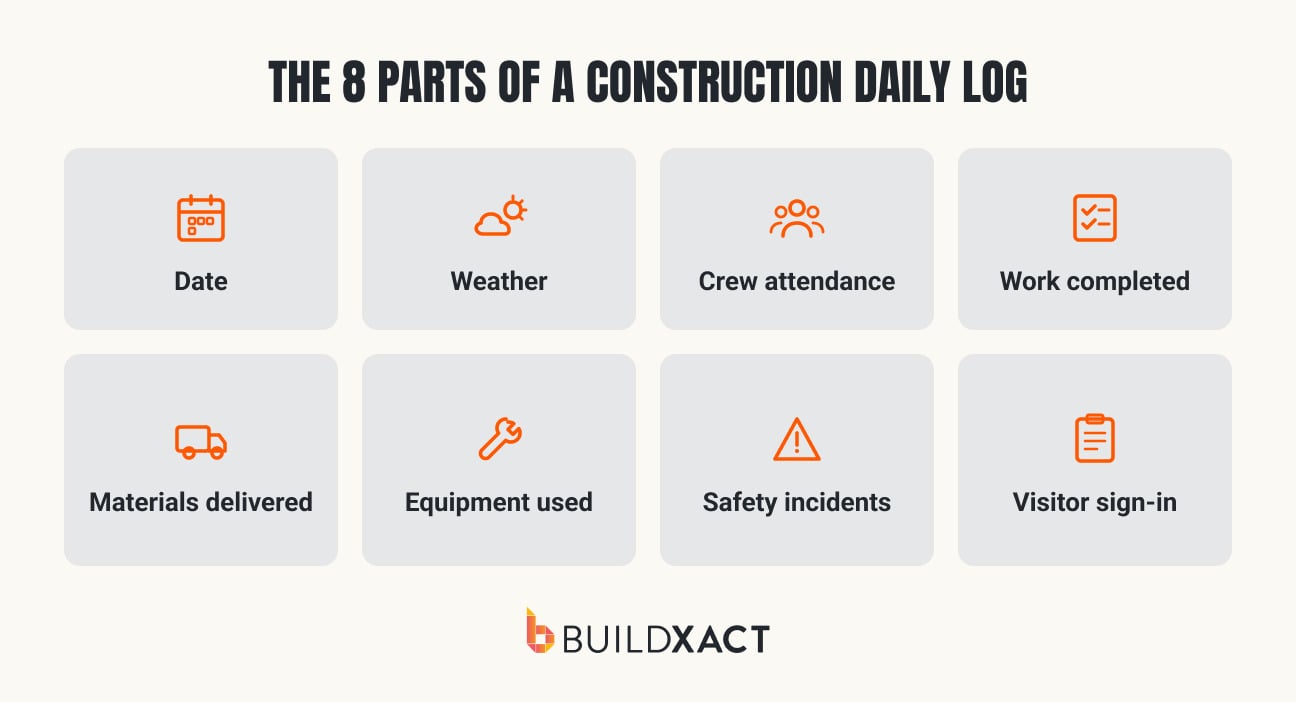
A construction daily log consists of eight key components:
- Date: Anchors the entry to a specific day, so that the collection of logs functions something like a diary.
- Weather: Documents on-site conditions and any delays that occurred as a result. It’s the first thing checked when resolving a scheduling dispute.
- Crew attendance: Details who was on site and the hours. This backs payroll and confirms who was present, which can be helpful when further details are required.
- Work completed: Outlines what got done, by area/task. This is the actual progress trail.
- Materials delivered: Covers what arrived, when, and from whom. It’s the section used to settle delivery disputes with dealers.
- Equipment used: Details what was on site/running, including rentals, which directly informs billing and downtime tracking.
- Safety incidents: Documents any injury, near-miss, or hazard, however minor. This is critical for OSHA recordkeeping obligations.
- Visitor sign-in: Records anyone who visited the site who isn’t crew (e.g., an inspector, client, or dealer rep). This is relevant to both safety and dispute records.