

Most jobs aren’t tracked; they’re reconstructed.
Receipts sit in a truck for a week before anyone assigns them to a line item. Hours get remembered instead of logged. What’s actually done on site gets pieced together from a text thread days after the fact.
Construction tracking replaces that reconstruction with hard numbers, logged as hours are worked, costs are incurred, and progress happens. Read against the estimate, those numbers are what tell you a job is still on track to make the margin that it was bid to make, while there’s still time to act on it.
This article covers how to track time, cost, and progress against the estimate on every job you’re running, so you catch what’s moving while there’s still time to act on it.
Key Takeaways
- Construction tracking is the practice of monitoring a job’s labor hours, spend, and physical progress against the estimate as work progresses
- Margin protection during a job depends on hours, costs, and progress being logged against the estimate as they happen
- The estimate has to be structured into phases and cost codes that match how the job actually runs on site
- Costs and receipts must be assigned the day they land and attached to the estimate line they belong to
- Subcontractor commitments and change orders both need to sit against the estimate before the invoice or the next decision arrives
- Progress read next to spend is the clearest margin signal you get during a build
- One view across every active job turns the weekly margin check into a short scan for the number moving the wrong way
What Does Construction Tracking Look Like on Residential Builds?
Construction tracking as a discipline is pretty straightforward. It involves monitoring a job’s labor hours, spend, and physical progress against the estimate as the work happens.
On a residential build, that looks like:
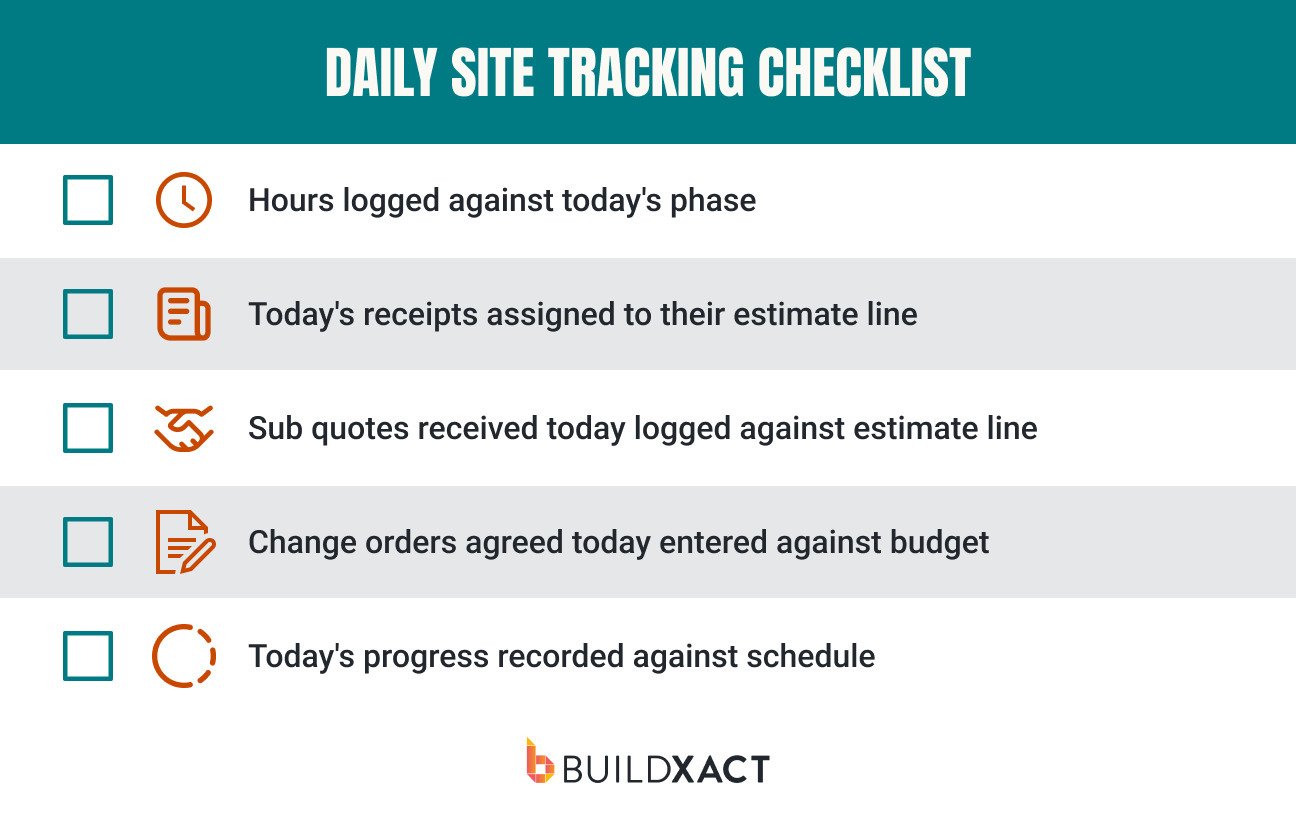
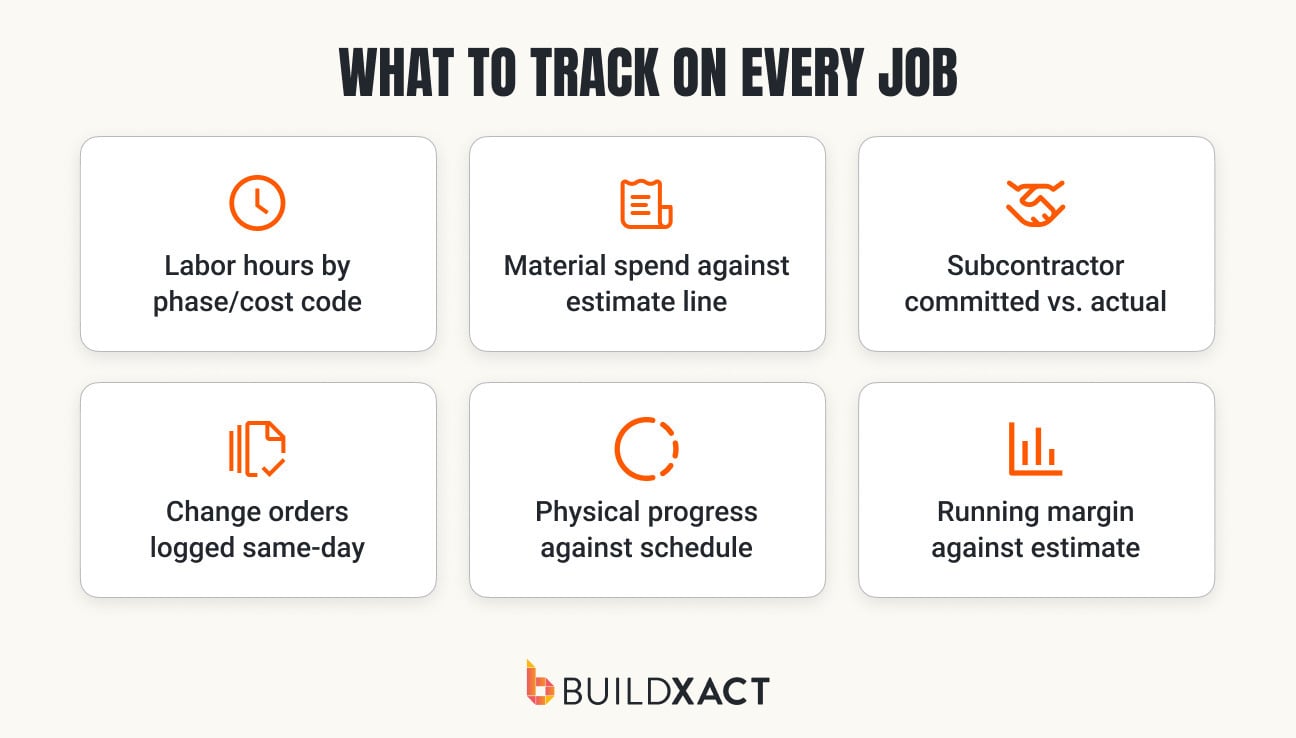
- Logging hours against the phase they were worked (site prep, slab, framing, etc.)
- Assigning receipts against the estimate they belong to
- Make sure subcontract quotes are added immediately against the corresponding estimate line
- Using a formal change order process and updating the budget as soon as they are approved
- Tracking what’s actually complete on site vs. what’s still on the schedule
That’s what construction tracking is at a practical level, but for construction firm leaders, it’s really a discipline designed to answer one question:
Is the job still on time, on budget, and tracking to make the margin it was designed to when the estimate was built?
Why Construction Tracking Protects Your Margin
On residential jobs, margin leaks out at the seams, in small increments.
Every time an extra load of fill is needed, a change order is confirmed through a handshake rather than a formal process, or rework eats up another half a day, the job’s margin takes a hit. But if you have a place for tracking each of those events against the original estimate, you turn that invisible margin leak into a live number you can see change as the job itself does.
Say framing comes in a day and a half over on labor on a particular job because the crew got rained off, then had to work around a materials delay.
Without construction tracking, that labor overage risks being absorbed into the job and forgotten about entirely. You might not find out about it until the job is closed out, and you sit down to run the numbers.
With hours logged against the framing phase, the overrun shows up that week as an accurate number against the framing budget, and you’ve still got time to do something about it. For example, you could find space to tighten the next phases to win back labor costs, or price it up as a change order and discuss it with the client.
That’s exactly how XPRES Kitchen and Bath catches small overruns before they destroy margin.
“Buildxact has given us the ability to identify some of those areas that are a little bit more expensive, that we were just kind of, you know, writing them off as not a big deal. And now it’s given us the ability to track some of those smaller pieces to better manage our profit margin.”
Jaime Hommerding, Vice President of Production, XPRES Kitchen and Bath.
How to Track Time, Cost, and Progress on Every Job
Having construction tracking software and having a system in place that ensures your team uses it well are two very different things.
These are the seven steps you and your crews should be following on every job.
1. Start from the estimate
If your estimate isn’t already structured into phases and cost lines you can actually track against, you won’t be able to compare progress against it with any level of detail.
That’s why the estimating stage is really the most important step in construction tracking.
Build the estimate so its phases and cost codes match how the job runs on site, because those same codes become the buckets you track hours and spend against.
2. Log hours by phase
Once the job gets going, track labor against the phase and cost code as it’s worked, not as one job total.
The practical move here is to use the exact phase codes from your estimate (site prep, slab, framing, etc) as your time buckets, so hours logged on site are tracked against the hours you priced, with no mapping step in between.
If you don’t do that, then you just end up with a whole-job timesheet, and that can only tell you the build is over on labor as a whole, and only after it’s finished.
The thing is, not every component of a build has the same potential to impact costs, and therefore, margin. Framing carries one of the largest shares of a home’s total construction cost, 17.4% by NAHB’s numbers, so it’s one of the first phases worth watching closely rather than folding into a whole-job total.
Logging hours against framing specifically, rather than lumping all labor hours together, tells you framing is running high on the Wednesday it starts happening, while you still have time to shift a crew or tighten the next phase.
3. Assign costs as they land
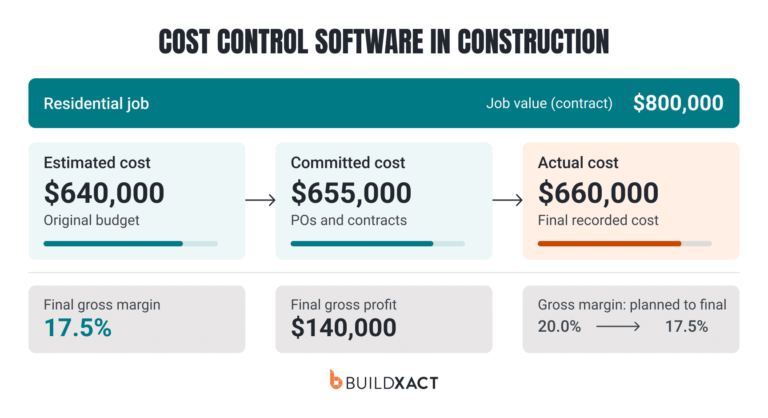
As expenses start coming in, log each cost and receipt against its estimate line as it arrives, so spend is checked against the construction budget in real time.
This is exactly how Buildxact’s cost tracking tool is set up, keeping actual expenses connected to the original estimate as the job runs.

The habit your team should develop to make this work is assigning the cost the day it happens, from the site, with proof (a photo of a delivery slip, for instance), attached. Receipts that sit in the truck for a week all get logged together under “materials”, and they stop giving you any really useful information.
4. Track subs against their quote
Book each subcontractor’s committed cost against the estimate line as soon as you have their quote, so it’s not still sitting in a text thread when the invoice shows up.
This one is skipped too often.
You get a number from the sub, verbally or in a quick message, and move on, planning to sort it out properly later. Later is usually when the invoice arrives, and then you have to go and reconcile manually.
Say they quoted framing labor at $3,200 against a line you priced at $2,800. Logged against the estimate line right away, that $400 is visible the day you get the quote, not when you get billed, so you still have the rest of the phase to find somewhere to offset it and keep your margin on track.
5. Log change orders same-day
Enter each change order the day it’s agreed, so the budget is always up to speed with reality.
If you don’t, every budget decision you make from there is based on outdated numbers. If you agree on a $12,000 change on Monday and leave it unlogged, every margin figure you look at that week is overstated by $12k.
Of course, that’ll probably happen right when you might be pricing the next change or deciding whether the job can absorb a different change, and you’ll end up making a poorly-informed decision.
6. Record real progress
Track physical progress as work is completed, but don’t just review progress in a vacuum. Instead, read it against spend.
This is an important margin signal: if a phase is 25% complete but has burned 40% of its budget, you’ve got a problem to solve (and you still have time to solve it).
Recording what’s actually finished, next to what’s actually been spent, is what turns “the job feels busy” into “framing is over and I need to act on it.”
7. See every job in one view
In your construction management platform, pull all active jobs together into a single margin and progress tracking dashboard.
When you’ve got several jobs running at once, the risk is that you’ll be paying attention to the one with the biggest fires to put out. Meanwhile, every other job slowly leaks margin.
One view of every job’s margin against its estimate turns your weekly check into a couple of minutes of scanning for the number moving the wrong way, instead of opening six jobs to figure out what’s going on across the firm.

Construction Time Tracking Software: What to Look For
Not all construction time tracking software works the same way. Some are built for large commercial teams working on civil and infrastructure projects. Others are better used by single-job owner-operator outfits.
For scaling residential construction firms running multiple jobs at once and looking to keep profit margins strong while growing, these are the key features to look for when assessing construction time tracking software:
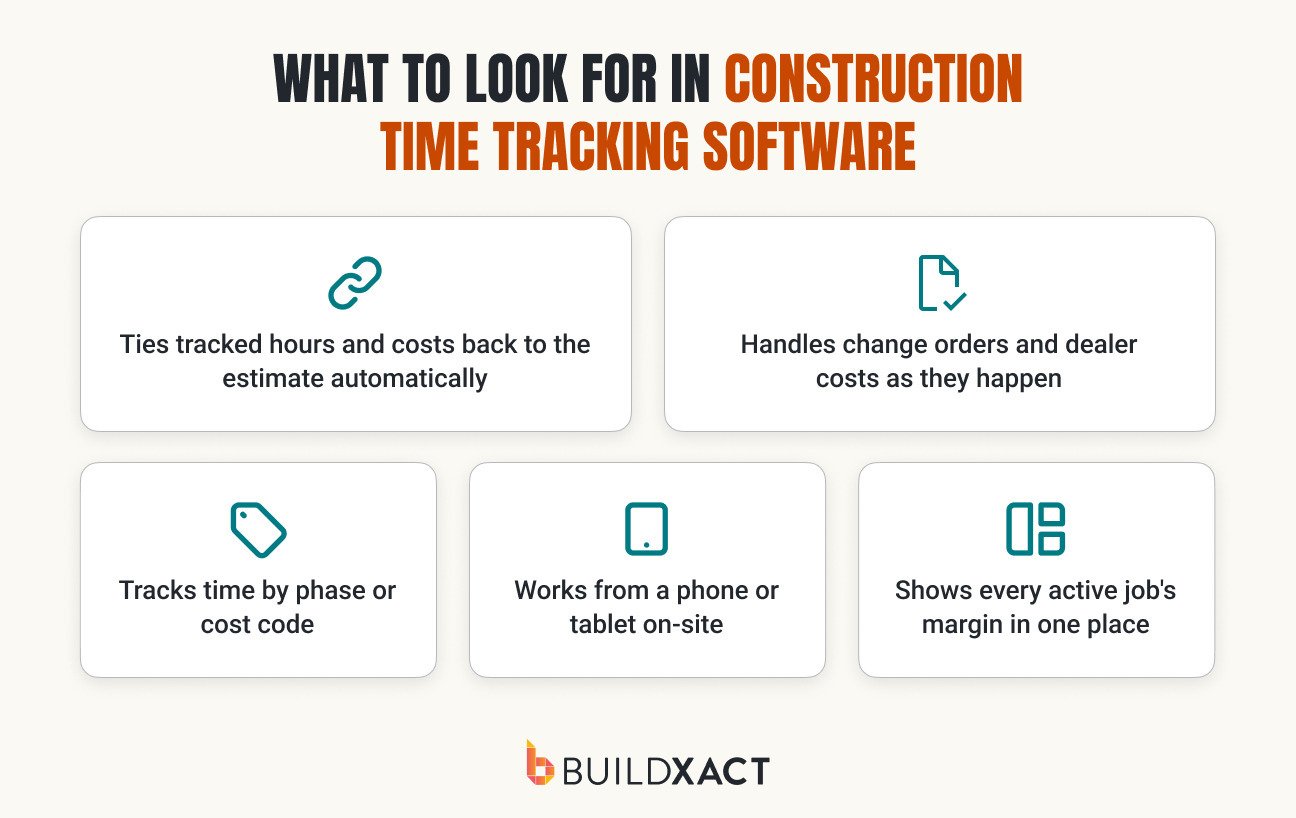
- Direct link to estimate: The software ties tracked hours and costs back to the estimate automatically, so you see margin against budget without rebuilding it in a spreadsheet
- On-site access: The software works from a phone or tablet on-site. Buildxact Onsite logs hours, costs, and progress where the work happens, so nothing gets reconstructed from memory at night
- Granular tracking: The software tracks time by phase or cost code, not just a clock-in total, so you can see which stage is running long
- Live budget updates: The software handles change orders and dealer costs against the budget as they happen, so a same-day change doesn’t leave the number wrong
- Margin tracking at a glance: Shows every active job’s margin in one place, so you’re not opening each job to find the one that’s slipping
Start Tracking Every Job Against Its Estimate
Construction tracking works how it should when hours, costs, and progress are logged against the estimate as the work happens.
When a strong construction tracking process is in place, with phase-level detail and one view across every active job, you have the information you need to make the decisions that protect and improve profit margins.
Phase-level detail is what makes a labor overrun or a material line running high readable while the job is still open, and one view across every active job is what stops a slow drift on the project you weren’t watching that week from reaching close-out unnoticed.
Buildxact keeps estimating, cost tracking, scheduling, and site updates connected, so actuals read against the estimate line they came from. With the Buildxact Onsite app, teams log hours, costs, and progress from the job site, where the work is happening, while the detail is still top-of-mind.
Book a demo to see how cost tracking against the estimate fits into the way your jobs already run.