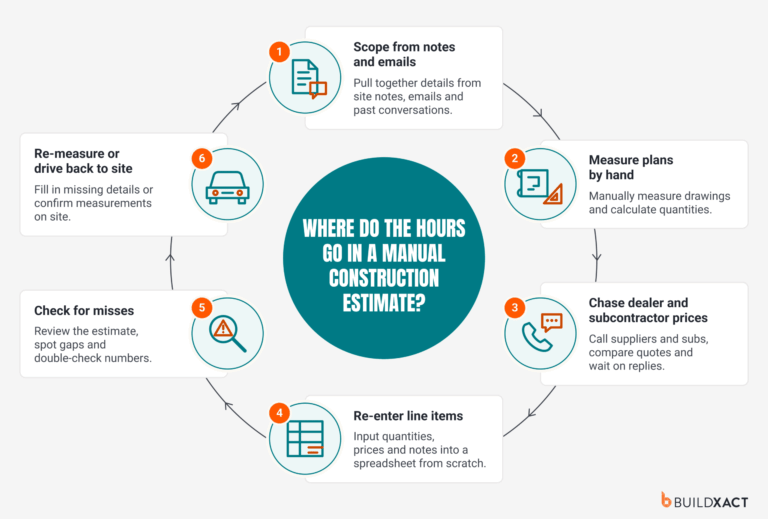


Contractor management software tracks jobs, schedules, budgets, subcontractors, and client communications, but not all tools track it well in a single system. Choosing the best means choosing the one whose features will best protect your margin.
For residential builders, contract management software isn’t a single tool.
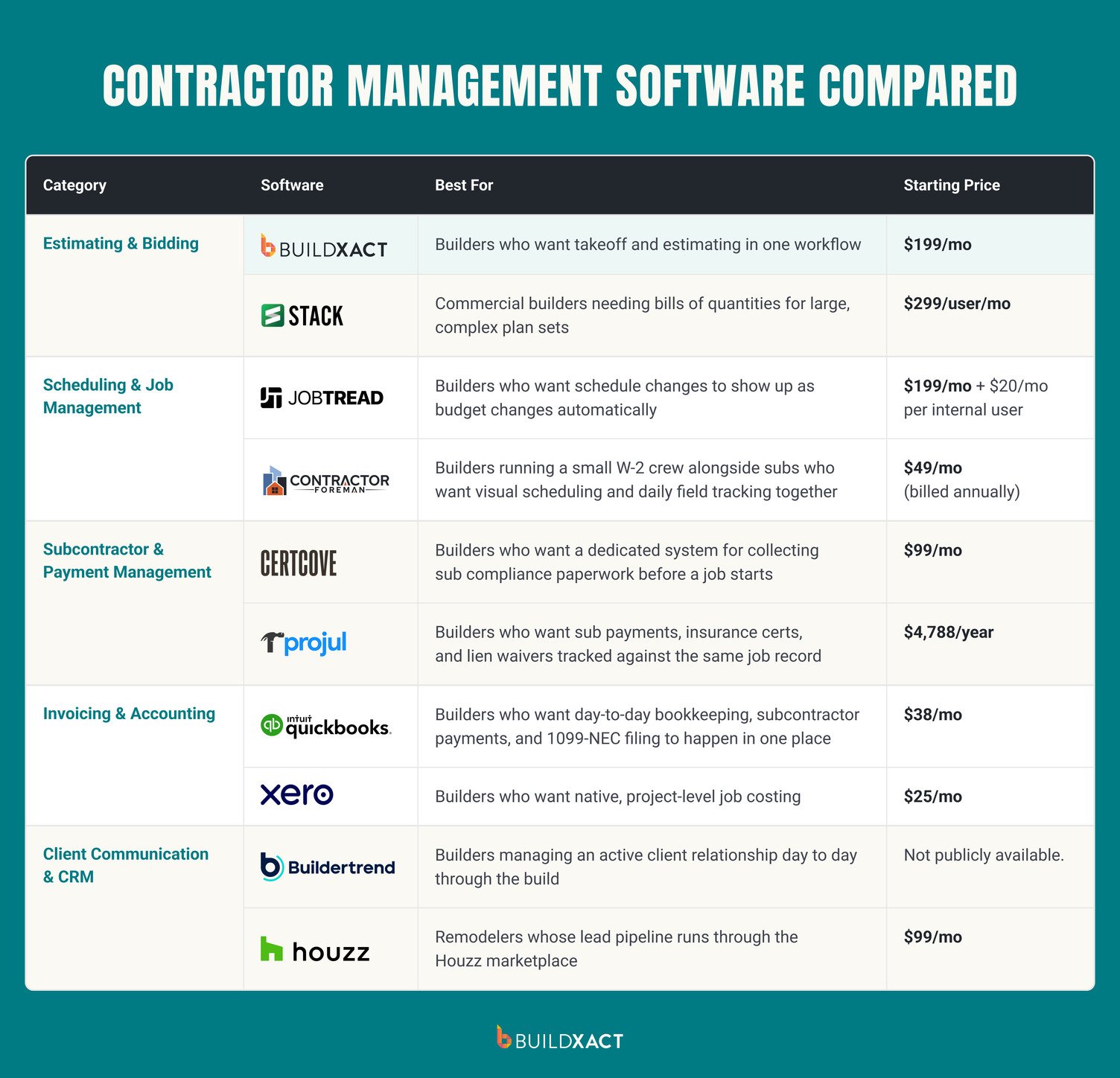
It’s really five separate jobs: estimating and bidding, scheduling, paying and tracking subcontractors, job costing and invoicing, and client communication.
The instinct to want one platform for all of it makes sense: fewer logins, fewer subscriptions to pay for, and just one place to check. The problem is, most platforms that try to cover everything end up with one or two things they’re genuinely good at and the rest built to a lower standard.
This guide breaks the search for contractor management software into the categories residential builders should be thinking about, exploring what each tool does well, and an honest verdict on who and when it fits.
Key Takeaways
- Contractor management for residential builders splits into five separate jobs: estimating and bidding, scheduling, subcontractor payments, invoicing and accounting, and client communication.
- Estimating carries the most margin risk of the five. A missed line item at the bid stage comes straight out of margin.
- Most firms end up running two or three tools together rather than one all-in-one platform, so native integrations between them matter as much as any single tool’s feature set.
- Test any tool on one real job before committing. A strong demo doesn’t guarantee it fits how your jobs actually run.
What Contractor Management Actually Means for a Residential Builder
For residential builders, managing contractors breaks down into five core tasks:
- Estimating and bidding
- Scheduling and job coordination
- Paying subcontractors and tracking payments
- Invoicing and accounting
- Client communication
These aren’t five equally-sized problems.
Scheduling and job coordination is the most obvious job-to-be-done when managing contractors, but estimating actually carries the most margin risk of the five, since a stale price or a missed line item at the bid stage means margin leaks at the seam as the job progresses.
This is where you’ll want to be shopping first.
From there, most residential firms need to tighten up on the financial side of managing contractors.
Paying and tracking subcontractors, collecting W-9s and insurance certificates before a sub starts, filing 1099-NECs at year-end, and knowing who’s owed what on which job, all need a repeatable system as your firm scales and takes on more jobs (and contractors).
Estimating & Bidding
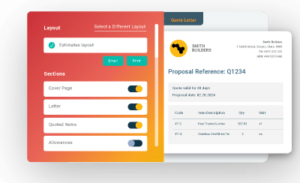
Estimating and bidding software helps builders turn plans into a priced, sendable bid. It should cover digital takeoffs (ideally AI-assisted), real-time material and labor pricing, accurate markup, and generating the proposal itself.
Buildxact

Buildxact is an estimating and project management software for residential builders.
If estimating and bidding are costing you jobs and margin, Buildxact is a smart place to start: builders using Buildxact get bids out 7x faster with an average of ~35% win rate.
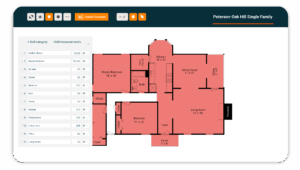
In Buildxact, takeoffs and estimates are built in the same workflow. You upload plans, measure, price against a materials and labor recipe, generate the proposal, and send it off, with no manual data re-entry required between steps.
That’s how John Beiler, owner of Northwoods Construction in upper Maine, cut his whole-house estimating time down from 10 hours to just 4.
Blu, Buildxacts AI estimating assistant, helps with three specific tasks inside estimating:
- Building assemblies (grouping studs, drywall, and insulation into one reusable recipe)
- Reviewing a finished estimate for missed line items
- Generating a full estimate from a prompt
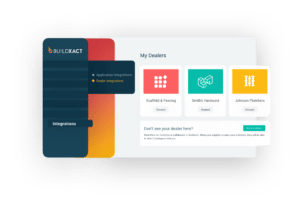
Live dealer pricing is pulled directly into the estimate and kept up to date as the project evolves, so change orders are always priced against current prices, not the prices of materials when you first built the estimate.
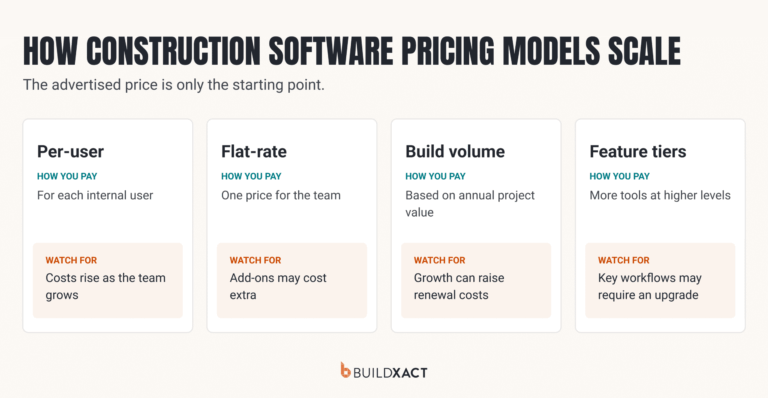
Pricing for Buildxact starts at $199/mo, with unlimited seats included on every paid tier, which helps keep expenses stable as your business scales and you add more users.
Get started today with a 14-day free trial of Buildxact.
STACK

STACK is a preconstruction platform built for commercial builders. It handles tasks like estimating and takeoffs, but doesn’t have any scheduling, job costing, or client-facing tools in the platform itself.
STACK’s digital takeoff tool allows you to upload a plan, measure and count directly on-screen, and generate a bill of quantities (BOQ).
That last part reveals what STACK is really built for. BOQs are more commonly used in commercial and industrial-scale takeoffs involving large, complex plan sets. They’re less common in residential work.
Monthly pricing for STACK starts at $299 per user per month.
Scheduling & Job Management
This category of contractor management software covers turning a won bid into a live schedule, sequencing trades, tracking material lead times, and adjusting when a job slips.
JobTread

JobTread is a budget-first construction platform where scheduling runs as an extension of the job budget rather than a separate calendar.
Materials are tracked as budget line items linked to specific schedule tasks, so when a task’s date shifts, the order deadline for that material shifts with it automatically
Subcontractor confirmation runs through a free, unlimited external portal. Subs see their assigned dates, message the job directly, and update task status there, and that confirmation state shows up on the schedule itself rather than living in a separate text thread.
Pricing starts around $199/mo plus $20/mo per internal user. External users on the sub/vendor portal are free and unlimited.
Contractor Foreman

Contractor Foreman is a scheduling and job management platform that pairs visual scheduling with daily field tracking.
It offers Gantt and calendar views with critical path and baseline tracking, so if the schedule slips, you can see exactly how far it’s drifted from the original plan.
Contractor Foreman also covers equipment tracking and daily logs (weather, crew hours, materials used) alongside the schedule itself, supporting day-to-day contractor management.
GPS-verified time cards feed directly into job costing and payroll, which makes this a useful tool for a builder running a small W-2 crew alongside subs
Pricing for Contractor Foreman starts at $49 a month (billed annually).
Subcontractor & Payment Management
This category of contractor management tools helps with collecting and tracking what’s needed before a sub can legally start (W-9s, certificates of insurance), knowing who’s on which job, and paying them correctly, including 1099-NEC filing at year-end.
CertCove

CertCove is a dedicated compliance tool built specifically for collecting and tracking the paperwork subs need before they can legally start on a job.
Using CertCove, builders can send tokenized upload links to subs for W-9s, ACORD 25 certificates of insurance, licenses, and signed agreements. That means subcontractors don’t need to create an account or log in.
For subcontractor vetting, coverage requirements are configurable by job (e.g., minimum limits, additional insured status, waiver of subrogation) so you never request (and have to review) paperwork the job doesn’t actually need.
Automated chase sequences on missing documents (reminders on day 3, 7, and 14) and renewal requests that are triggered 30 days before a policy expires help builders cut down on manual admin.
Pricing starts at $99 per month, increasing based on the number of vendors you’re working with.
Projul

Projul tracks subcontract agreements, insurance certificates, and lien waivers alongside payments, all logged against the project record instead of being kept in separate files.
Insurance certificates and lien waivers are recorded with a subcontractor’s payments, so a payment and the waiver it triggers remain linked. Job costing lives on that same record, giving a running view of what’s been paid out to each sub against the job’s budget as work progresses.
Pricing for Projul starts at $4,788 annually.
Invoicing & Accounting
Every job’s numbers eventually have to land in a general ledger, invoiced, reconciled, and filed, and that’s what this category of contractor management software takes care of: invoicing the client, the day-to-day bookkeeping underneath the business, and the 1099 filing that comes out of a season of paying subs.
QuickBooks

QuickBooks is where day-to-day bookkeeping, subcontractor payments, and 1099-NEC generation and filing happen, which means year-end filing doesn’t require a separate tool.
It’s the accounting standard most bookkeepers already run, making it a safe default when you have someone else doing the books.
Pricing starts around $38/mo and scales with the number of contractors and employees tracked. QuickBooks integrates directly with Buildxact, syncing purchase orders and invoices between the two so a Buildxact PO becomes a bill in QuickBooks.
Xero

Xero is cloud accounting software with job costing built in natively: cost codes tie to a chart of accounts so materials, labor, and subcontractor spend get tracked separately per job, helping form a live view of each project’s profitability.
Xero’s real-time bank feed also updates cash flow automatically, so reconciliation doesn’t wait on someone manually matching transactions, and cloud access means a remote bookkeeper works from the same live numbers as the builder.
Xero’s own Projects module is lighter on construction-specific cost coding than a dedicated job-costing tool, so a complex build with many cost categories may still need something more specialized. Xero also integrates directly with Buildxact, syncing purchase orders and invoices between the two so nothing needs re-entering by hand.
Pricing starts at $25/mo.
Client Communication & CRM
This category of contractor management software includes everything the client sees: selections, progress updates, change orders, and the lead pipeline that brings work in.
Good client management is a key driver of repeat work and referrals, supports strong change order management processes, and generally makes life easier on the job itself.
Buildertrend

Buildertrend is construction project management software.
Its client portal is a key feature. In it, homeowners can see progress updates, approve selections, and view schedule changes without having to get on the phone.
Selections management ties client-approved choices (fixtures, finishes) directly to the job, which reduces double data entry and also creates an approval record to fall back on if a client dispute arises down the track.
Pricing for Buildertrend is custom-built and depends on factors like your annual construction volume.
Houzz Pro

Houzz Pro is a design-led CRM and client-communication platform built around leads sourced from Houzz’s own marketplace.
The CRM tracks leads by stage and tags prospects, while a Gmail extension pulls existing email threads directly into the CRM as tracked leads.
Houzz Pro also includes a client portal that supports messaging, document sharing, and a tracked approval history. It has similar functionality to Buildertrend’s portal but tied to Houzz’s lead ecosystem.
Pricing for Houzz Pro starts at $99 per month for one user.
How to Choose the Right Contractor Management Software Stack for Your Business
For many residential firms, contractor management happens across a stack of software, not just in one platform.
Here’s how to think about building a software stack that makes sense for your business:
- Start with the category costing you the most margin right now. This is where you’ll get the most ROI out of what you spend on the tool. For most residential builders, that’s estimating.
- Prioritize integration. Since you’ll have two or three tools at once, it’s smart to make them connect and work together. Before onboarding a new tool, ask about native integrations, or consider whether workaround options (like a Zapier connection or manual export and upload) work for you.
- Track cost across the stack. Add up every tool’s monthly cost together, rather than looking at each separately. Individually affordable tools stack into a real number fast.
- Test with one real job before deciding. Demos with the sales team are helpful for getting a baseline understanding of a tool’s benefit, but you’ll want to run a trial on a real job before committing (a tool might have a great interface but not actually fit your workflows on a live job).
The Best Contractor Management Software for Residential Builders
Contractor management software isn’t one purchase decision; it’s five. The best place to start is whichever category is costing you the most margin right now.
For most residential builders, that’s estimating.
A missed line item at the bid stage comes straight out of the margin. Scheduling, subcontractor payments, accounting, and client communication all matter, but none of them recover the margin that was never priced in to begin with.
Book a demo to learn how Buildxact can help you stop missing line items at the estimate stage and keep margin from leaking as the job runs.