
In residential construction, landscaping is often one of the last projects priced, but one of the first areas where errors appear.
Manually measuring site plans, accounting for materials, and tracking dealer supply and information through spreadsheets makes landscape estimating a slow, error-prone task that’s likely eating into your margins. And when costs are missed or underestimated, those mistakes follow you throughout the build.
Intelligent landscape estimating software grants small- and medium-sized home builders total control over their day and work. From automating measurements to integrating with live dealer pricing for real-time accuracy, the right landscape estimating software will simplify and speed up your quotes and wins.
If you’re looking for landscape estimating software that frees you up to focus on the job, our 2026 comparison guide is for you. We explore the features and benefits of landscape construction estimating software, and share our reviews of leading platforms. With the right estimating tool, you can bid with confidence every time.
The Benefits of Landscape Construction Estimating Software
Faced with rising material costs and tight margins, an increasing number of landscapers are turning to technology to stay competitive.
In fact, an Aspire industry report found that by 2025, 93% of landscape businesses had adopted software to streamline their operations. Estimating software plays a central role, helping contractors to bid faster, avoid costly errors, keep projects profitable, and more.
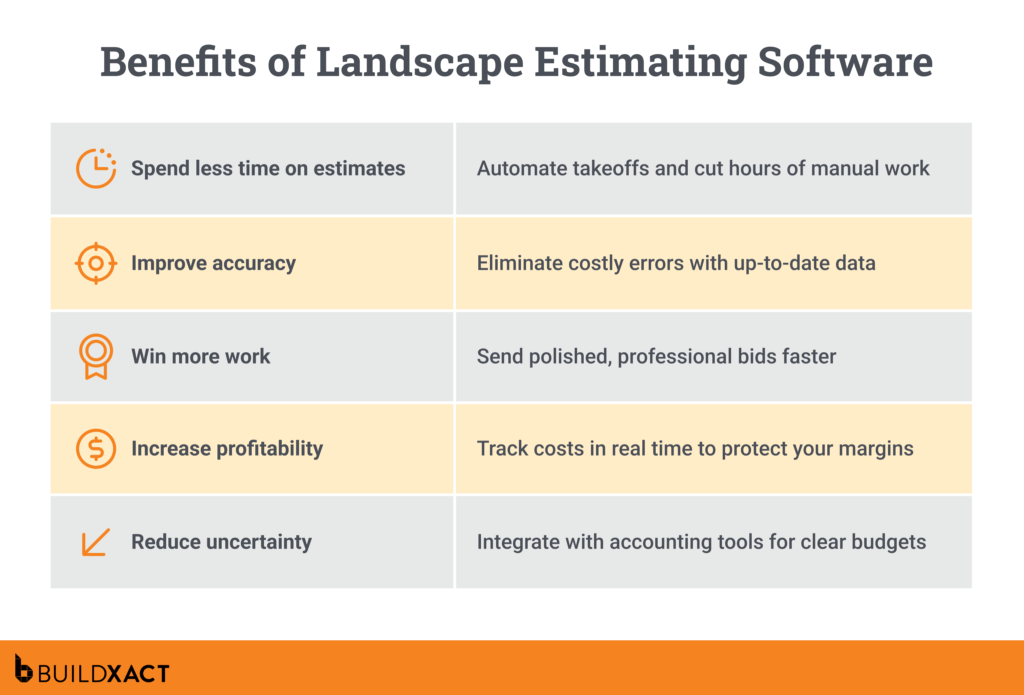
Spend less time estimating, more time earning
Slow, error-prone estimating tasks that require you to be tied to spreadsheets or manually convert measurements take time away from revenue-generating landscaping work.
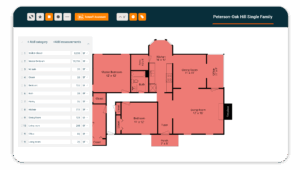
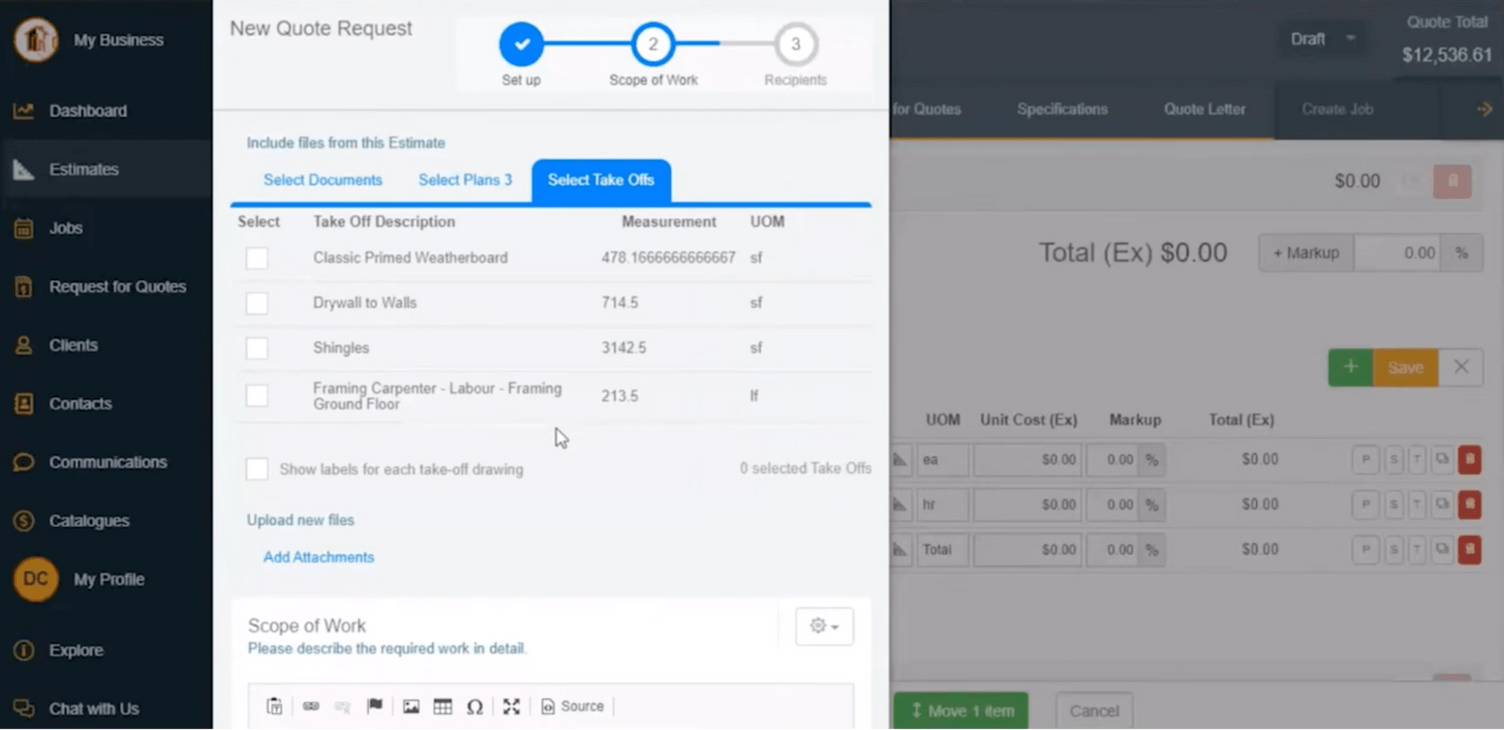
Digital takeoffs let you measure turf, mulch, or hardscape areas in a few clicks, while automated workflows speed up bids for both installation and maintenance projects.
“Over 50% of spreadsheet users believe their current system will restrict future growth, and 40% forecast a decline in profits this year.”
— 2026 Landscaping Technology Trends Report, Aspire
Fewer mistakes, smoother builds
Whether due to outdated data, inconsistent production rates, or guesswork, estimating errors can erode margins over time. Automated estimate and review tools reduce costly mistakes and avoid time-consuming rework.
Send better bids, faster — and win more jobs
A late response to an RFQ can mean losing the job to a faster competitor. According to an industry report by Aspire, 38% of landscapers cite “winning new bids and contracts” as a top challenge.
Software that generates professional, accurate quotes quickly gives contractors a better chance of staying competitive and securing work.
Know where every dollar’s going — and how hard it’s working
Unexpected costs can quickly arise when you lack clear visibility into your cash flow. Smart estimating software makes it easier to track costs and jobs, preventing overlooked expenses and giving you more control over your profits.
Say goodbye to guesswork
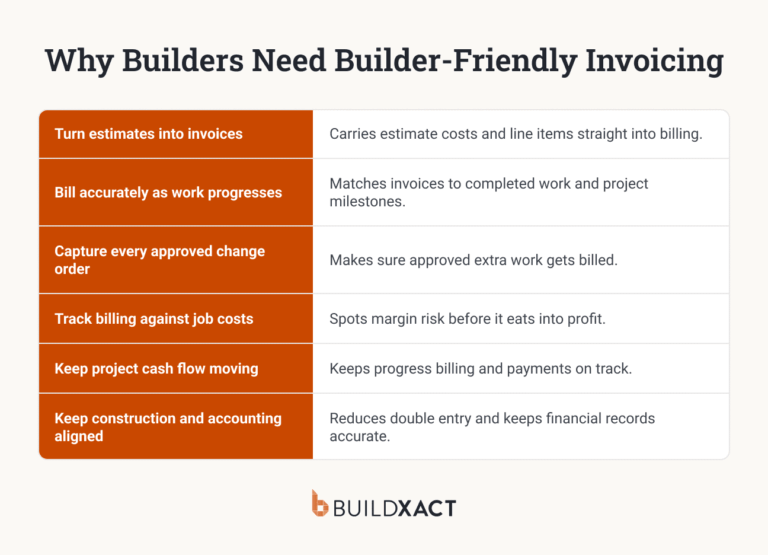
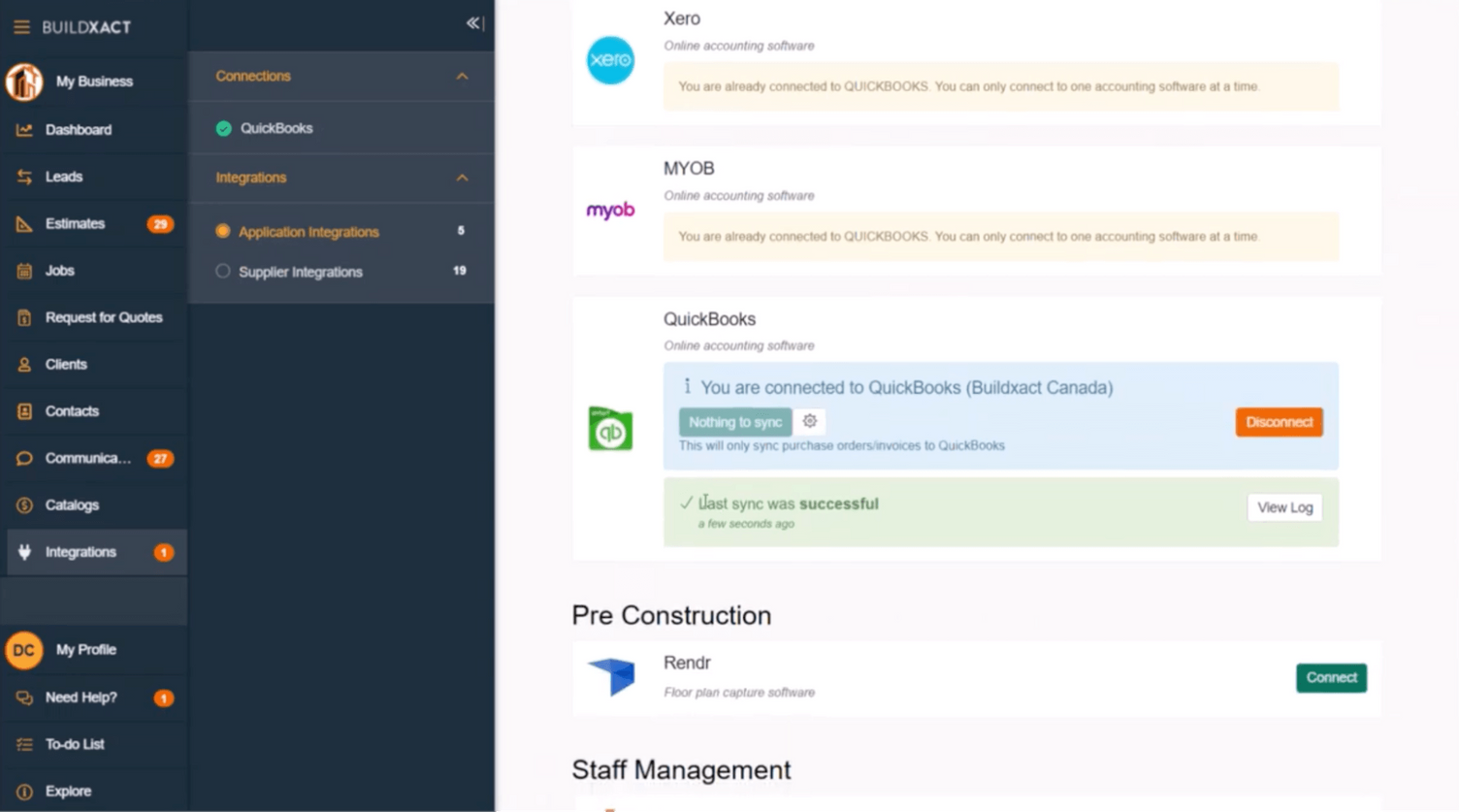
When you’re estimating a job, taking a guess is as good as gambling with your profits. Two-way sync with accounting software, such as QuickBooks or Xero, eliminates double entry, reduces mistakes, and helps landscapers maintain accurate job budgets without extra administrative work.
Stop underquoting and start protecting your margins
Landscape contractors are no strangers to slim margins — and even the most minor error or overrun can lead to a loss.
With 52% of landscapers naming material costs as their most significant risk, live dealer pricing ensures that estimates reflect current material pricing, reducing the risk of underquoting and maintaining safe margins.
Landscaping estimating software can simplify and streamline the processes you undertake in every project — from measuring turf to tracking plant lists and labor. But to unlock these benefits, you need to know what features to look out for in your estimating platform.
The Features You Need From Your Landscape Estimating Software
When evaluating landscape estimating software, the key is to focus on the features that improve accuracy, speed, and profitability — in other words, the areas where landscapers most often lose time and margin. From automated reviews to live dealer pricing, the right tools should be easy to use and fit seamlessly with your everyday workflows.
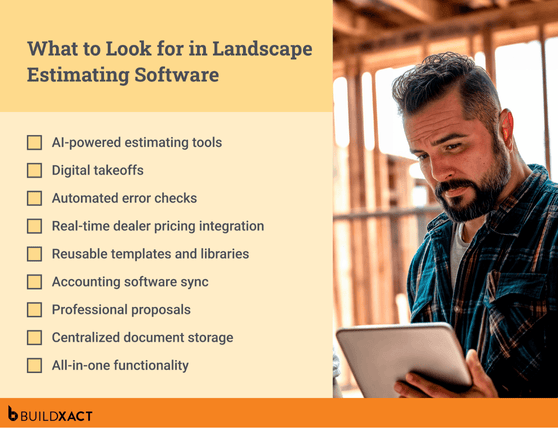
AI-powered estimating tools
AI-driven estimating features replace tedious, error-prone manual estimating with fast, accurate bids that increase conversion rates and keep projects profitable.
“AI-enabled estimating platforms now deliver 85-90% price-forecast accuracy, trim bid preparation time by up to 40%, and help firms protect slim margins.”
— Construction Estimating Software Report (2026 – 2031), Mordor Intelligence
Digital takeoffs
Landscape estimating software that lets you calculate quantities and materials directly from plans eliminates time-consuming manual measurements and errors that lead to rework.
Automated error checks
Automated reviews help you catch missed line items — like drainage, haul-off, or labor — so you don’t erode an already slim margin on overlooked details.
Real-time dealer pricing integration
The fluctuating cost of materials, such as mulch or pavers, can lead to underquoting if your data isn’t up-to-date. Integration with dealer material prices and labor rates keeps estimates accurate.
Reusable templates and libraries
Pre-built templates and libraries of your most common landscaping jobs and tasks equip you with repeatable processes that ensure consistent pricing and predictable profit margins.
Accounting software sync
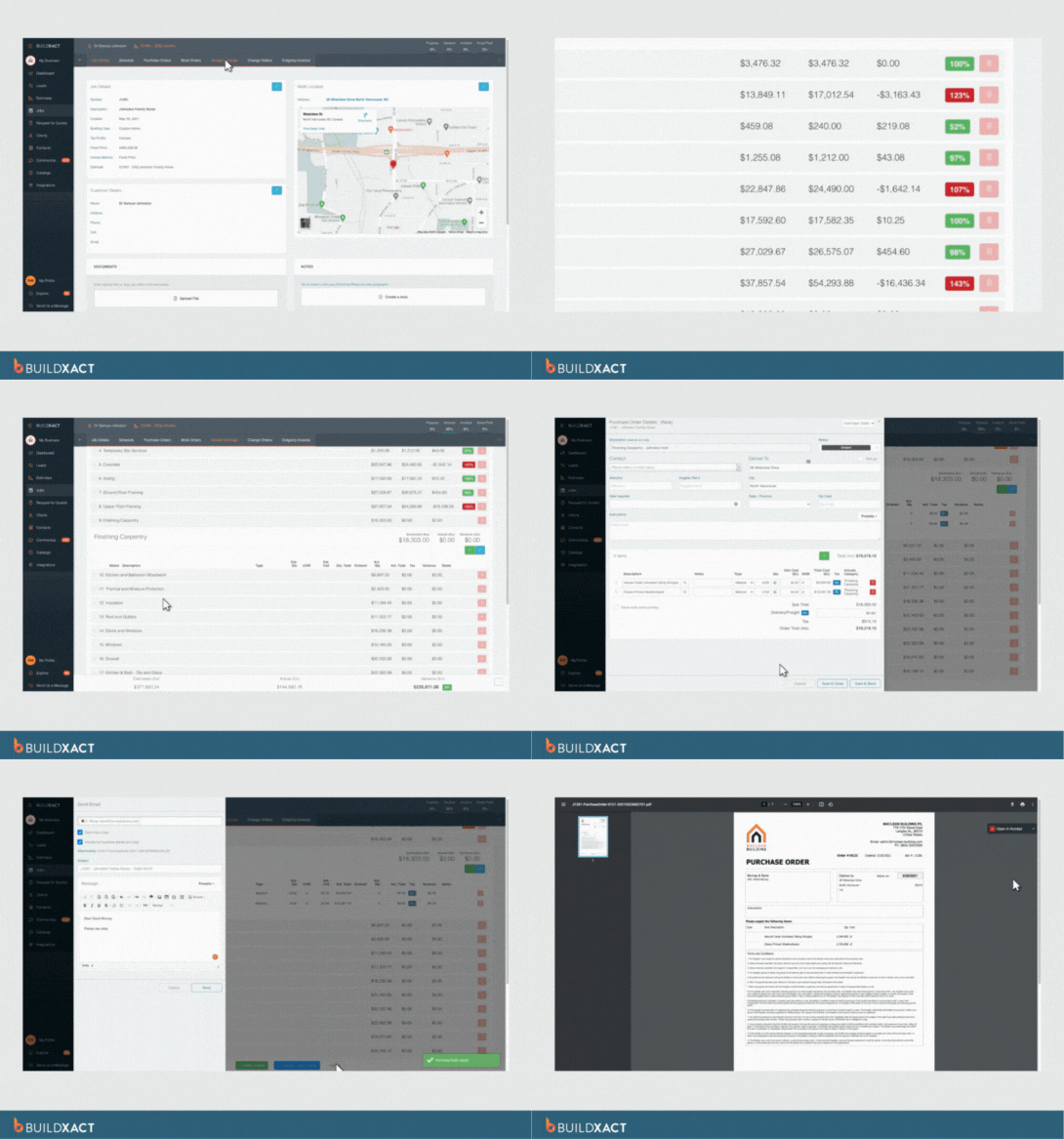
An estimating tool that syncs income and expenses from your accounting software keeps finances accurate and saves you the headache of time-consuming double entry.
Professional proposals
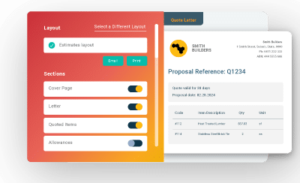
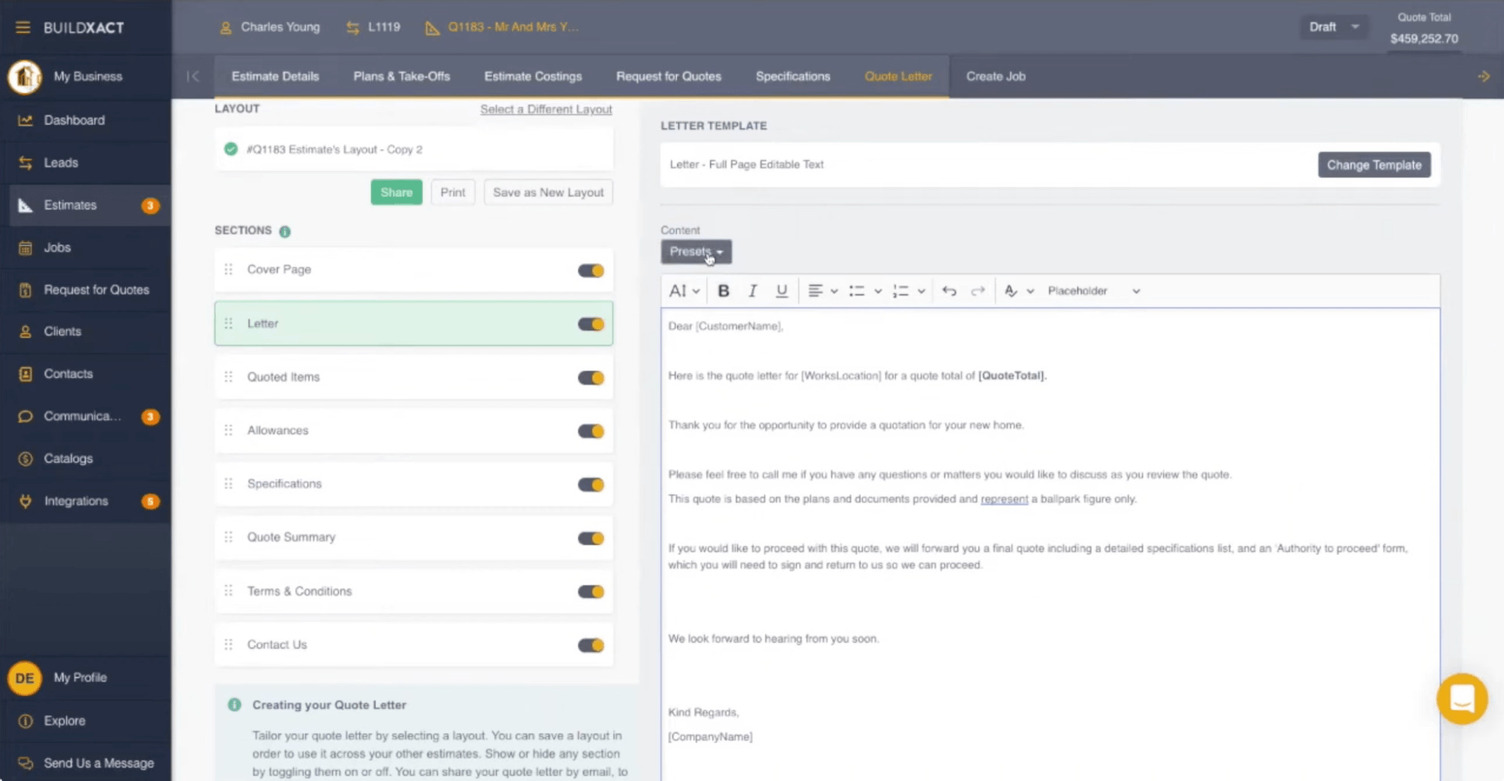
With comprehensive estimating software, you’ll be able to quickly generate branded proposals with all landscaping line items included, helping you look more professional and win more jobs.
Centralized document storage
Site drawings, plant schedules, and permit documents are easily misplaced. An estimating tool that keeps all files, drawings, and updates in one place streamlines processes and improves client communication.
All-in-one functionality
As a busy landscape contractor or small business owner, you’re used to juggling multiple roles. With a single software platform that combines estimating, takeoffs, scheduling, job management, and accounting, you can stay in control and focused on the job at hand.
“Contractors with optimized platforms are 5× more likely to save up to 20 hours, nearly half a full-time role, per week.”
— 2026 Landscaping Technology Trends Report, Aspire
When it comes to selecting estimating software, don’t be tricked into thinking a bigger feature list means a better platform. By looking for a tool that offers the specific functionality you need, you can avoid wasting money on features you’ll never use.
To help you identify the ideal landscape estimating platform, let’s explore some of the best software providers on the market.
Top Landscape Estimating Software: A Comparison Guide
Choosing the right landscape estimating software can equip you with a strong competitive advantage. Faster takeoffs, more accurate bids, and real-time pricing updates not only save time but also help landscapers win work in a crowded market.
In our comparison guide below, we examine how the leading platforms compare for landscaping businesses.
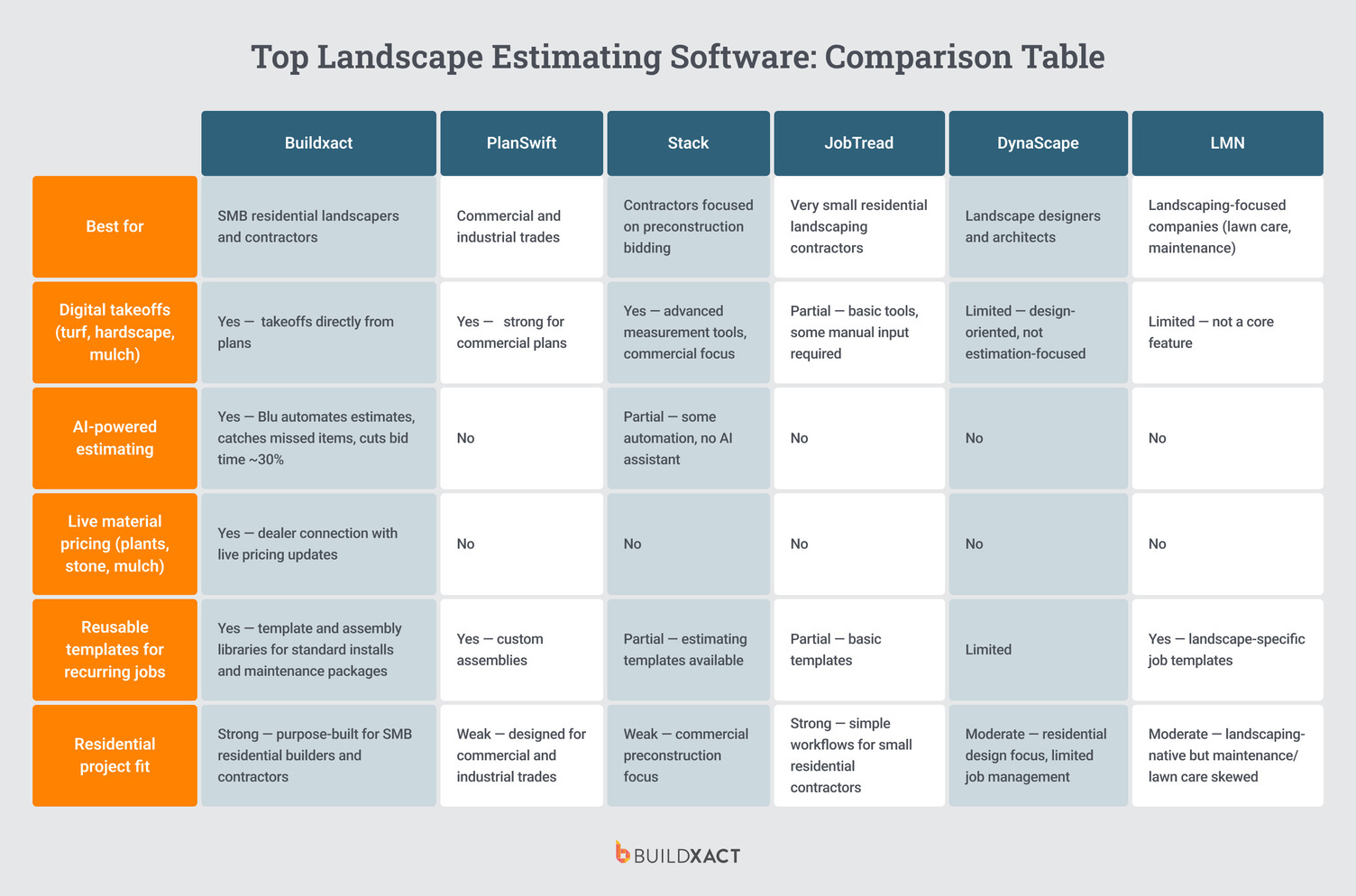
Buildxact
Buildxact is an all-in-one estimating and job management platform built for small to medium-sized residential businesses, including landscapers. The platform supports trade-specific workflows by combining estimating, takeoffs, scheduling, and cost tracking in a single system.
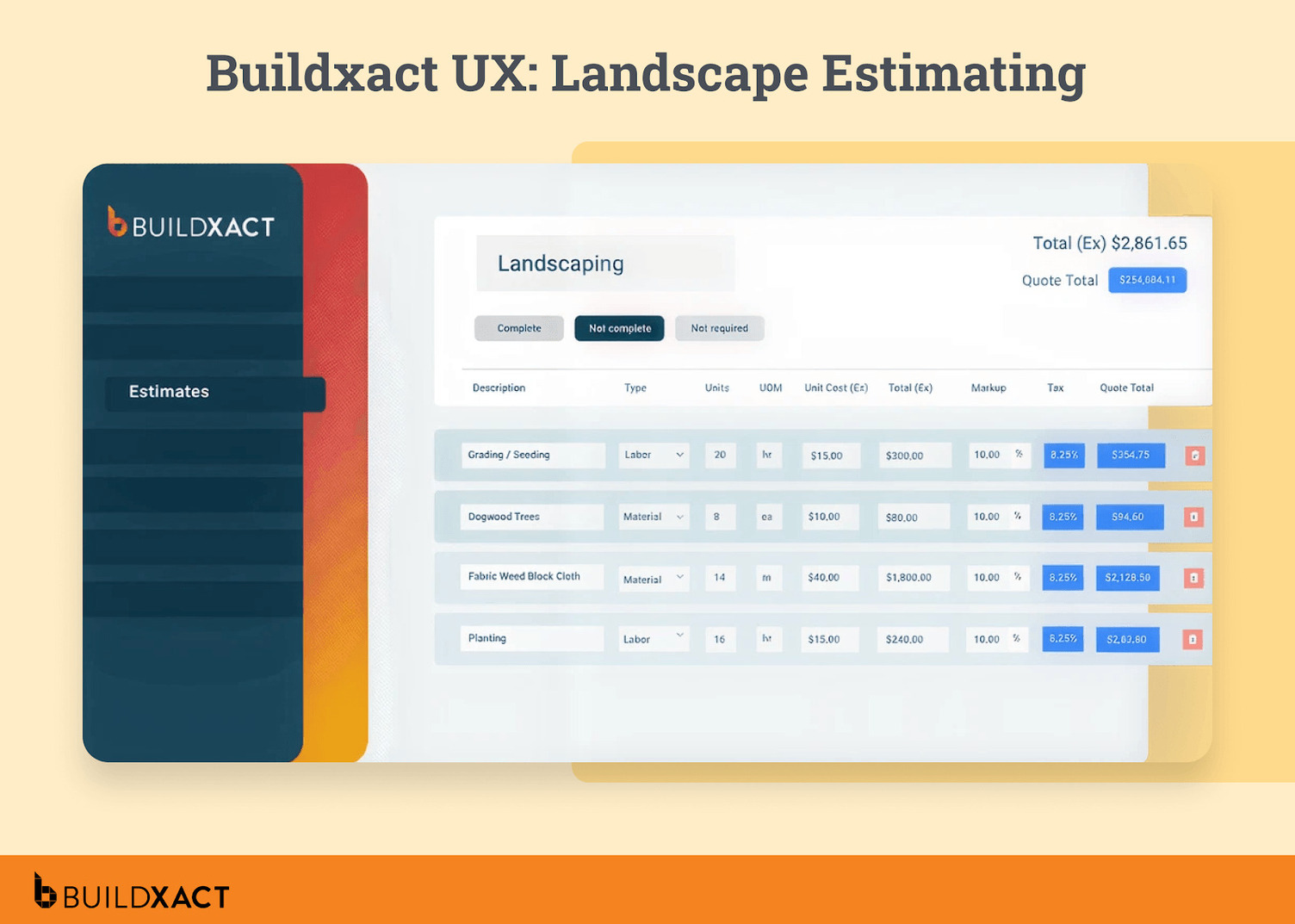
For landscaping projects, Buildxact offers:
- Fast, AI-powered digital takeoffs, real-time dealer pricing, and reusable templates that simplify the process of quoting materials.
- Estimates link directly to project schedules and budgets, helping contractors keep timelines and costs aligned as work progresses.
- Onsite, its connected mobile app, designed to support your team’s views and updates of project details from the field.
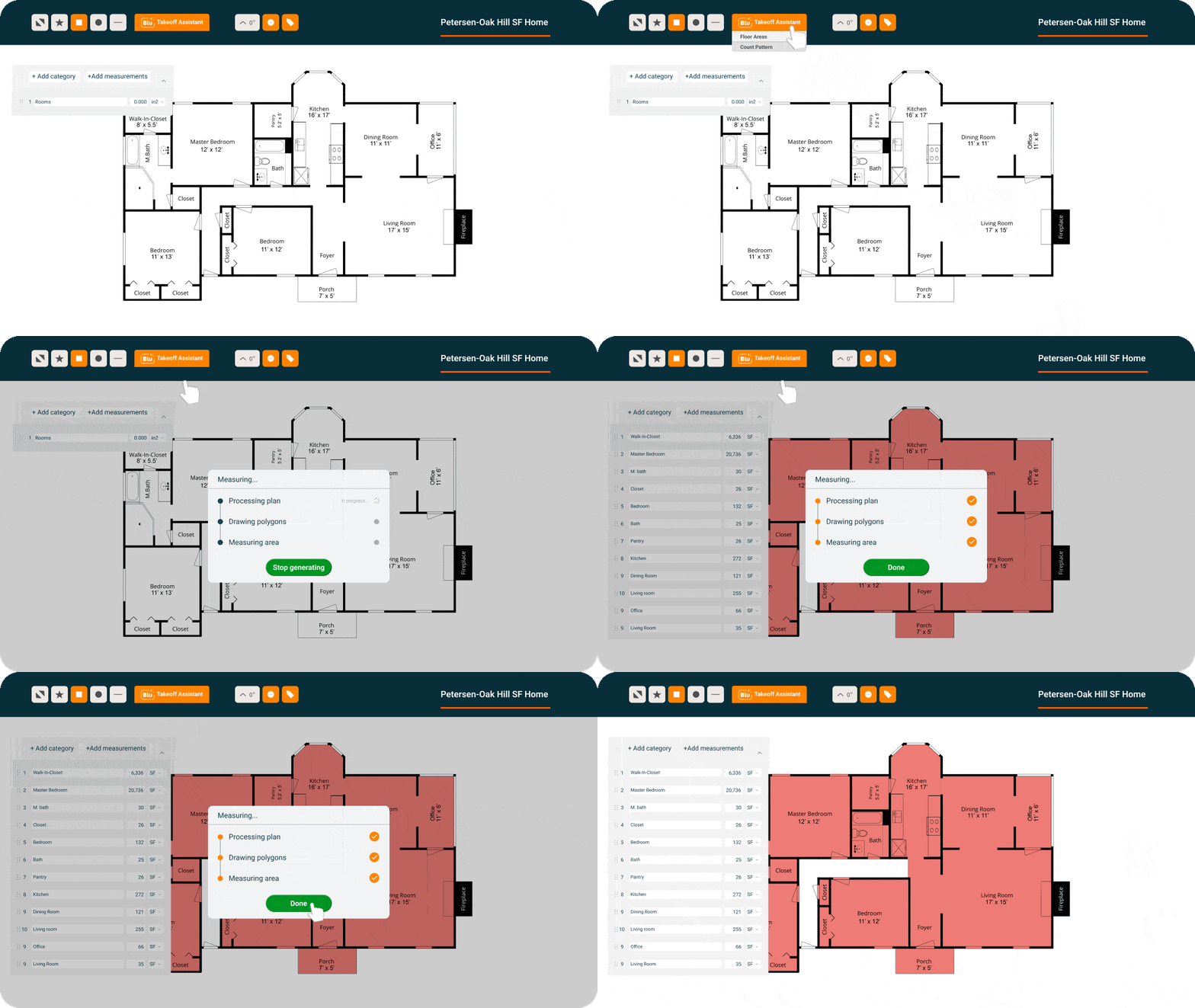
Buildxact is best suited to small to mid-sized landscaping businesses that handle residential projects and want to streamline their estimating process, as well as contractors who juggle installation and recurring maintenance work.
Pros
AI-powered estimating with Blu
Blu, Buildxact’s digital estimating assistant, cuts the time it takes to build a complete estimate by 30%. What’s more, it automatically reviews bids for accuracy.
For landscapers managing diverse materials and project resources — from sod and soil to seasonal labor — this reduces overlooked costs and gives greater confidence that estimates reflect the true scope of the job.
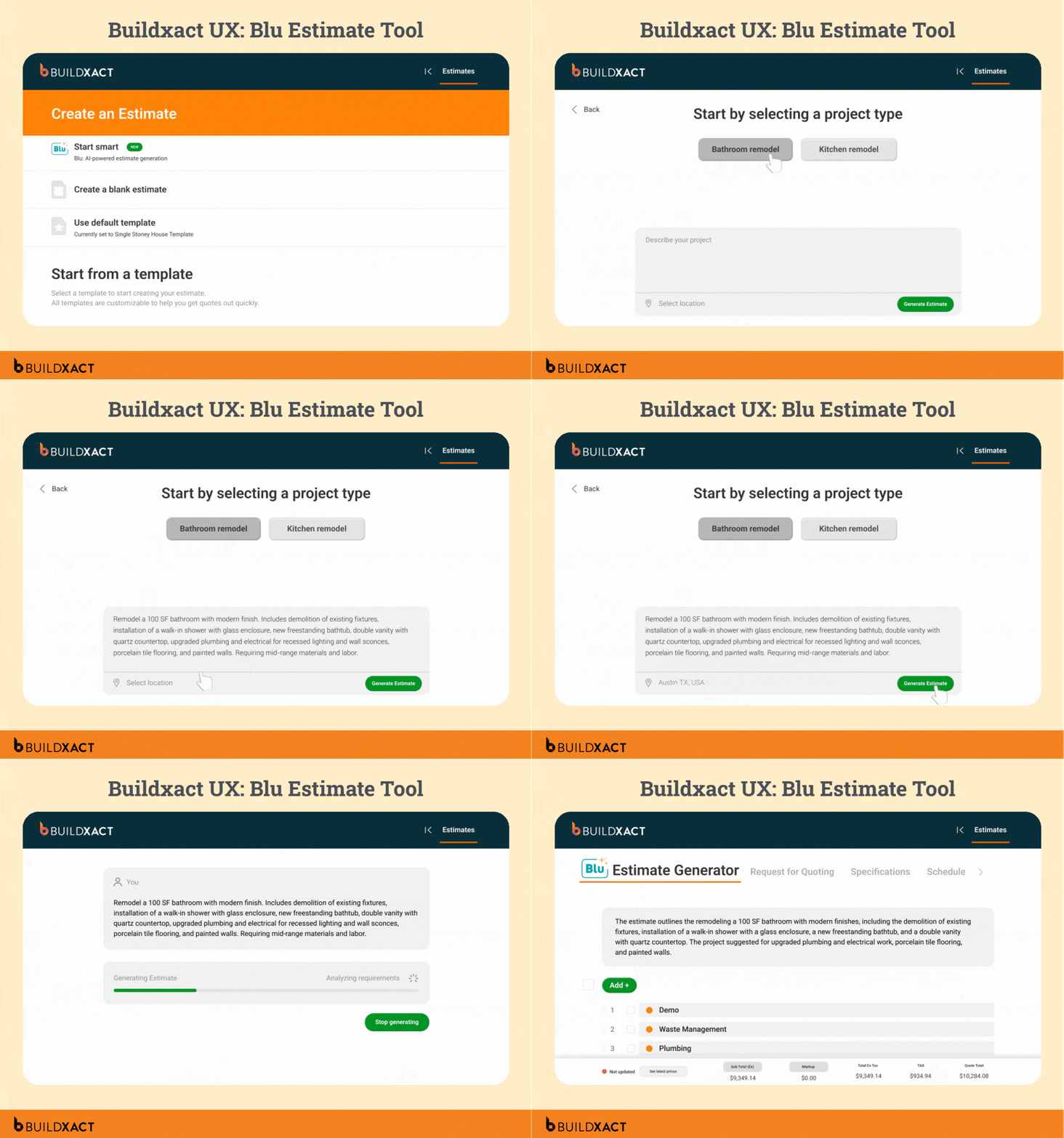
Point-and-click takeoffs
Digital takeoffs allow contractors to quickly measure turf areas, mulch coverage, or paver layouts directly from plans. This speeds up a traditionally manual task and helps ensure more precise quantities for both installation and maintenance work.
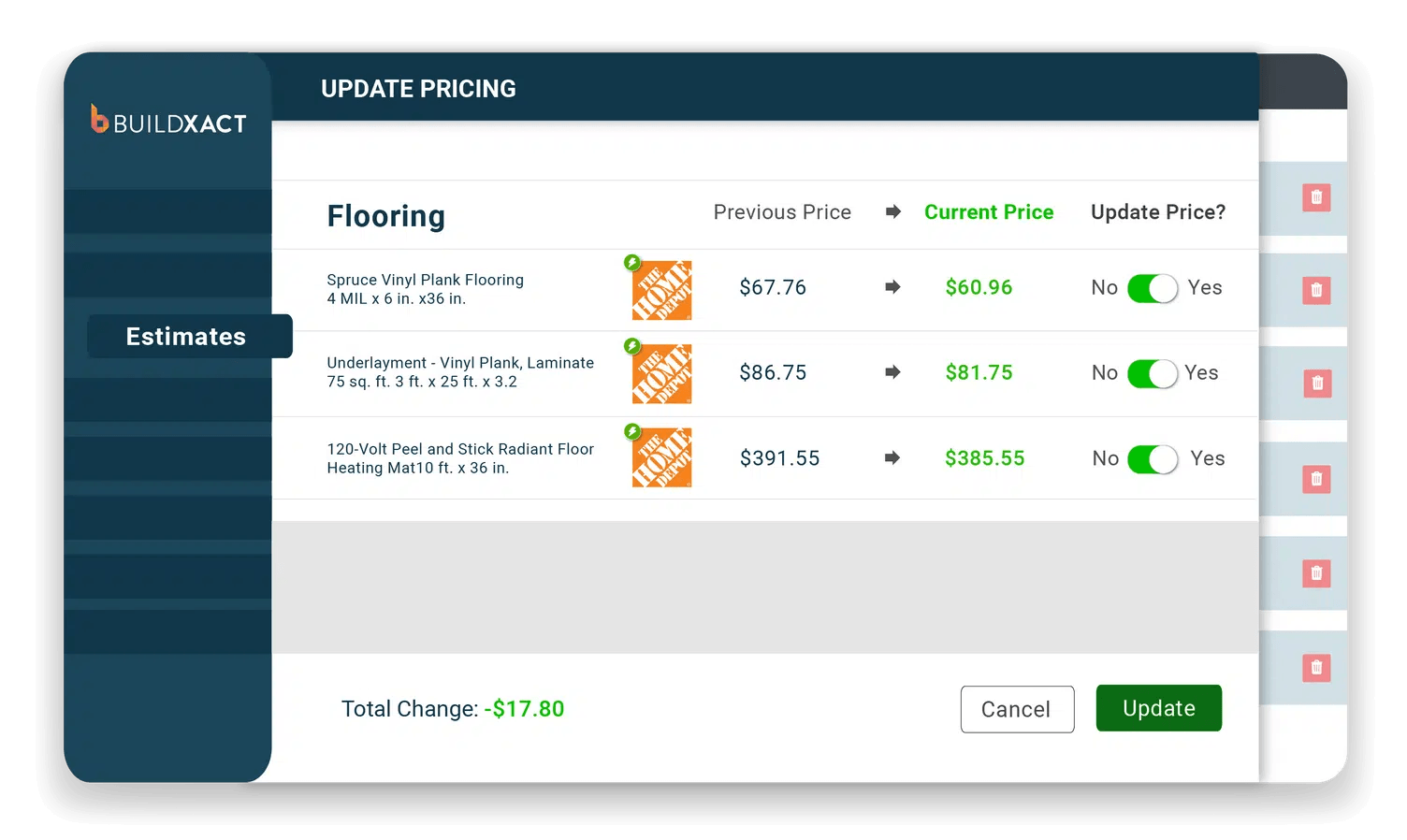
Live dealer pricing
With material costs such as stone, plants, and mulch changing frequently, Buildxact’s connection to live pricing helps landscapers keep bids current. Estimates are automatically updated with dealer price lists, reducing the chance of underquoting on projects.
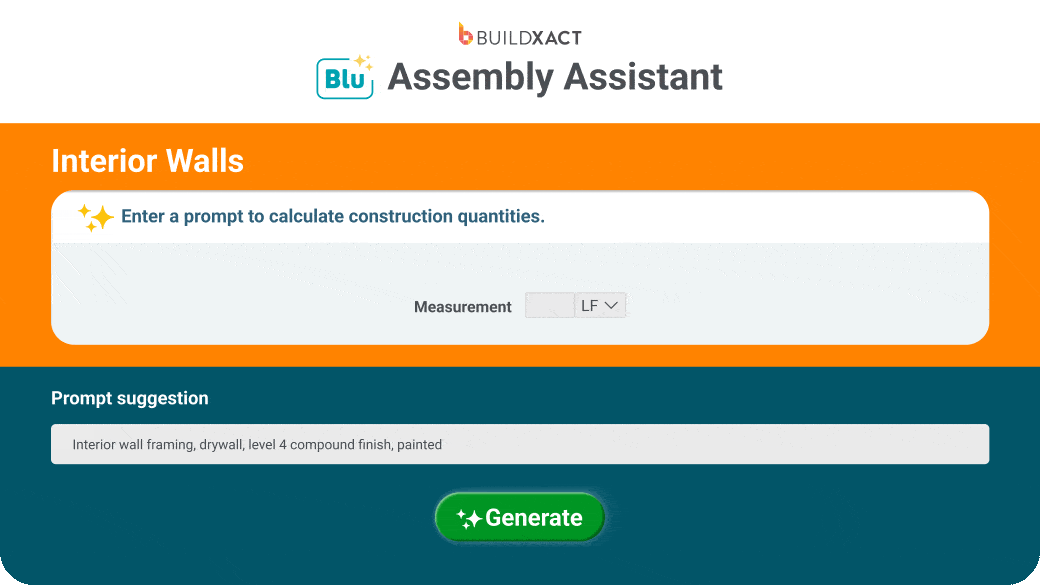
Reusable templates for repeat work
Since a large share of landscaping revenue comes from recurring maintenance and standard installations, Buildxact’s template and assembly libraries enable contractors to save common job types — such as irrigation zones, mowing packages, or retaining walls — for consistent, repeatable estimating.
Cons
Buildxact is purpose-built for small to mid-sized residential businesses, which means it isn’t suited to enterprise-scale construction or large commercial landscaping projects.
Companies that require advanced compliance tracking, multi-division oversight, or highly customized workflows may find its feature set isn’t tailored for protracted and complex commercial construction builds.
What people say about Buildxact
For Jeremy De Paz of Waterloo City Construction, takeoffs used to be a major bottleneck. As project manager, he was responsible for setting up systems that would help the business save time and produce faster takeoffs and estimates. “Takeoffs were not something that I really had time to focus on, and we were always doing things on the fly.”
With Buildxact, Jeremy can now create takeoffs independently and provide suppliers with detailed information much earlier in the process. “It’s important for me to be independent and be able to do takeoffs on my own. My salesmen love it because I send them takeoffs and they’re all ready, and he just has to review them.”
The impact has been felt across the business. “Across the board, we’ve become more efficient, and the transfer of information is a lot easier with no data lost in translation from one person to another. And the added speed makes it smoother to project profit for each of our properties.”
Pricing
Buildxact offers three tiers
- Foundation ($199/mo or $169/mo annually) covers estimating with digital takeoffs, dealer integration, and Blu’s Assembly Assistant, with optional AI add-ons.
- Pro ($399/mo or $339/mo annually) adds project management and scheduling.
- Master ($599/mo or $509/mo annually) includes full Blu AI tools, user controls, and priority support.
PlanSwift
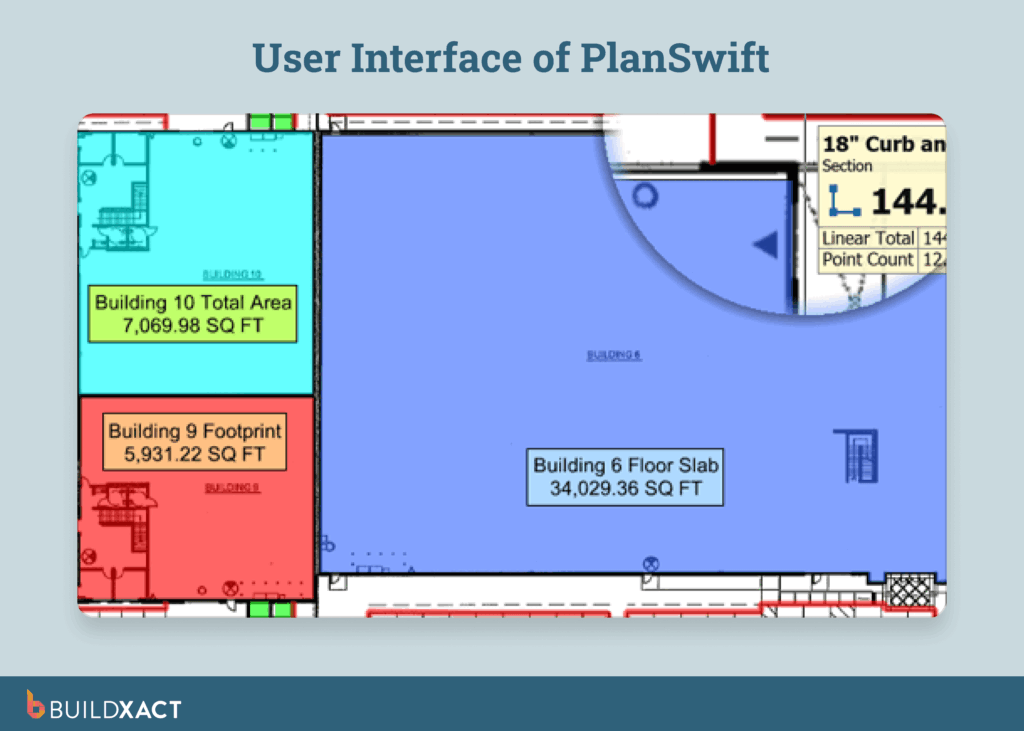
PlanSwift’s digital takeoff and estimating software are suitable for a wide range of construction trades, including landscapers. The platform offers automated measurements directly from digital blueprints, as well as the ability to generate cost estimates. It features a point-and-click interface and uses custom assemblies to automate takeoff calculations.
PlanSwift targets a broad range of trades, including electrical, flooring, HVAC, and earthwork. It’s best suited for commercial and industrial trades that require customizable takeoff features to meet their specific needs.
Pros
- Ease of use and intuitive tools enable landscapers to get up and running quickly.
- Direct export of quantified data to Excel simplifies estimate pricing and bid creation.
- Extensive customization lets users build custom formulas for multiple trade and project types.
Cons
- Outdated interface with frequent crashes and bugs slows progress and disrupts projects.
- Advanced features can be complex to learn, which can add time to the onboarding process.
- Slow response times and poor customer support are cited by some online reviews.
Pricing
- Professional subscription: $2000 USD per user per year.
- The price includes 2 hours of training; additional costs apply if extra training is required.
- PlanSwift offers a free trial on request.
STACK
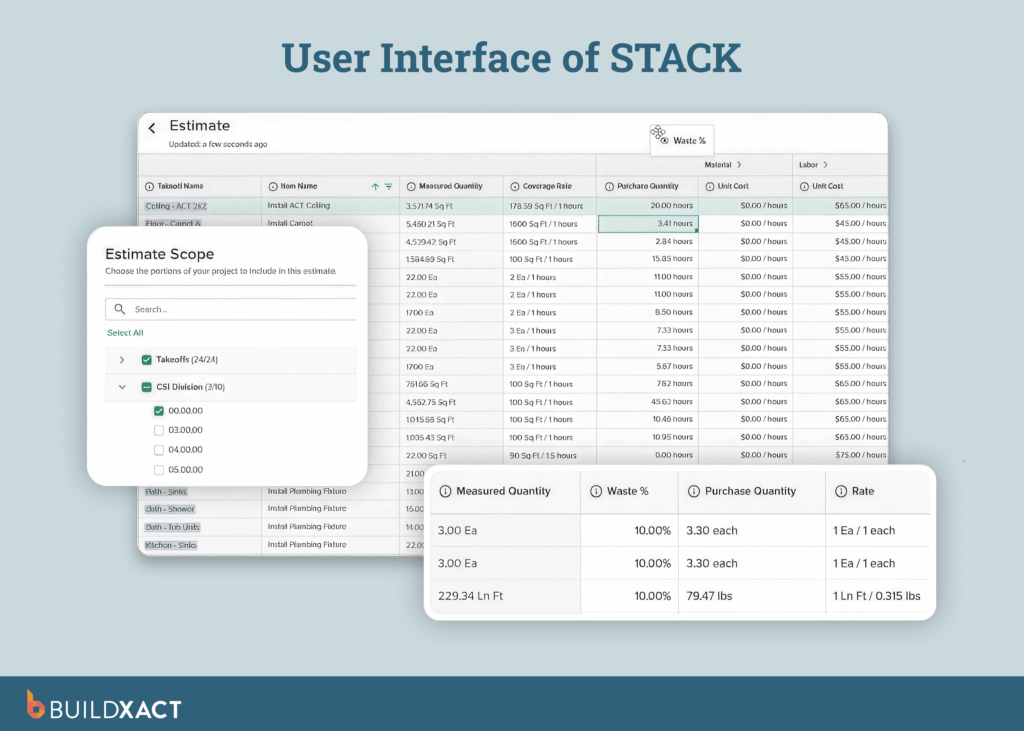
STACK Construction Technologies is a cloud-based preconstruction platform specializing in digital takeoffs and estimating for small to large construction contractors, including landscaping professionals. It offers advanced measurement tools, cost estimating, and collaboration features to streamline the bidding process before projects move to the construction phase.
STACK is a solid platform for contractors focused on preconstruction, particularly in commercial projects where advanced takeoffs and estimates drive bidding. Conversely, small to mid-sized landscaping firms may find its limited project management features and commercial focus problematic.
Pros
- Advanced automation allows landscapers to boost speed and accuracy in takeoff and estimating processes.
- Robust mobile tools make it easy to manage estimates, projects and updates from any location.
- Pricing includes unlimited projects and documents across all subscription tiers.
Cons
- Per-user pricing can make it difficult for small landscaping businesses to grow, as costs can quickly spiral as teams expand.
- Users note concerns with the takeoff deletion functionality requiring manual workarounds
- Setting up more advanced automated estimating assemblies and logic can be complex and time-consuming.
Pricing
- Standard license: $2,599/user/year
- Premium license: $2,999/user/year
- Pro license: $3,999/user/year
- One-time onboarding fee may apply
- Estimating-only pricing project management requires a separate subscription
JobTread
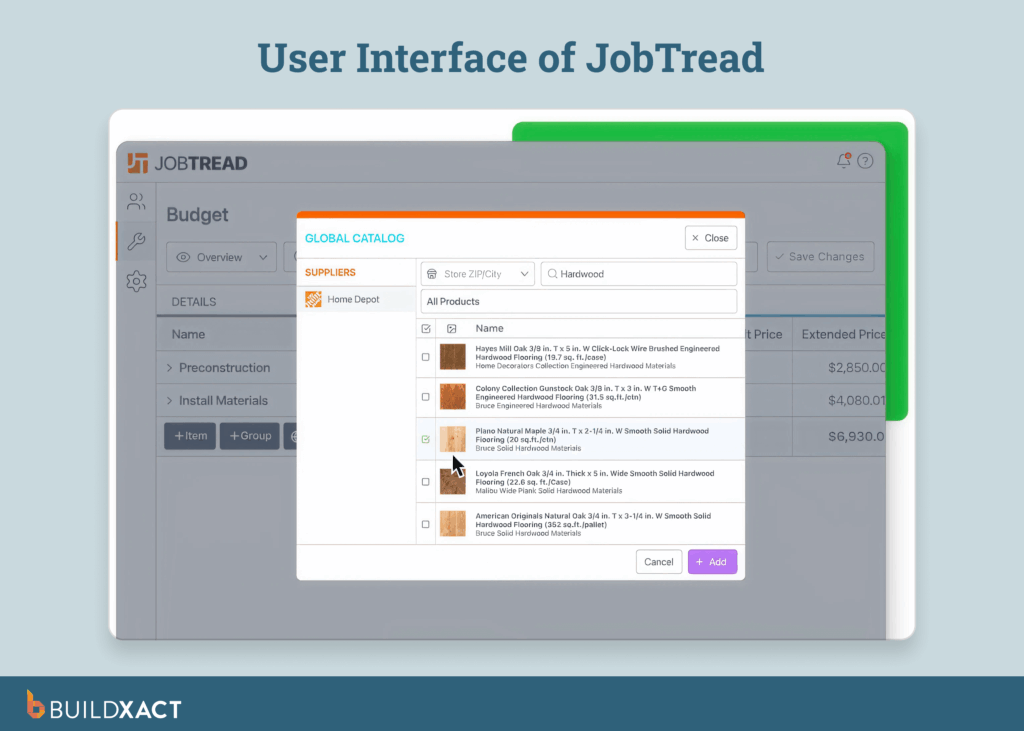
JobTread is construction software designed for small contractors, focusing on estimating, budgeting, and project tracking. Its user-friendly interface and straightforward workflows aim to help teams stay organized without the complexity of enterprise systems.
JobTread’s simplicity and low price point make it a good option for very small landscaping contractors operating in the residential sector. Small to mid-sized contractors and landscaping firms that want to scale their operations may find JobTread’s limited automation a hurdle to growth, as takeoffs often require manual work or external tools.
Pros
- User-friendly design and fast onboarding make it a good choice for small teams.
- Robust mobile access keeps teams productive from the field.
- Seamless integration with QuickBooks simplifies accounting and reduces duplicate data entry.
Cons
- Lack of AI and advanced automation leaves landscapers dealing with more manual tasks.
- Some JobTread users report functionality gaps with takeoff and estimating tools.
Pricing
- $199 USD per user per month
- Additional team members can be added for $20 per user per month
- Tiered price breaks begin after 10 users
- JobTread does not offer a free trial, but does provide a 30-day money-back guarantee.
DynaScape
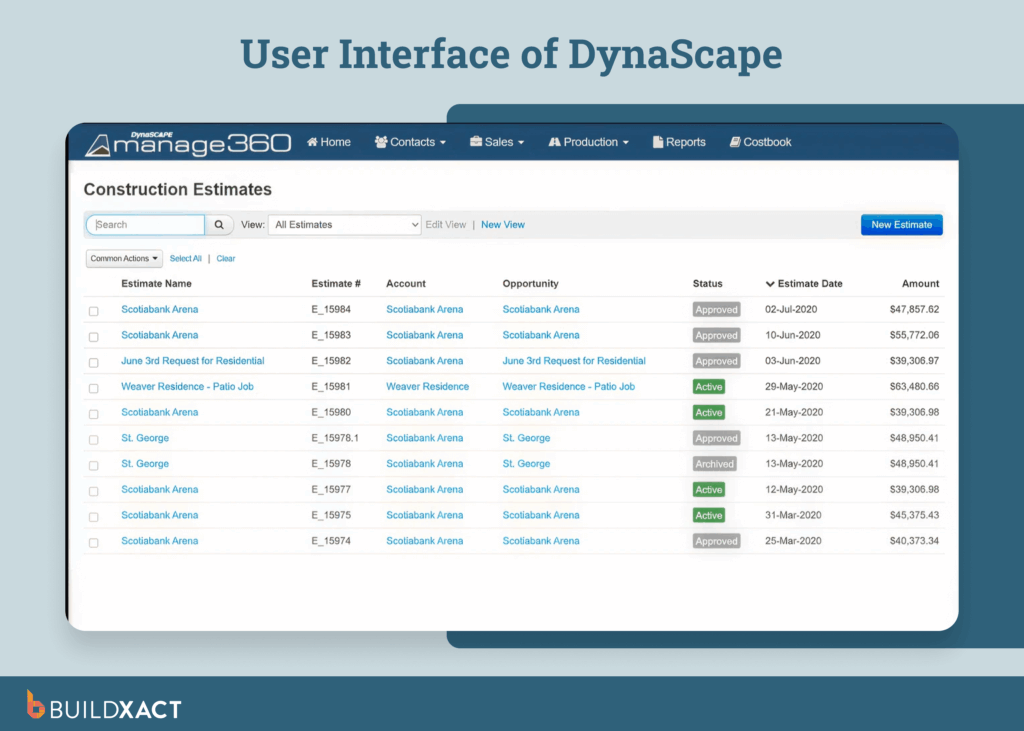
DynaScape is an end-to-end landscape software solution for design and business management, designed to help landscape industry professionals scale their businesses. DynaScape offers mobile solutions, comprehensive design capabilities, and a robust business management solution.
Landscape designers and architects who prioritize high-quality design and visualization tools will get the most value from DynaScape. It’s particularly well-suited for professionals focused on design presentations and approvals rather than day-to-day estimating and job management.
Pros
- Cloud-based software makes it easy to work from the office or job site.
- Dedicated landscape design tools and a comprehensive library of plants and CAD symbols allow landscaping contractors to create detailed, professional plans.
Cons
- Capabilities for estimating and job management are somewhat limited and less robust than platforms specifically designed for tasks such as takeoffs and quoting.
- Lengthy setup and training time can be a headache for small teams needing to get going quickly.
- Online reviews cite limited 3D workflow and editing limitations with the DynaScape platform.
Pricing
- Creator: $119 USD/month
- Design: $1599/year
- Manage360: Sales & Estimating Package: $2497/year | All features: $4093/year
- All pricing tiers exclude set-up fees
- The pricing model is add-on heavy, with multiple bundles and additional features only available at an extra cost
LMN
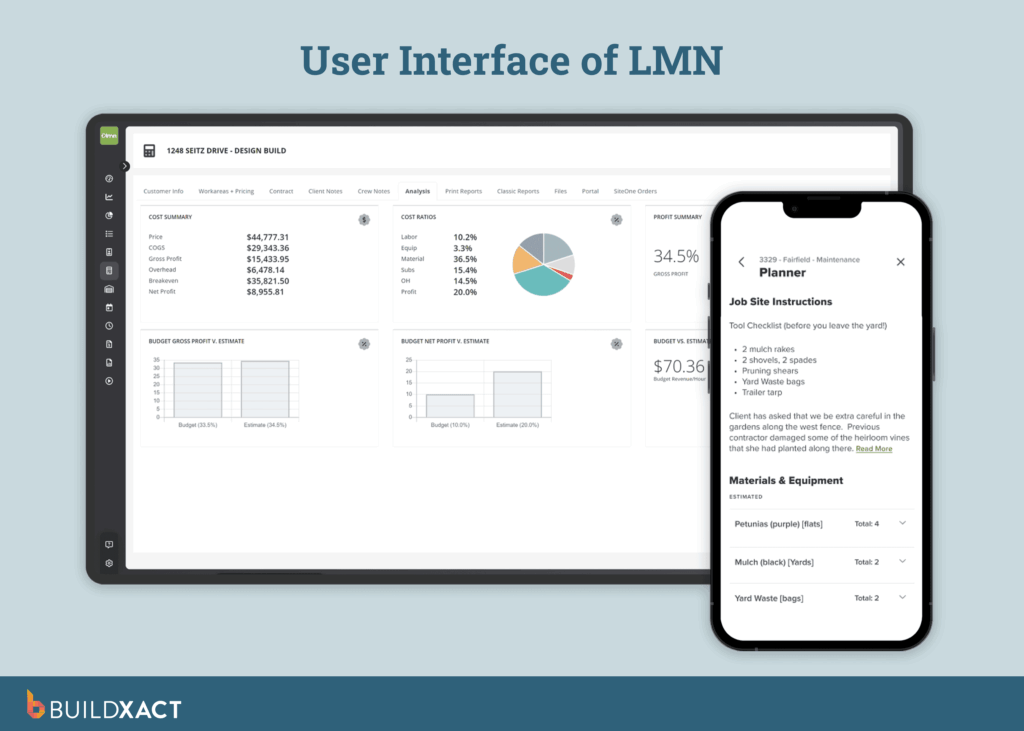
LMN is a business management platform built specifically for landscapers, offering tools for estimating, budgeting, job costing, crew management, and client communications to help landscaping companies streamline operations and improve profitability.
LMN is ideal for landscaping-focused companies that require sector-specific tools to manage estimating, maintenance contracts, and design-driven projects. It’s a good fit for businesses whose core work is landscaping rather than broader construction projects.
Pros
- Job costing tools that support estimating, budgeting, and tracking expenses provide a clear view of profitability.
- Industry-specific functionality makes LMN a good choice for contractors operating within this sector.
Cons
- Contractors seeking tools that handle residential construction tasks, such as change orders, compliance, or multi-trade scheduling, may find LMN less suitable.
- User feedback often cites a clunky interface that can feel outdated.
- LMN comes with a steep learning curve that requires a lengthy time investment.
Pricing
- Starter: From $297 USD/month (Includes 1 office/crew lead license and 5 crew member licenses. Additional licenses available for a fee)
- Professional: From at $648/month (Includes 3 office/crew lead licenses and 15 crew member licenses. Additional licenses available for a fee)
- Enterprise tier pricing is only available on request.
- LMN doesn’t offer a free trial, but a demo is available.
With the help of our guide, you’re now ready to select a landscape estimating software platform that helps you move away from spreadsheets and manual tasks, so you can stay focused on winning more projects and growing your business.
Landscape Estimating Software: FAQs
What is the best landscape estimating software?
The best landscape estimating software offers features such as digital takeoffs, live pricing, and automation tools that streamline processes and help busy landscapers stay focused on their work.
Do small home builders need landscape estimating software?
Small home builders offering landscaping services benefit from estimating software by saving time, reducing errors, and ensuring accurate bids with live material pricing and reusable templates.
Can AI help with landscape estimating?
AI-powered tools can support landscape estimating by accelerating bid processes, automating measurements, and improving accuracy, helping you protect slim margins and win more work.
How do landscape contractors get automated estimates?
Landscape contractors get automated estimates by using estimating software with AI-powered takeoffs, reusable templates, and built-in cost databases. These tools automatically measure quantities from plans, calculate material and labor costs, apply current pricing, and generate professional estimates in a fraction of the time required by manual methods. This helps contractors quote faster, reduce errors, and take on more work without increasing admin.
Switch to Automated Landscape Estimating Software that Lets You Price Accurately and Protect Your Margins
Slow, manual takeoffs leave landscapers buried in paperwork and guessing on costs. The right software automates tedious estimating processes, speeding up bid creation, reducing errors, and preventing costly underquoting.
Buildxact’s landscape estimating software helps busy landscapers spend less time on paperwork and more time on the job. Designed for small to mid-sized landscaping businesses, it replaces spreadsheets with a single, easy-to-use platform that helps you bid faster, protect your margins, and send professional bids that stand out.
Ready to take the next step? Start your free trial today or book an interactive demo.